Add to Cart Buttons on Product Lists
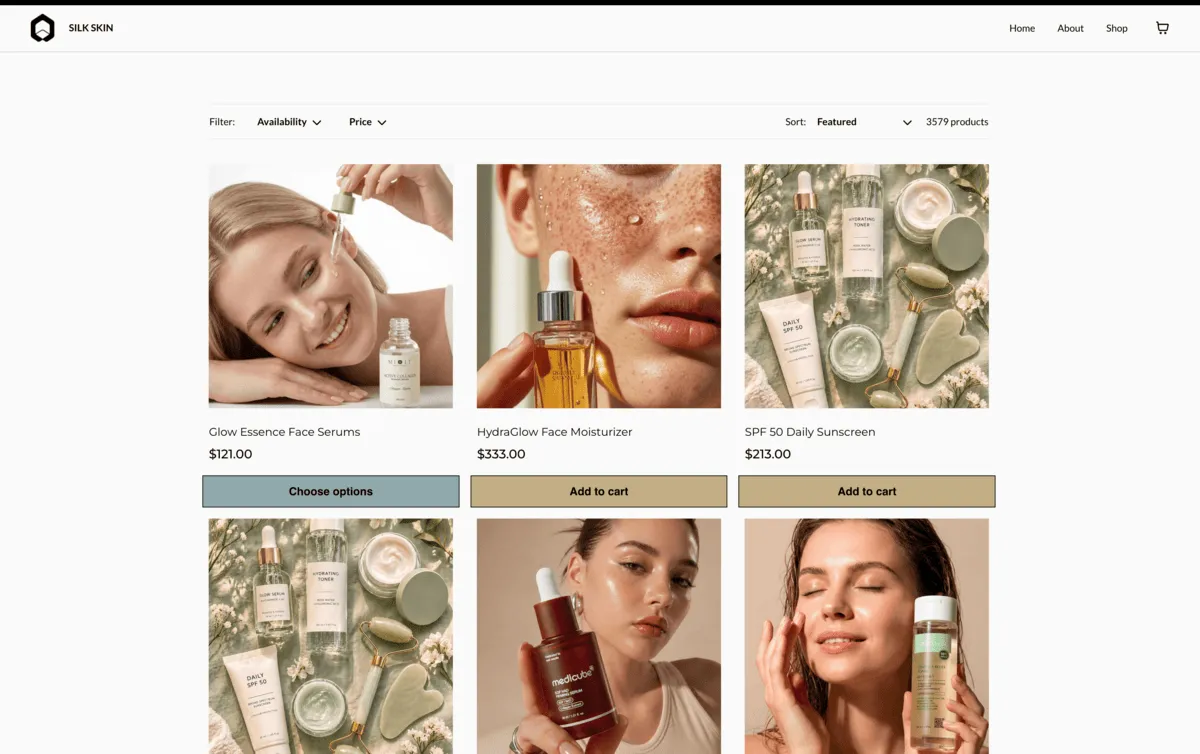
Store owners can enable Add to Cart actions directly on the Product List page and Featured Products element. This lets shoppers add eligible products to their cart without first opening the full product details page.
What Changed
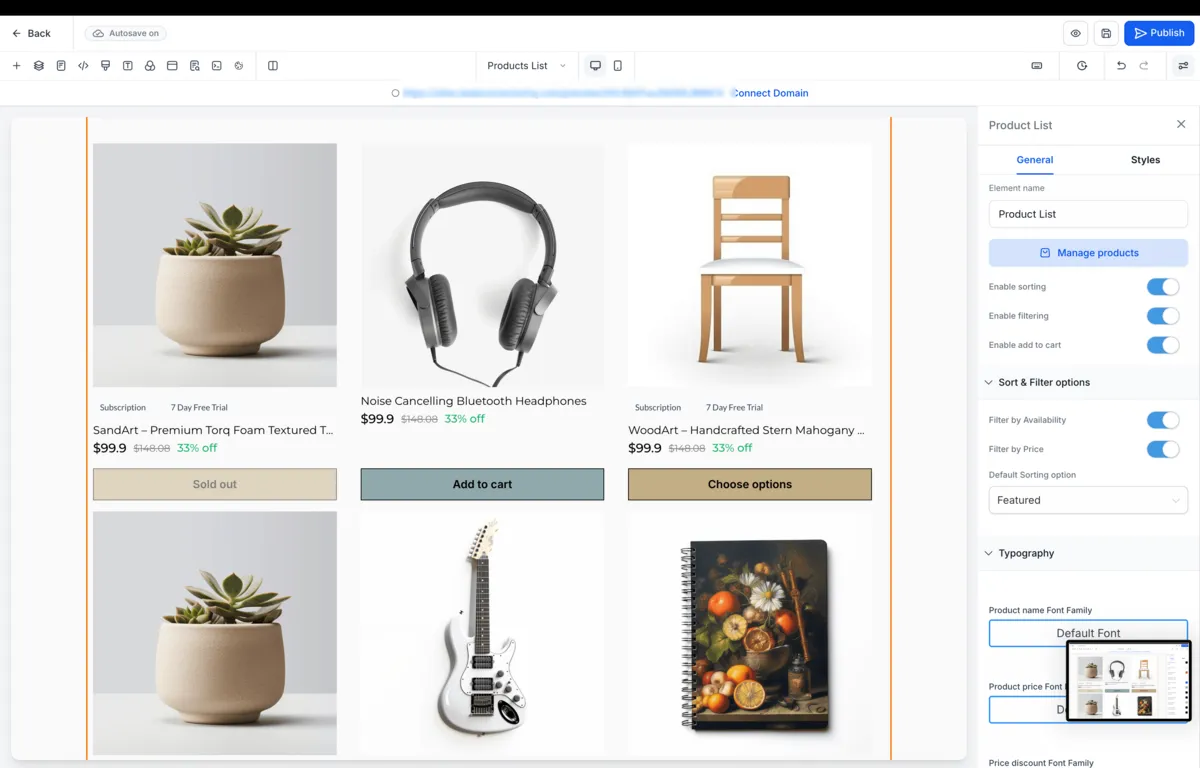
A setting is available in the Store Builder for the Product List and Featured Products elements. When enabled, product cards can show cart actions based on the product setup.
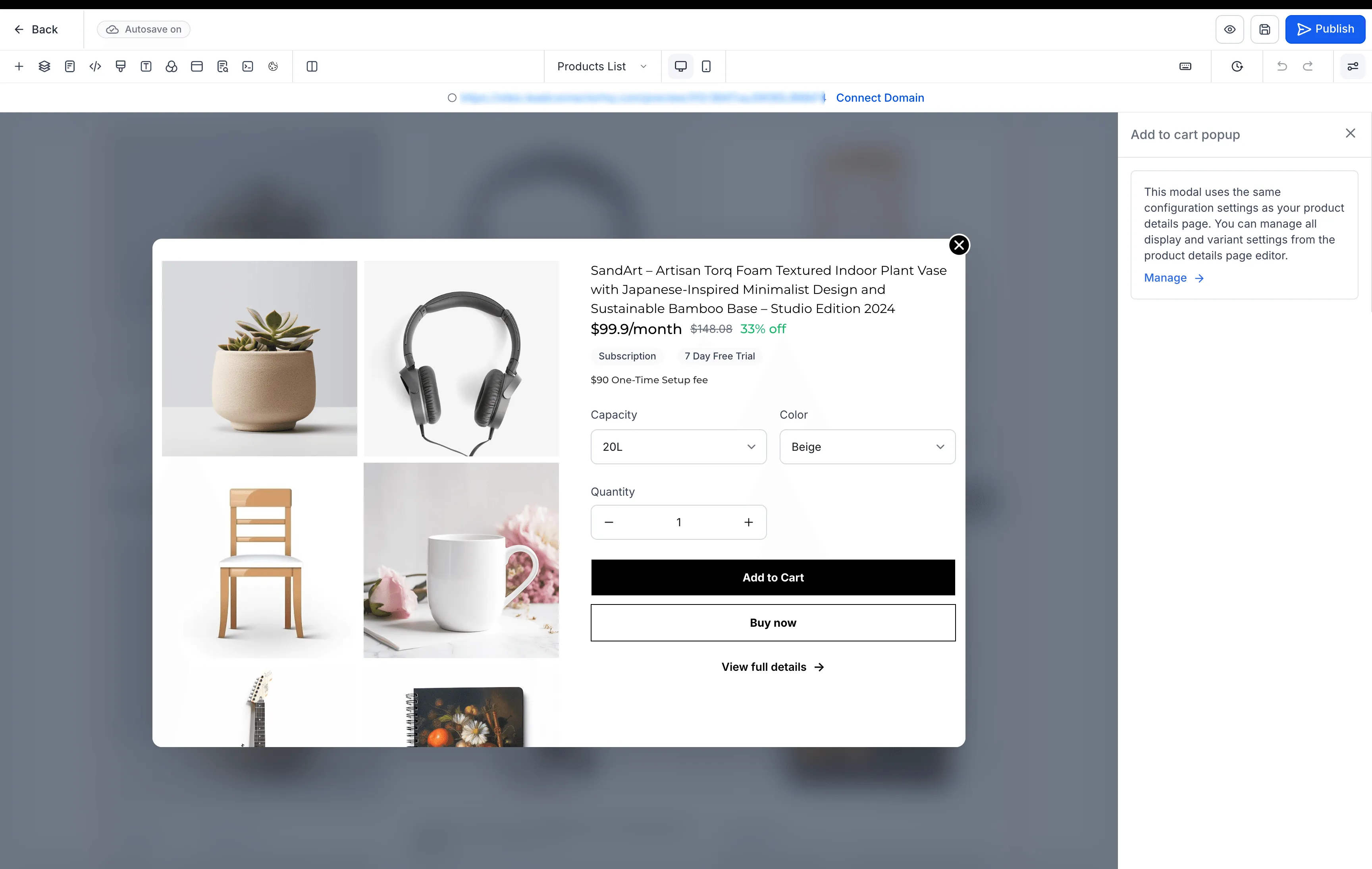
Product Card Behavior
- Products with a single variant or single price show an Add to Cart button on the product card.
- Products with multiple variants or prices show a Choose Options button.
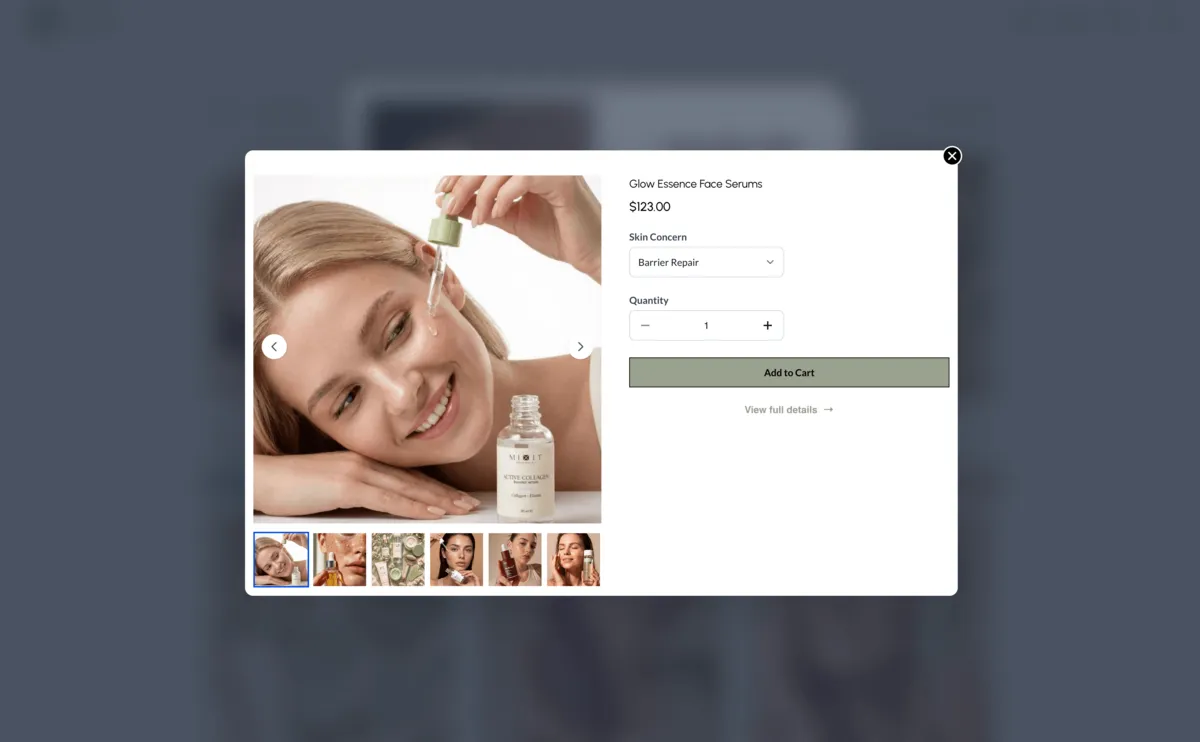
- The Choose Options modal lets shoppers select variants, choose quantity, and use Add to Cart or Buy Now.
- A View Full Details link is available inside the modal.
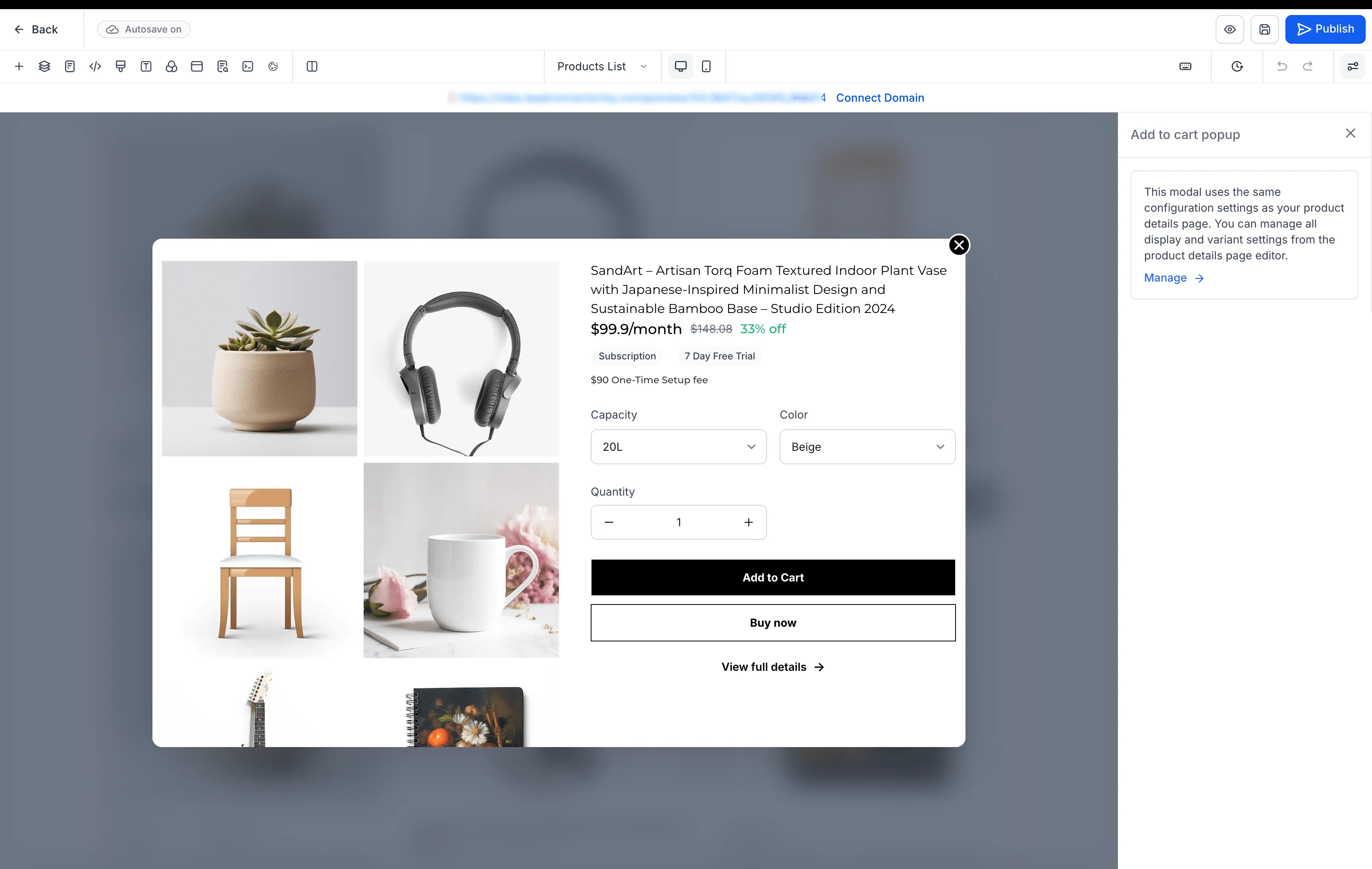
Modal Customization
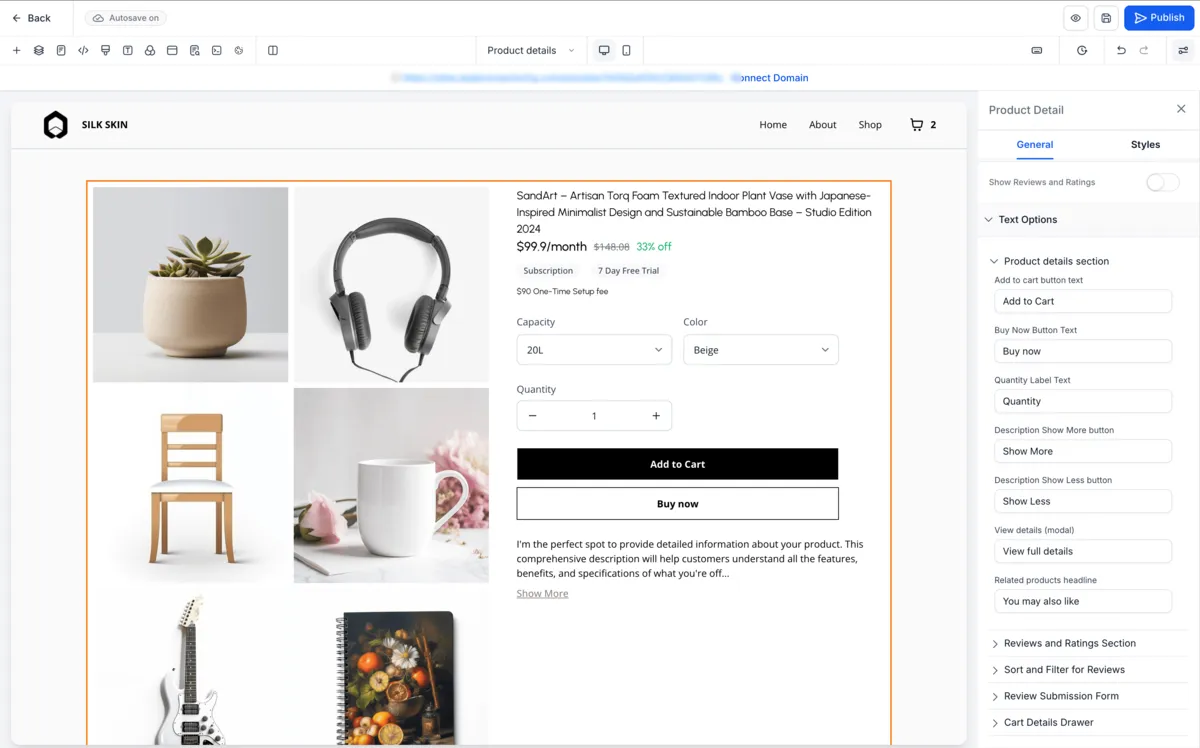
Product details page customizations are reflected in the Add to Cart modal, helping keep the selection experience consistent across product details pages, product lists, and featured product sections.
How to Use It
- Open the Store Builder.
- Select the Product List or Featured Products element.
- Enable the Add to Cart option in the settings panel.
- Adjust product details page settings as needed.
- Save and publish the changes.
Notes
- Add to Cart appears for single variant or single price products.
- Choose Options appears for products with multiple variants or prices.
- Variant selections inside the modal reset after the modal is closed and reopened.
- If all variants are out of stock, buttons are hidden, but the product card remains visible.
In Case You Missed It
You may also want to review Contact Tag Updates Now Require Confirmation.
Release Images
Need Help Applying This Update?
Want help turning this update into a working part of your CRM, marketing, or automation setup?
Get Started or schedule a demo and we’ll help you map the right next step.