View Opportunities Across All Pipelines
SMBcrm now includes an All Pipelines option in the Opportunities pipeline dropdown, so teams can review opportunities from every pipeline in one List view.
What changed
In SMBcrm CRM & Sales, the pipeline dropdown now includes All Pipelines. When selected in List view, it shows opportunities from all pipelines in one unified list.
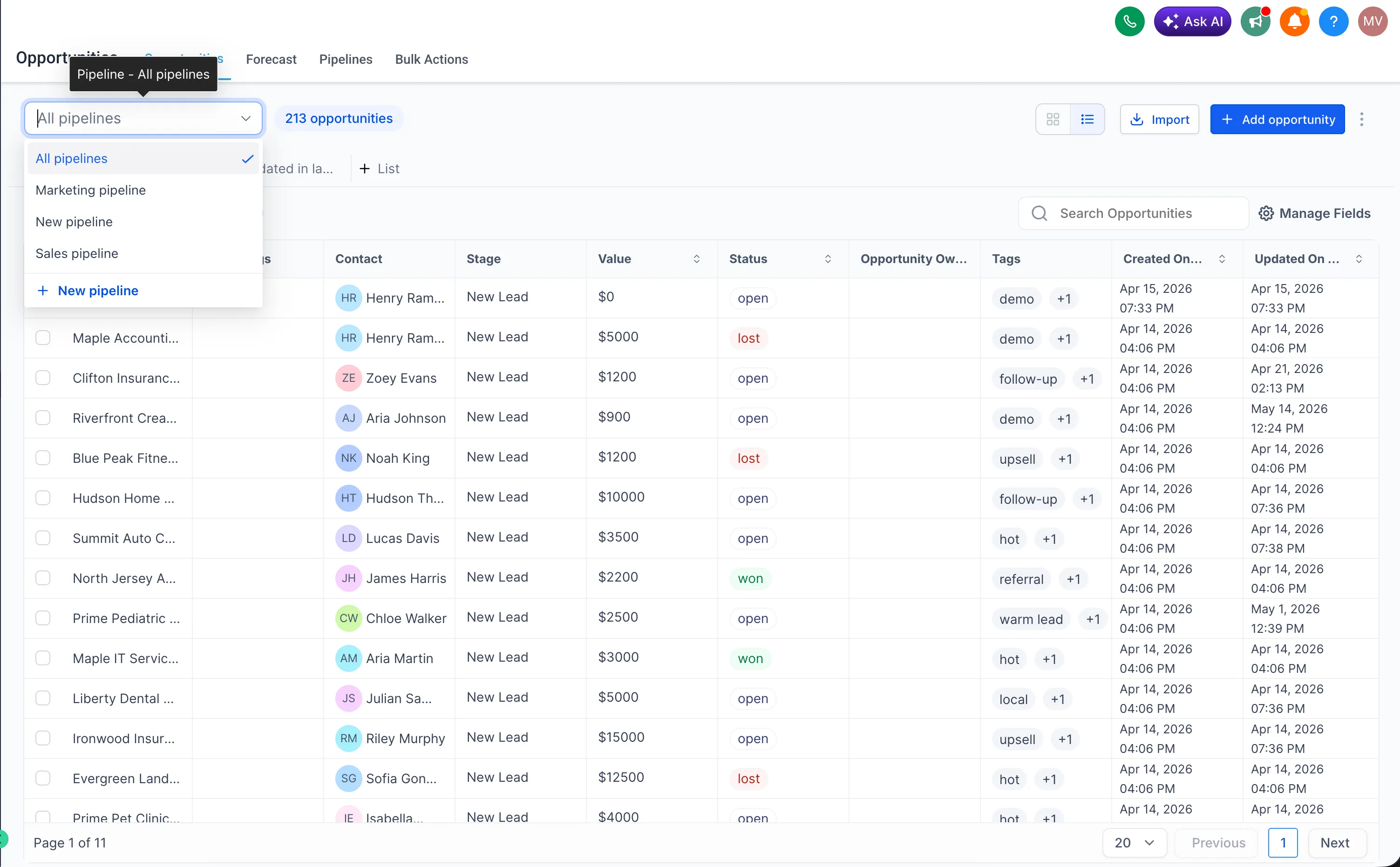
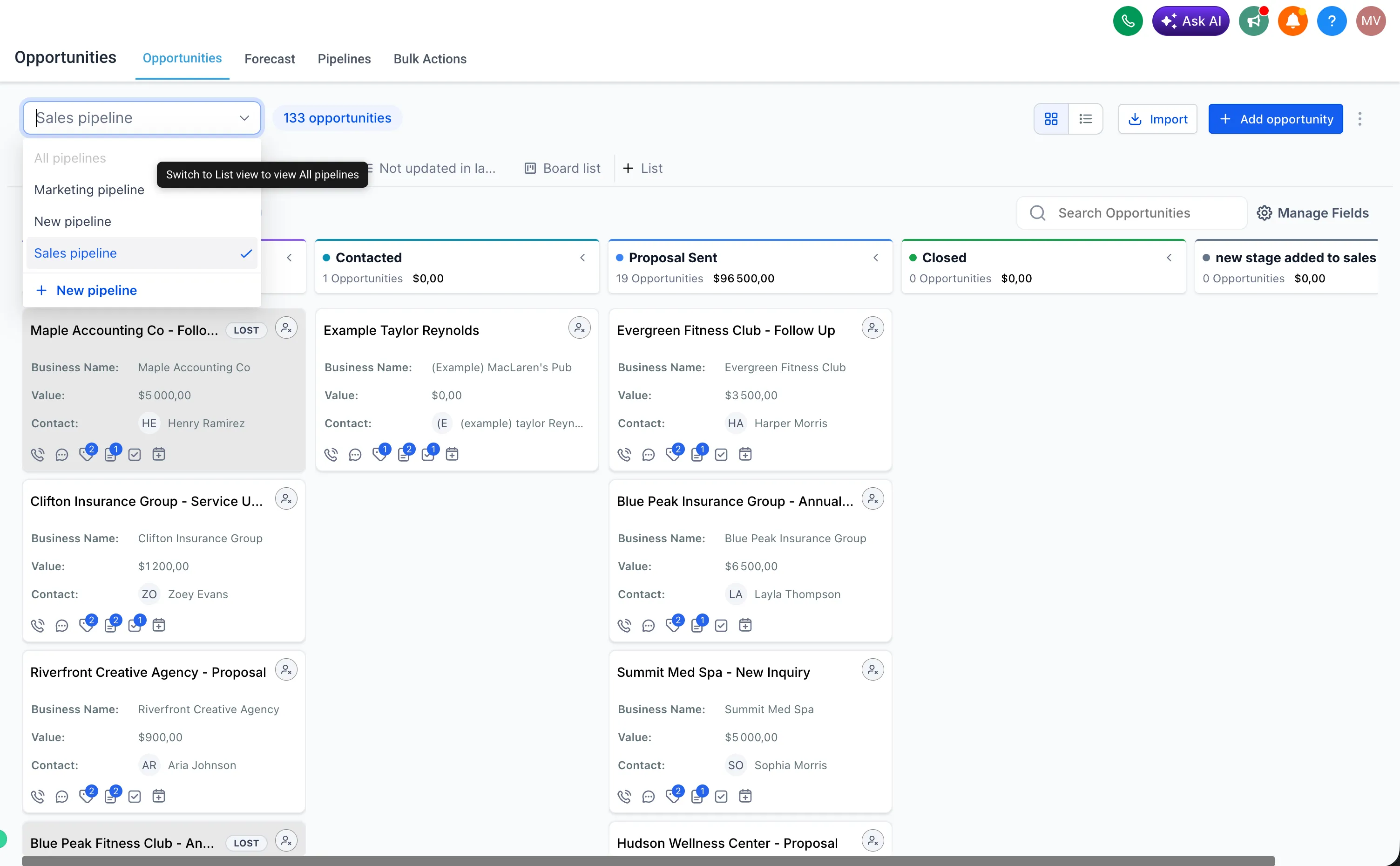
This view is available only in List view. The All Pipelines option is disabled in Kanban Board view.
How to use it
- Go to Opportunities.
- Switch to List view.
- Open the Pipeline dropdown and select All Pipelines.
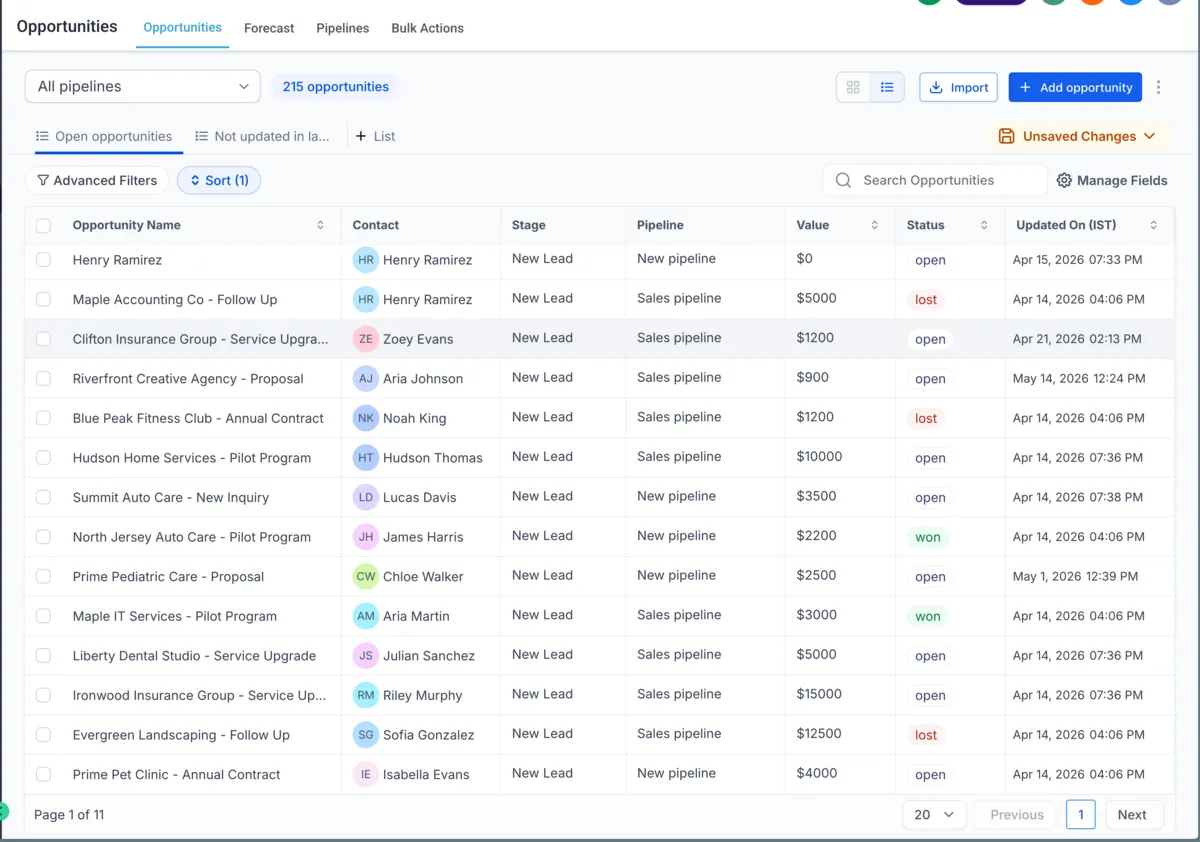
- Browse opportunities across all pipelines in one place.
Smartlist behavior
You can save the All Pipelines view as a Smartlist, but Smartlists created from this view are List type only. Kanban Board Smartlists are not supported for the All Pipelines view.
In Case You Missed It
For another recent scheduling update, read Calendly Reschedules Now Update Appointments.
Need Help Applying This Update?
Want help turning this update into a working part of your CRM, marketing, or automation setup?
Get Started or schedule a demo and we’ll help you map the right next step.