SMBcrm now includes an Associate Records workflow action that can automatically connect matching CRM records based on field values.
The action works across Contacts, Companies, Opportunities, and Custom Objects, depending on the workflow type and the associations configured in your account.
What changed
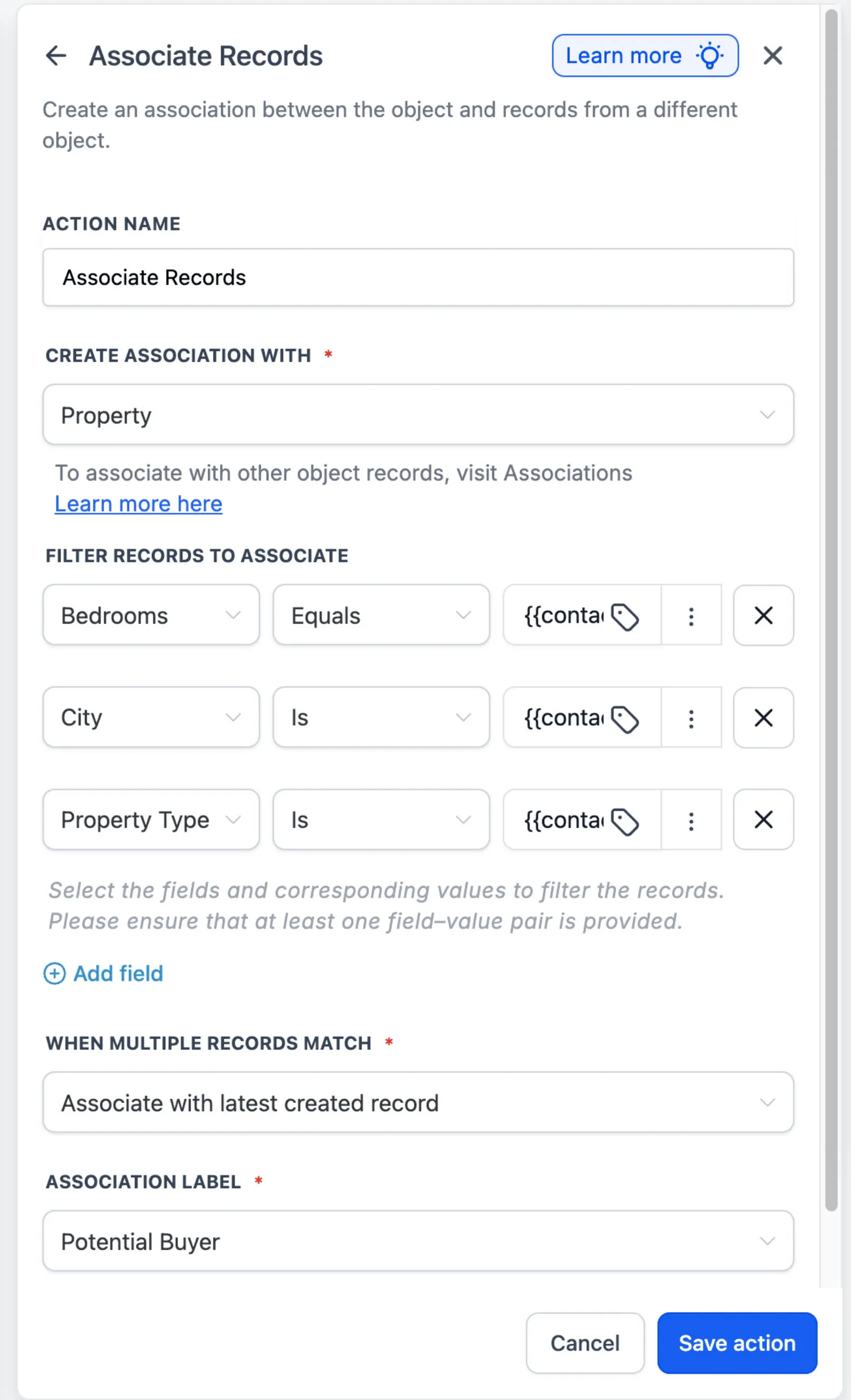
With the Associate Records action, you can:
- Find records using one or more field-based filters
- Use merge fields from the enrolled record as filter values
- Associate the earliest created, latest created, or all matching records
- Apply an existing association label
- Create associations between different objects
How it works
To use the action in workflow automation:
- Add the Associate Records action to a Contact, Company, or Custom Object workflow.
- Select the object containing the records you want to associate.
- Add filters to identify matching records.
- Choose how multiple matches should be handled.
- Select an association label, when required.
- Save and publish the workflow.
When multiple filters are added, a record must meet every condition to qualify.
Example
A real estate agency can automatically associate a buyer with Property records that match their preferred city, property type, and number of bedrooms. This helps teams create and maintain associations without manually connecting records one at a time.
Why it matters
Associate Records helps businesses reduce manual record association, keep CRM relationships accurate, and build workflows that act across associated records, including standard and Custom Objects.
Availability
Associate Records is currently available through Labs. To enable it, go to Settings, then Labs, then Associate Records - Workflow Action.
Need Help Applying This Update?
Want help turning this update into a working part of your CRM, marketing, or automation setup?
Get Started or schedule a demo and we’ll help you map the right next step.