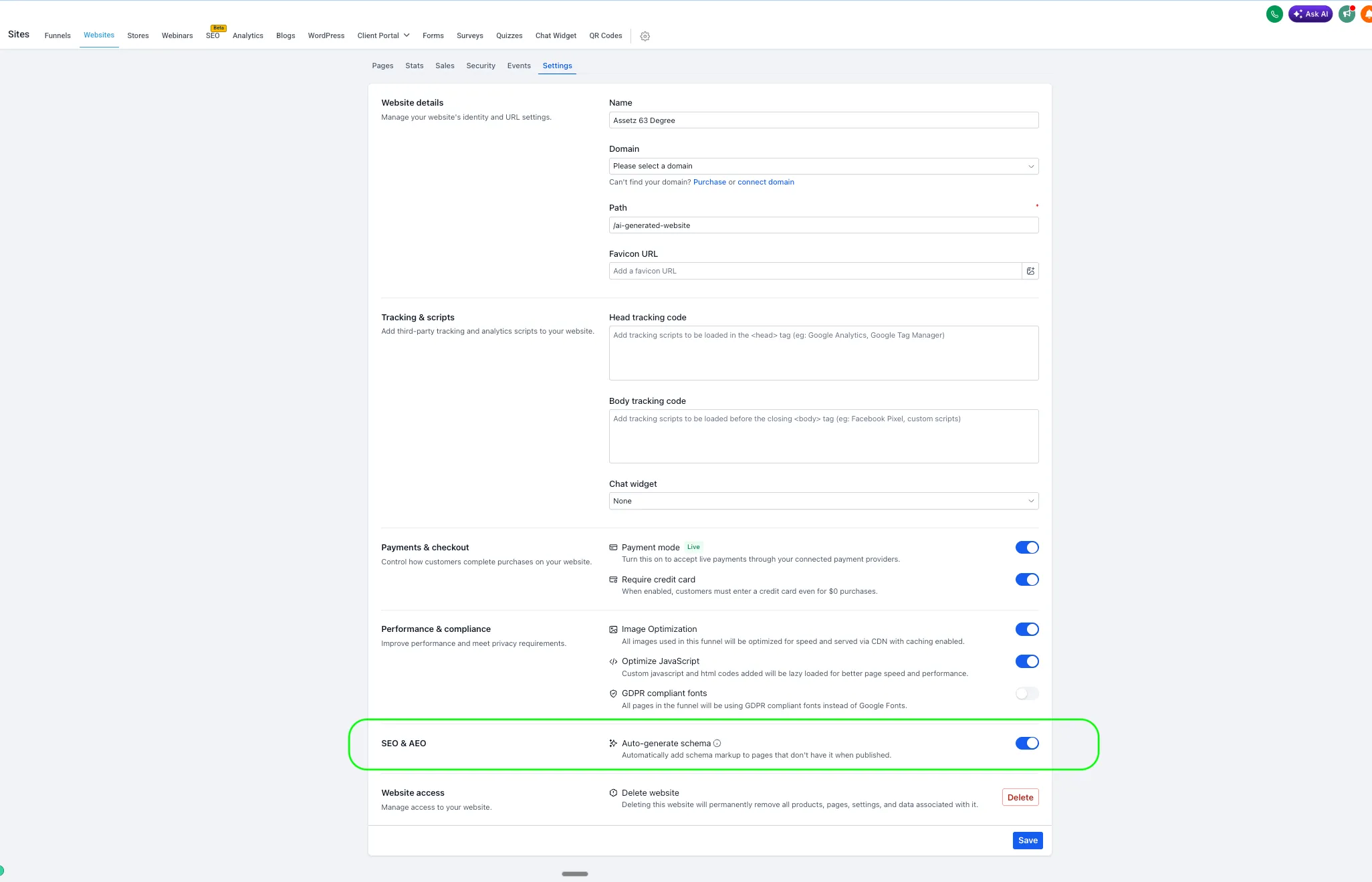
SMBcrm has added an Auto-generate schema setting that can create schema markup automatically when a Website, Funnel, or Webinar page is published without schema.
This helps published pages include structured data without requiring manual schema entry for each page.
What changed
When Auto-generate schema is turned on, SMBcrm checks for schema during publishing. If a page does not already have schema markup, AI generates it in the background.
Generation runs in parallel, so publishing is not delayed. Existing schema is preserved and is never overwritten.
The setting applies to page-specific publish paths, including Builder Publish, save-triggered publish, and version-history publish.
Where to find it
You can find the setting under Settings in the SEO & AEO section:
- Auto-generate schema: “Automatically add schema markup to pages that don’t have it when published.”
This applies to Website and Funnel pages and Webinars.
Impact on existing assets
- Assets created before this release keep the setting off by default. Nothing changes unless you turn it on.
- Assets created on or after this release have the setting on by default. New pages published without schema can receive generated schema automatically.
- You can toggle the setting per Website, Funnel, or Webinar, then save.
Action required
No action is required for existing assets. They keep their current behavior. If you do not want new assets to auto-generate schema, turn off the setting under Settings > SEO & AEO and save.
Need Help Applying This Update?
Want help turning this update into a working part of your CRM, marketing, or automation setup?
Get Started or schedule a demo and we’ll help you map the right next step.