Automatic Company Matching by Email Domain
SMBcrm can automatically associate a contact with the right company when the contact is created or when their email address is updated. If no suitable company exists, SMBcrm can create one, store its domain, and enrich it with the company name and logo.
What changed
This update adds domain-based company matching and creation options for CRM records:
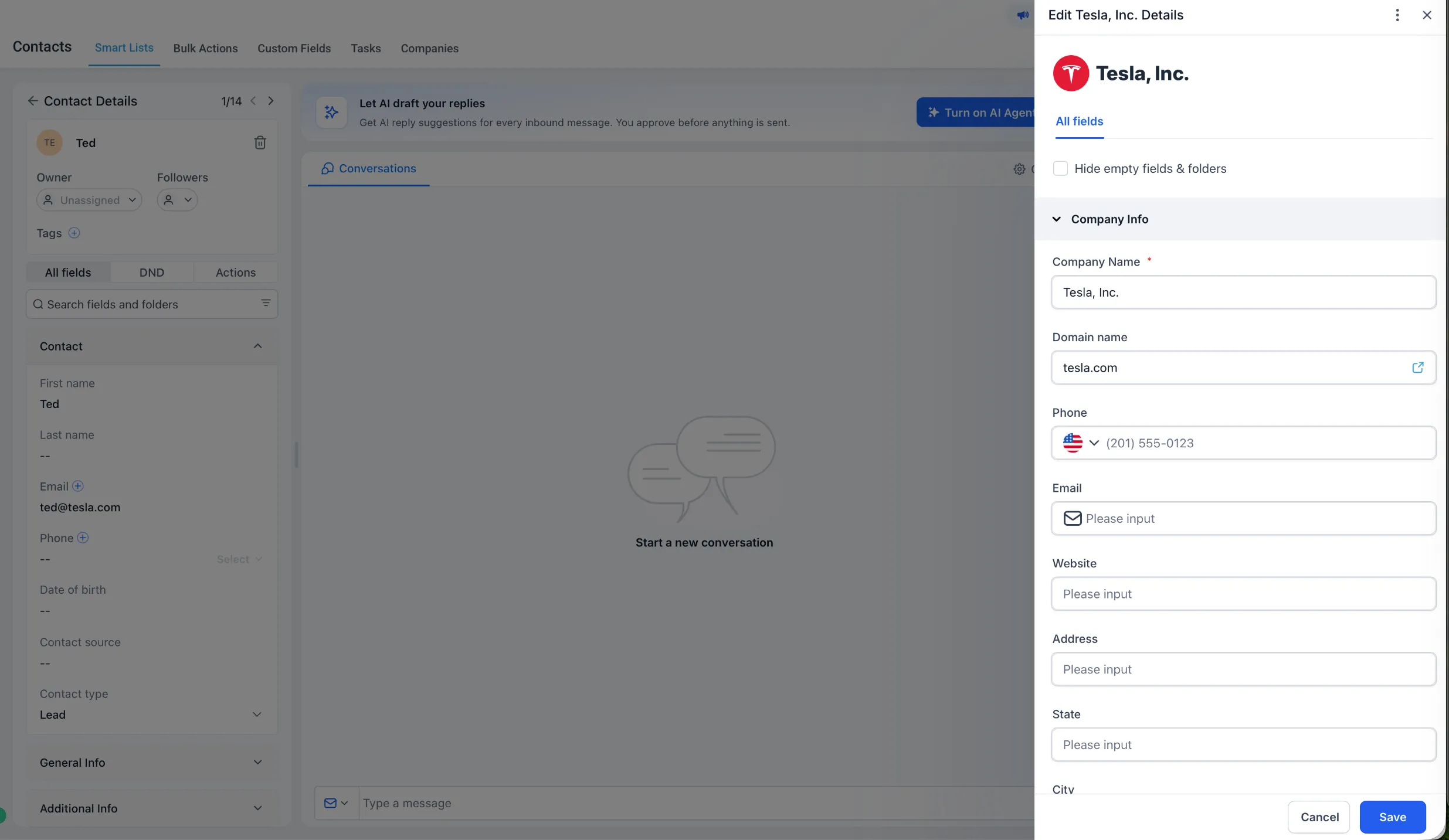
- A Company Domain Name field with uniqueness enabled by default
- Automatic contact association when the email domain matches an existing company
- Automatic company creation when no suitable match exists
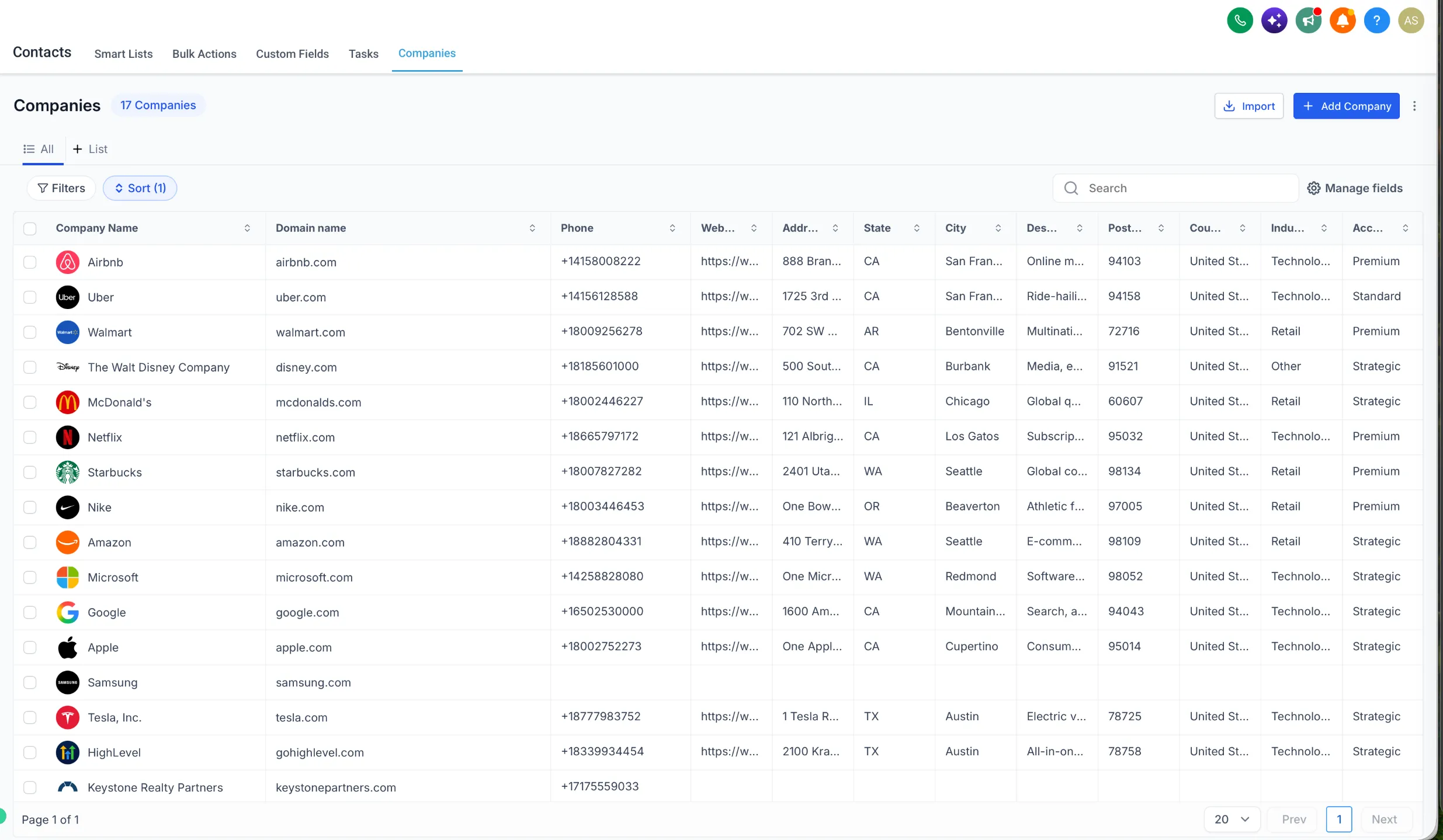
- Company enrichment with company name and logo
- Duplicate prevention so companies cannot share the same domain
- Exclusions for common free email providers, with the option to add your own excluded domains
- Matching against existing company records before creating a new one
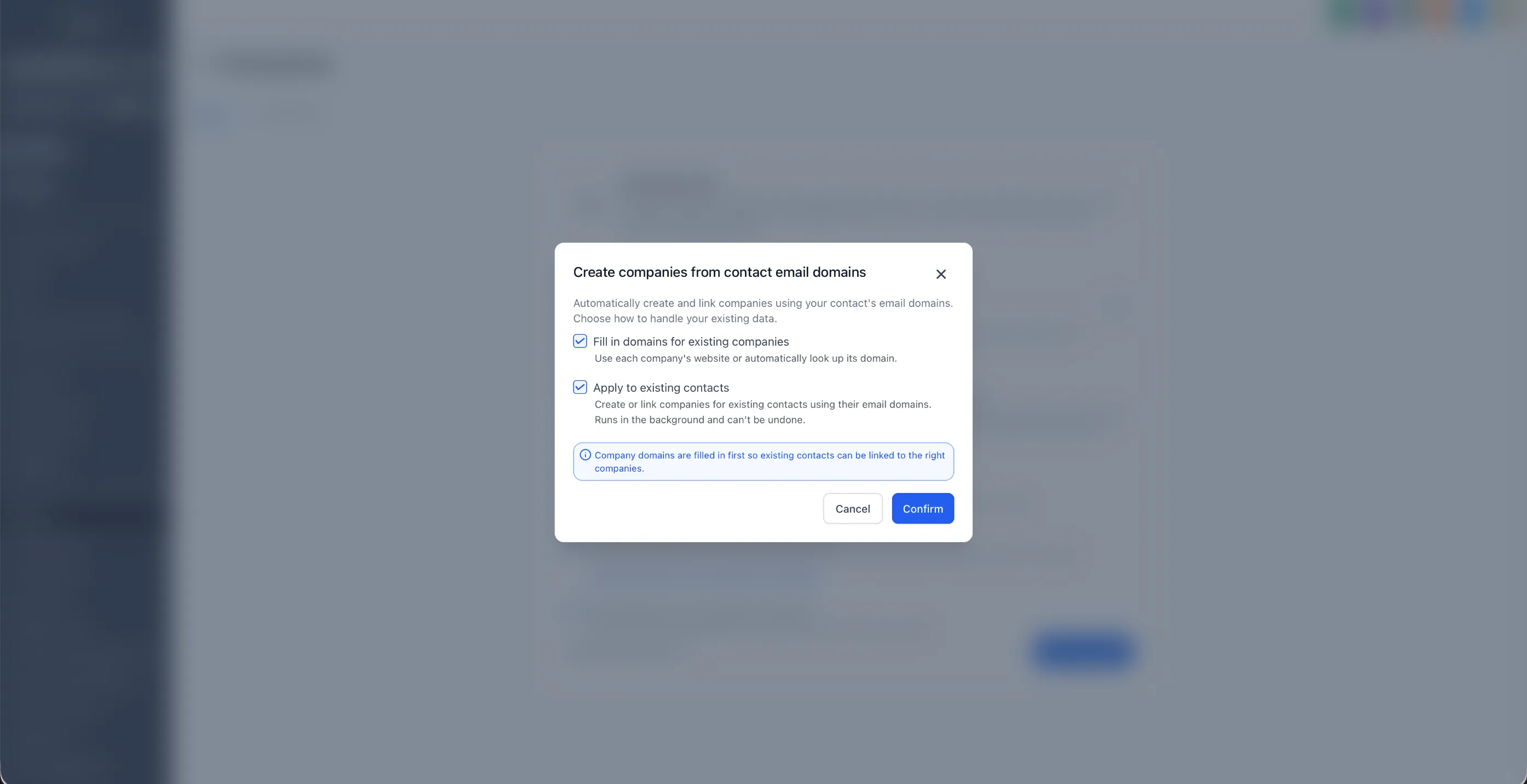
- Optional domain backfill for existing companies when the feature is enabled
Why it matters
For B2B teams, contacts usually belong to a company record. This update reduces manual company creation and contact association, helps keep company data cleaner, and helps prevent duplicate company records.
Cleaner company data can also make company smart lists, workflows, reporting, and customer communication more reliable.
How it works
When a contact is created or their email address is updated, SMBcrm checks for a suitable existing company before creating a new one.
For example, if a contact uses [email protected]:
- If a company already has
acme.comas its domain, Sarah is automatically associated with it. - If an existing Acme company has no domain, SMBcrm can identify that company, populate its domain, and reuse the existing record instead of creating a duplicate.
- If no suitable company exists, SMBcrm can create and enrich a new company automatically.
How to enable it
- Go to Settings → Labs and enable “Automatic Company Creation & Association by Domain.”
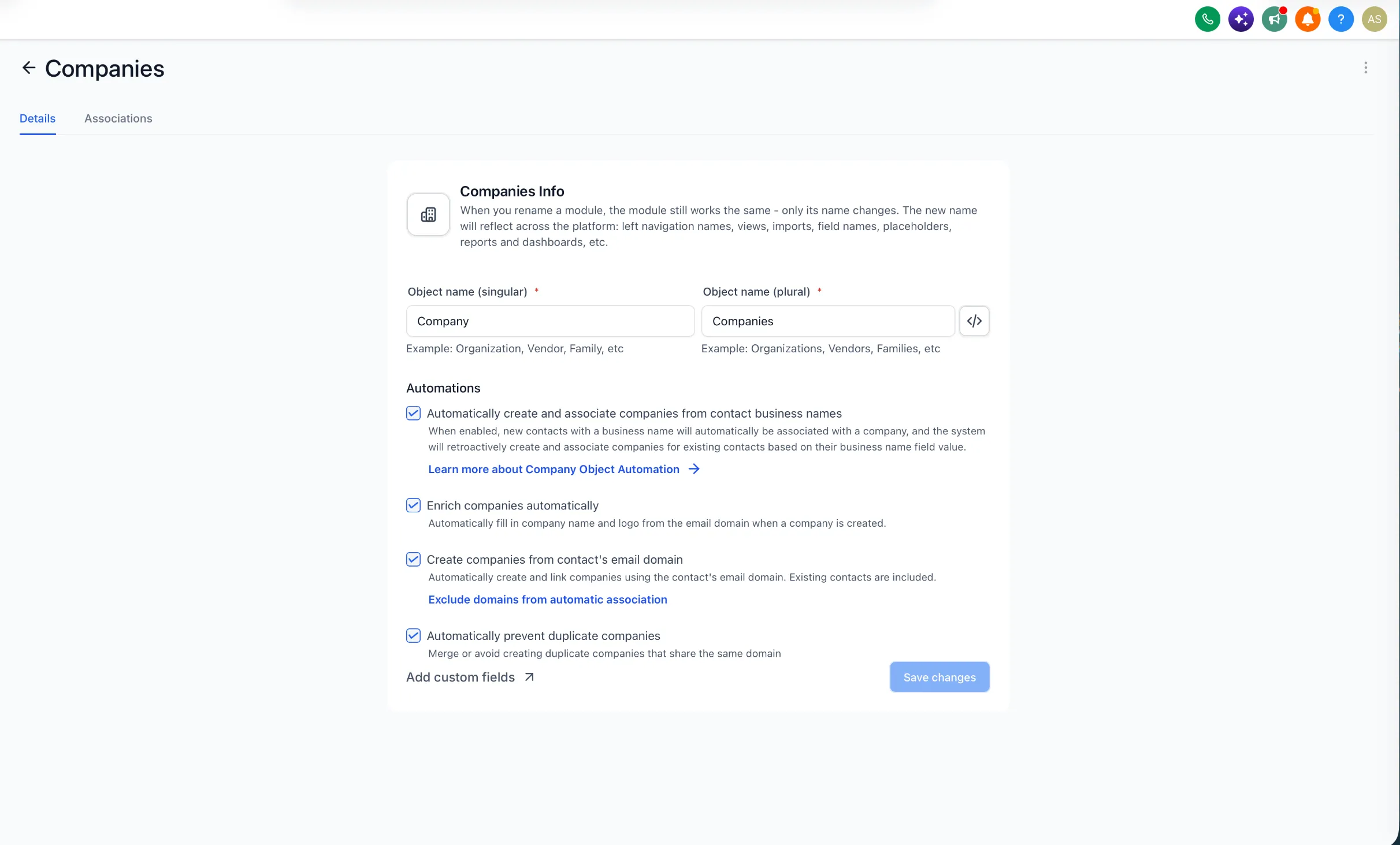
- Go to Settings → Objects → Companies.
- Under Automations, configure the available options:
- Enrich companies automatically
- Create companies from a contact’s email domain
- Automatically prevent duplicate companies
- Add any domains you want to ignore under Exclude domains from automatic association.
- Click Save changes.
The existing automation for automatically creating and associating companies from contact business names continues to work alongside the domain-based options.
Notes
- Existing company associations are respected and are not automatically replaced.
- Common free email providers such as Gmail and Yahoo are excluded from domain-based automation.
- Domain matching is exact, so
company.comandmail.company.comare treated as different domains. - Company enrichment is best effort and does not block company creation.
- Manually entered company domains are not overwritten during domain backfill.
Release Images
Need Help Applying This Update?
Want help turning this update into a working part of your CRM, marketing, or automation setup?
Get Started or schedule a demo and we’ll help you map the right next step.