Readers can now join discussions directly on your SMBcrm blog posts. A new Comments tab brings comments, replies, and moderation tools together for each blog site.
Reader Comments and Replies
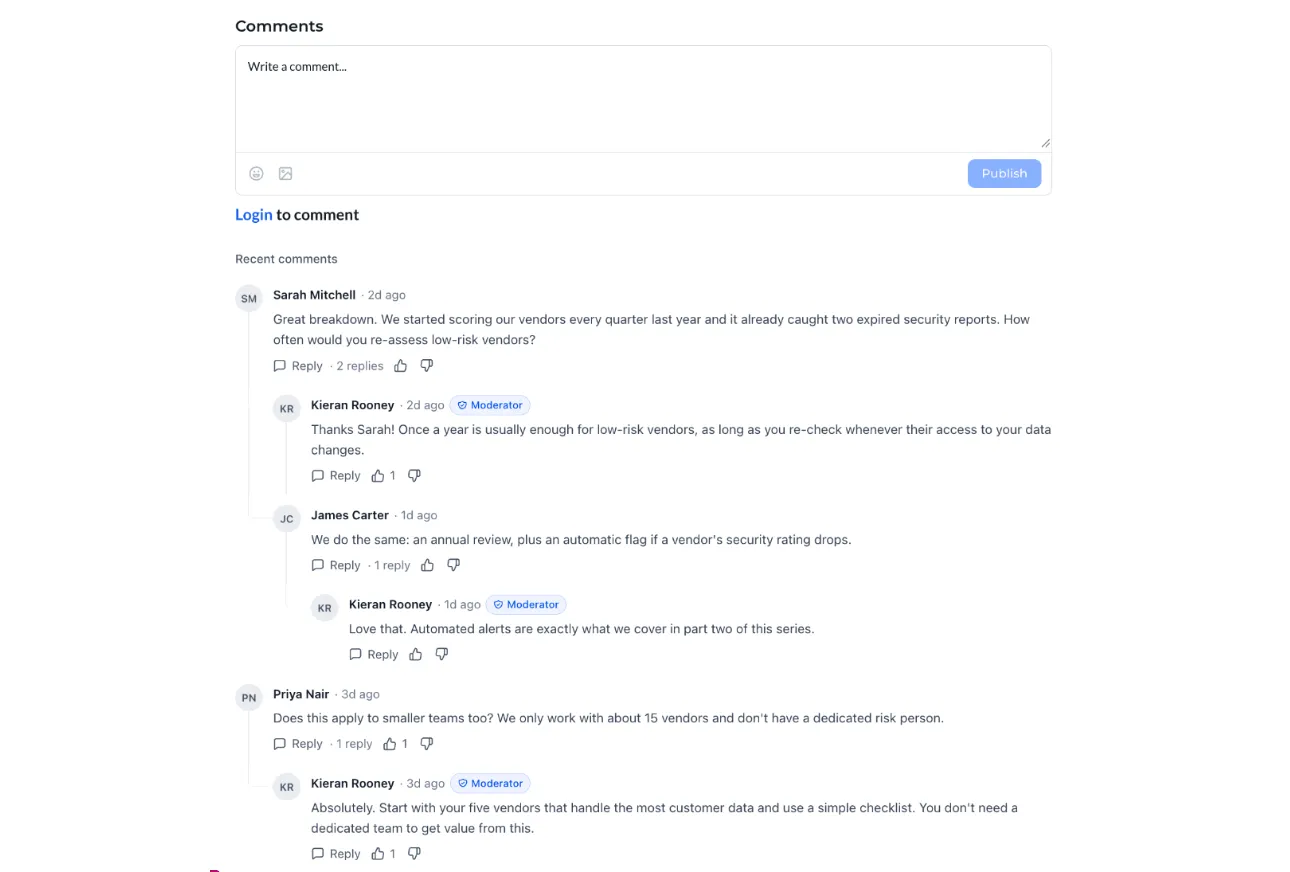
Add the Comments element to your blog post page once to enable comments across every post on that blog site. Readers can:
- Write comments and reply in threaded conversations.
- Add emoji and attach one image per comment.
- Like or dislike comments.
- Load more comments in longer discussions.
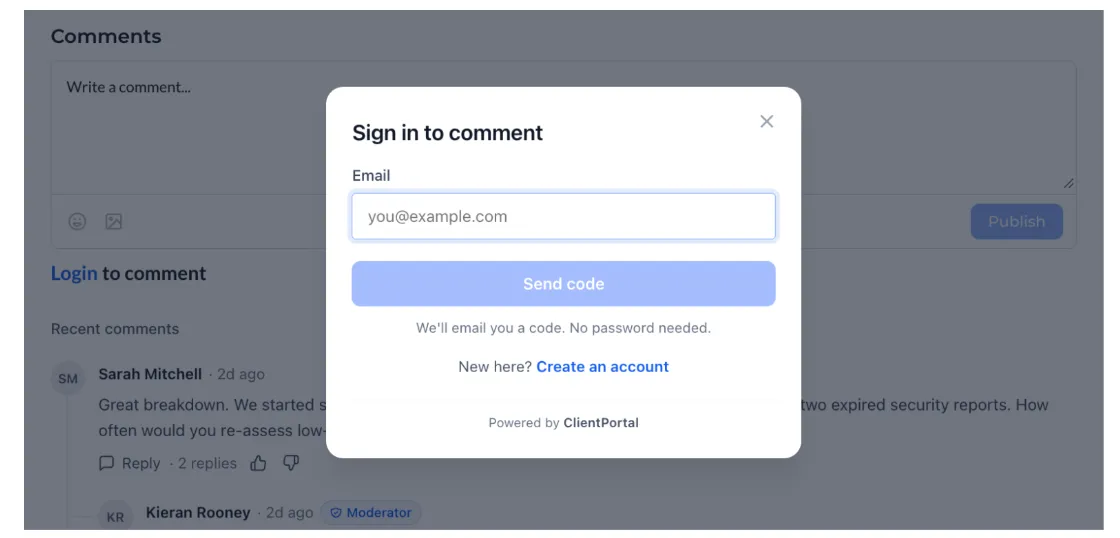
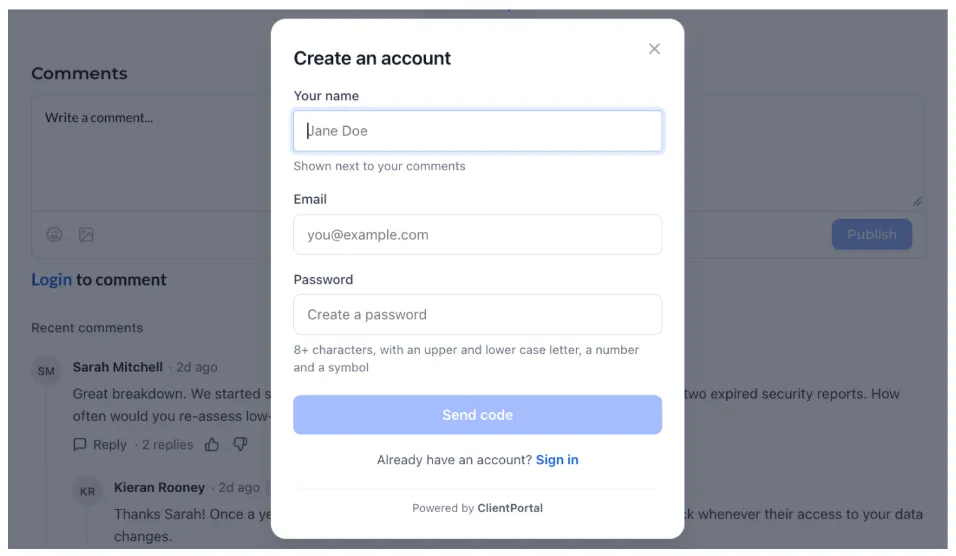
Anyone can read comments. Readers must sign in to comment, reply, like, or dislike. Returning readers sign in with their email and a one-time code, without a password. New readers can create an account without leaving the post.
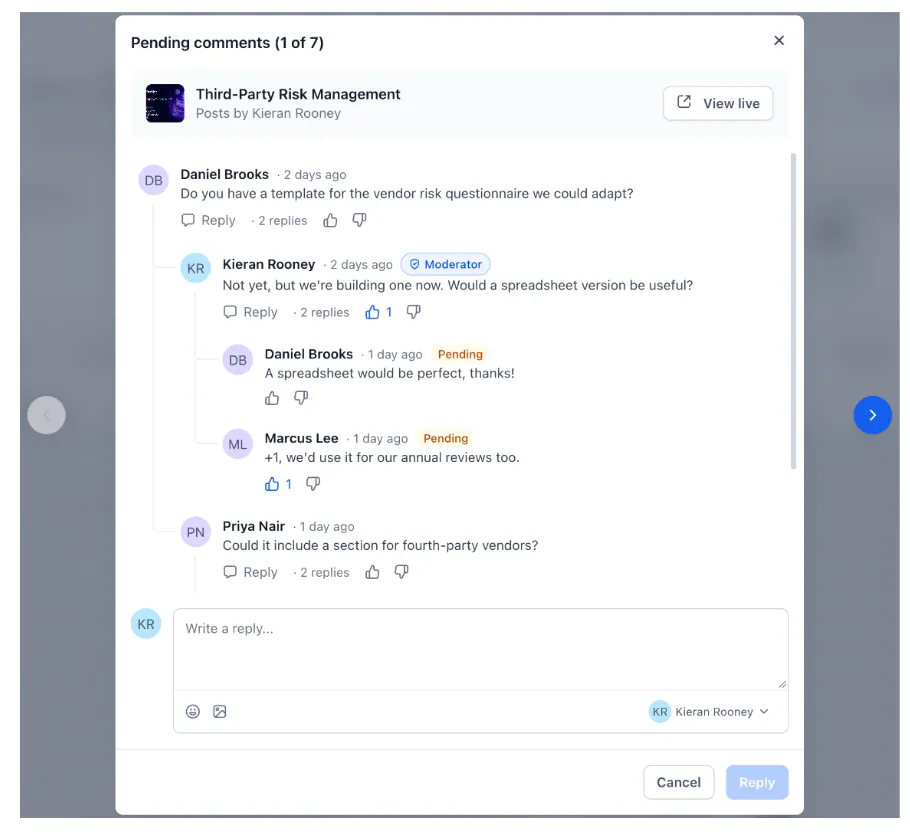
Replies from your team display a Moderator badge to distinguish them from other reader comments.
Manage Comments in One Place
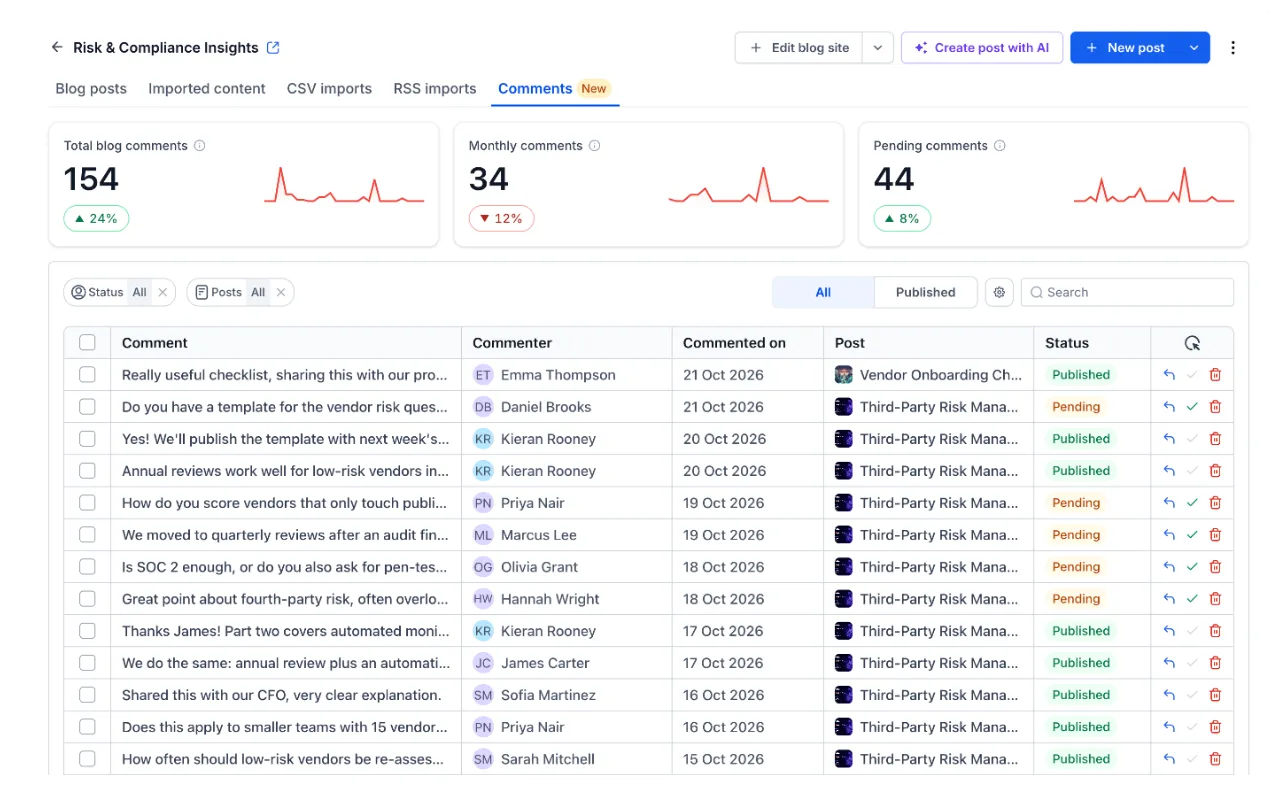
The Comments tab shows comments across your blog site, including totals, comments this month, and comments awaiting approval, each with a trend line.
You can filter by status or post, search comments, and reply, approve, or delete. When reviewing pending comments, you can step through them individually with the full conversation visible, reply as any author on your blog, and open the live post in one click.
Control Approvals and Notifications
Each blog site has settings to:
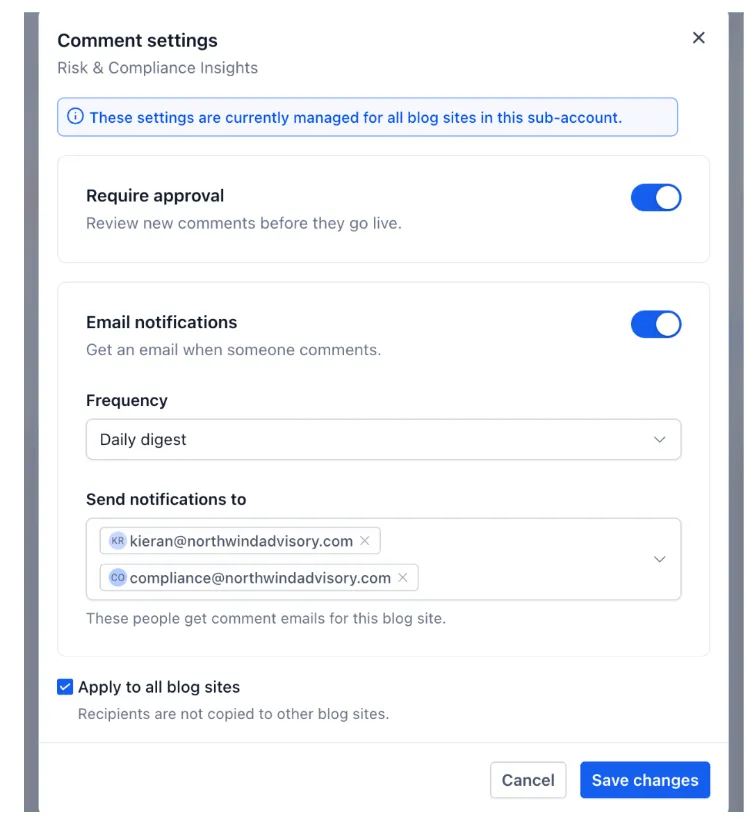
- Require approval before new comments become visible.
- Send an email for every comment or a daily digest.
- Choose who receives notification emails.
- Apply the same settings across all blog sites in your account, while keeping notification recipients specific to each site.
How to Enable Comments
- Go to Sites → Blogs and open your blog site.
- Open the blog post page in the builder.
- Add the Comments element and style it to match your site.
- Save and publish.
- Manage comments and settings from the Comments tab.
Important Details
Comments are enabled for an entire blog site, not individual posts. Removing the Comments element removes comments from every post on that site.
Comments do not yet appear in Conversations, and commenters are not added to Contacts. Published comments are readable by search engines.
Release Images
Need Help Applying This Update?
Want help turning this update into a working part of your CRM, marketing, or automation setup?
Get Started or schedule a demo and we’ll help you map the right next step.