You can now send forms as WhatsApp Flows in SMBcrm. Customers answer your questions inside the conversation without opening a browser or switching apps, keeping lead capture in the same chat.
What changed
- Reuse existing forms: Select a form you already built, or create one without leaving the Flows screen.
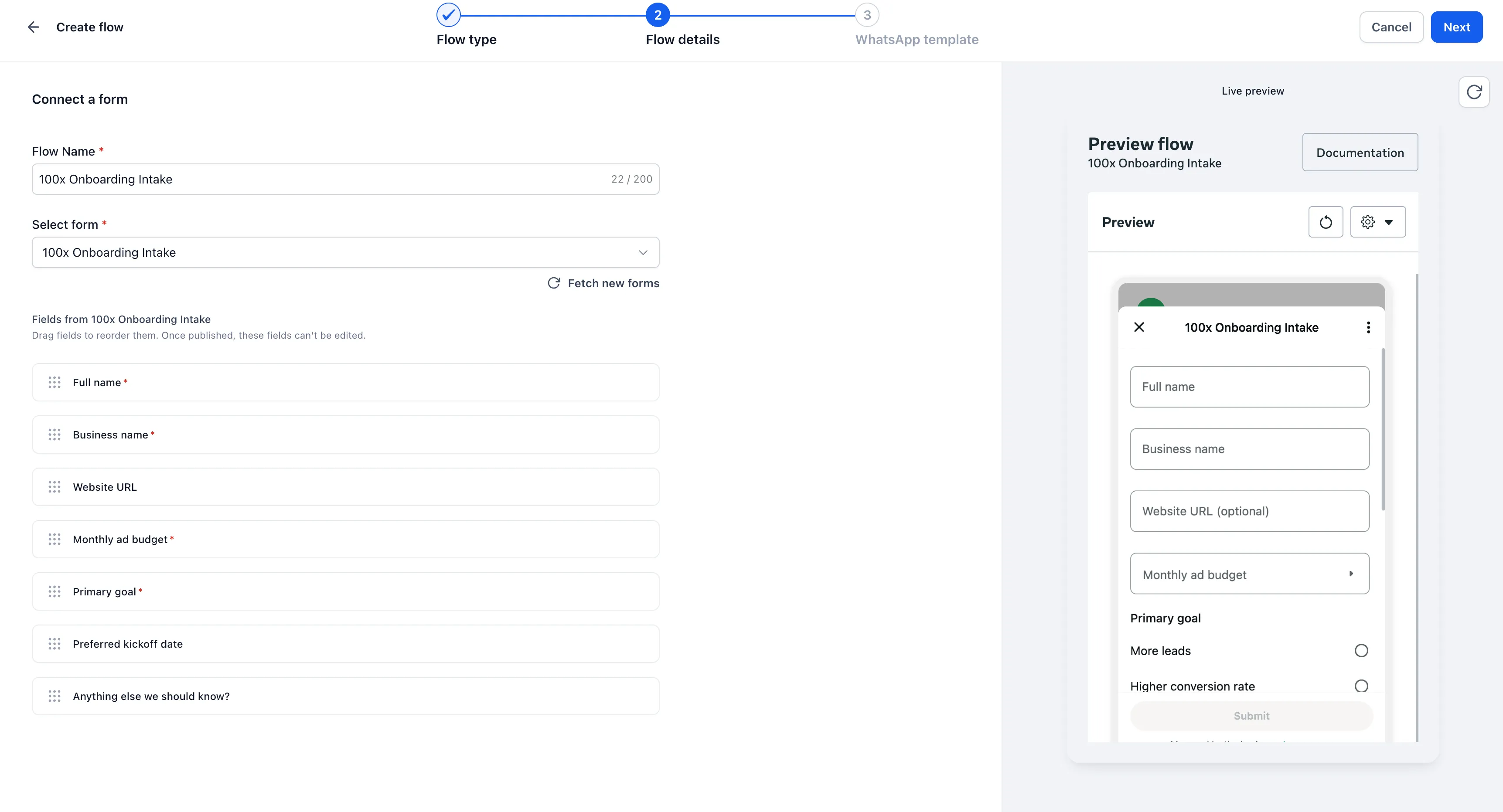
- Preview before publishing: See how your fields will appear in WhatsApp while you configure the flow. Unsupported field types are excluded before publishing.
- Save responses automatically: Responses appear in Forms > Submissions and are mapped to the appropriate contact.
- Keep published flows consistent: Later changes to the underlying form do not change what an already-published flow collects.
How to create a form flow
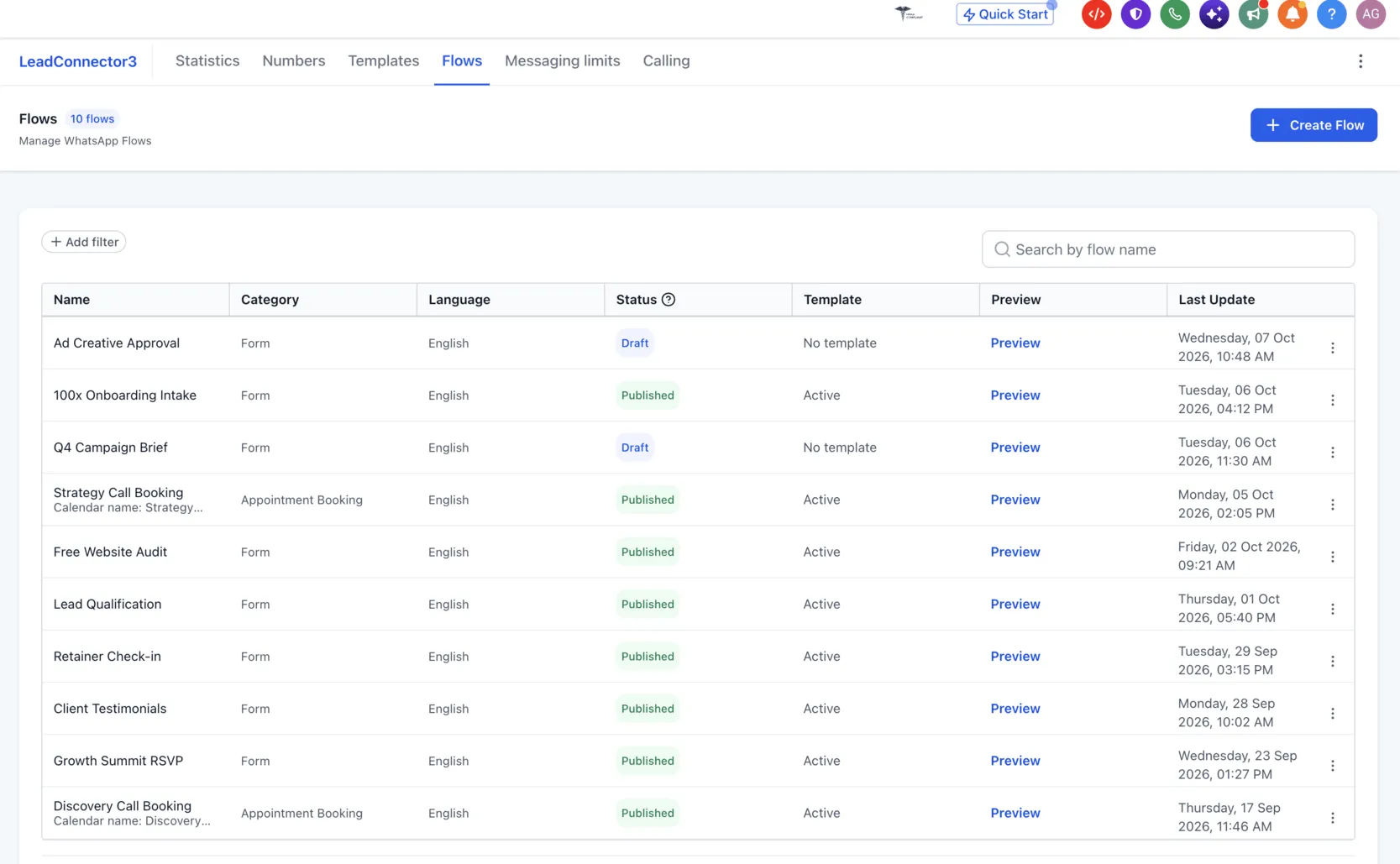
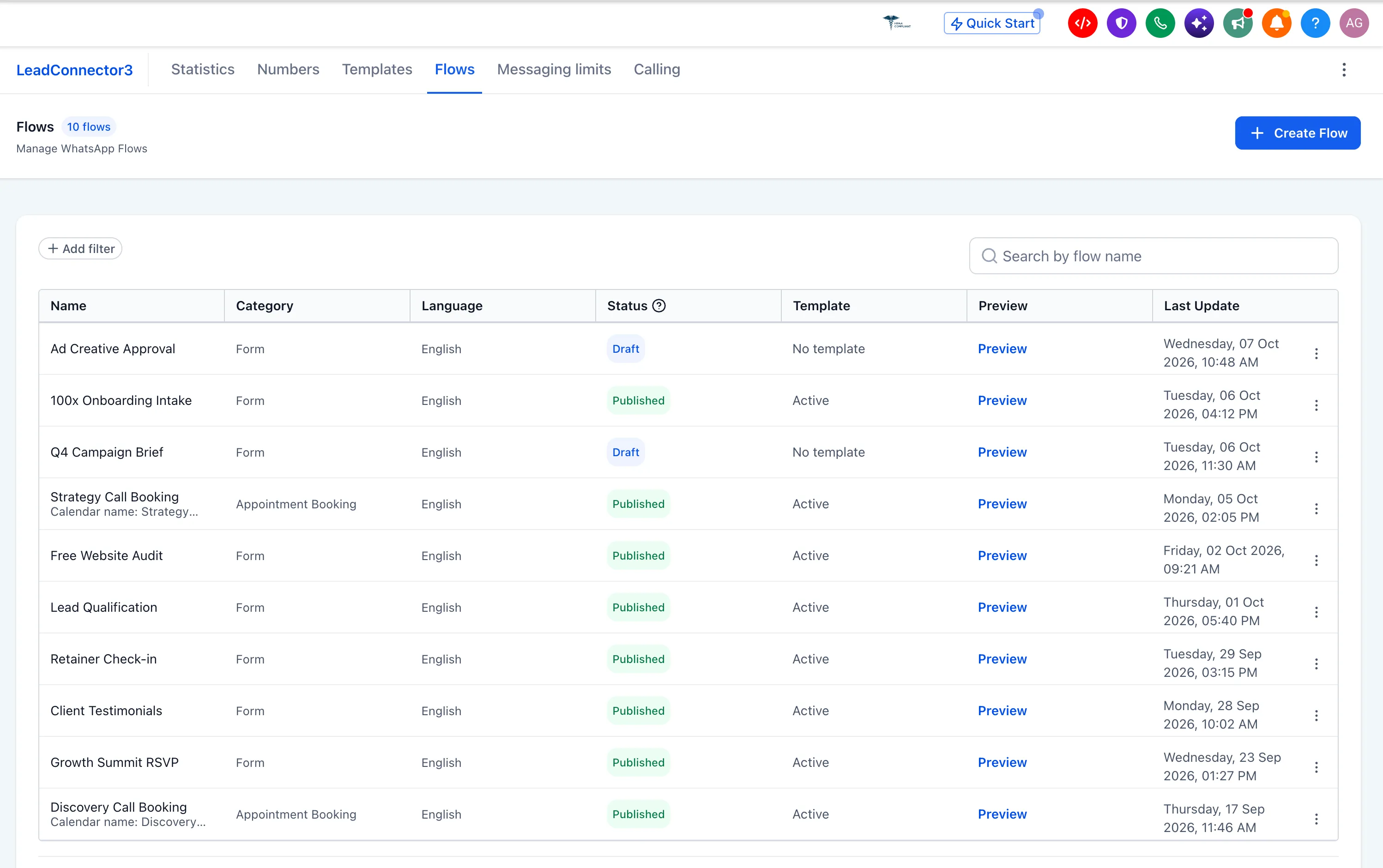
- Open Settings → WhatsApp → Flows and select Create Flow.
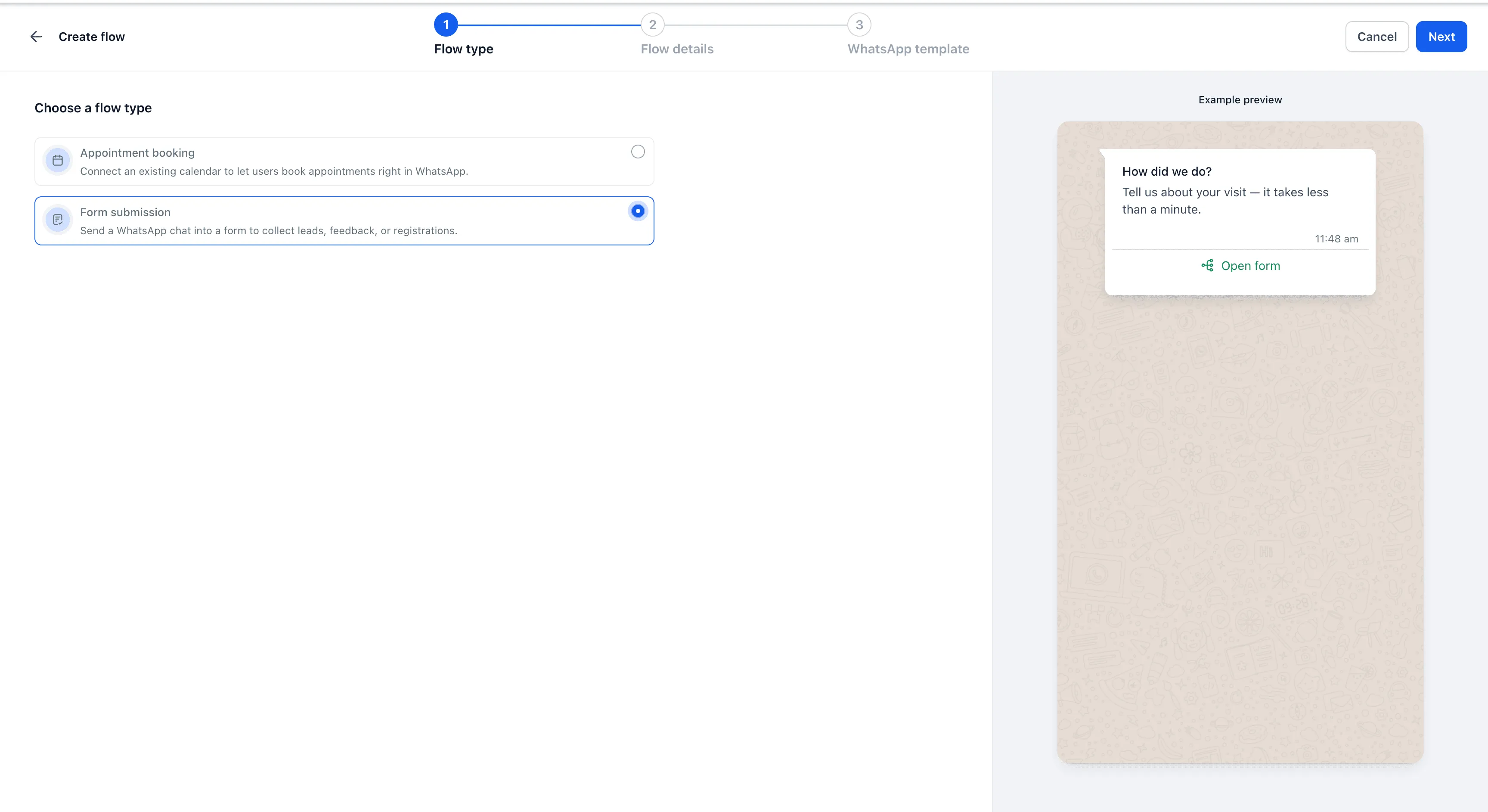
- Choose Form submission.
- Select your form and review the live preview.
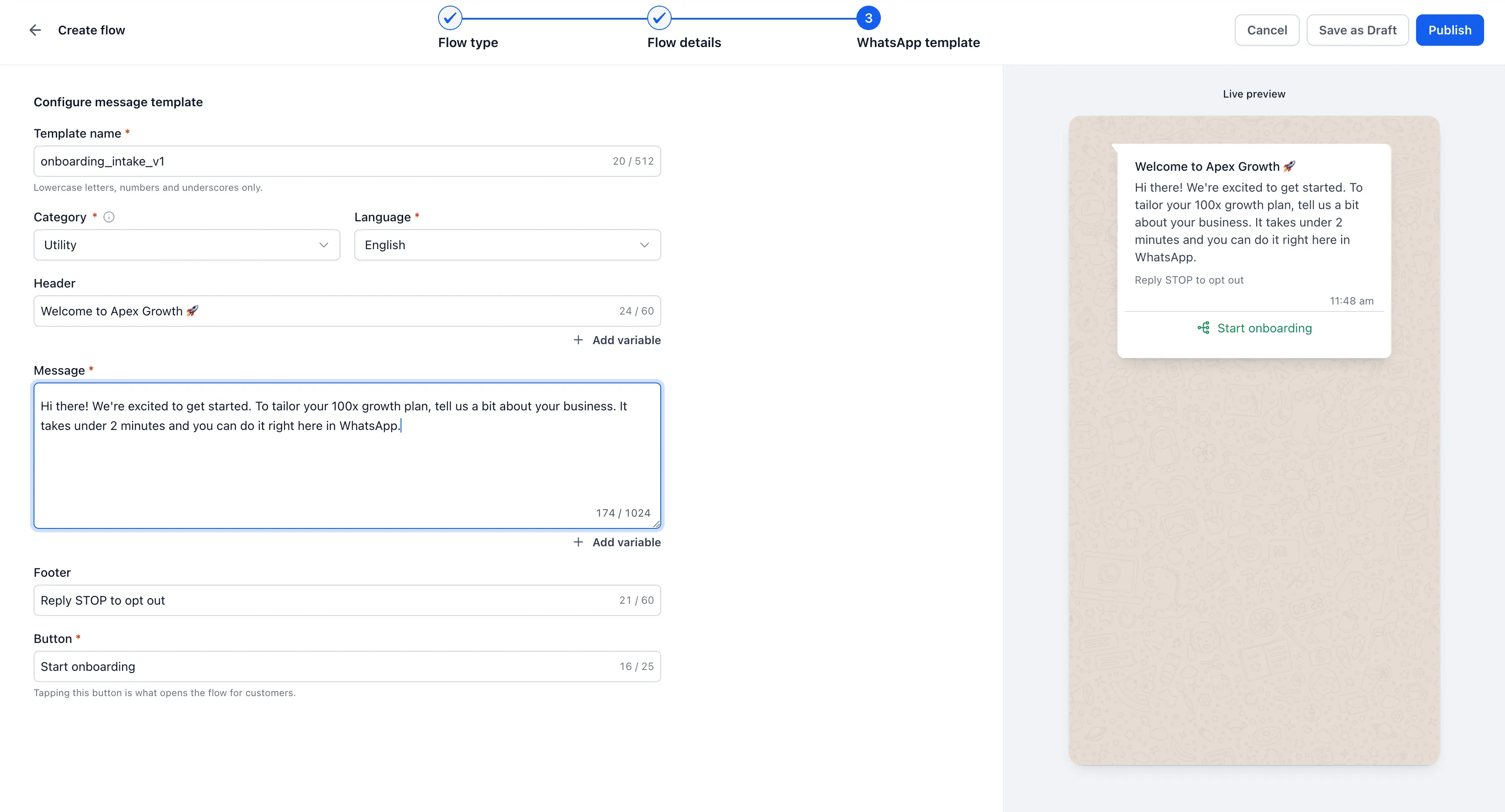
- Configure the WhatsApp template, including the button customers use to open the form.
- Publish the flow, then send it from Conversations, a workflow, or a bulk action.
Keep collection and conversation together
Use form flows for lead qualification, onboarding, feedback, or registrations. Customers can submit details within your WhatsApp conversations, and your team can access their answers without copying information from the chat into the CRM.
Release Images
Need Help Applying This Update?
Want help turning this update into a working part of your CRM, marketing, or automation setup?
Get Started or schedule a demo and we’ll help you map the right next step.