Blog Editor Adds Captions, Keywords, and Image Actions
SMBcrm Blogs now supports image captions, bulk SEO keyword entry, and additional image controls inside the blog editor. These updates help teams create cleaner posts with less manual formatting.
What Changed
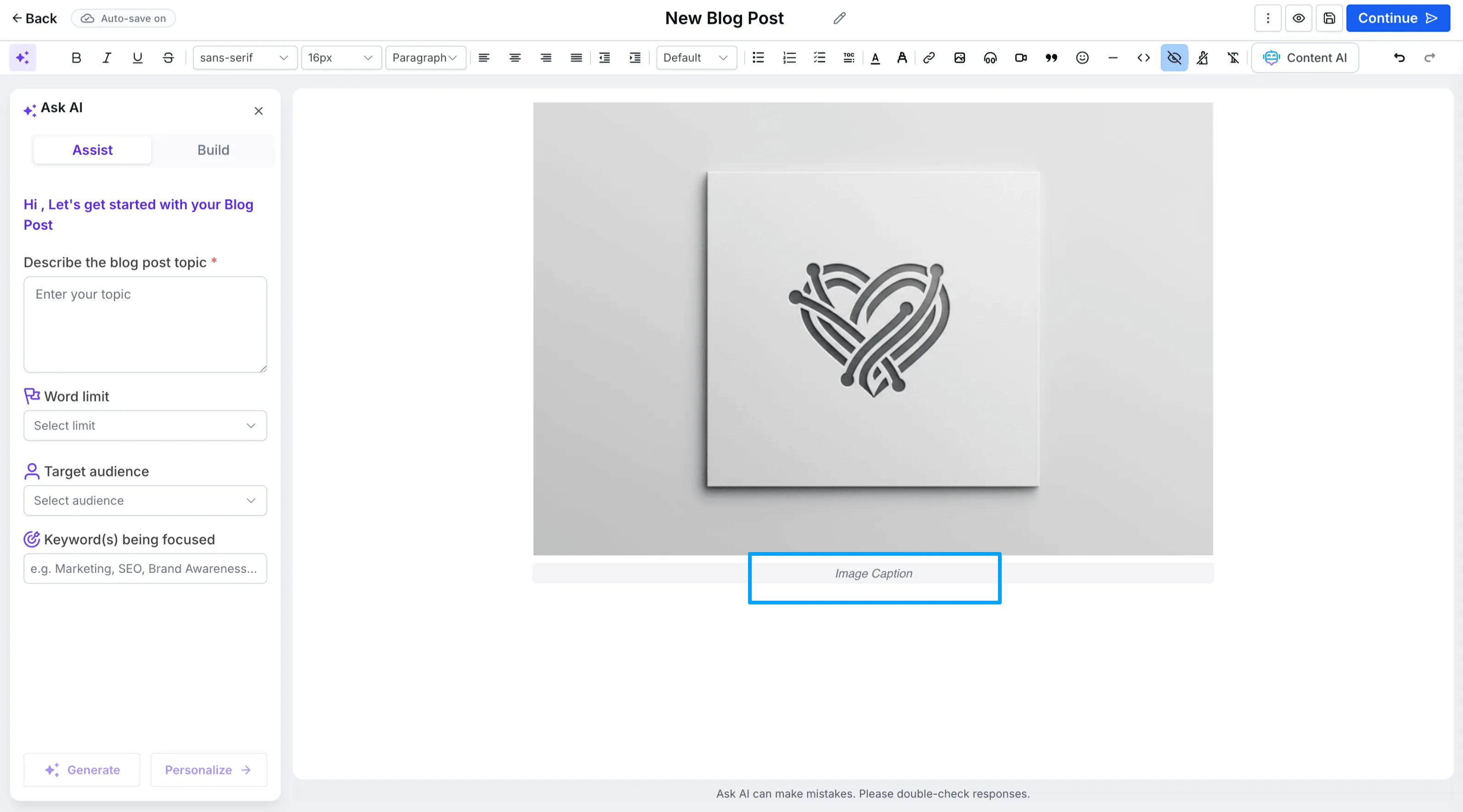
Image captions in the blog editor
You can add captions directly below images in blog posts. Captions support multi-line text, stay attached to the image, and resize responsively with the image.
Bulk SEO keyword entry
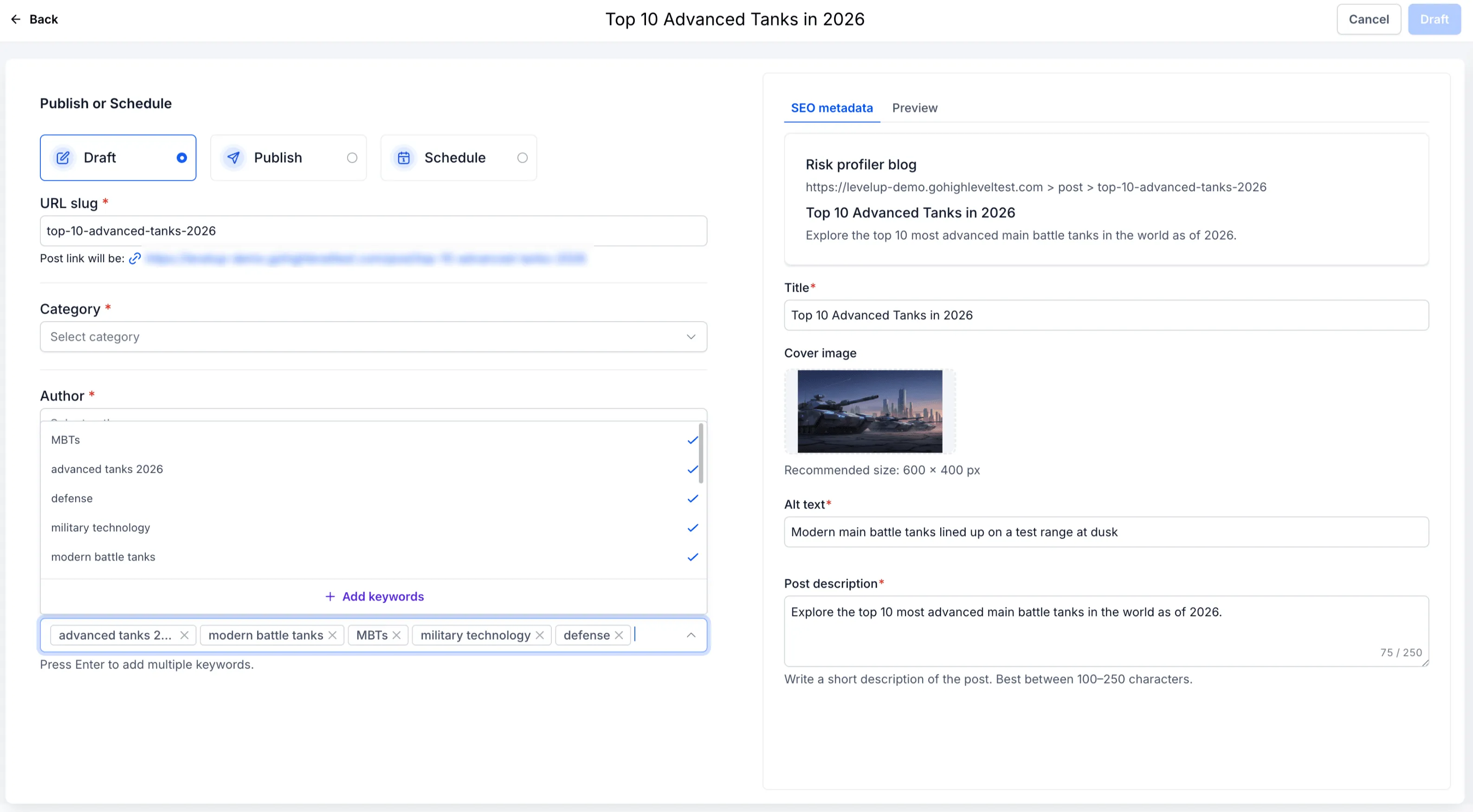
When scheduling a blog post, you can paste multiple comma-separated keywords into the keyword field. The editor converts them into individual keyword chips automatically.
Example: seo, marketing, content strategy, growth
More image action controls
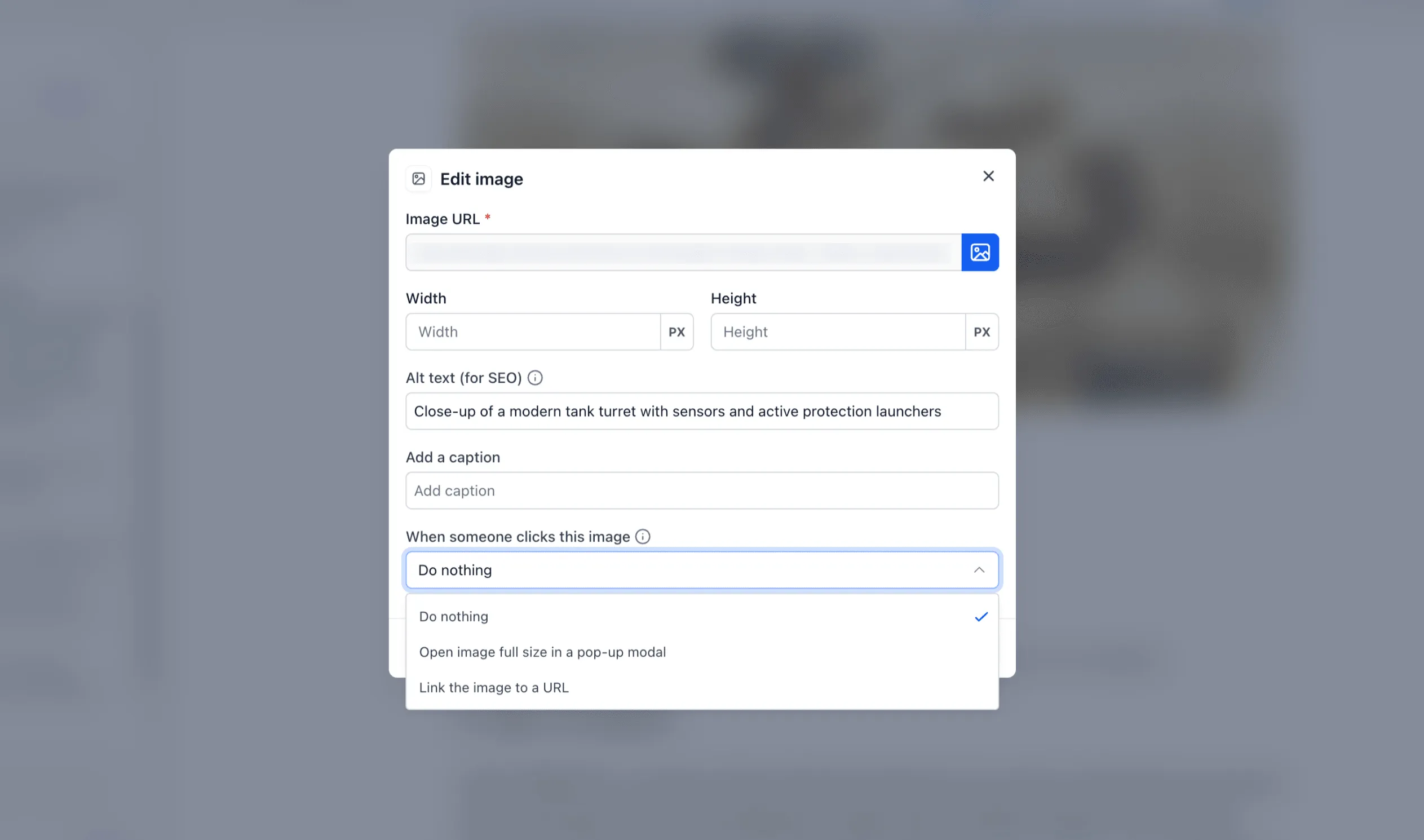
Images now include additional toolbar actions:
- Open the image full-size in a popup modal
- Link the image to a URL
- Do nothing
How to Use It
- Open any post in the blog editor.
- Insert or select an image.
- Add a caption or configure image behavior from the image toolbar.
- While scheduling a post, paste comma-separated keywords into the keyword field.
- Save or publish the blog post.
Why It Matters
These blog editor improvements help you:
- Create more polished blog layouts
- Add context to images with captions
- Speed up SEO keyword setup
- Configure image interactions without code
- Reduce reliance on external editors or custom HTML
In Case You Missed It
For another blog workflow update, see Restore Deleted Blog Posts in SMBcrm.
Need Help Applying This Update?
Want help turning this update into a working part of your CRM, marketing, or automation setup?
Get Started or schedule a demo and we’ll help you map the right next step.