Blog Post AI now supports Brand Boards in the blog generation workflow. When creating AI-powered blog posts, you can apply an existing Brand Voice and Design Kit so drafts start closer to your brand guidelines.
This update helps teams using SMBcrm AI features reduce manual editing and keep blog content more consistent.
What changed
Apply Brand Voice during AI blog generation
You can choose an existing Brand Voice when generating a blog post with AI. Blog Post AI uses those guidelines to help match your preferred tone, writing style, messaging, and brand personality.
Apply Design Kits to blog posts
You can also select a Design Kit in the Blog Post AI workflow. This helps generated content align with your visual identity, content structure preferences, and brand presentation standards.
Create brand assets from the same workflow
If you do not already have a Brand Voice or Design Kit, you can create new brand assets directly from the Blog Post AI experience without leaving the page.
How to use it
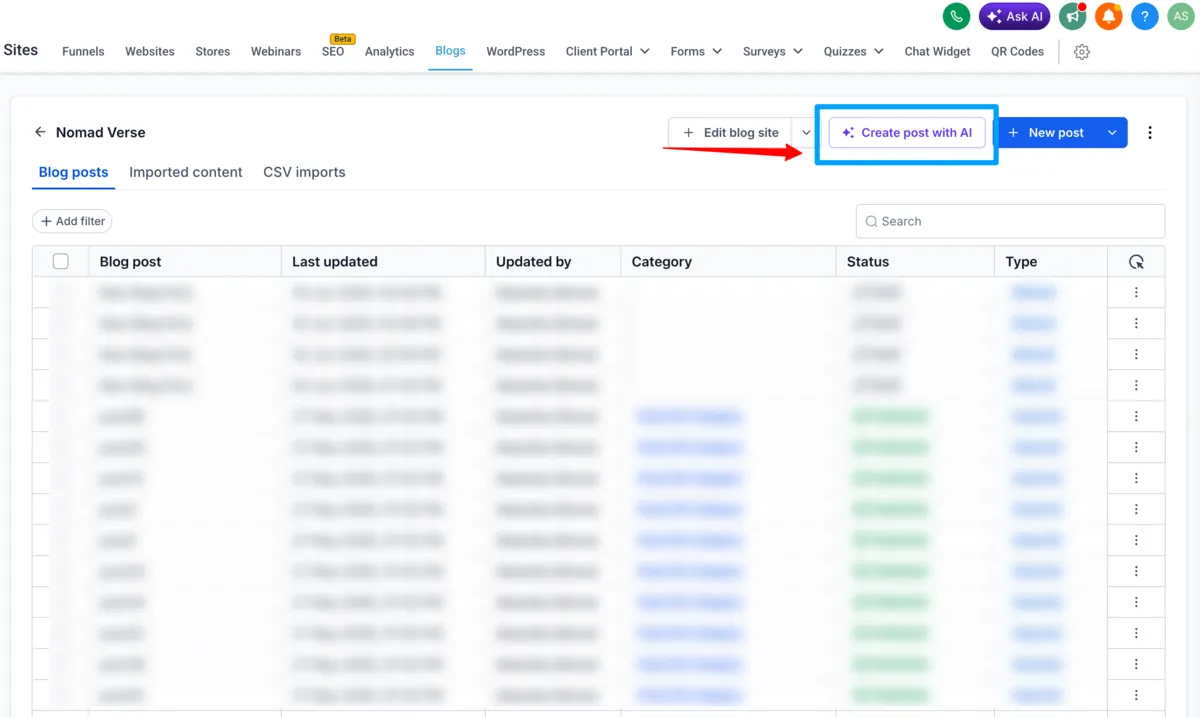
- Go to Sites > Blogs > Create with AI.
- If Blog Post AI is not enabled, enable it from the Beta area.
- Enable Apply Brand Boards.
- Select a Brand Voice.
- Select a Design Kit.
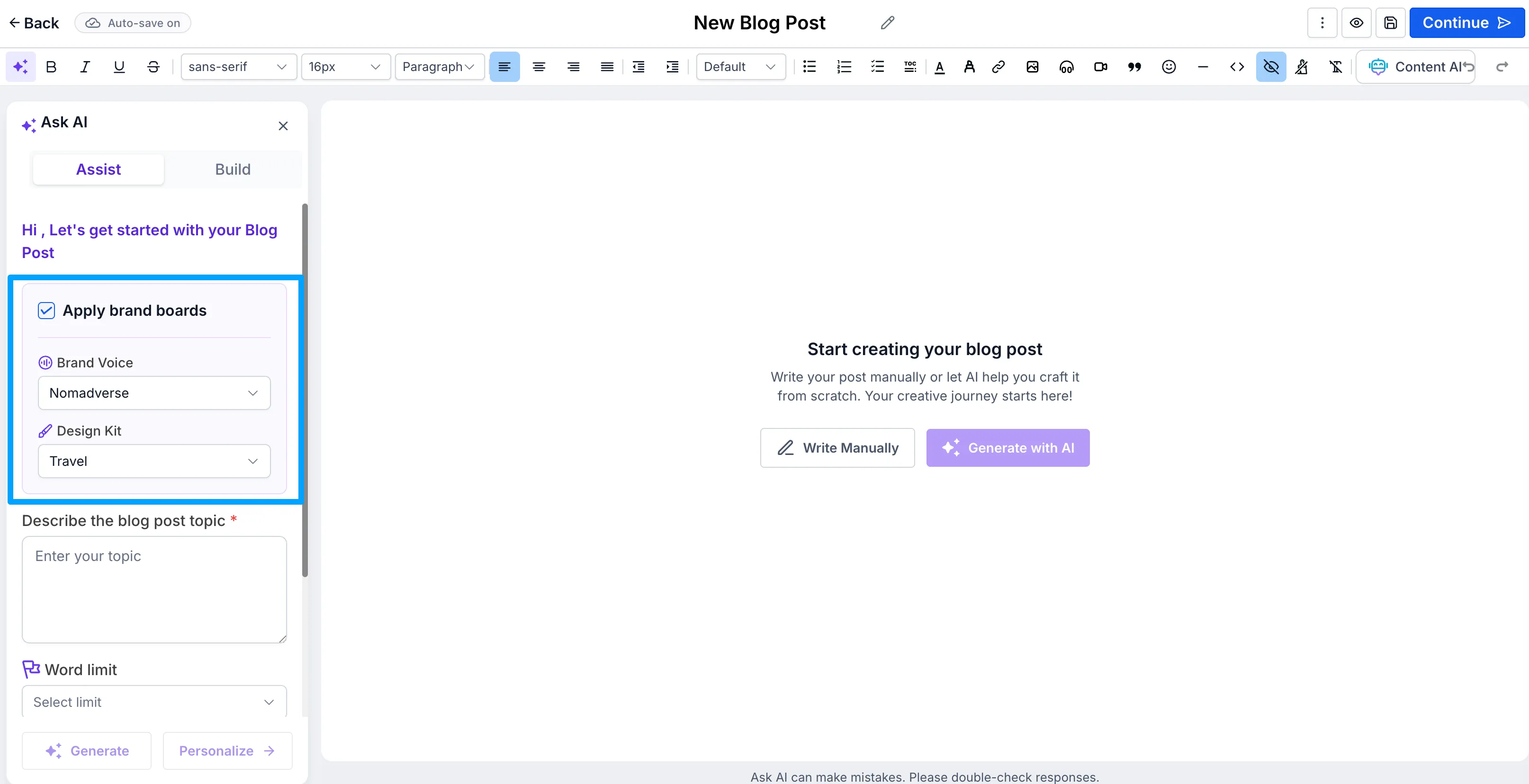
- Generate your blog using Assist Mode or Build Mode.
- Review and publish content aligned with your brand guidelines.
Notes
- Brand Voice and Design Kit selection is optional during blog generation.
- New brand assets can be created directly from the Blog Post AI workflow.
- Brand Boards work across both Assist Mode and Build Mode.
Need Help Applying This Update?
Want help turning this update into a working part of your CRM, marketing, or automation setup?
Get Started or schedule a demo and we’ll help you map the right next step.