SMBcrm now supports an optional category-first booking flow for services. Instead of starting with a list of services, customers can begin by choosing a category such as Hair, Spa, or Wellness.
This can make booking easier to navigate when your business offers multiple types of services.
What Changed
With category-first booking enabled:
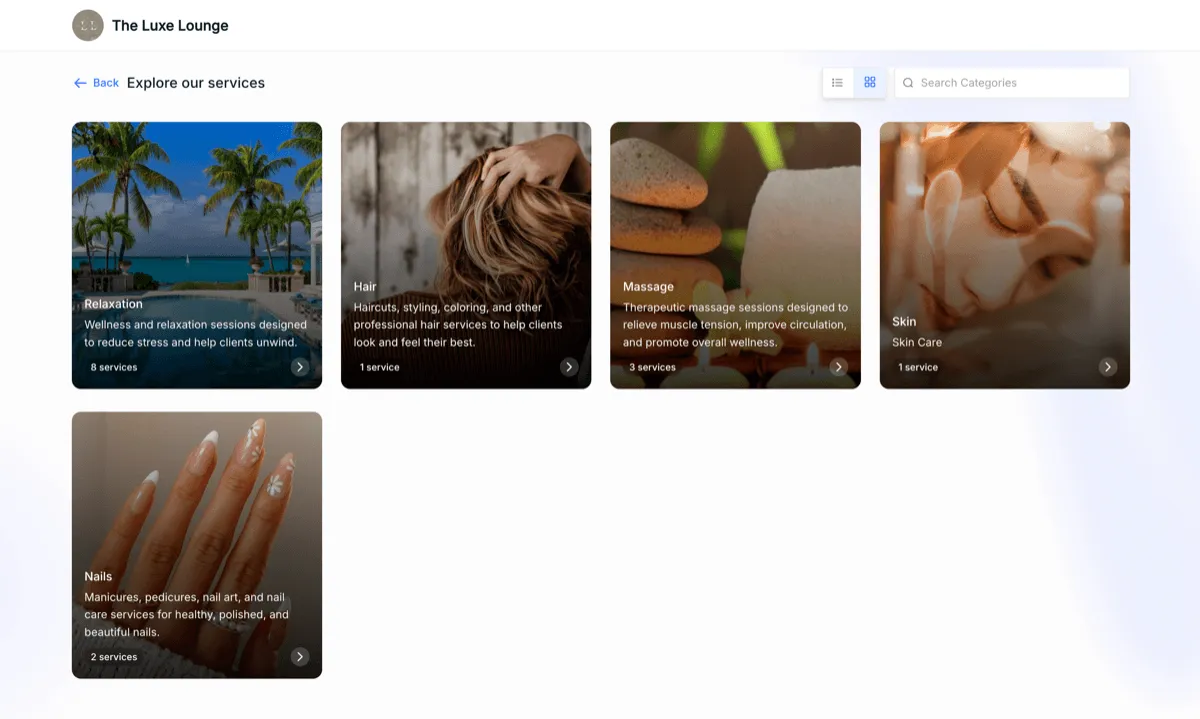
- Customers start by selecting a category before choosing a service
- Only services within the selected category are shown
- The add-another-service flow makes it easier to return and choose the same or a different category
- Categories without services are hidden automatically
Category Display Improvements
This update also adds more ways to organize and present categories on the booking page:
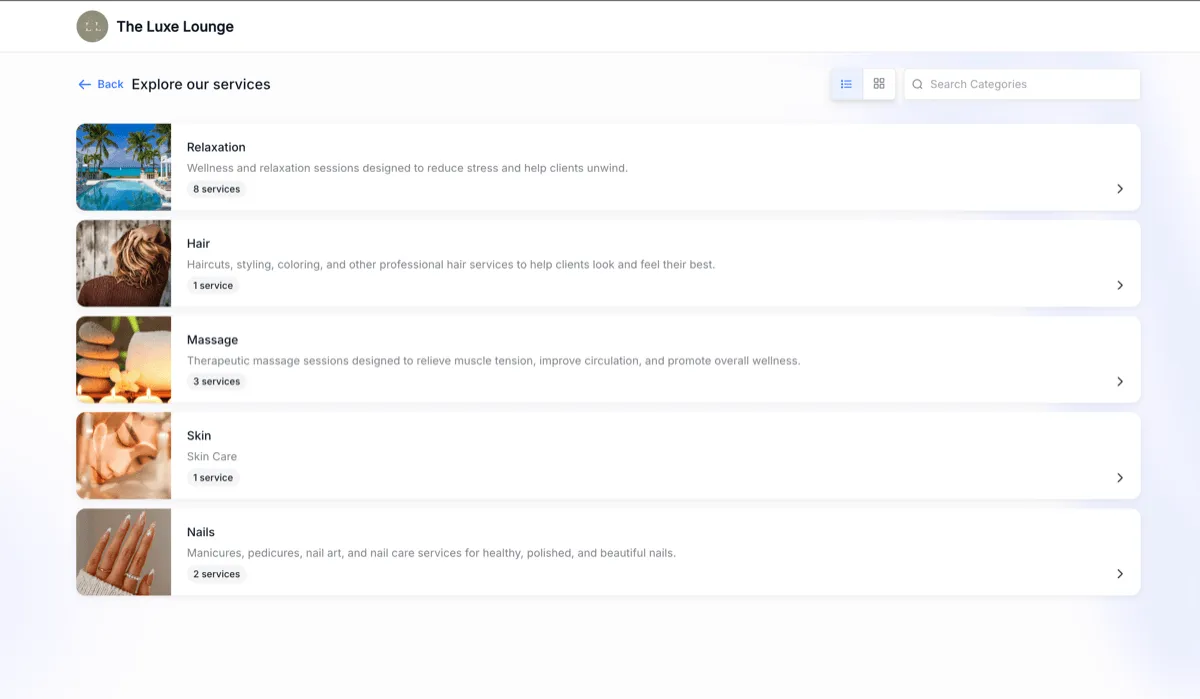
- Category images can be added for a more visual browsing experience
- Category descriptions can provide more context about what each category includes
- Categories appear in a clean card-based layout for easier scanning
How It Works
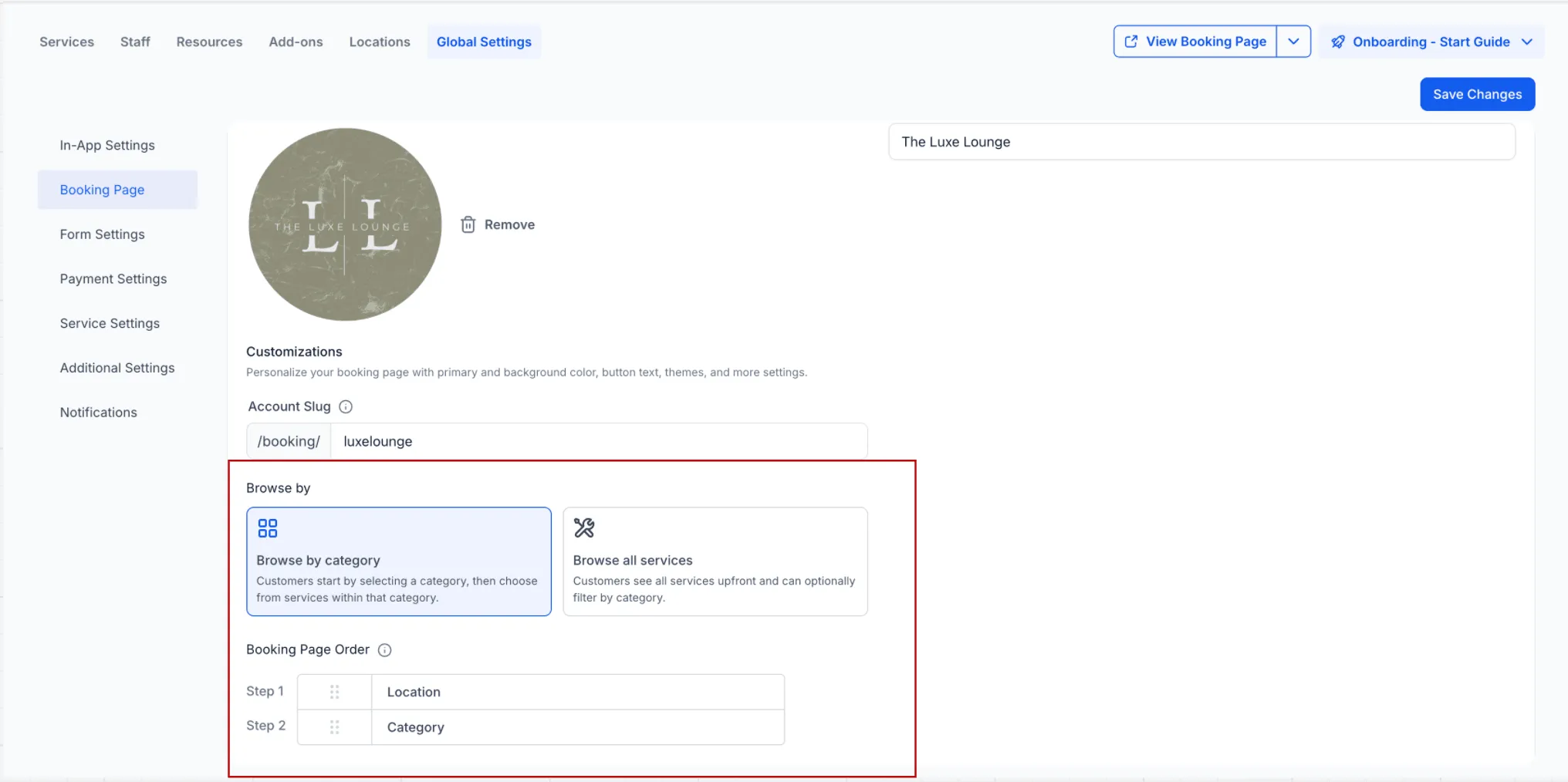
This booking flow is optional. If you do not enable it, your existing booking experience continues to begin with service selection.
The setting is available in Global settings > Booking Page.
Why It Matters
For businesses with a larger service menu, category-first booking can help:
- Reduce clutter during booking
- Make service discovery easier for customers
- Better match how services are organized in the business
- Create a more structured booking experience
In Case You Missed It
You can also read about Smoother Drag-and-Drop in Forms, Surveys, and Quizzes.
Need Help Applying This Update?
If you’d like help rolling this out in SMBcrm, visit Support or request a demo.