SMBcrm now gives you more control over how customers discover services during booking.
You can choose whether customers stay within the service or category link they started from, or browse your full list of services before completing a booking.
What Changed
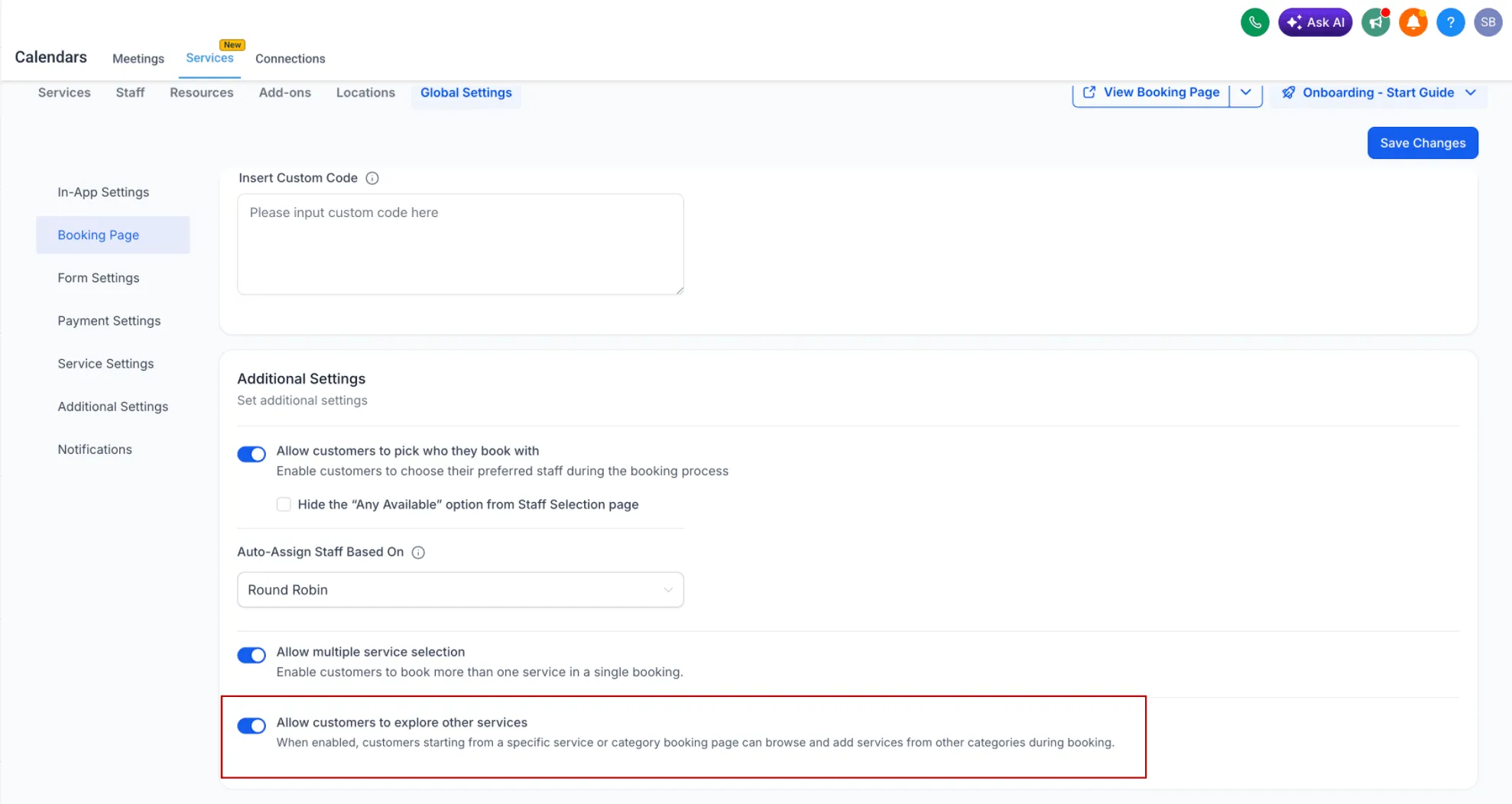
A new setting lets you control whether customers can explore other services from their original booking entry point.
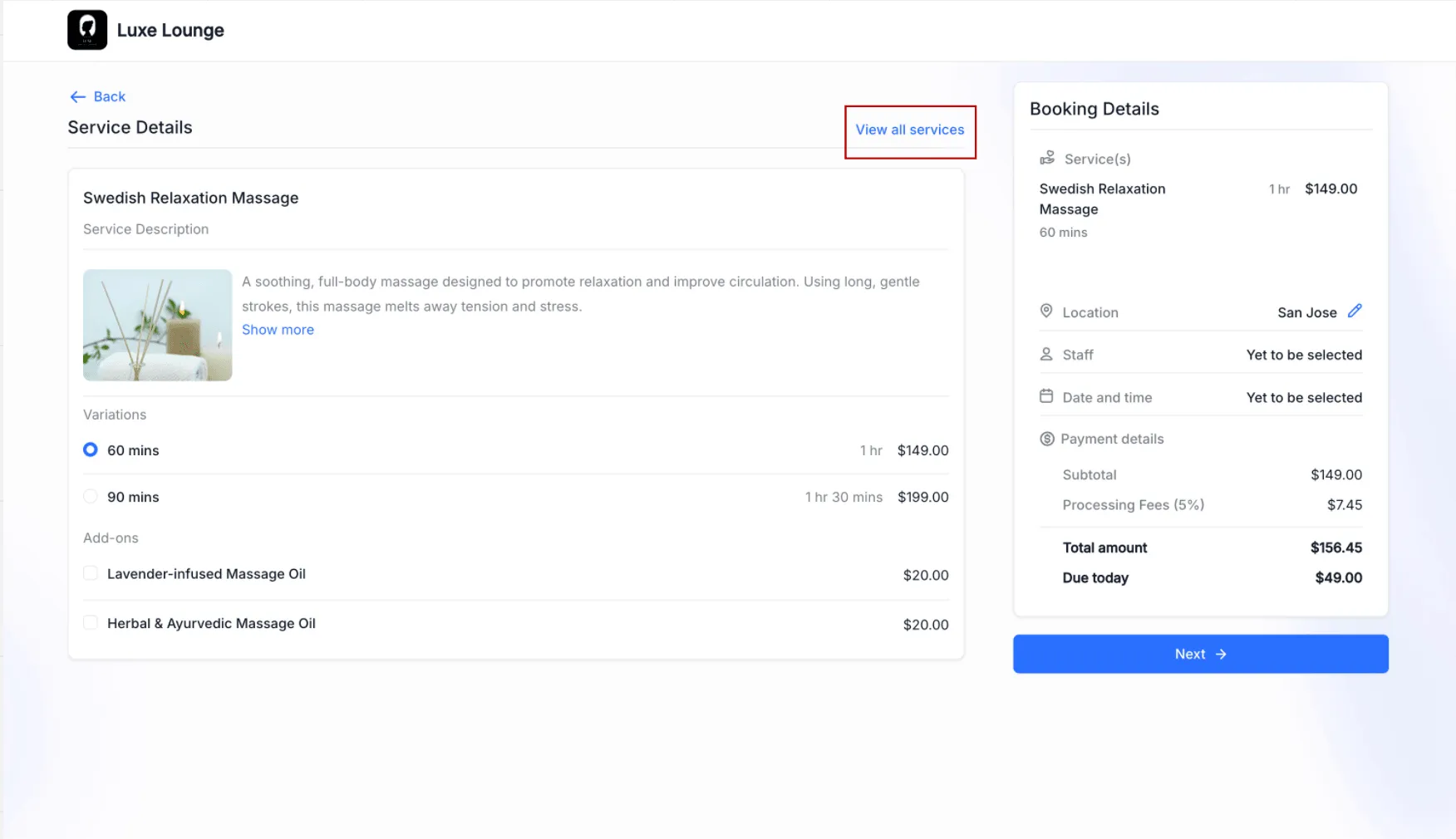
- When enabled, customers can navigate to the full services list and book any available service
- When disabled, customers are limited to the service or category link they opened first
- This works alongside the existing multiple service selection setting
That means you can separately control:
- whether customers can discover additional services
- whether customers can book more than one service in the same booking
Where to Find It
Go to Global Settings > Booking Page Settings and turn on Allow customers to explore other services.
Why It Matters
This update gives you more flexibility in how your booking flow works.
- Keep booking focused when you want a customer to complete one specific service
- Allow broader service discovery when you want customers to browse more options
- Support cross-selling by letting customers find additional services from a single entry point
- Create either a guided or more exploratory booking experience based on your business needs
In Case You Missed It
You can also read about Category-First Booking for Services.
Need Help Applying This Update?
If you’d like help rolling this out in SMBcrm, visit Support or request a demo.