SMBcrm has updated the Add Elements panel in the Builder to make store elements easier to discover while building pages.
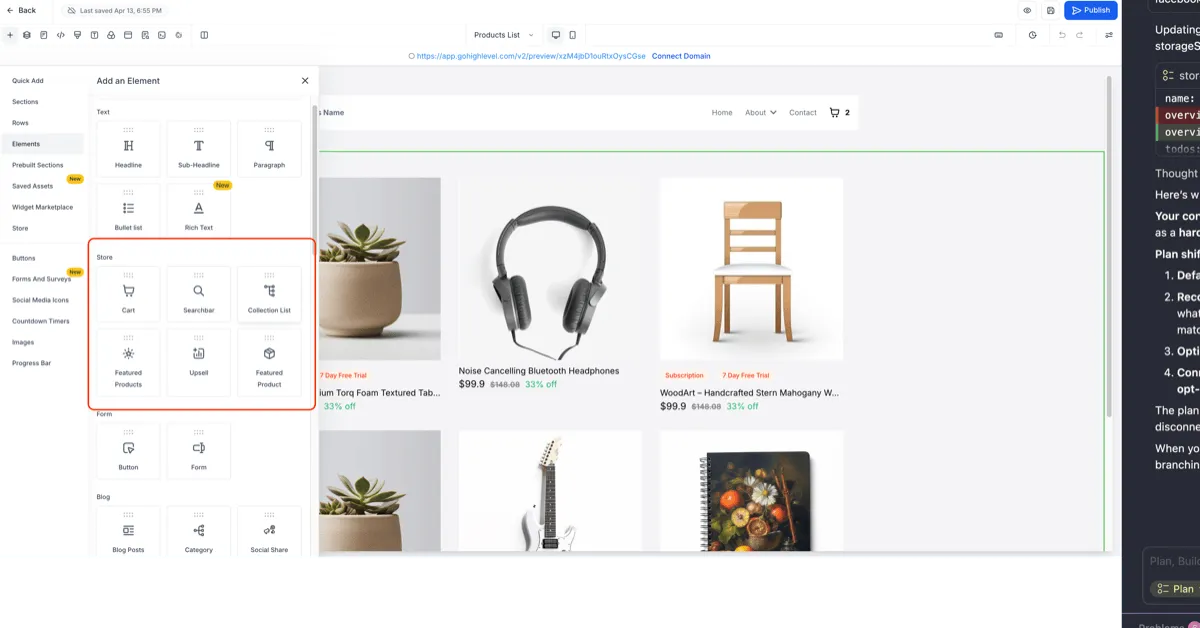
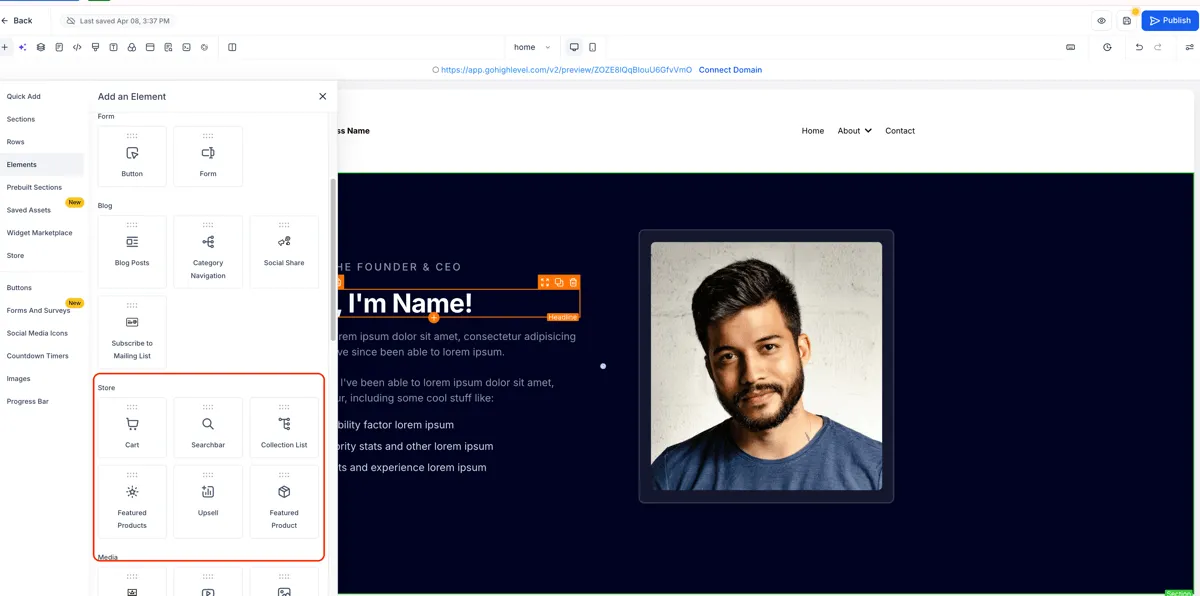
If a store exists in your account, store elements now appear at the top of the panel. If no store exists, they appear between the Blog and Media sections. This change improves visibility without changing how the elements themselves work.
What Changed
Dynamic ranking when a store exists
When a store has been added to your account, store elements are prioritized at the top of the Add Elements panel.
Default placement when no store exists
If no store is present, store elements appear between the Blog and Media sections for a more logical layout.
No change to element functionality
This update affects visibility and placement only. Individual store elements continue to work the same way.
How to Find Store Elements
- Open the Store Builder.
- Click Add Elements in the left panel.
- If a store exists in your account, store elements will appear at the top.
- If no store exists, they will appear between Blog and Media.
- Drag the store elements you want to use onto your page, such as Featured Products, Cart, or Collection.
In Case You Missed It
You can also read about Opportunity Forecasting.
Need Help Applying This Update?
If you’d like help rolling this out in SMBcrm, visit Support or request a demo.