Communities in SMBcrm now support automatic badges for member milestones and engagement. This update to memberships and communities gives members visible recognition and goals to work toward.
How Badges Work
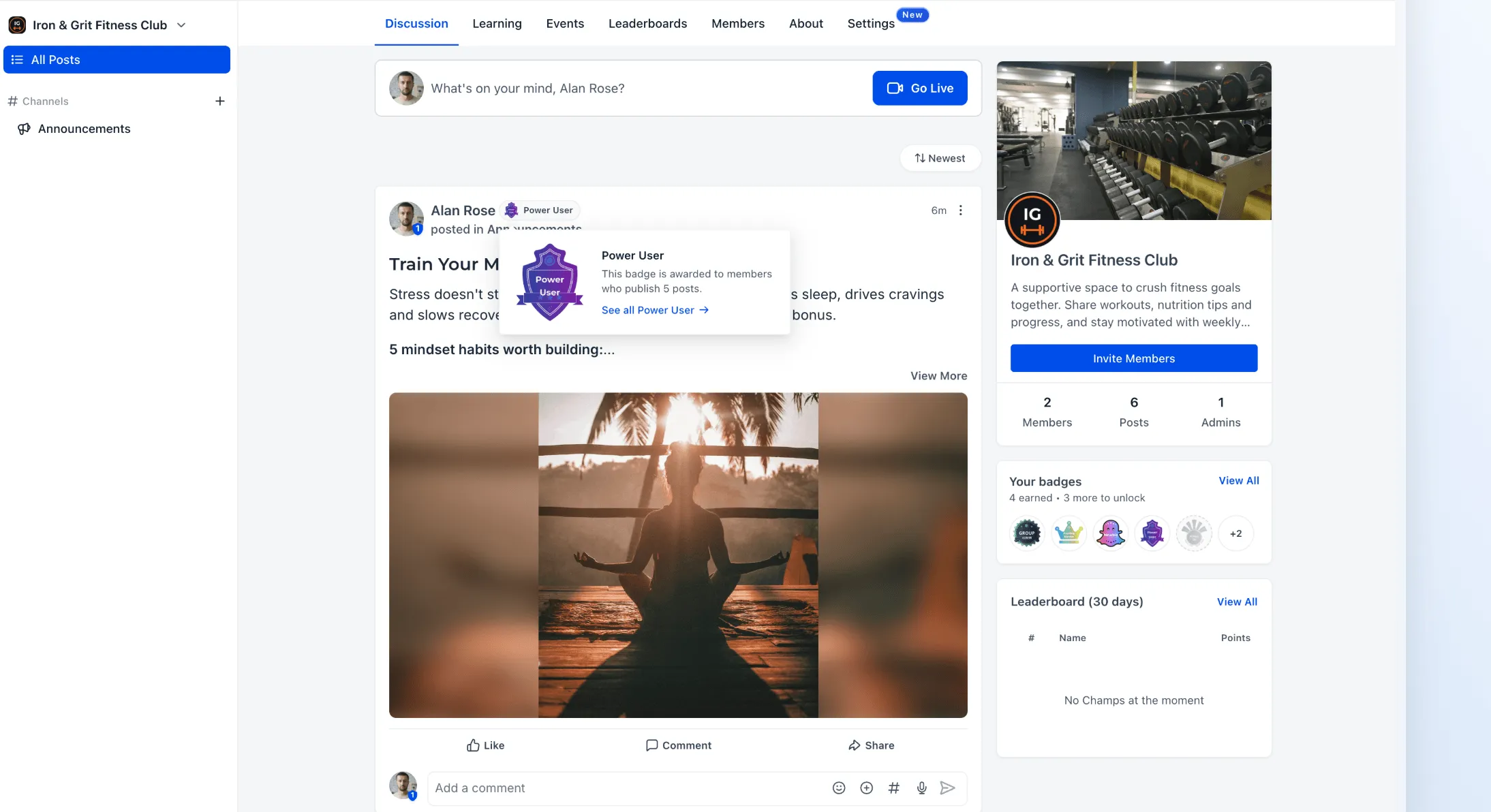
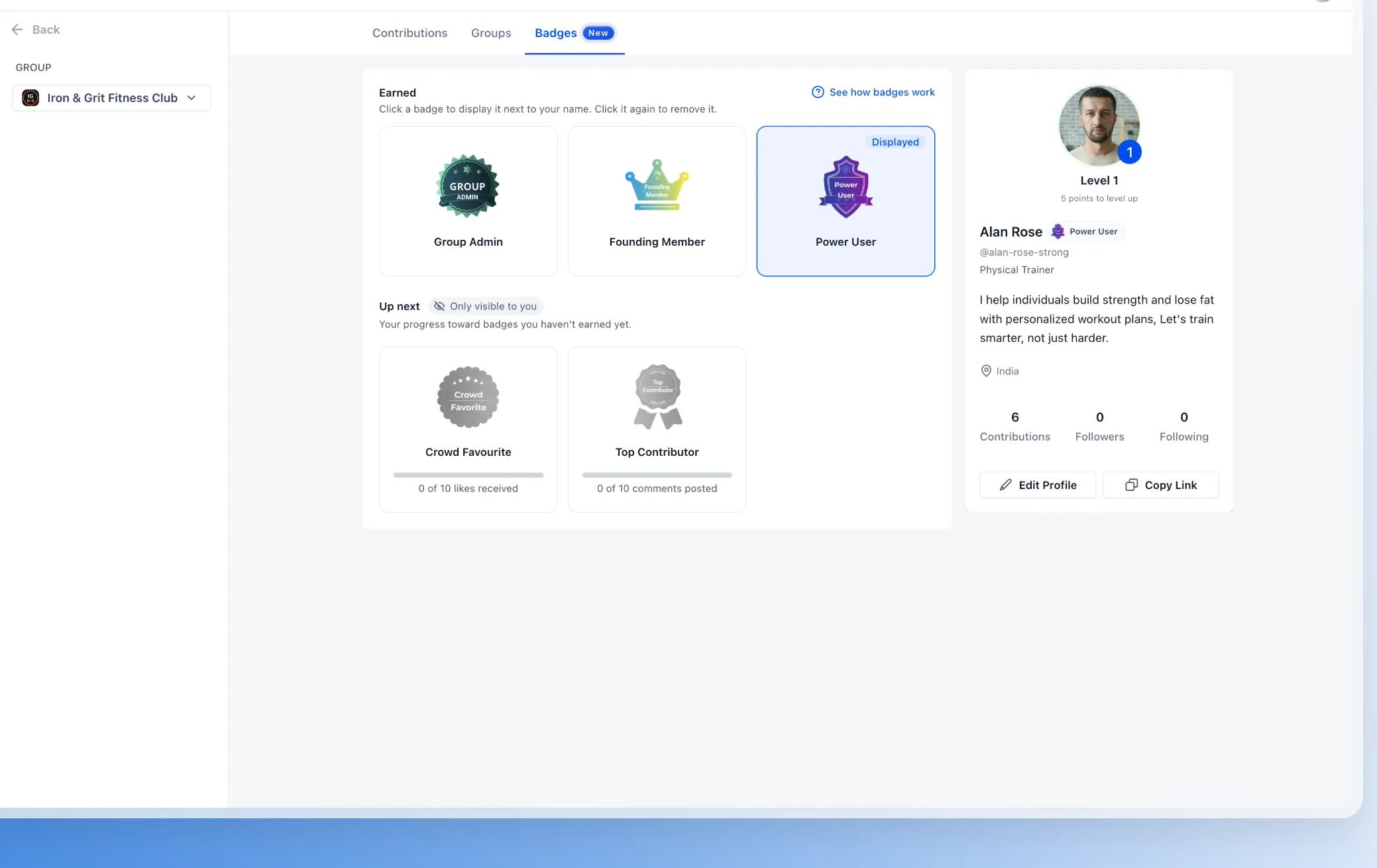
Members can choose one earned badge to display beside their name in the feed, comments, and member list. The Badges profile tab shows earned badges and progress toward upcoming achievements.
Members receive notifications when they earn a badge and an “almost there” notification when they reach 80% of a badge requirement. Admins can also filter the member list by badge and see the number of active badge holders.
Available Badges
One-Time Badges
- Group Admin: Awarded when a member becomes a community admin.
- Newbie: Awarded when a member joins the community.
- Founding Member: Awarded to qualifying early members.
Engagement Badges
These badges refresh quarterly based on member activity:
- Always On: Post, comment, or react for a set number of consecutive days.
- Top Contributor: Publish a set number of comments.
- Power User: Publish a set number of posts.
- Crowd Favourite: Receive a set number of likes across published posts.
Configure Badge Automation
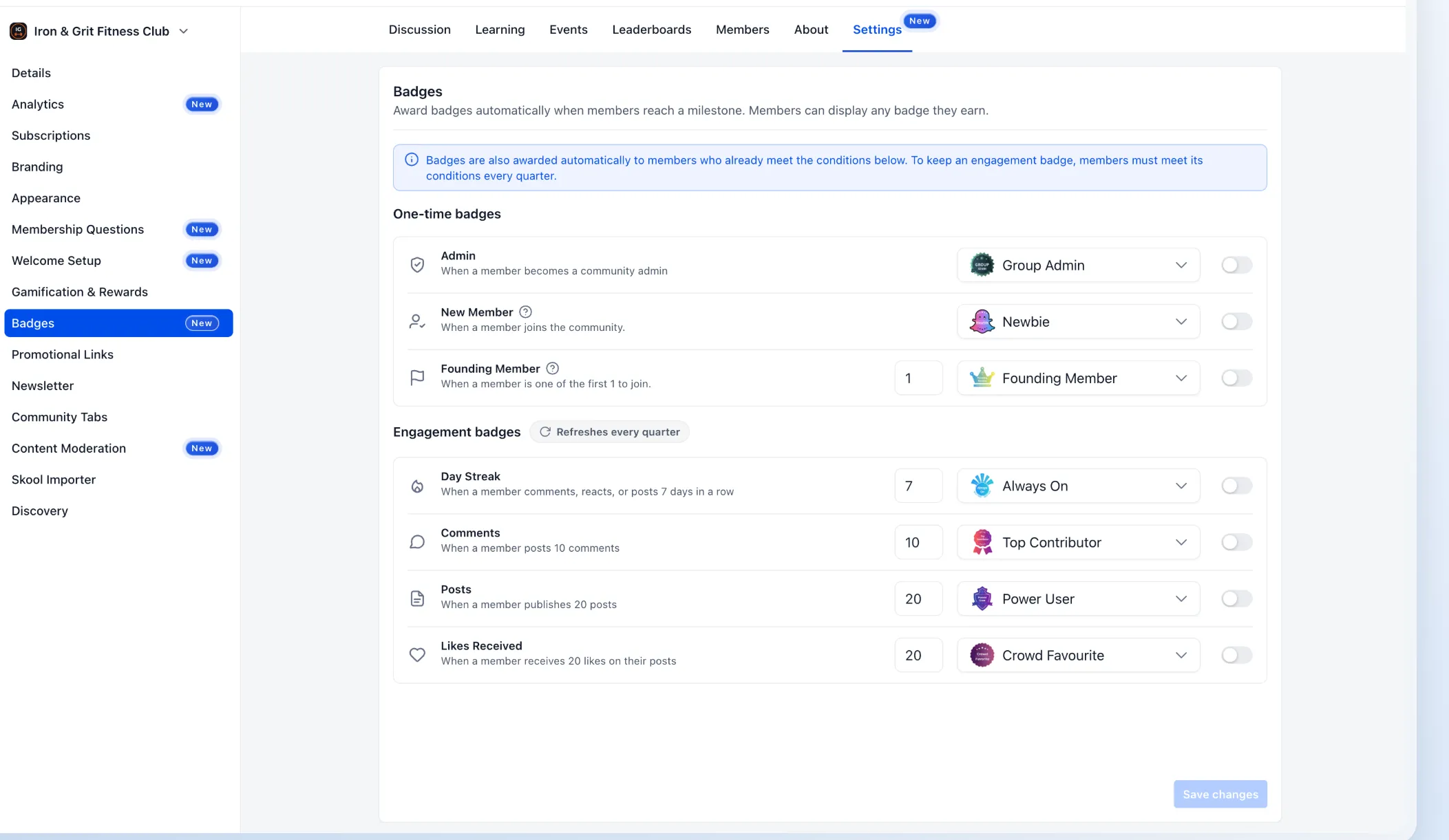
Go to Community → Settings → Badges to configure automatic awards. For each trigger, admins can:
- Turn automatic awarding on or off.
- Set the required milestone or engagement threshold.
- Choose the badge members will receive.
Create or customize badge designs under Memberships → Credentials. When a trigger is enabled, existing members who already meet its requirements also receive the badge.
Release Images
Need Help Applying This Update?
Want help turning this update into a working part of your CRM, marketing, or automation setup?
Get Started or schedule a demo and we’ll help you map the right next step.