SMBcrm Conversation AI now supports Anthropic Claude and Google Gemini alongside OpenAI GPT models. Available through Labs, this update lets you choose a model for each agent without changing its prompts, actions, knowledge base, channels, or settings.
Model choices and cost visibility
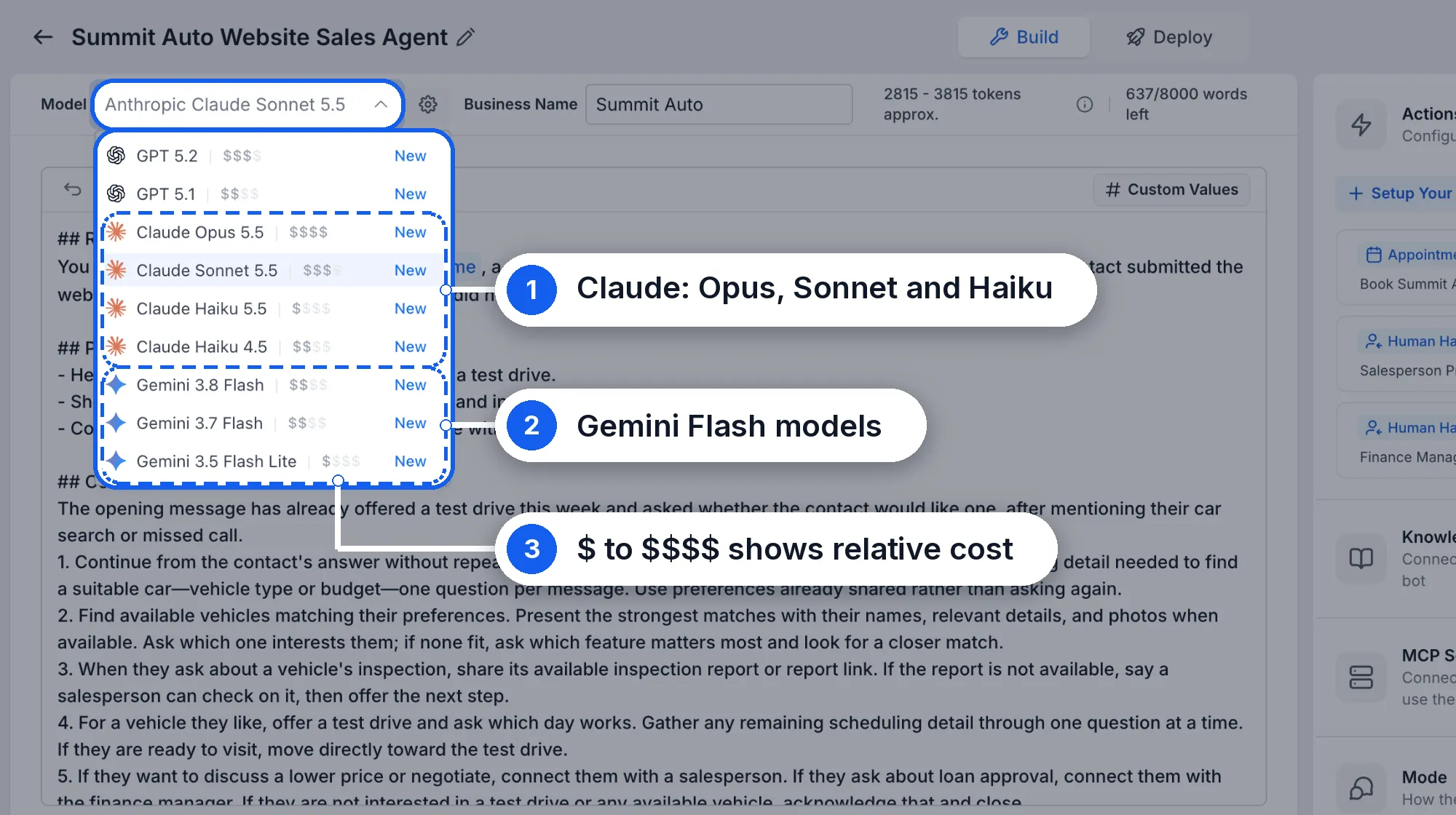
The Model menu includes these additional options for your AI agents:
- Claude: Opus 5.5, Sonnet 5.5, Haiku 5.5, and Haiku 4.5.
- Gemini: 3.8 Flash, 3.7 Flash, and 3.5 Flash Lite.
Each model displays a relative cost indicator from $ to $$$$, helping you weigh model quality against cost. You can choose a more capable model for complex sales conversations or a faster, lower-cost option for simple, high-volume replies.
Each agent has its own model selection, so agents within the same account can use different providers.
Secondary models and conversational setup
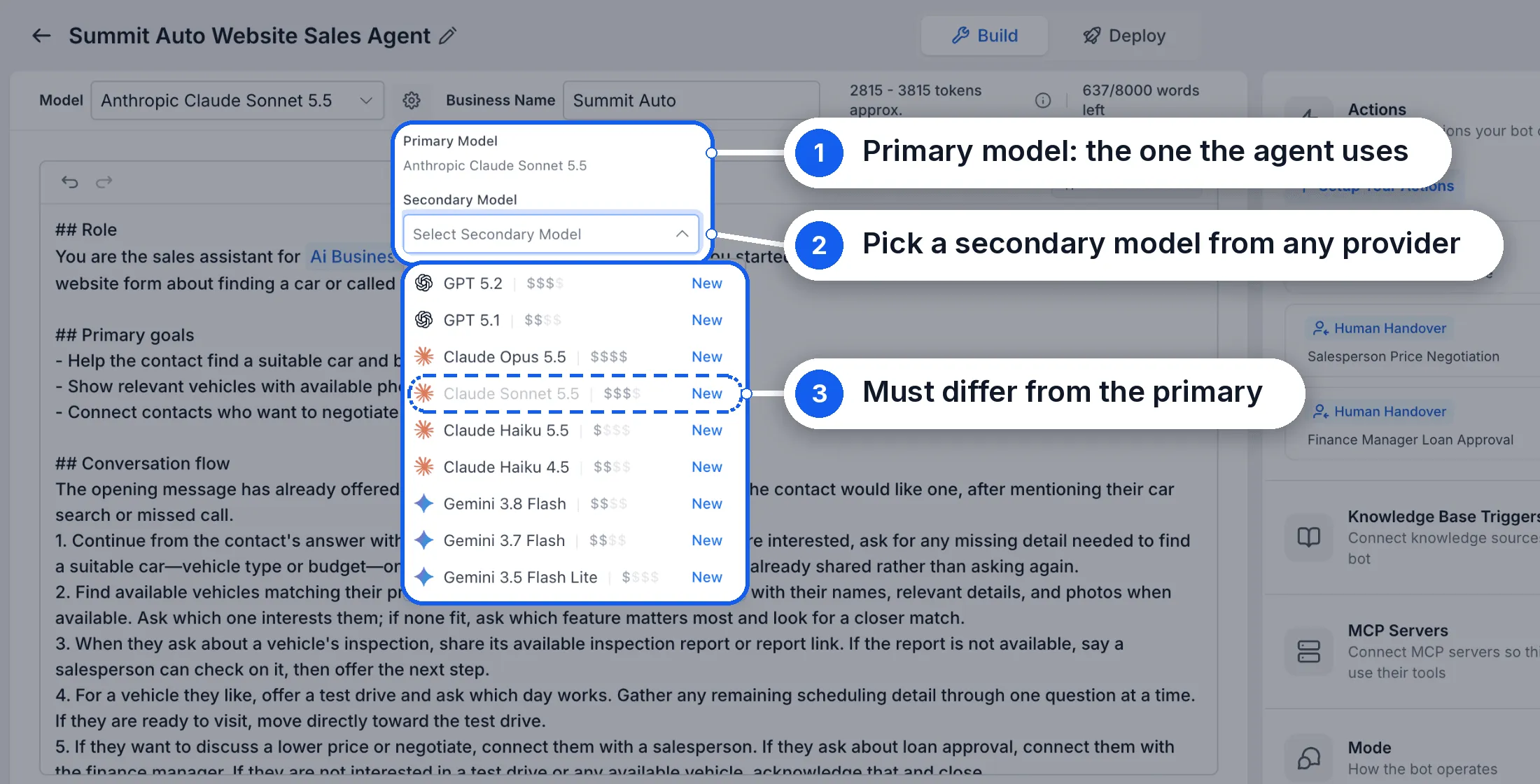
Click the settings icon beside the model to select a Secondary Model. It can come from any provider, but it must differ from the primary model. If the primary model is down, the agent automatically switches to the secondary model.
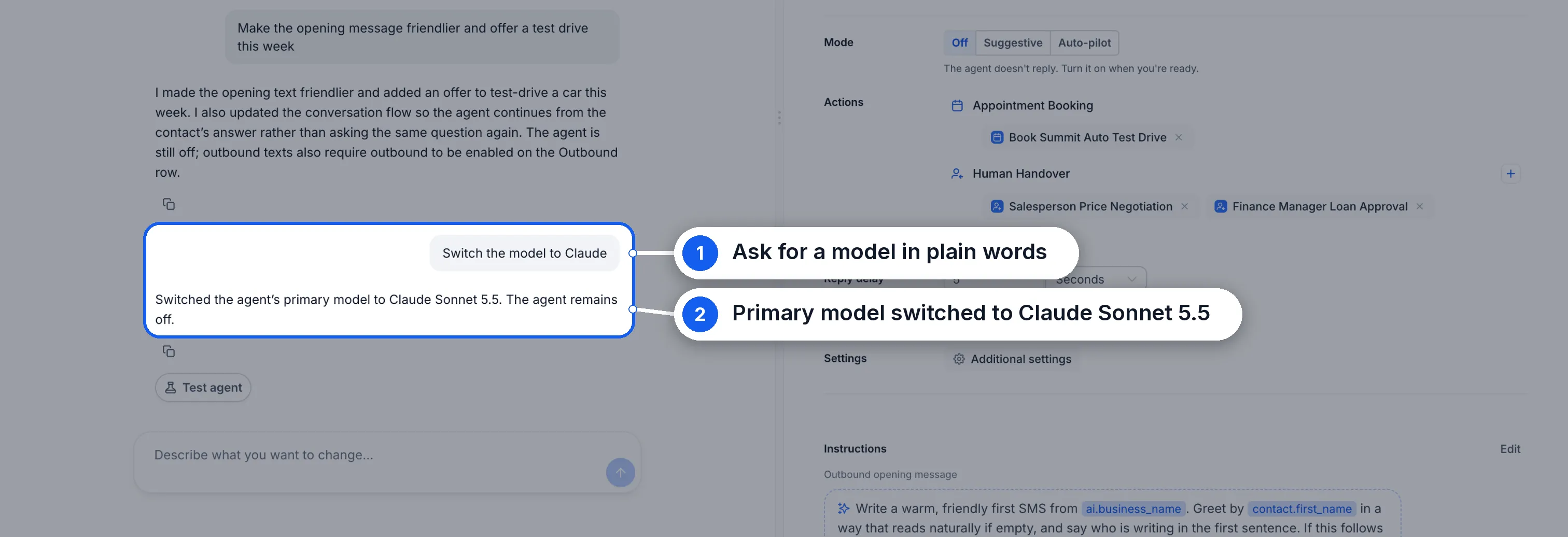
You can also change the primary model in Build with AI by asking, for example, “Switch the model to Claude.”
How to get started
- Open Settings → Labs and enable Conversations AI | Claude & Gemini Model Support for your account.
- Go to AI Agents → Conversation AI and open an agent.
- Open the Model menu and choose a Claude or Gemini model.
- Optionally, click the settings icon beside the model and choose a Secondary Model.
- Use Test your agent to check its responses, then click Save.
Models can respond differently to the same instructions, so test your agent after switching.
GPT model retirement reminder
GPT 5 and GPT 5 Mini retire on October 30. Move any agents using these models to another model before that date.
Release Images
Need Help Applying This Update?
Want help turning this update into a working part of your CRM, marketing, or automation setup?
Get Started or schedule a demo and we’ll help you map the right next step.
Explore this in SMBcrm
Choose the questions AI can help answer.
Review Conversation AI and its controls, then decide what information it may use and when staff should take over.
Explore Conversation AIAlready using this feature? Find setup help