The Contact Info action in SMBcrm Conversation AI now supports more contact field types. Agents can match customers’ conversational answers to field options and save the results directly to contact records, reducing manual data entry.
Supported Fields
In addition to text, number, date and time fields, Contact Info now supports:
- Custom fields: Radio, Checkbox, Dropdown (single), Dropdown (multiple) and Phone.
- Standard fields: Contact Source and Contact Type.
This update is available now in every account for prompt-based Conversation AI agents in Auto-Pilot mode.
How Answers Are Saved
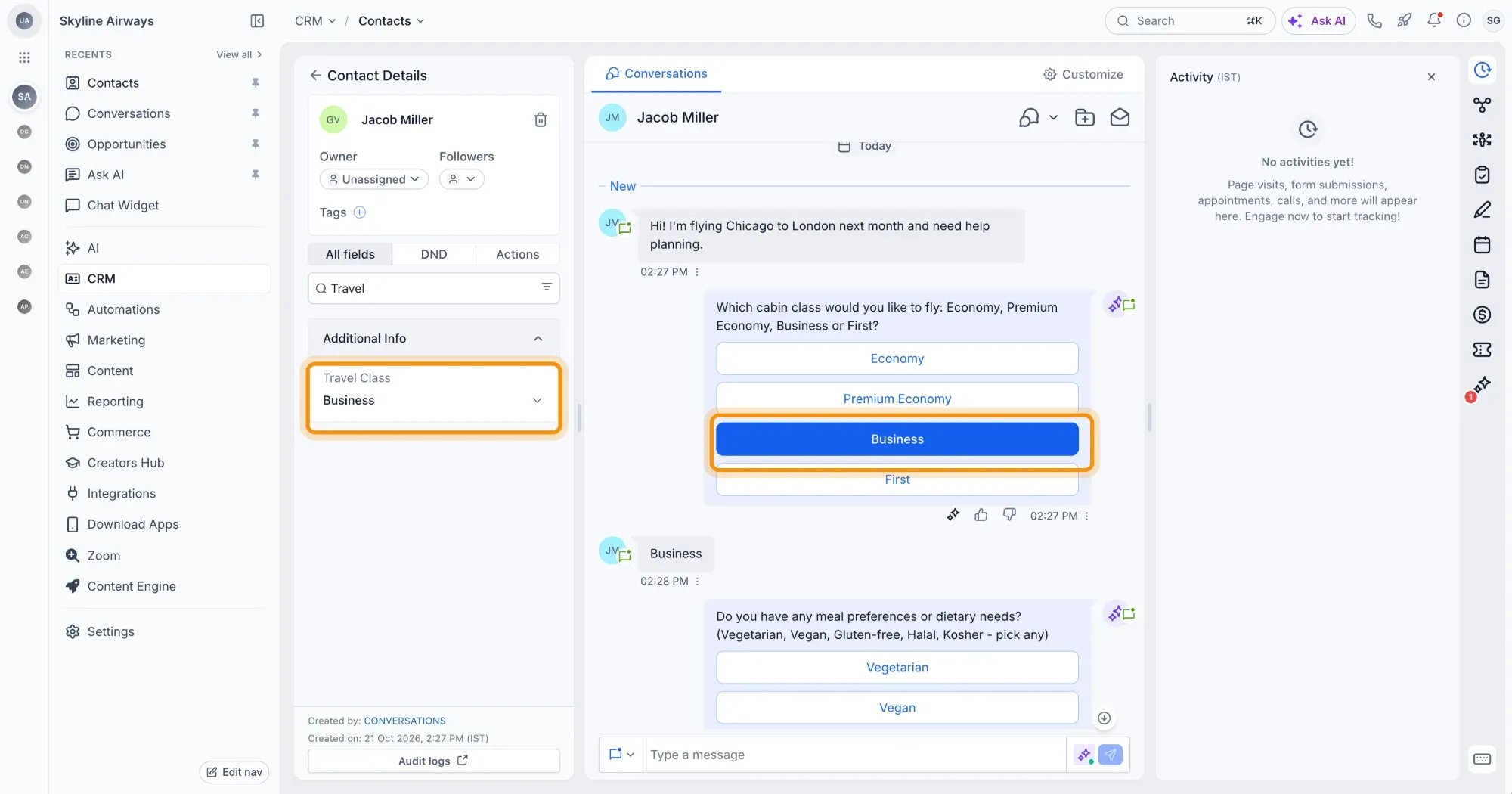
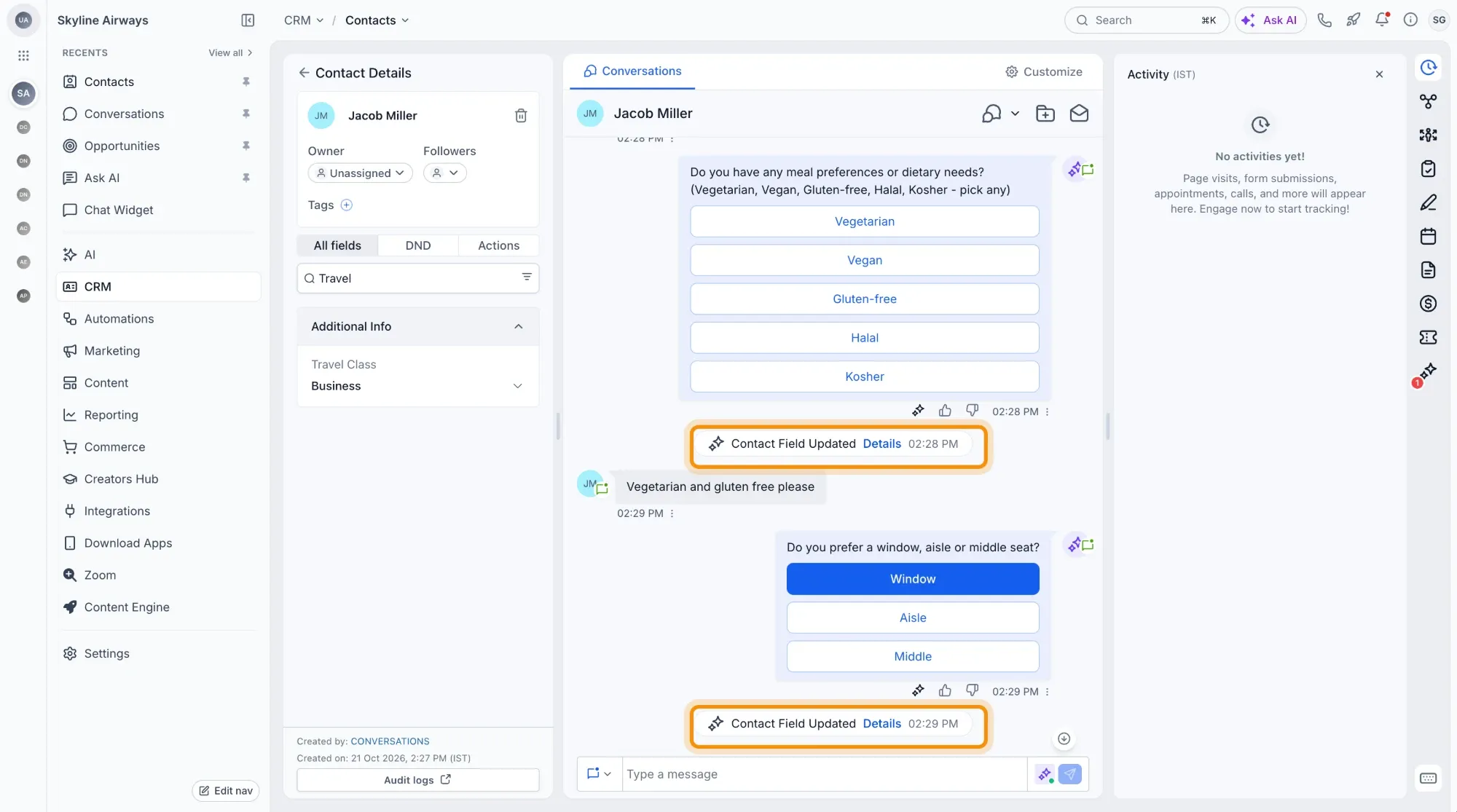
- Natural-language matching: An answer such as “Business class please” can save Business. “I’m vegetarian and gluten free” can save both Vegetarian and Gluten-free.
- Multiple selections: Checkbox and multi-select dropdown fields can save more than one matching option.
- Valid options: Answers that do not match an available option are not saved. Fields configured to allow custom options can still accept new values.
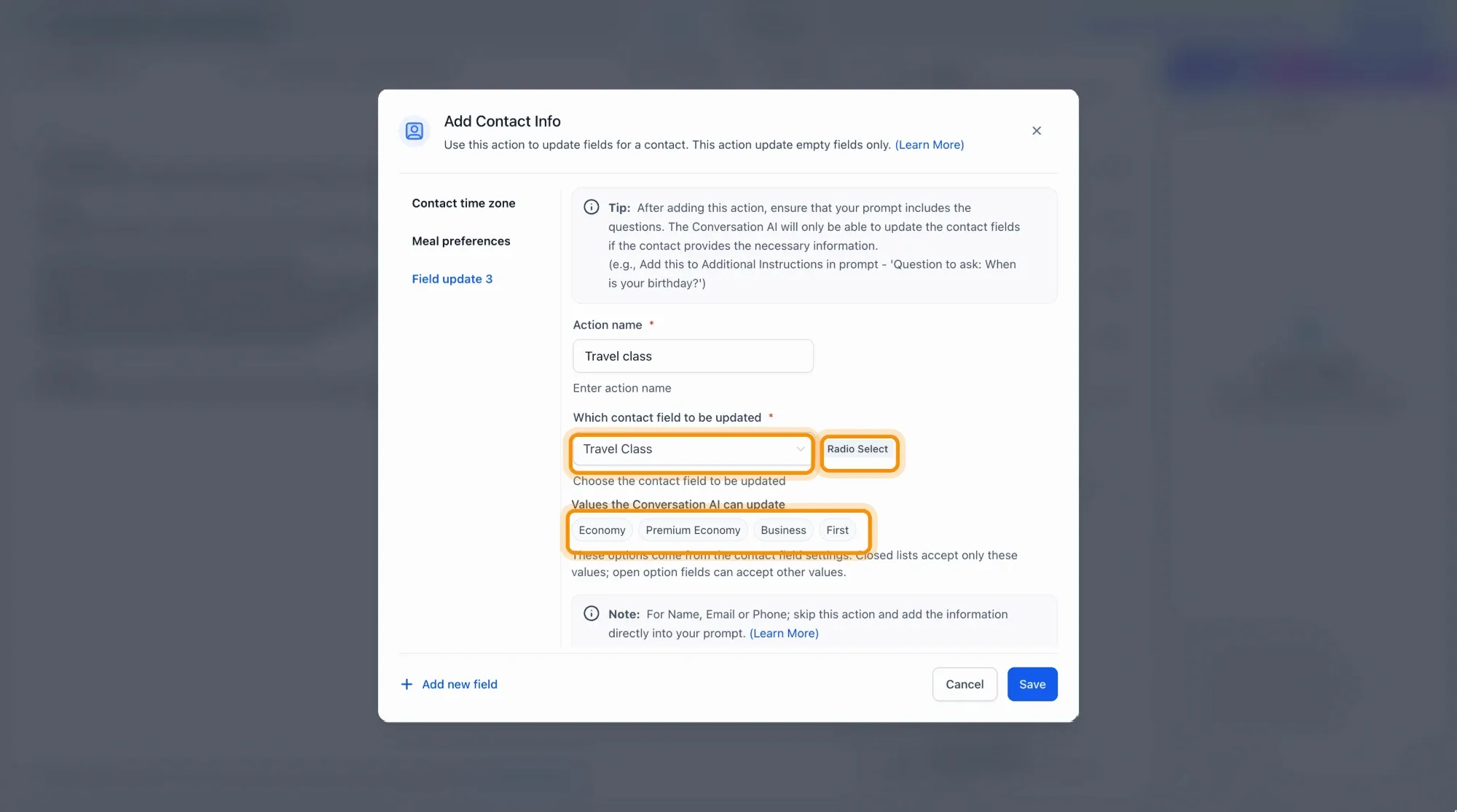
- Visible choices: Selecting an option-based field in the action displays its choices under Values the Conversation AI can update.
- Updated field settings: Changes to options in Custom Fields settings apply starting with the next message.
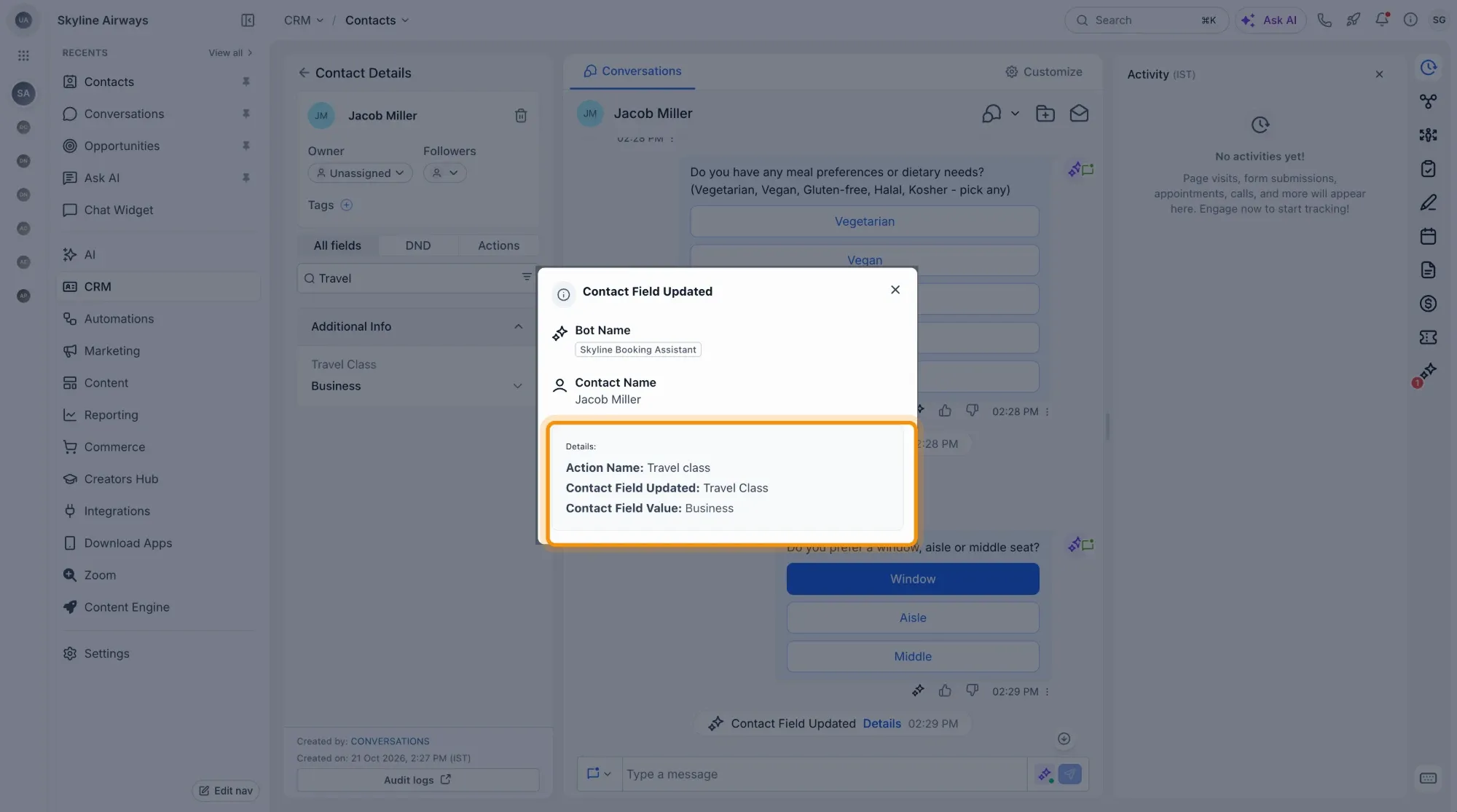
- Recorded updates: A Contact Field Updated event appears in the conversation. Open Details to review the action, field and saved value.
Set Up and Test
- Open your agent and go to Actions → Contact Info.
- Choose a radio, checkbox or dropdown field.
- Review Values the Conversation AI can update.
- Make sure your prompt asks the relevant question so the contact can answer it.
- Save and test the agent.
Release Images
Need Help Applying This Update?
Want help turning this update into a working part of your CRM, marketing, or automation setup?
Get Started or schedule a demo and we’ll help you map the right next step.
Explore this in SMBcrm
Choose the questions AI can help answer.
Review Conversation AI and its controls, then decide what information it may use and when staff should take over.
Explore Conversation AIAlready using this feature? Find setup help