Course Announcements give course creators a central way to share updates inside the learning experience. In SMBcrm’s Memberships & Education tools, creators can publish notices for one course or across courses, with optional email notifications when needed.
What changed
Course creators can now:
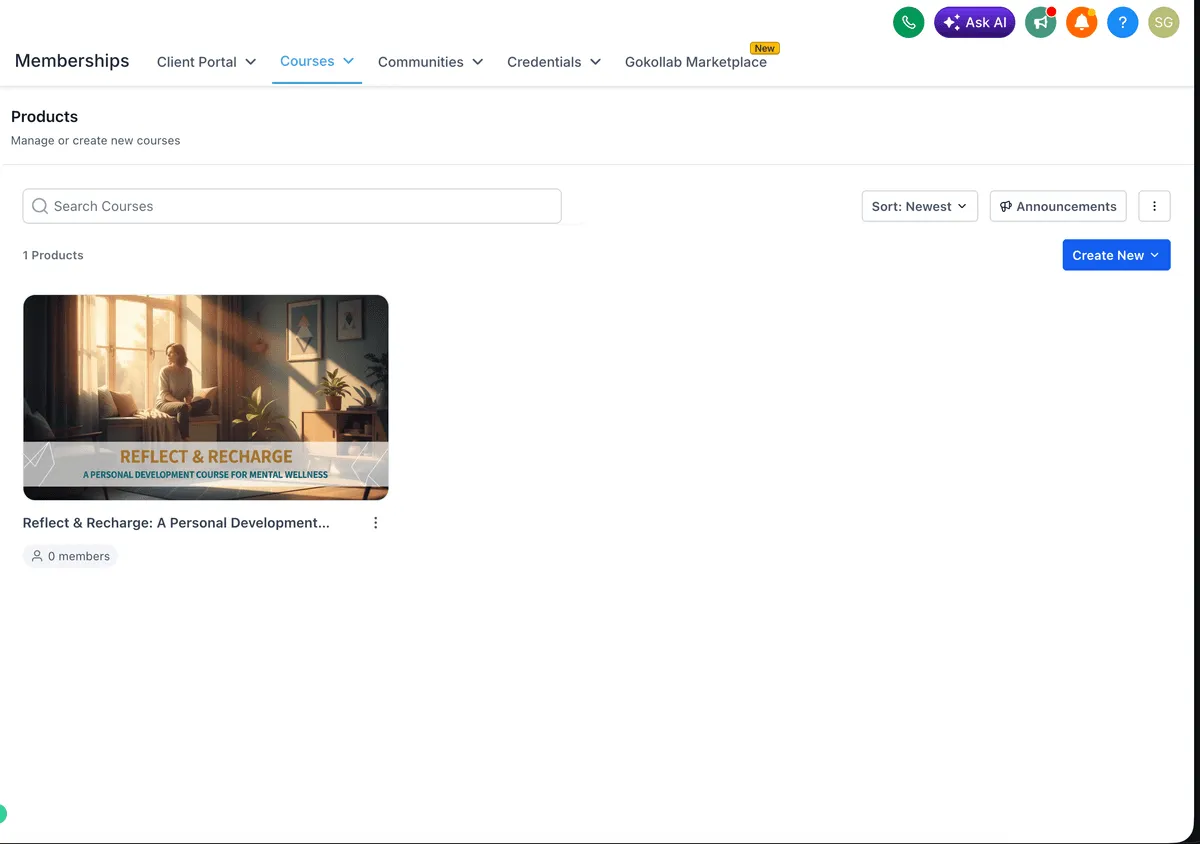
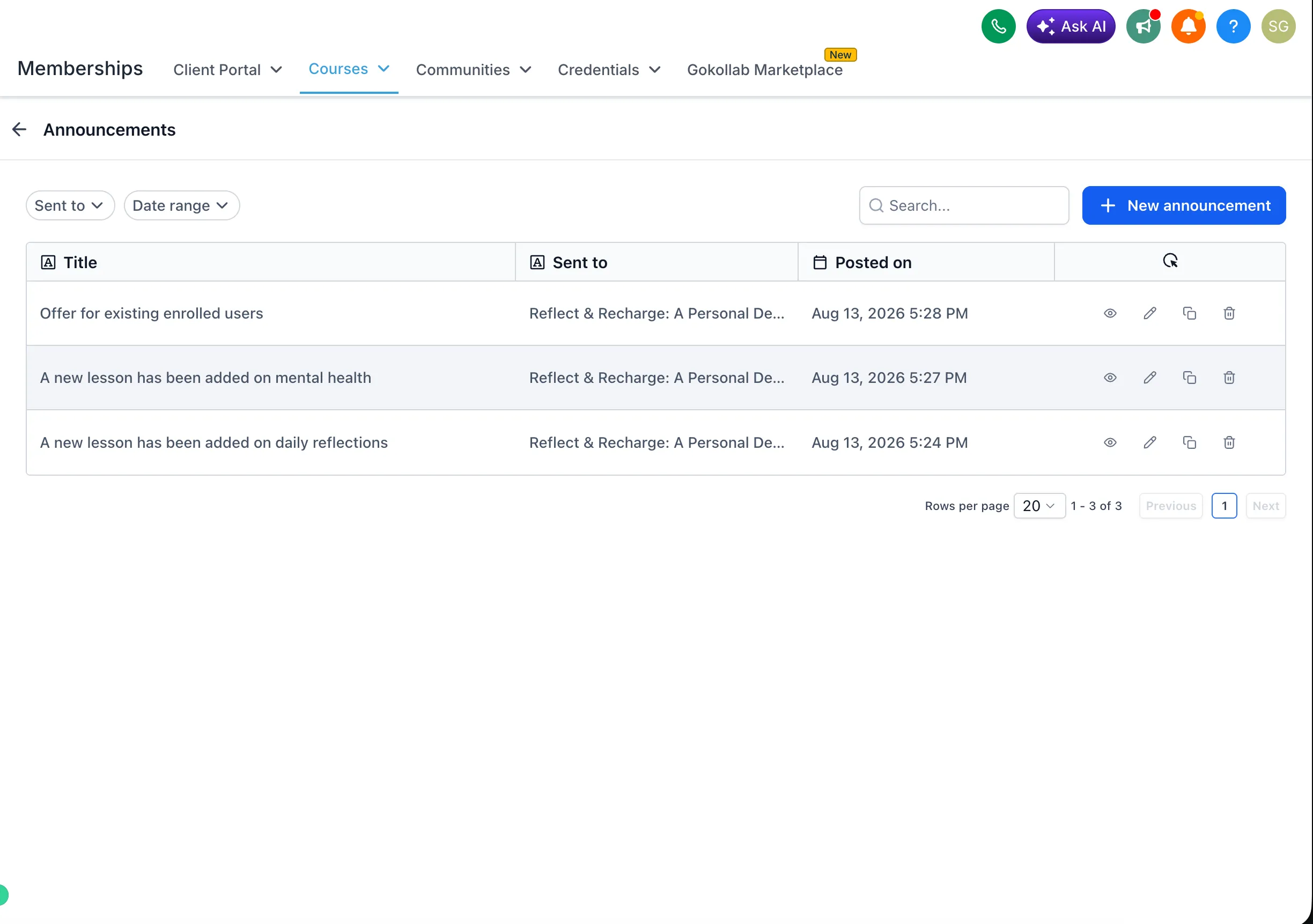
- Create, edit, clone, and delete announcements from Courses > Announcements.
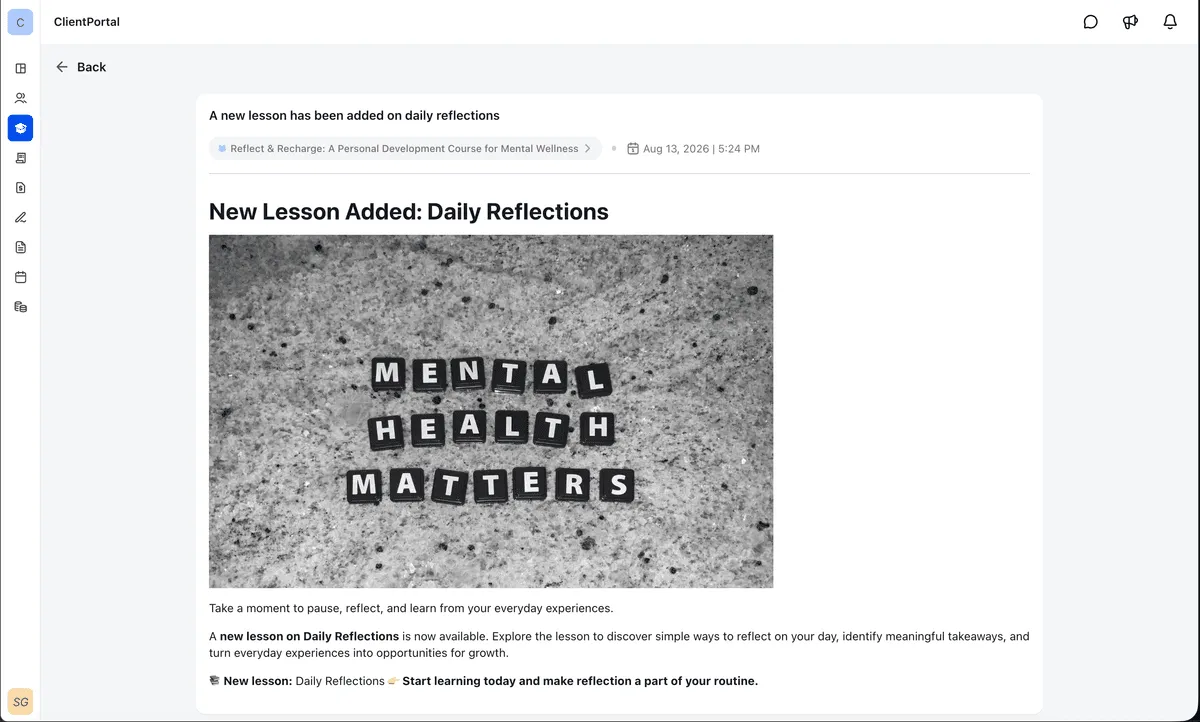
- Add rich content, including formatted text, images, and links.
- Target announcements to learners in specific courses or across all courses.
- Choose whether to send the announcement to course members by email.
- Show announcements in-app with banners and unread indicators.
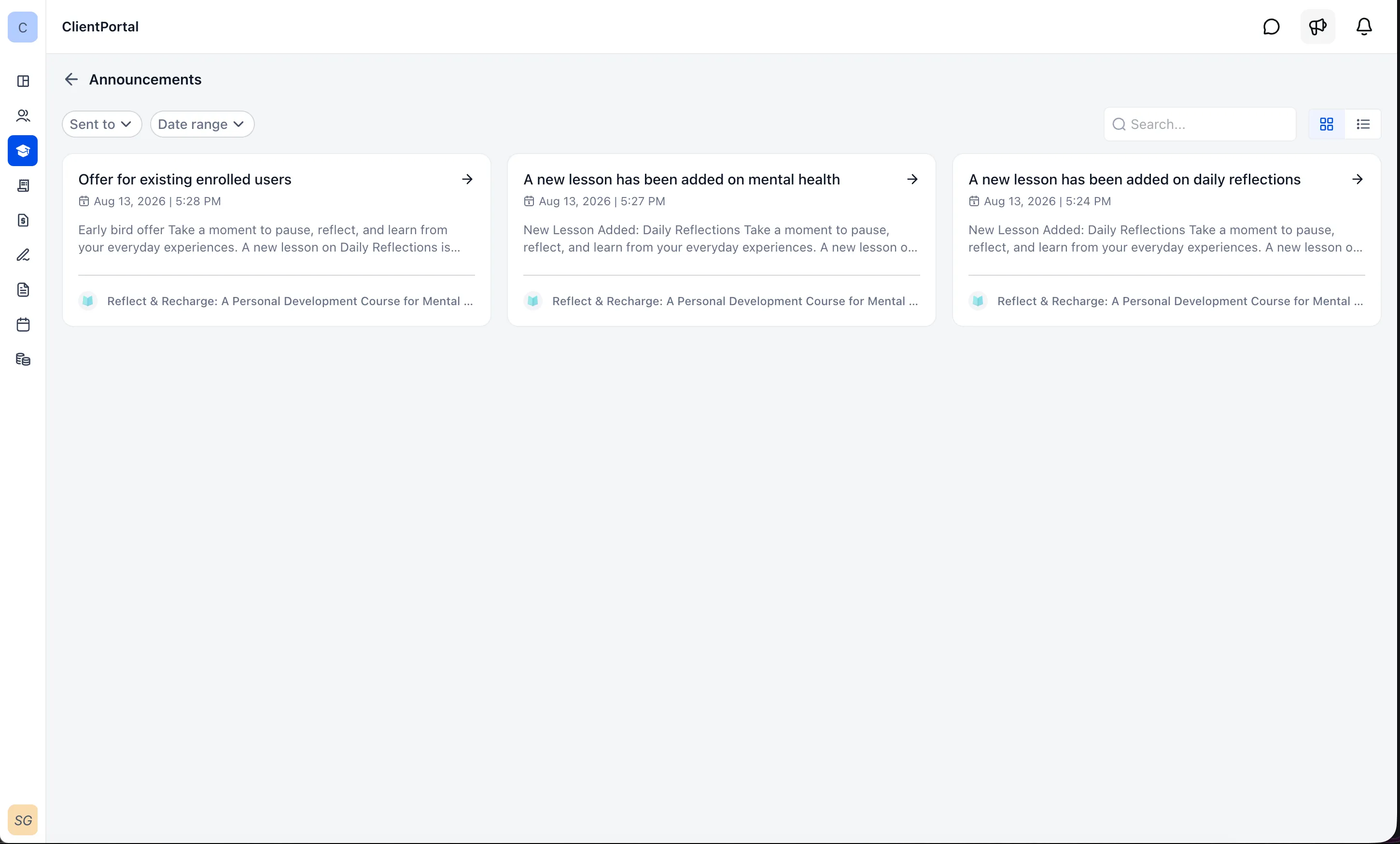
- Let learners view an announcements list and open individual updates without leaving their course experience.
Why it matters
Course updates no longer need to rely only on external email campaigns. Announcements provide a central place to communicate launches, updates, reminders, and important notices while learners are already studying.
How to use it
- Go to Courses > Announcements.
- Create a new announcement.
- Add a title and rich content.
- Select the courses or learners you want to target.
- Enable email notifications if you want course members to receive the update by email.
- Publish the announcement.
Once published, learners can find updates through the announcement banner, unread indicator, announcements list, and announcement detail page.
Release Images
Need Help Applying This Update?
Want help turning this update into a working part of your CRM, marketing, or automation setup?
Get Started or schedule a demo and we’ll help you map the right next step.