SMBcrm now supports a Google Merchant Center integration for ecommerce stores. Merchants can connect a Google account, select a Merchant Center account, link an ecommerce store, and sync eligible store products for review across Google Shopping and supported Google surfaces.
For teams using Payments & Commerce, this reduces manual product feed work and keeps supported product updates syncing after setup.
What changed
- Install the Google Merchant Center app from Marketplace and connect your Google account.
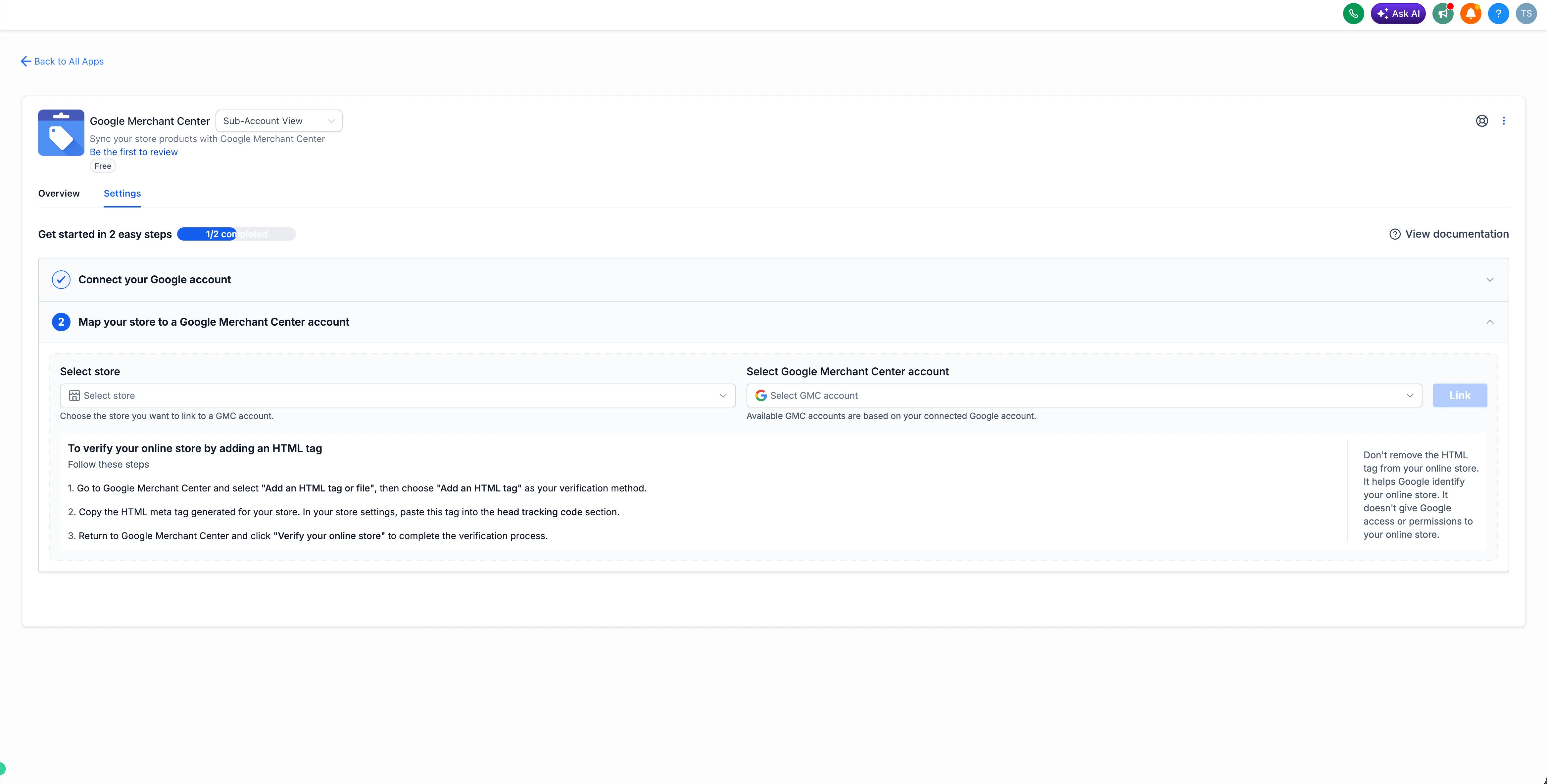
- Select the Merchant Center account and ecommerce store to link.
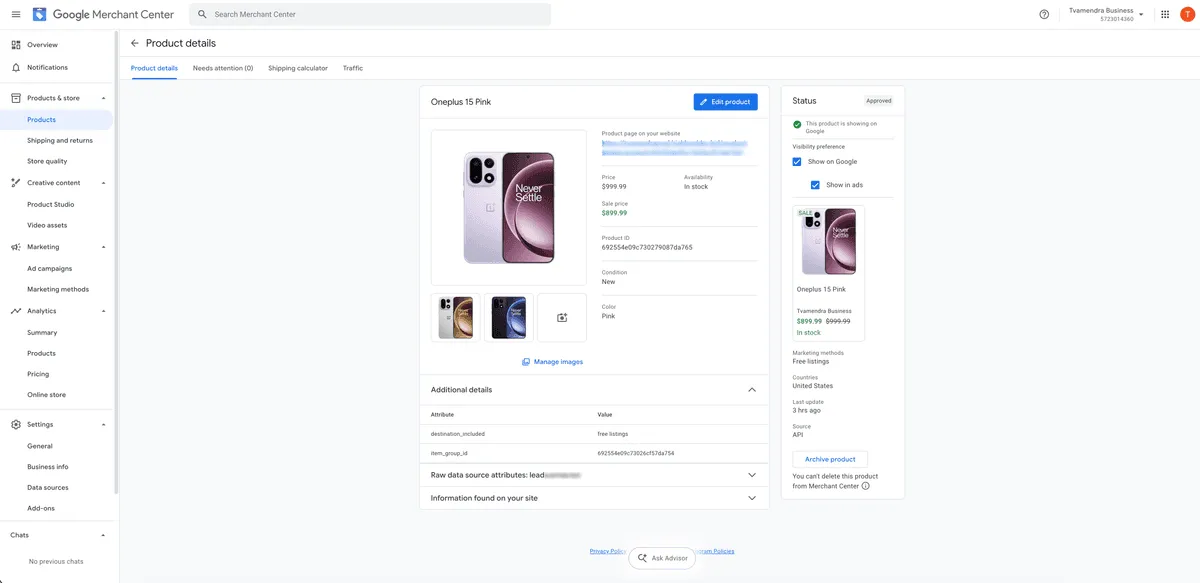
- Sync eligible store products assigned to the connected store. Products from other stores, or products not assigned to the connected store, are not synced.
- Sync supported updates to product details, pricing, inventory, images, and variants automatically after setup.
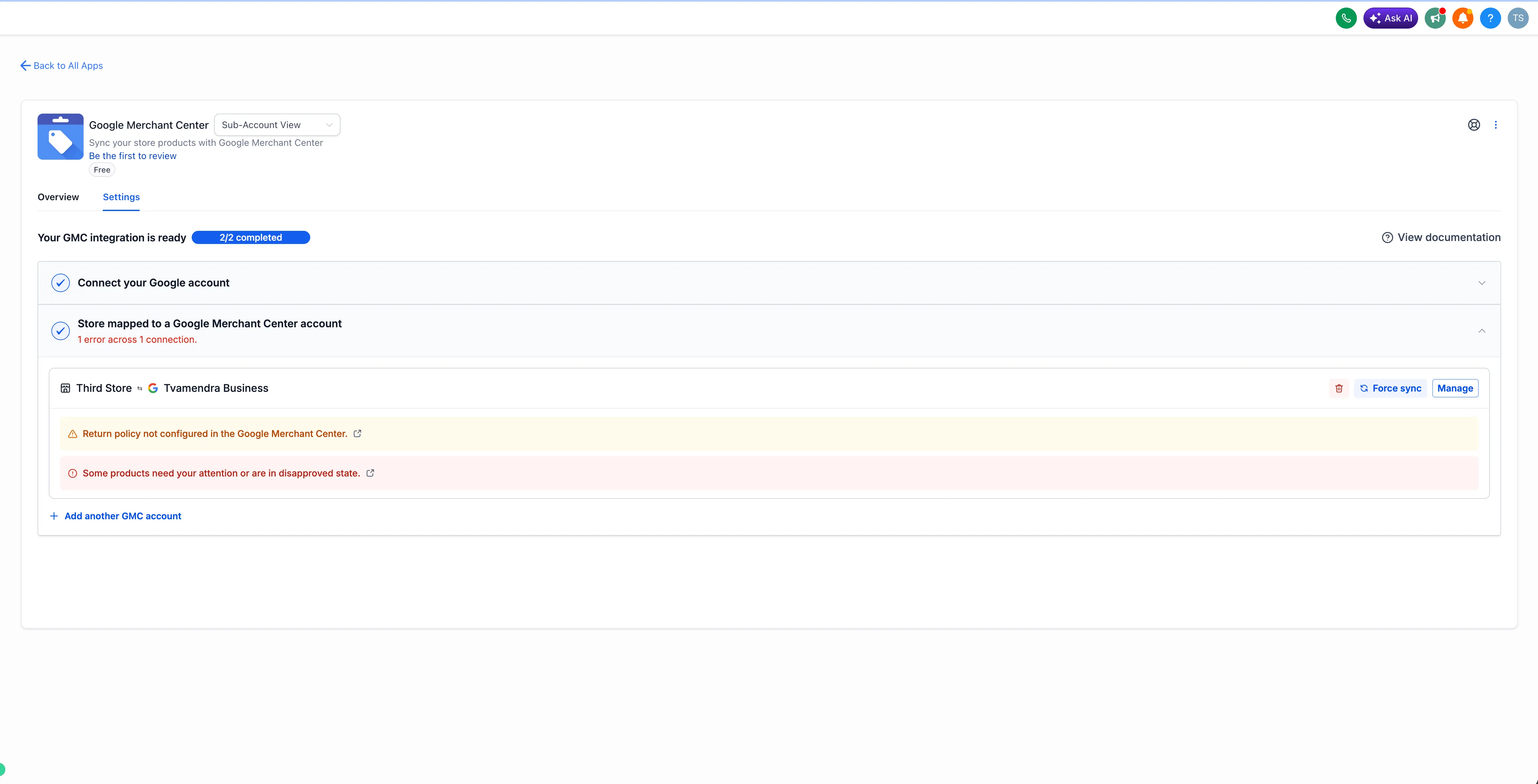
- View relevant errors and warnings during and after linking so issues that may affect product approval can be addressed.
Supported product sync
One-time payment products and digital products are supported. A valid connected store domain is required for synchronization.
Google reviews submitted products and determines their approval and eligibility.
Data source and mapping details
SMBcrm creates a Merchant Center data source using the country and language configured for the shipping origin. Deleting that data source removes the synced products. If needed, Force Sync can create a new data source.
Multiple store-to-Merchant Center mappings are supported. Once a store or Merchant Center account is linked, it cannot be used in another mapping until the existing connection is removed.
How to set it up
- Open Marketplace and install Google Merchant Center.
- Connect your Google account and select your Merchant Center account.
- Select the ecommerce store to connect.
- Complete setup to start syncing eligible store products assigned to that store.
- Review sync status, errors, or warnings. Use Force Sync when a manual refresh is required.
Important notes
- Only eligible store products assigned to the connected ecommerce store are synced.
- A valid connected store domain is required for synchronization.
- Google controls product review and approval after products are submitted.
- The integration syncs products with Merchant Center. It does not create or manage Google Ads campaigns.
Release Images
Need Help Applying This Update?
Want help turning this update into a working part of your CRM, marketing, or automation setup?
Get Started or schedule a demo and we’ll help you map the right next step.