Within SMBcrm workflow automation, the AI Assistant can now answer WhatsApp performance questions alongside email and SMS. Users can ask about any WhatsApp step in plain language and receive delivery and read metrics calculated from live data.
What’s Changed
WhatsApp delivery and read metrics
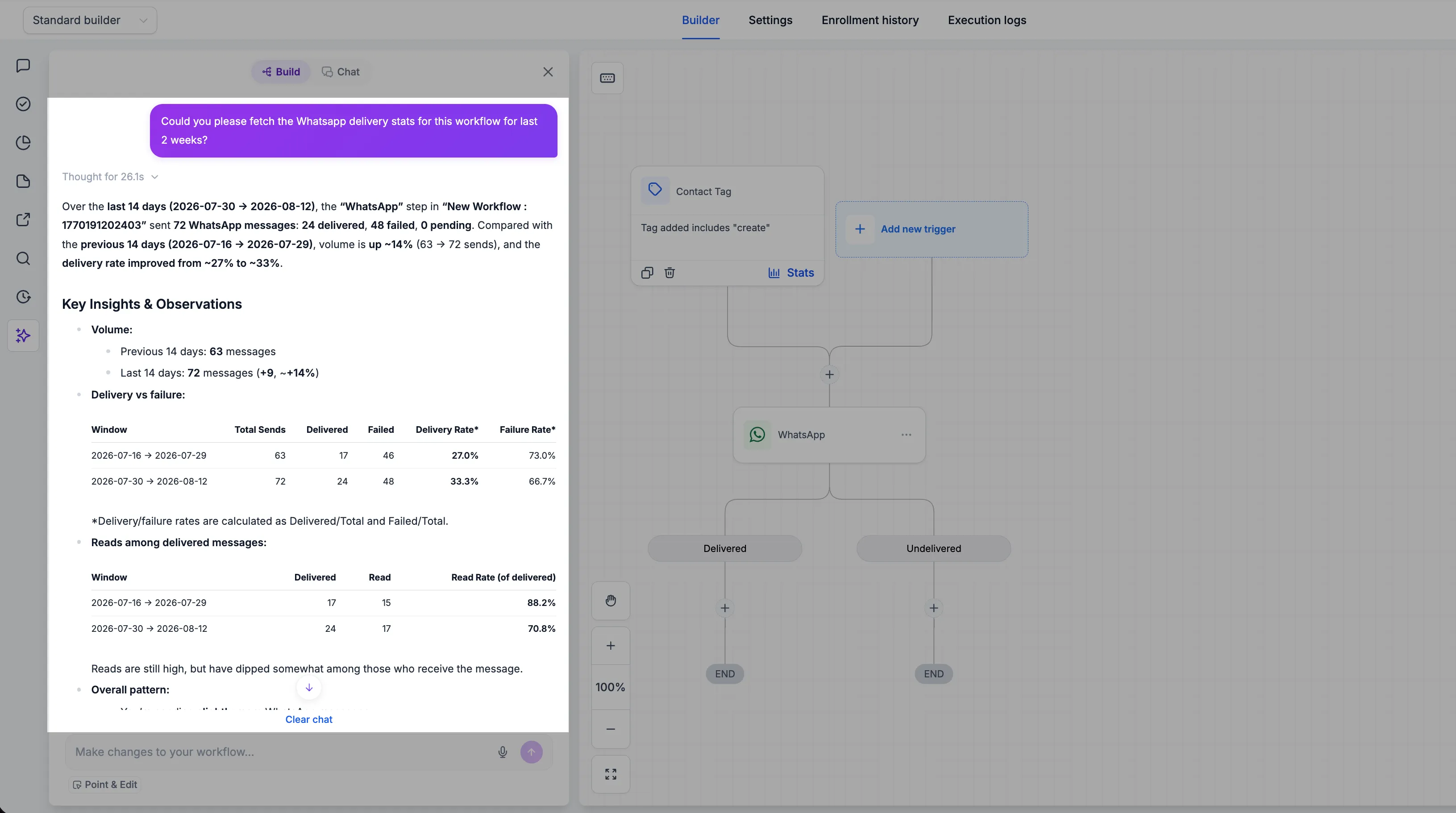
The Assistant returns total sends, delivered, failed, and pending counts for any WhatsApp step. It also calculates delivery and failure rates, includes read counts among delivered messages, and reports the corresponding read rate.
Period-over-period comparisons
Users can specify a time window, such as “last 2 weeks,” and the Assistant compares it against the immediately preceding period. Responses show volume movement and whether delivery is trending up or down.
Plain-language insights
Answers start with the headline figures, then explain what changed. The Assistant highlights observations around volume, delivery versus failure, and read behavior.
How to Use It
- Open the AI Assistant in any workflow.
- Ask for the metrics you need, such as “fetch the WhatsApp delivery stats for this workflow for the last 2 weeks.”
No configuration is required.
Why It Matters
WhatsApp performance data is now available through the same conversational workflow interface as email and SMS. This helps users assess workflow performance in one place instead of checking separate dashboards and execution logs.
In Case You Missed It
For another AI update, read AI Agent Actions Now Cost Less to Run.
Release Images
Need Help Applying This Update?
Want help turning this update into a working part of your CRM, marketing, or automation setup?
Get Started or schedule a demo and we’ll help you map the right next step.