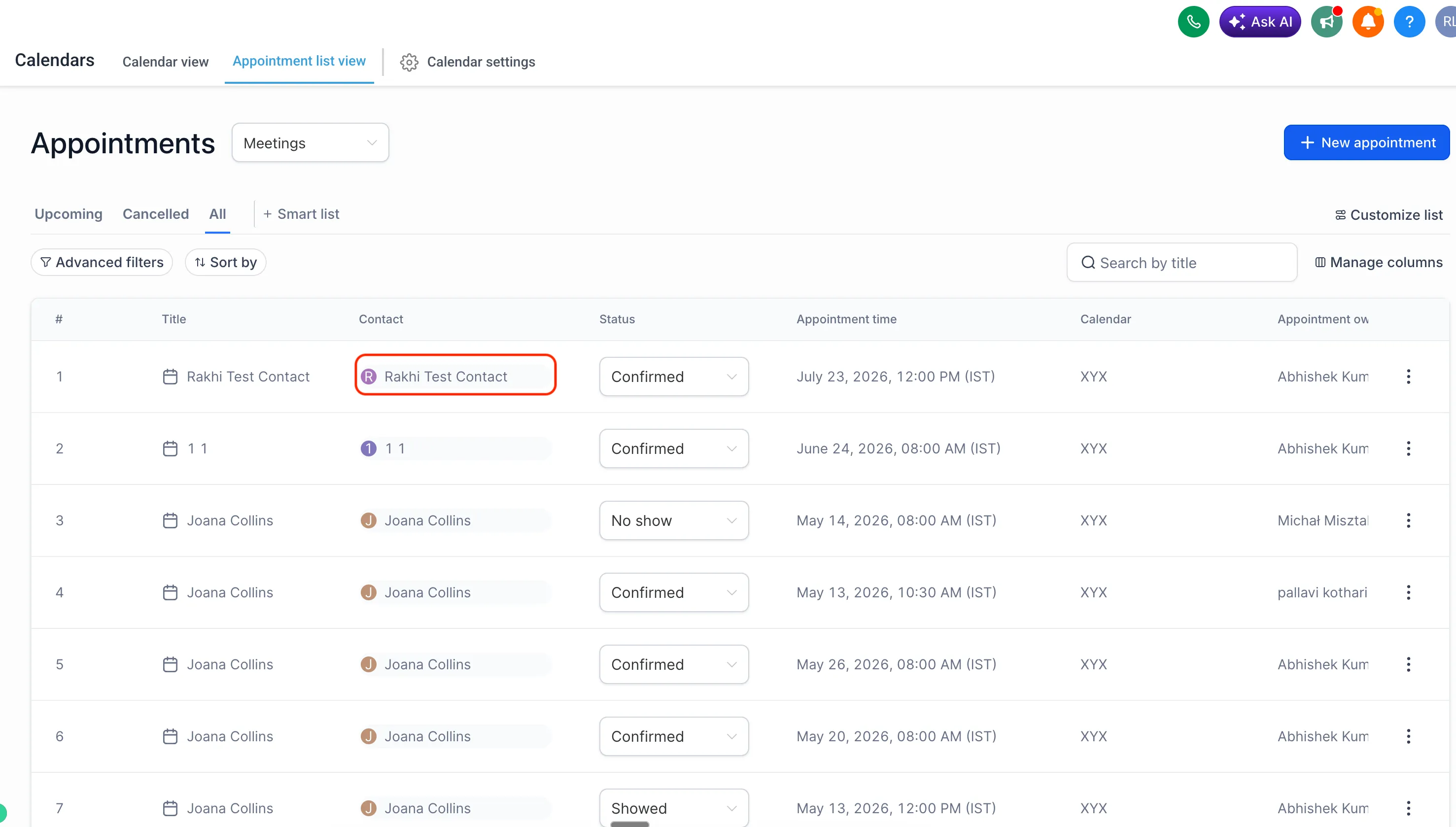
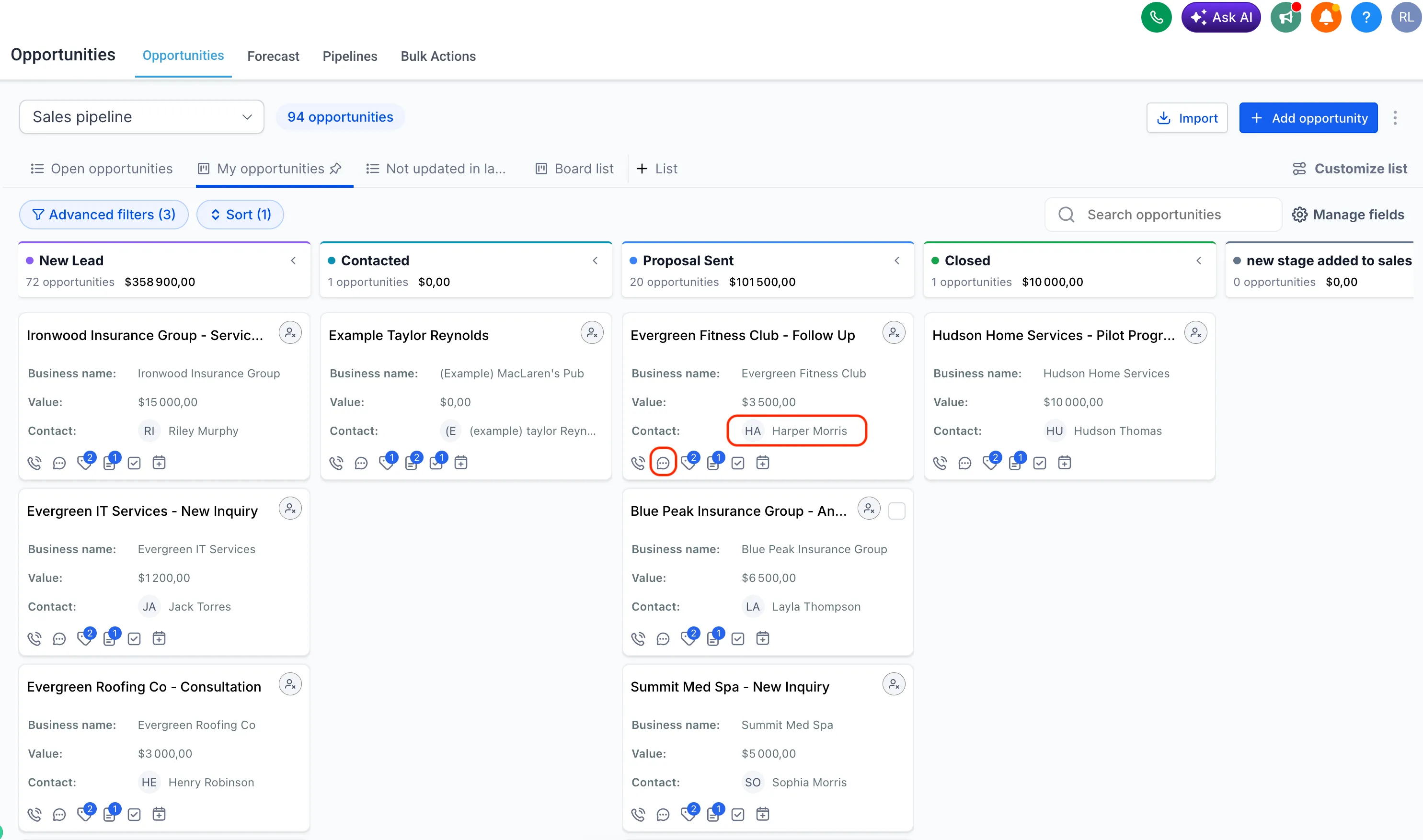
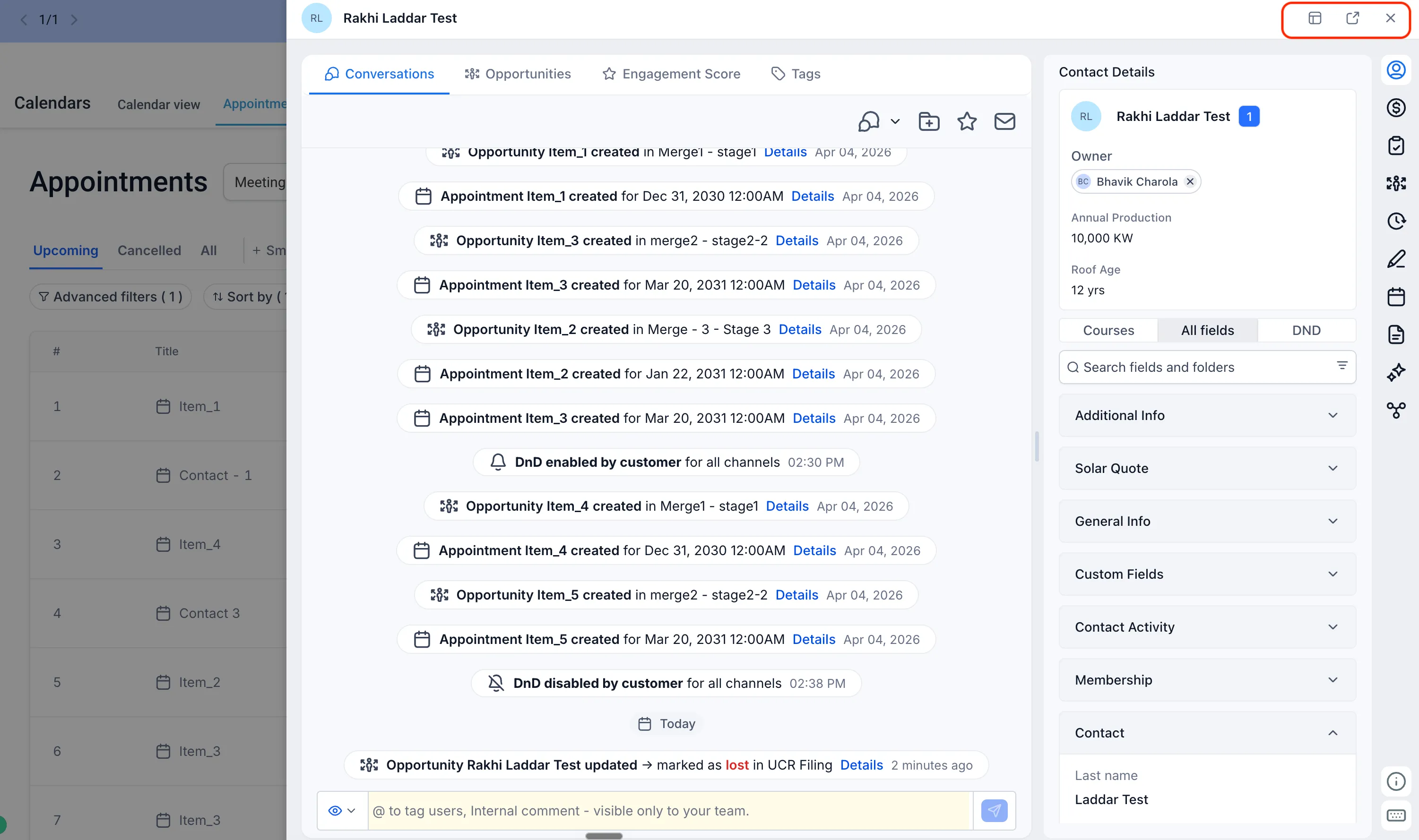
SMBcrm now makes it easier to review contact details while staying in context. When you click a contact name from opportunities or appointments, the contact can open in an overlay instead of automatically taking you to the full contact details page.
This helps teams working in CRM and sales workflows quickly check contact information, review conversations, and return to their work with fewer page changes.
What Changed
Previously, clicking a contact name from opportunities or appointments redirected you to the contact details page.
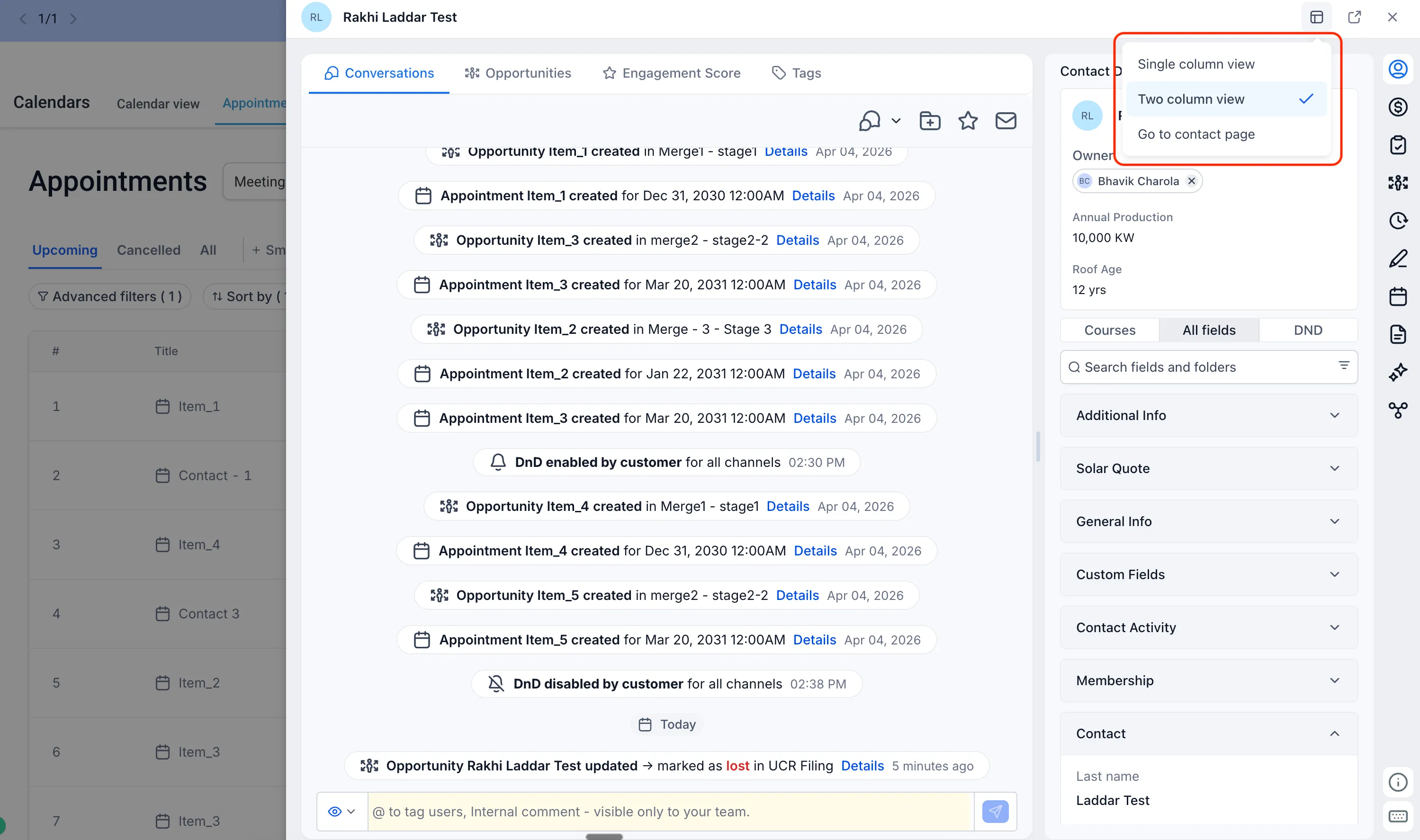
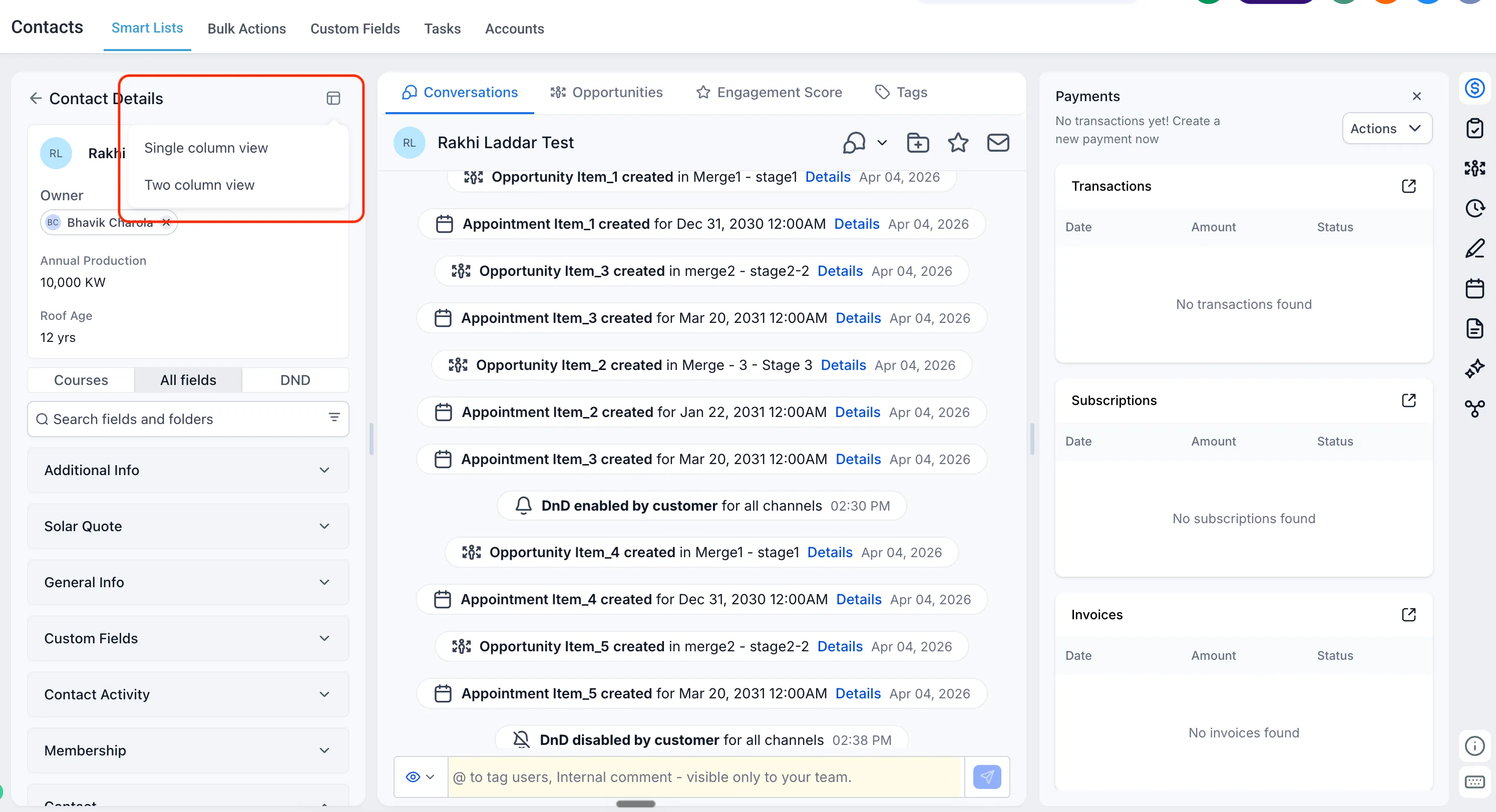
You can now choose how you want to view the contact:
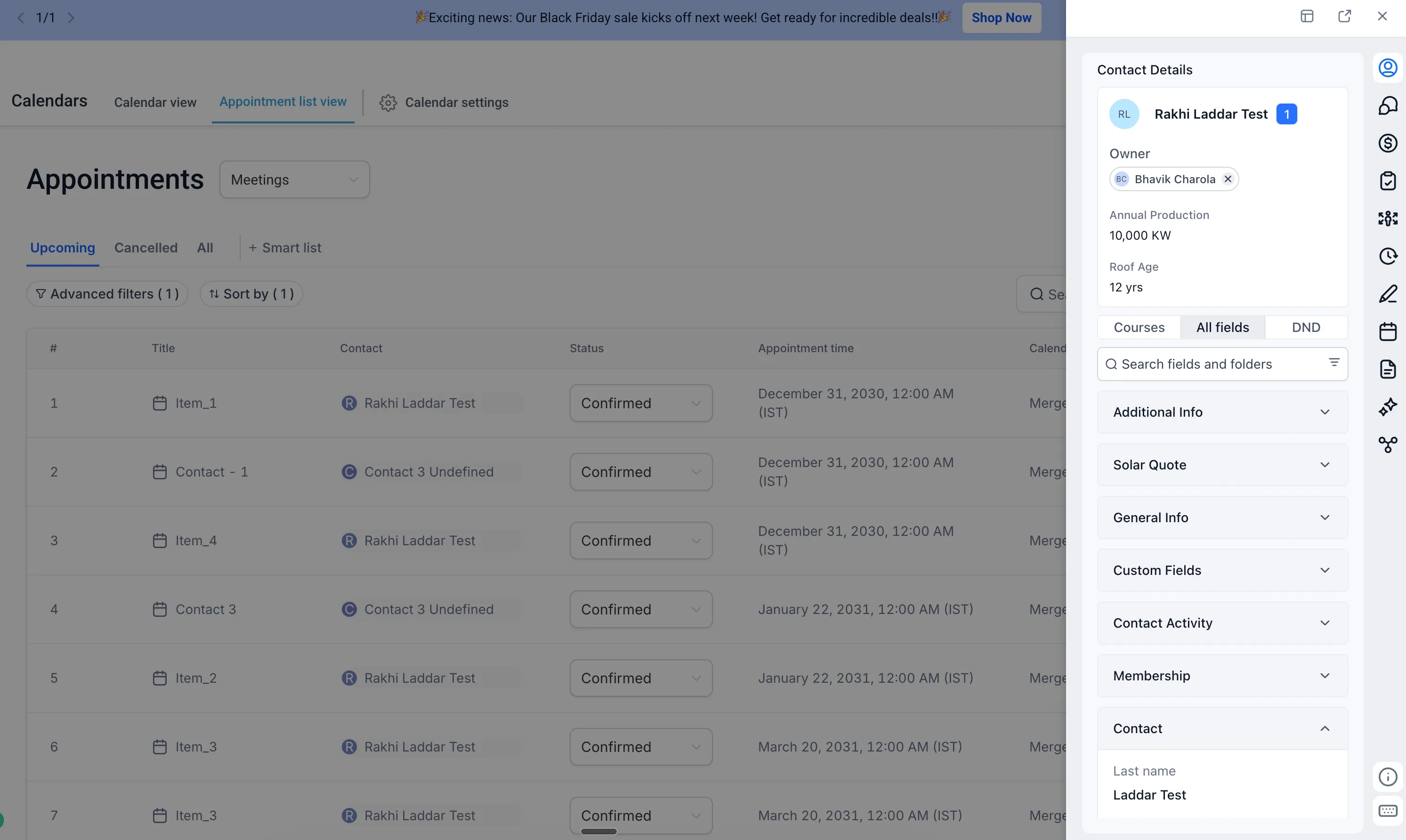
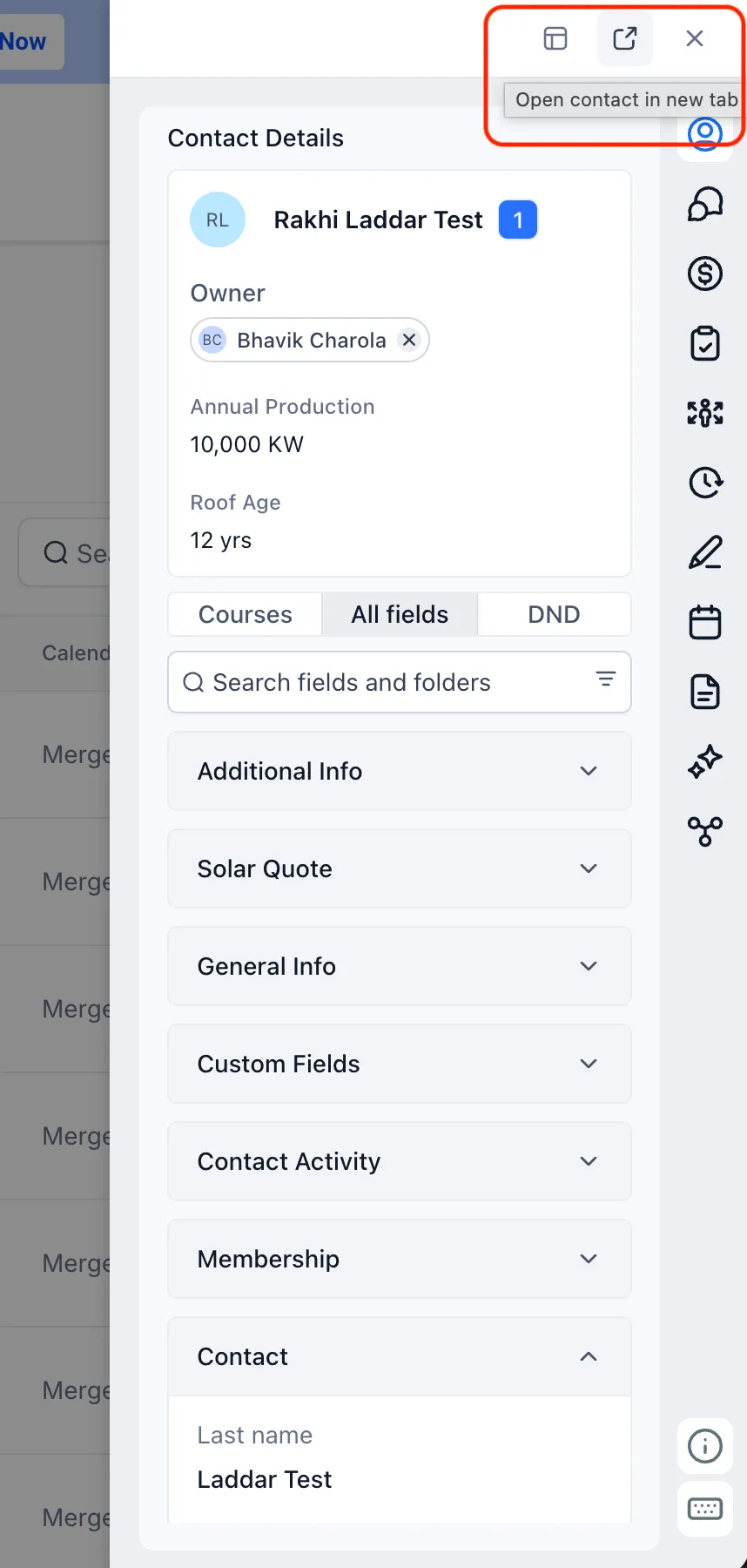
- Single-column view: Opens the contact details panel alongside conversations and other right-panel features.
- Two-column view: Opens an expanded view with contact details and an extended Conversations view.
- Full contact details page: Lets you continue using the existing full-page experience when preferred.
If you open the full contact details page from the overlay, you can navigate back to the page you were working on. A separate icon is also available for users who want to skip the overlay and open the full contact details page directly.
Customizations Carry Over
The overlay respects contact details page customizations. If your contact details page has been customized, those same customizations appear in the overlay for a consistent experience.
Why It Matters
Managing opportunities and appointments often requires a quick look at contact information or recent conversations. The contact overlay reduces unnecessary navigation by bringing those details into the workflow you are already using.
The overlay is currently available for opportunities and appointments, with plans to gradually extend the experience to additional areas where contact names appear.
Release Images
Need Help Applying This Update?
Want help turning this update into a working part of your CRM, marketing, or automation setup?
Get Started or schedule a demo and we’ll help you map the right next step.