SMBcrm now supports direct HubSpot imports, helping teams move important CRM data without relying on manual CSV exports.
What you can import
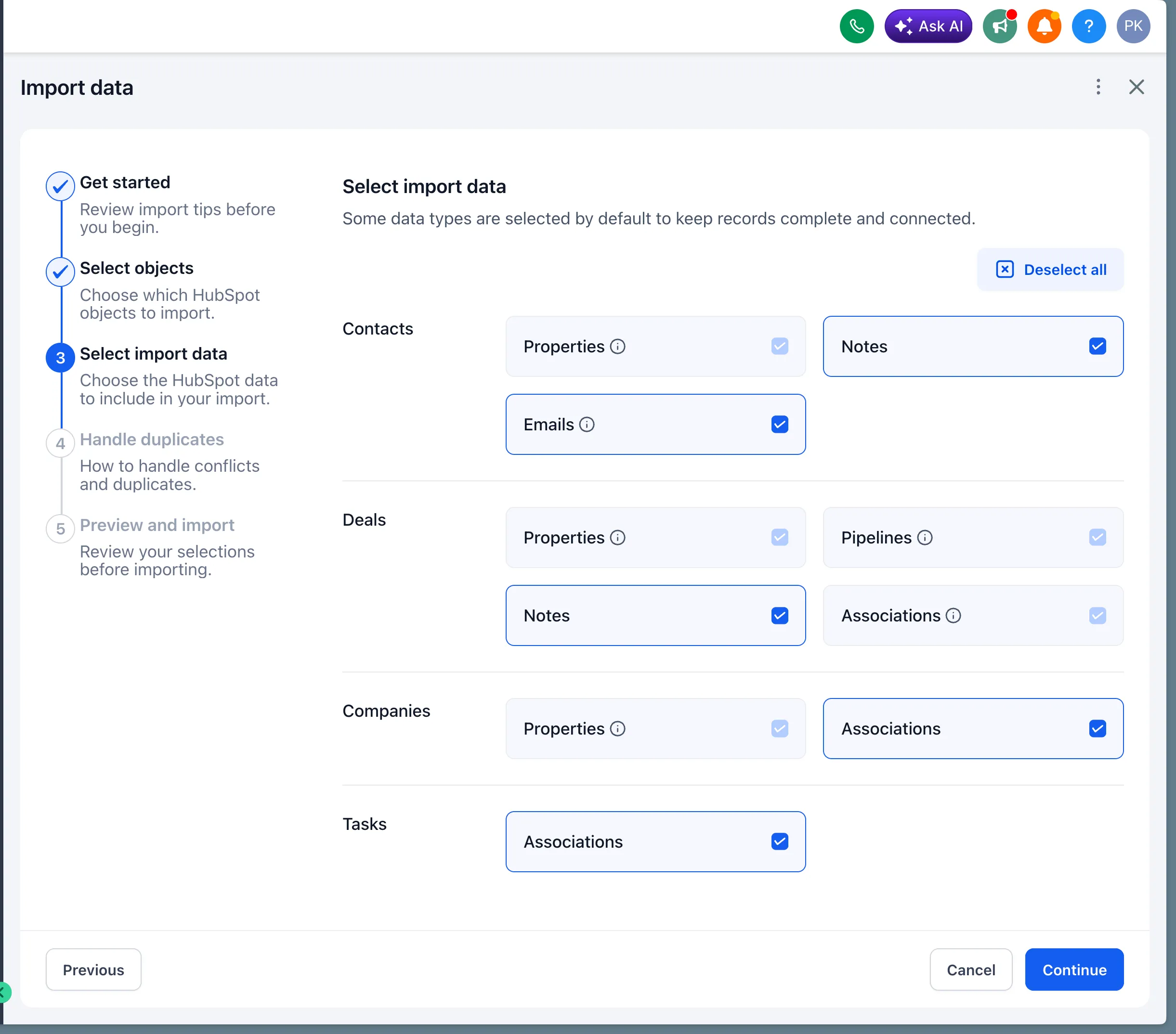
You can import the following HubSpot data into SMBcrm:
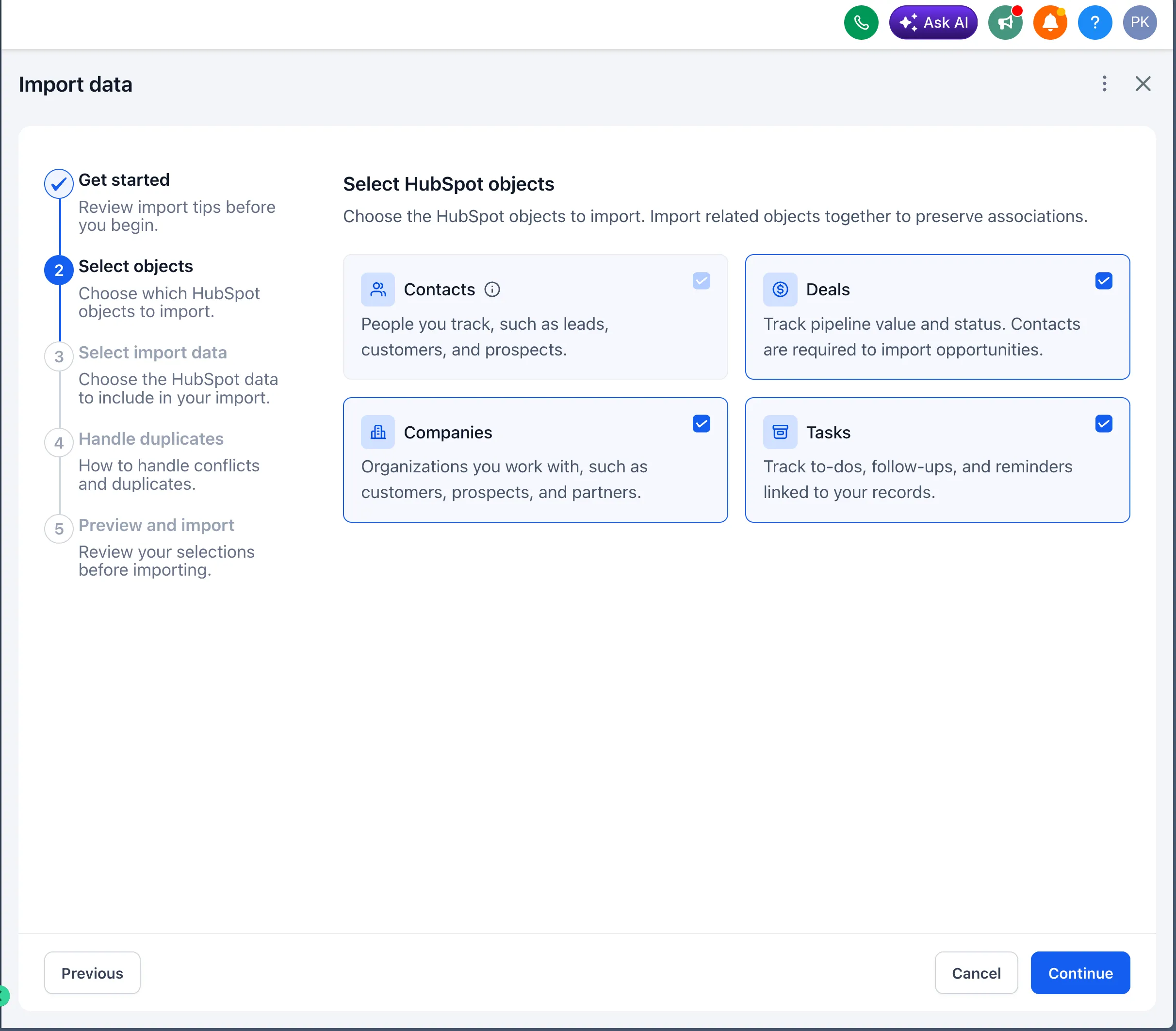
- Contacts
- Deals as Opportunities
- Companies
- Contact, company, and deal properties as custom fields
- Pipelines and stages
- Notes
- Emails
- Tasks
- Supported associations
How the import works
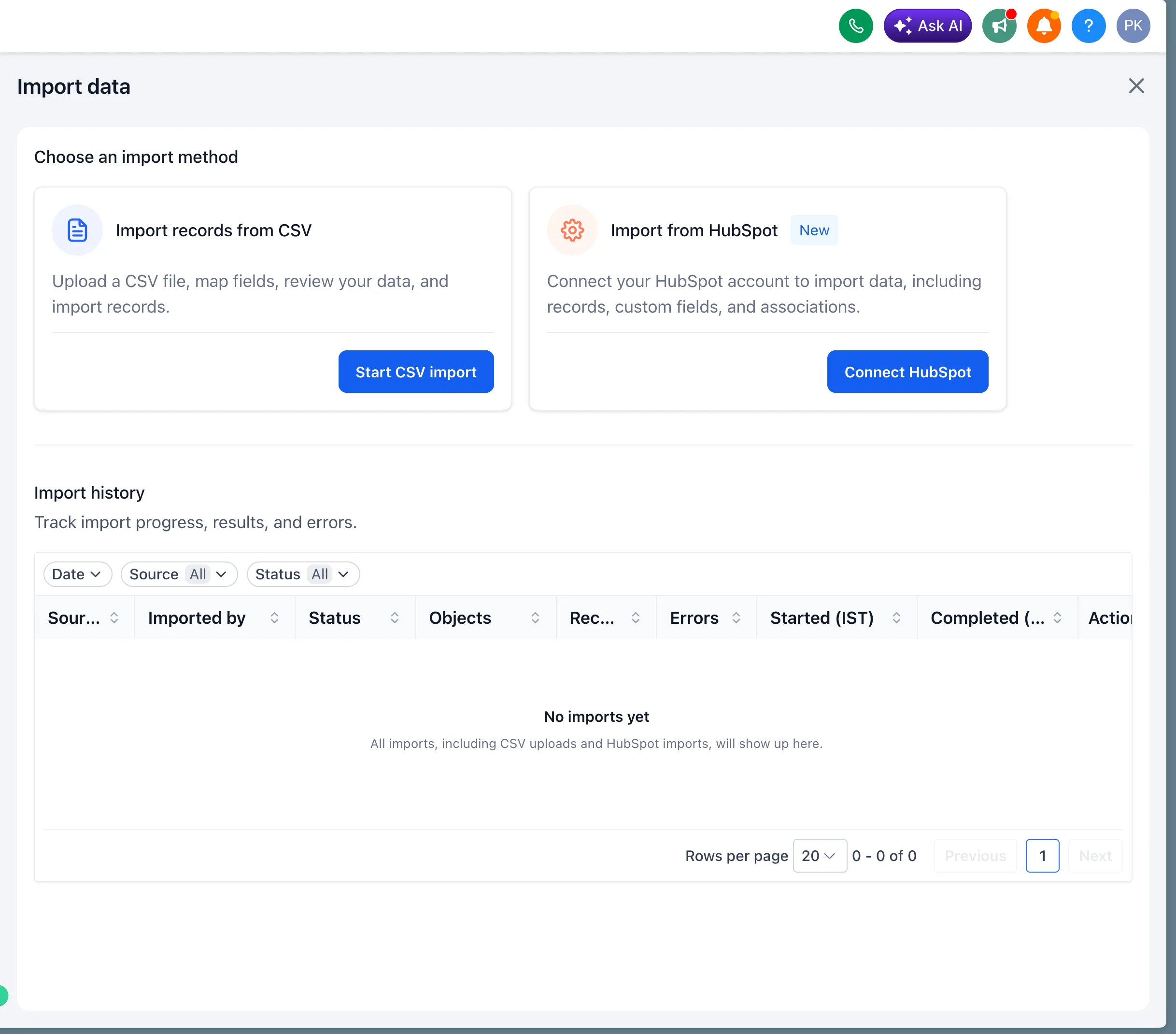
To start an import, go to Contacts, Companies, or Opportunities, then click Import.
From there:
- Choose Connect HubSpot.
- Sign in to your HubSpot account.
- Select the objects and data you want to import.
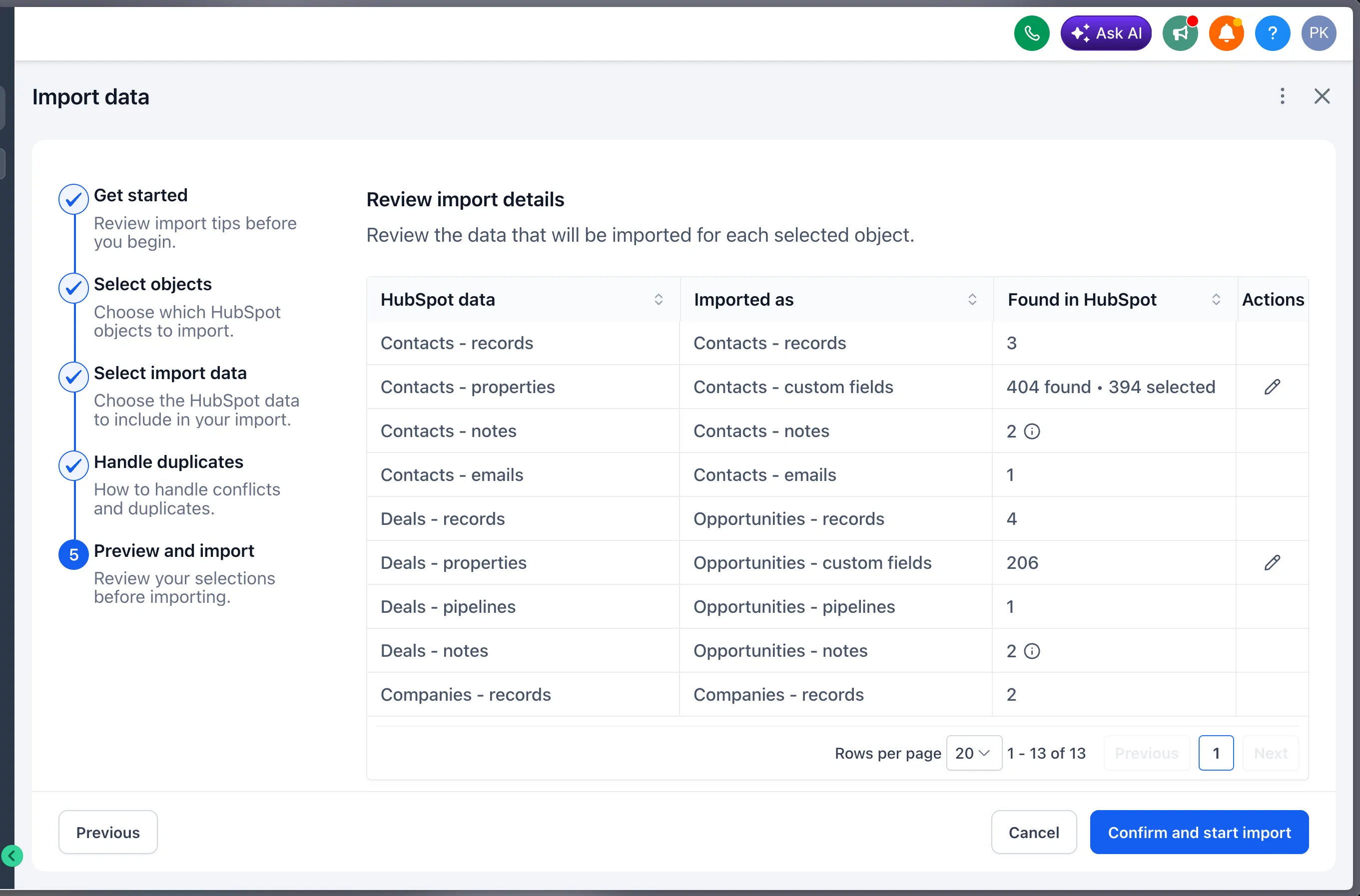
- Review record counts and choose specific properties if needed.
- Click Confirm and start import.
Imports continue running in the background, so you can leave the page and return later.
Review import results
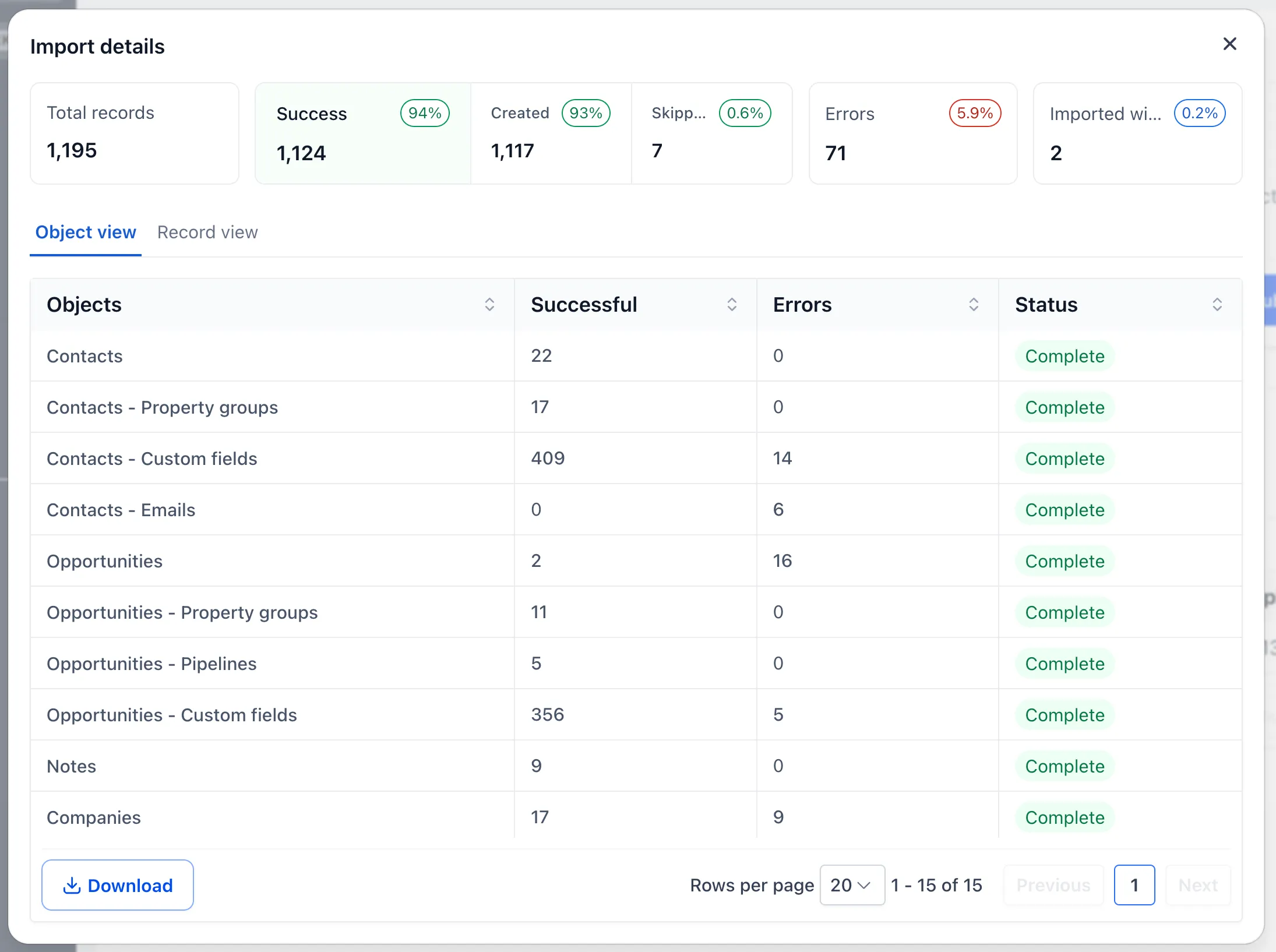
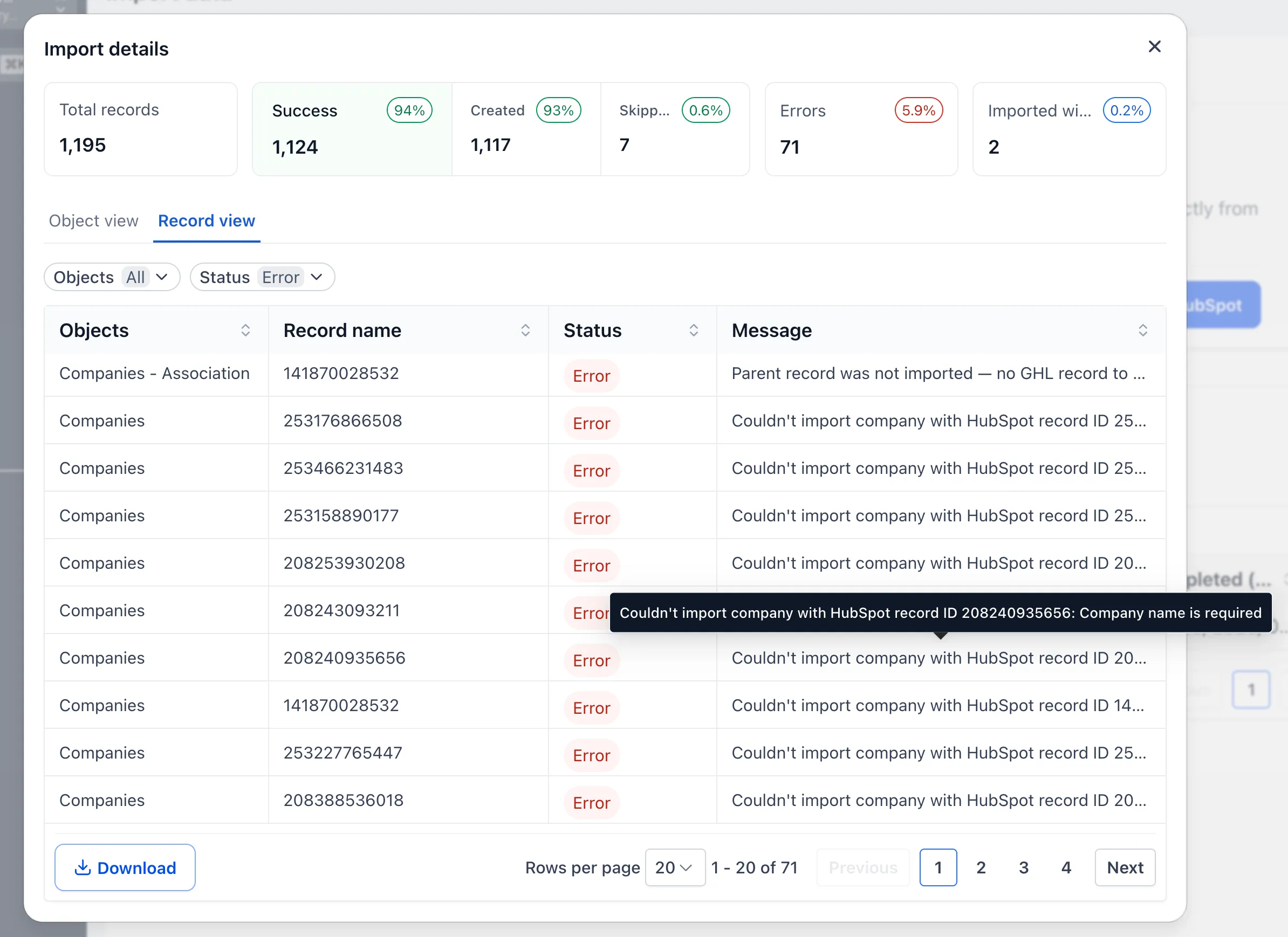
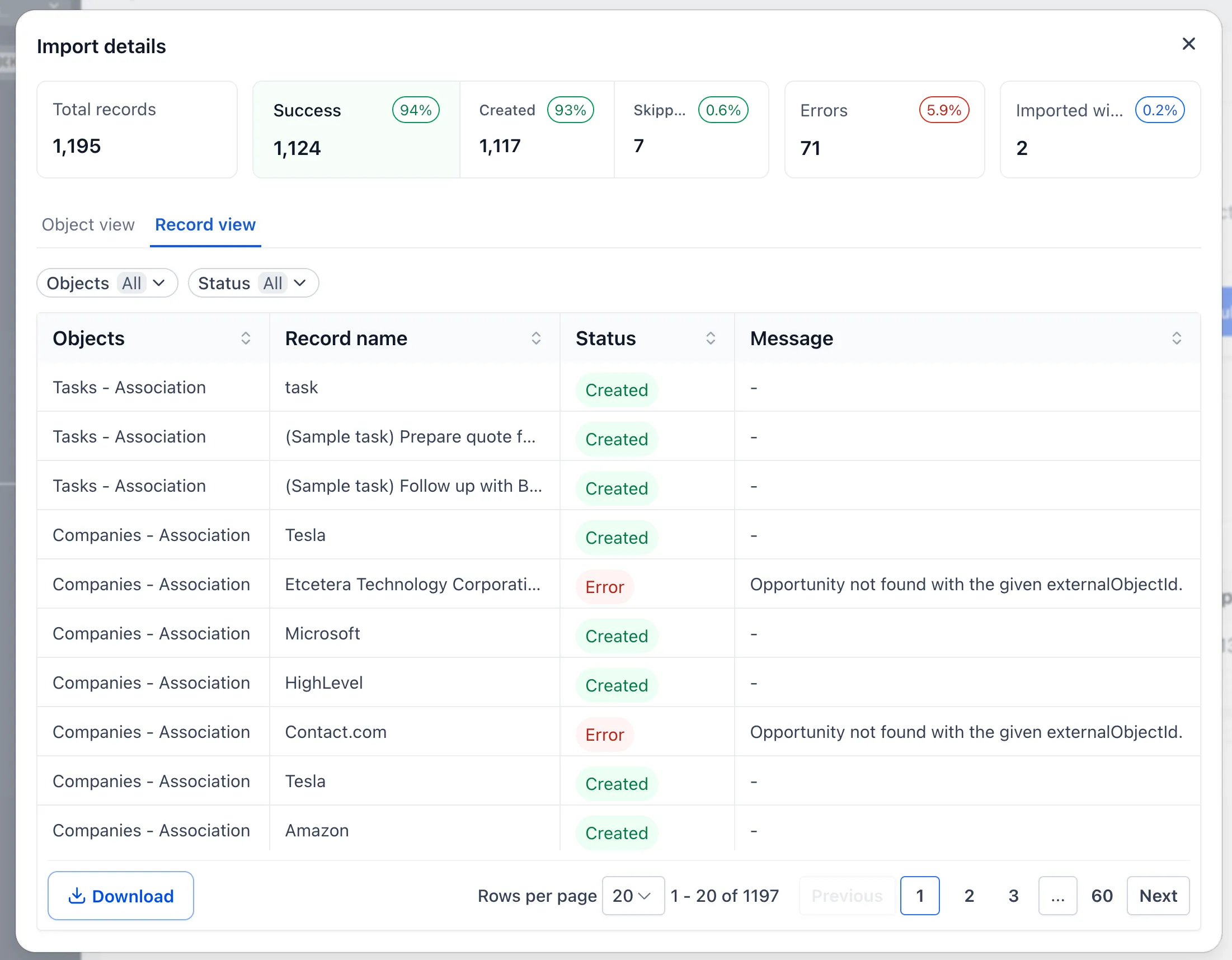
The Import History table lets you track progress and review completed imports. After an import, you can:
- View successful, skipped, failed, and warning totals
- Review results by object or individual record
- Filter records by object and status
- See clear error messages
- Download results as a CSV for further review
Important notes
- Existing matching records are not overwritten.
- Imported HubSpot emails are read-only.
- Deals require their associated contacts in order to be imported as Opportunities.
- We recommend testing your import in a new or non-production account first.
In Case You Missed It
For another recent CRM update, read Note Attachments Are Private by Default.
Release Images
Related SMBcrm Features
Need Help Applying This Update?
Want help turning this update into a working part of your CRM, marketing, or automation setup?
Get Started or schedule a demo and we’ll help you map the right next step.