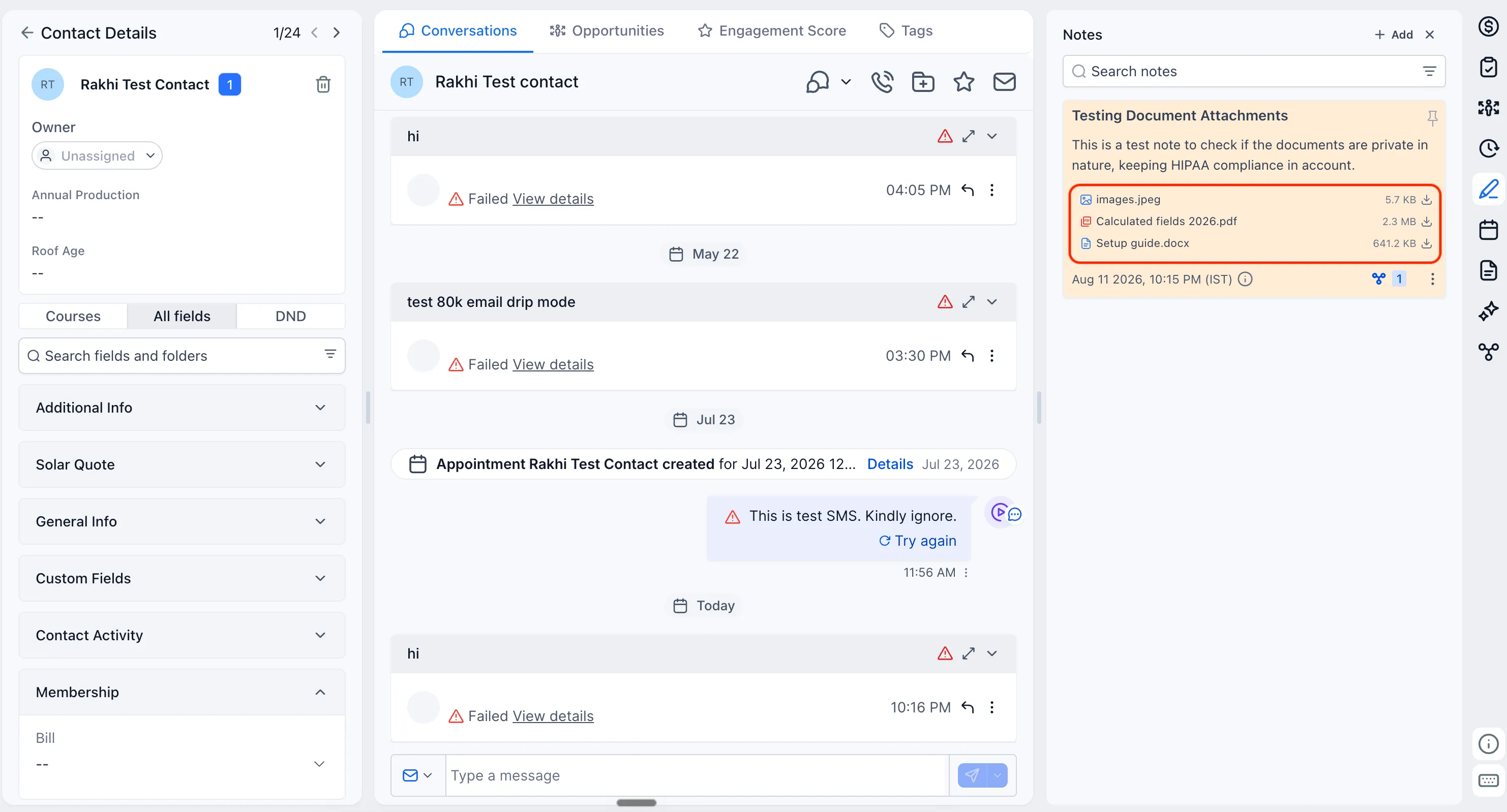
SMBcrm is strengthening document privacy controls for files uploaded through notes. New document attachments added from the notes section are stored in the “Notes attachments” folder under Documents and are private by default.
This gives teams using SMBcrm CRM & Sales more control over how documents are shared from contact workflows, especially when handling sensitive information.
What changed
New note attachments are private by default
Any new document uploaded through notes is stored in the “Notes attachments” folder under Documents and starts as private by default.
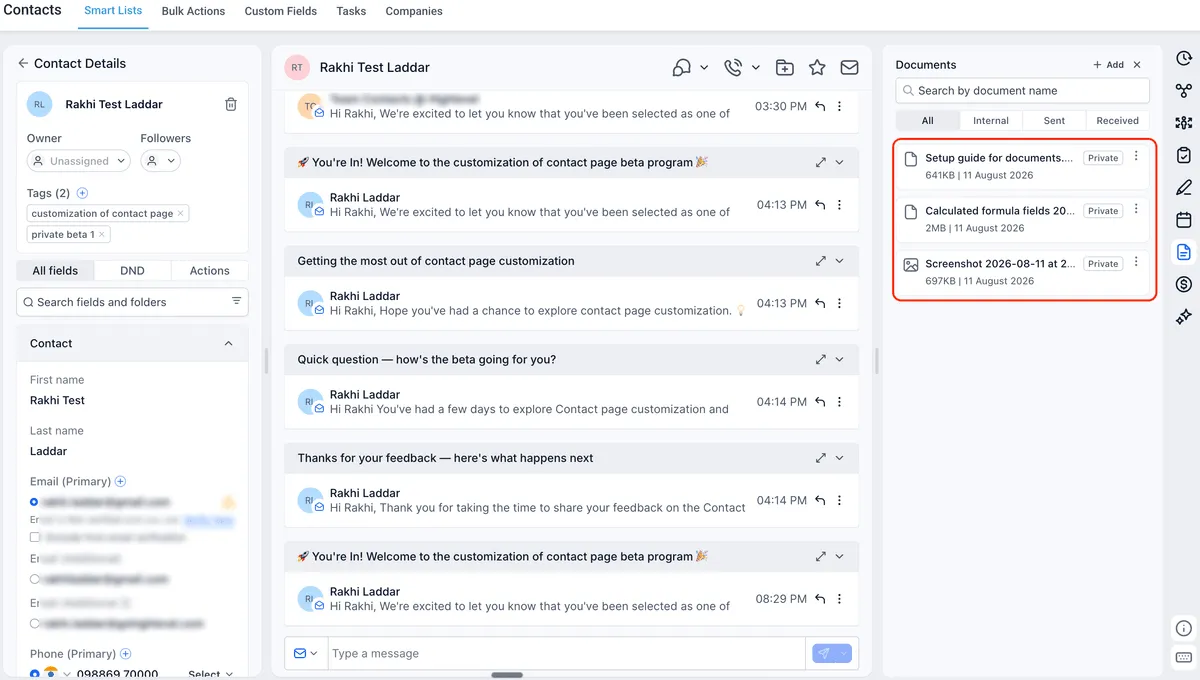
More sharing options
When sharing a document, users can choose the access method that fits the situation:
- Public link
- Private link
- OTP-protected link
- Password-protected link
Existing documents are unchanged
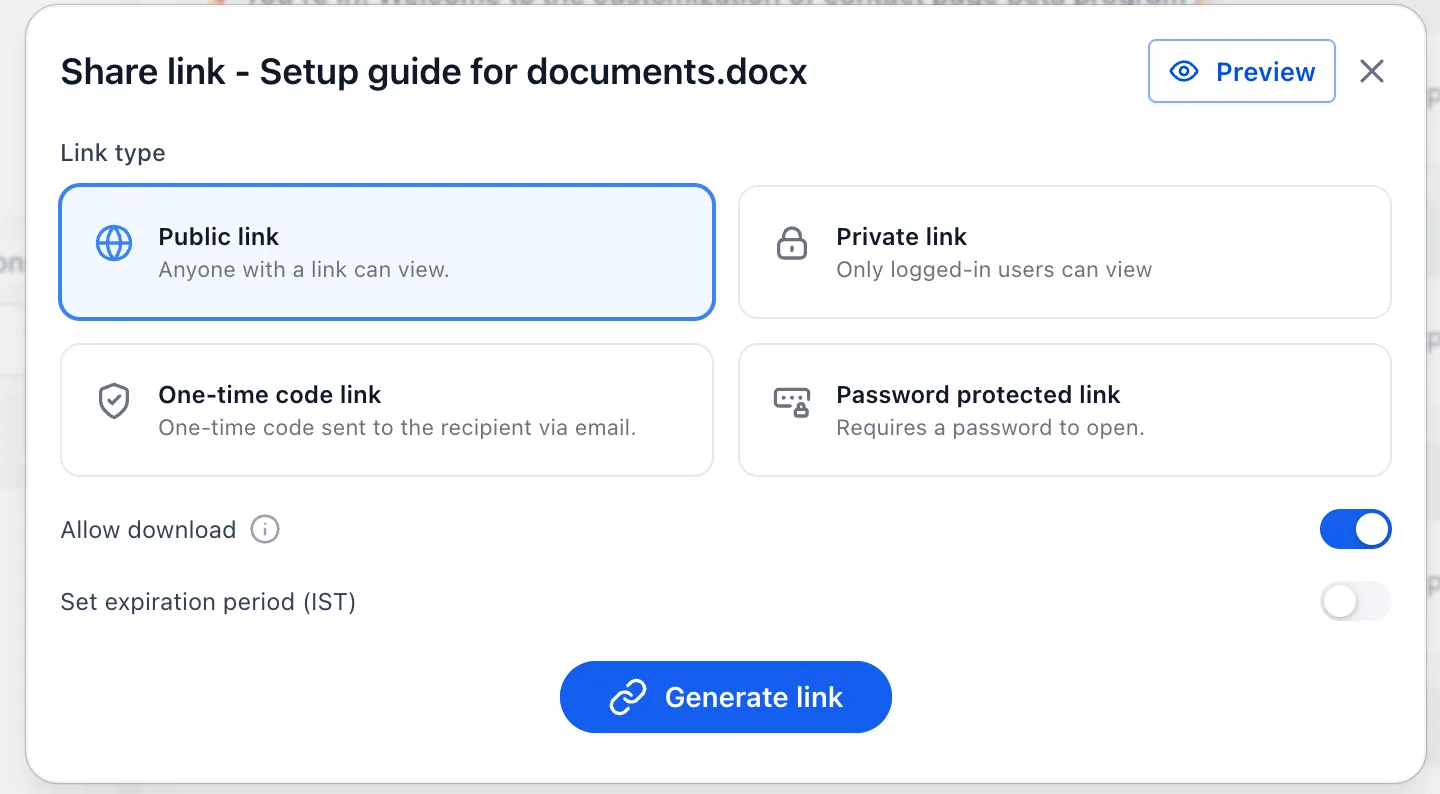
This update only applies to documents uploaded through notes after the feature is released. Existing documents previously uploaded through notes remain public.
Secure sharing remains available for existing documents
For existing documents, users can still generate and share a private link when additional access control is needed.
What is next
SMBcrm is working toward extending these privacy and access controls to document attachments shared through custom fields, creating a more consistent document-sharing experience.
Need Help Applying This Update?
Want help turning this update into a working part of your CRM, marketing, or automation setup?
Get Started or schedule a demo and we’ll help you map the right next step.