SMBcrm now lets users generate and copy an appointment reschedule link directly from an existing appointment. The option is available across Meetings and Services, so teams can quickly share a rescheduling option when a customer needs a different time.
What changed
From an appointment, users can:
- Generate a reschedule link on demand
- View the generated link right away
- Copy the link to the clipboard
- Share it through the channel that works best for the customer
Customers can open the shared link and choose a new appointment time without needing to find an earlier email or notification.
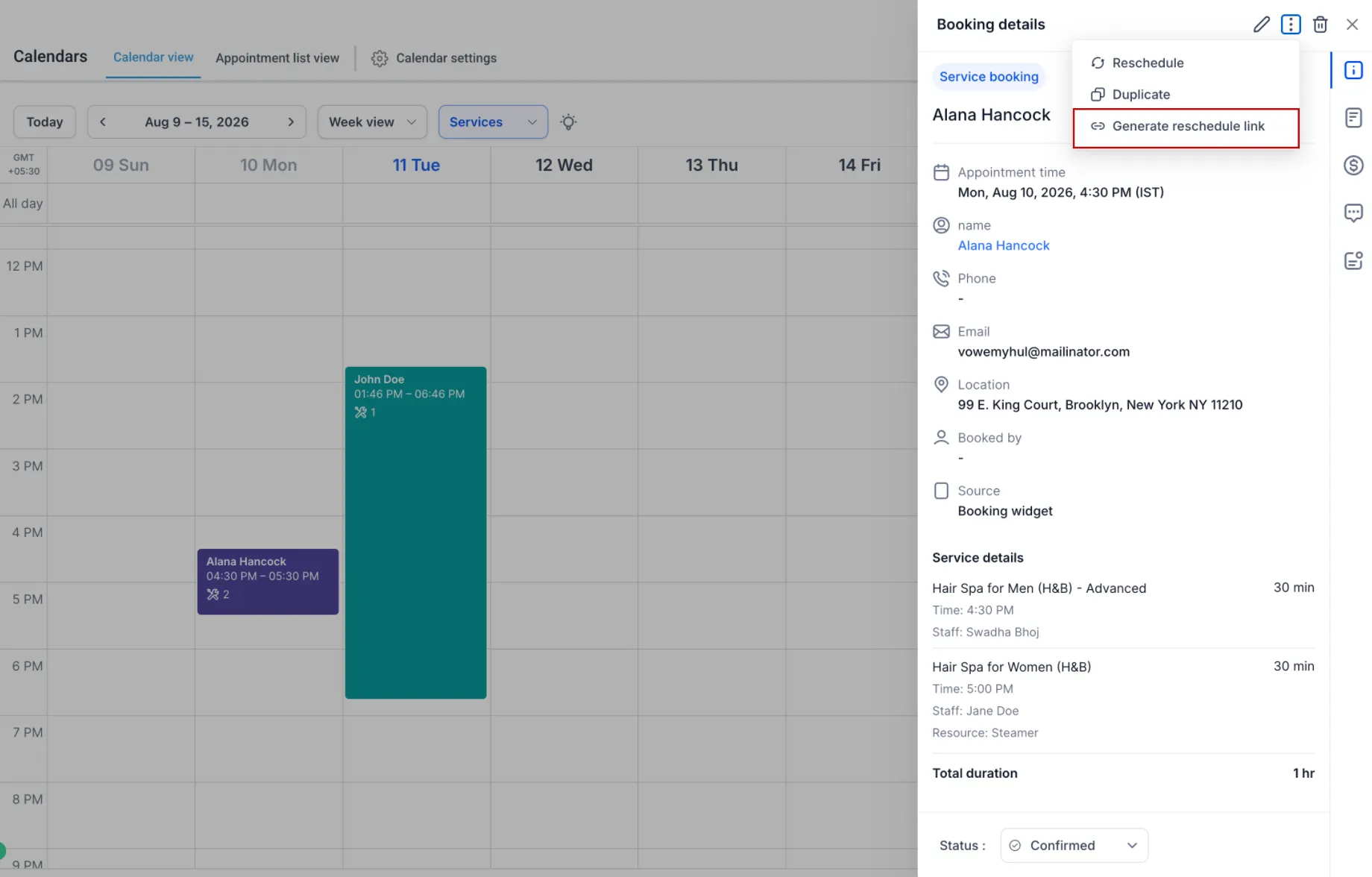
How to generate a reschedule link
Open an appointment from Contacts, Conversations, Appointments, or Opportunities. Then:
- Open the appointment.
- Select the Appointment Actions icon.
- Choose Generate Reschedule Link.
- After the link is generated, select Copy Link.
- Share the link with the customer.
The customer can use the link to open the rescheduling flow and choose a new time for the appointment.
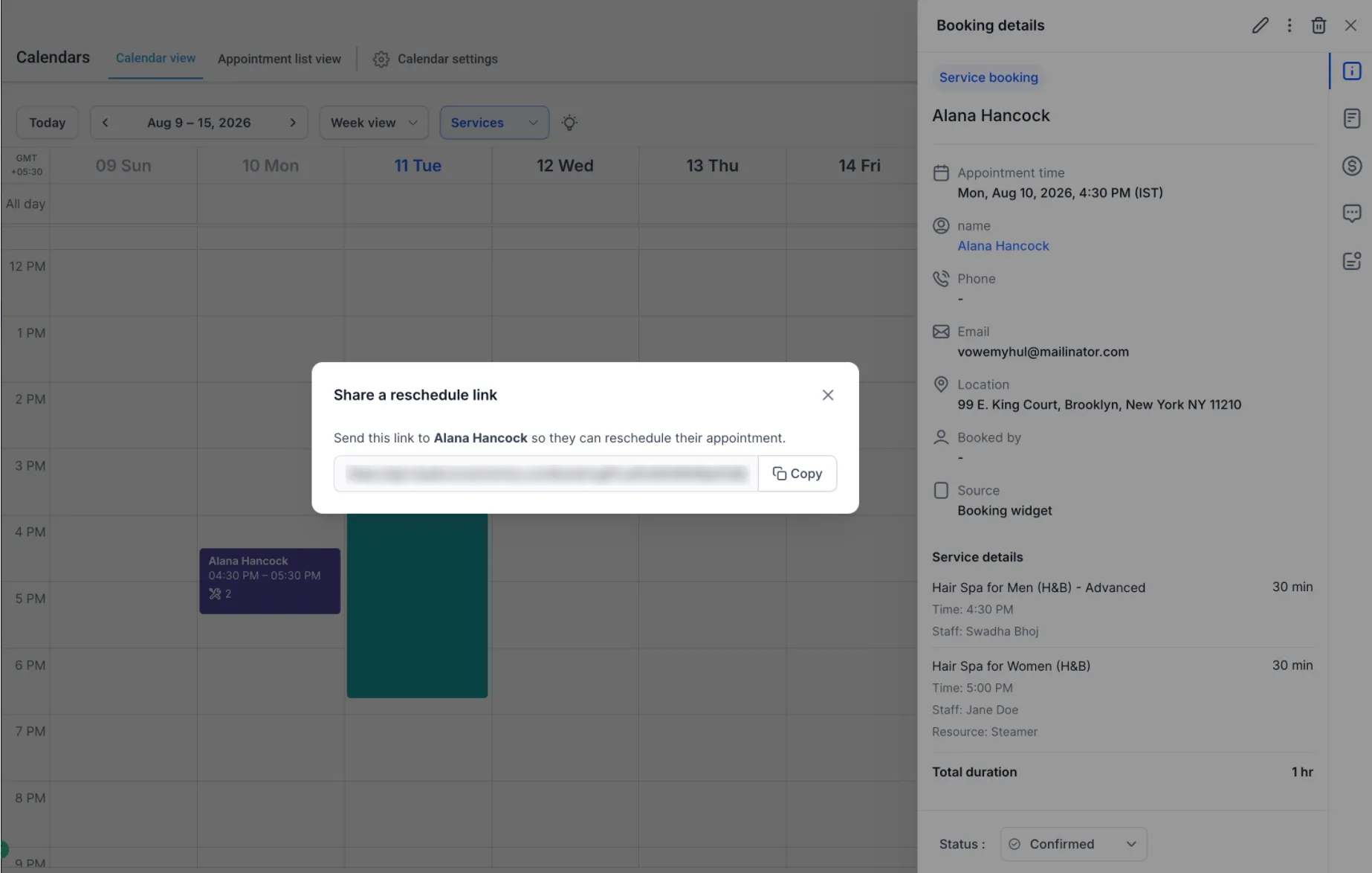
Appointment permissions still apply
Existing appointment permissions continue to apply. Users who do not have the required appointment management permissions cannot generate a reschedule link and will see the existing disabled state and permission guidance.
Need Help Applying This Update?
Want help turning this update into a working part of your CRM, marketing, or automation setup?
Get Started or schedule a demo and we’ll help you map the right next step.
Explore this in SMBcrm
Connect booking to the next conversation.
Explore calendars and lead capture, then see how a booking fits into the wider CRM workflow.
Explore calendars and lead captureAlready using this feature? Find setup help