Events beta is now available in Labs for agency admins. Instead of requesting manual access, admins can enable Events for all accounts or selected accounts and begin testing the event platform directly.
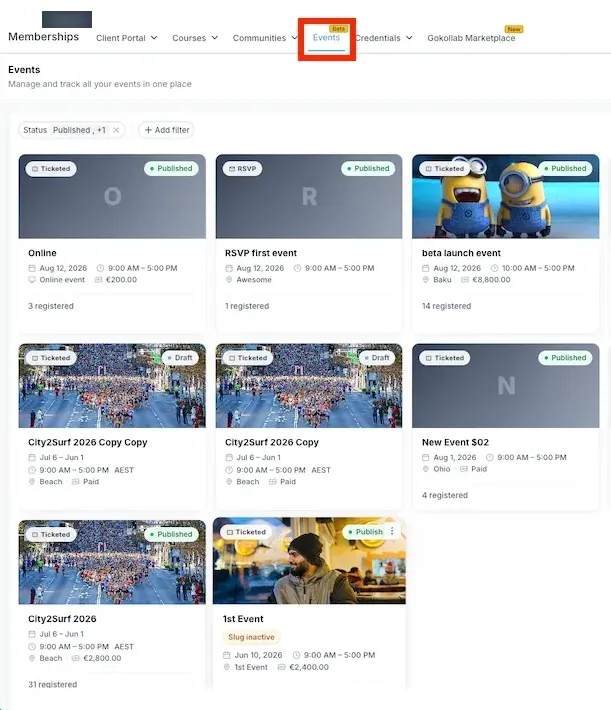
What Events supports
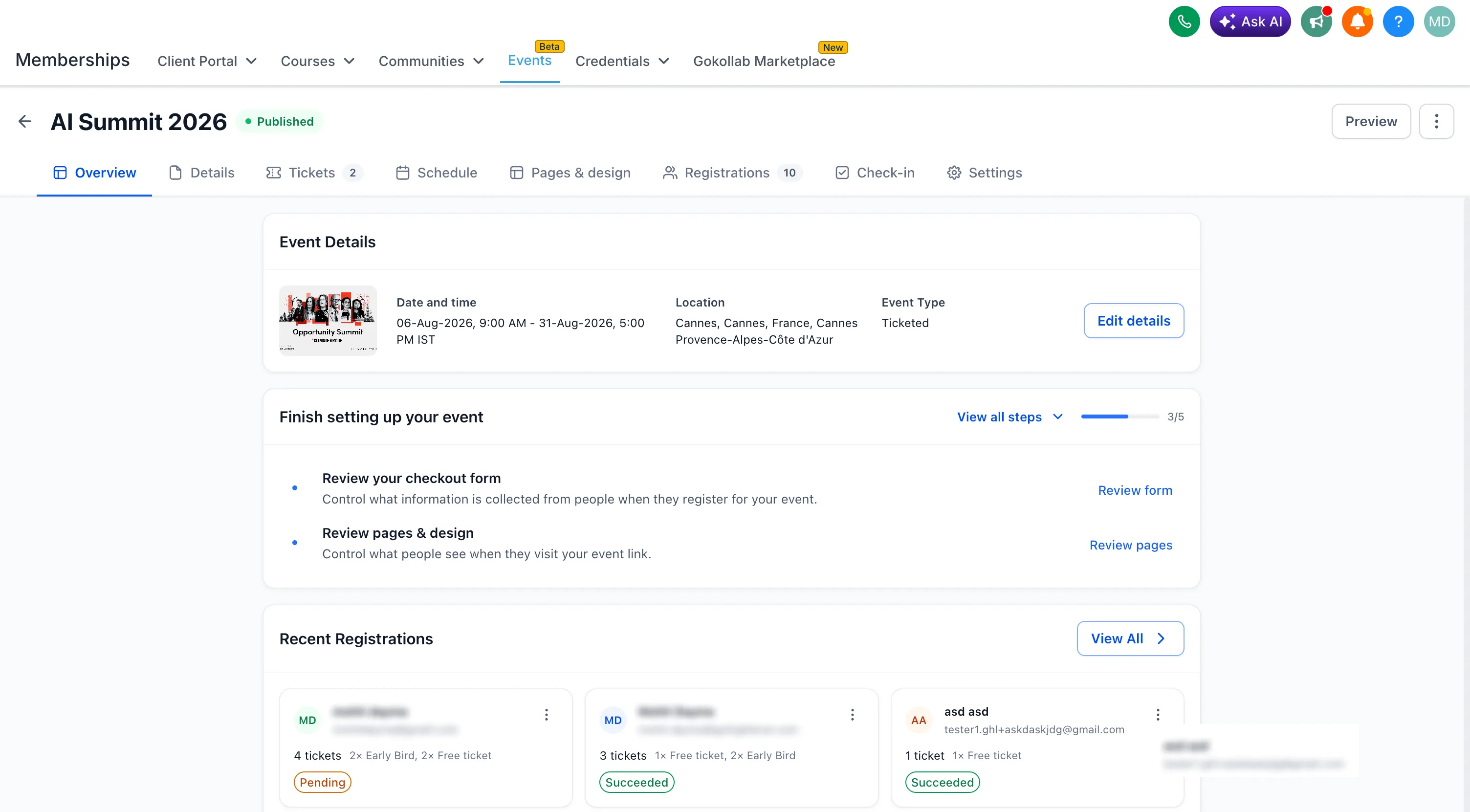
Events brings event setup, promotion, registration, ticketing, attendee management, check-in, and event-based automation into SMBcrm.
Businesses can use Events for conferences, workshops, webinars, meetups, classes, online events, hybrid events, and similar use cases.
Create and manage events
Teams can create free, paid, RSVP, in-person, online, and hybrid events. Event details, schedules, speakers, registrations, and settings can be managed from one place.
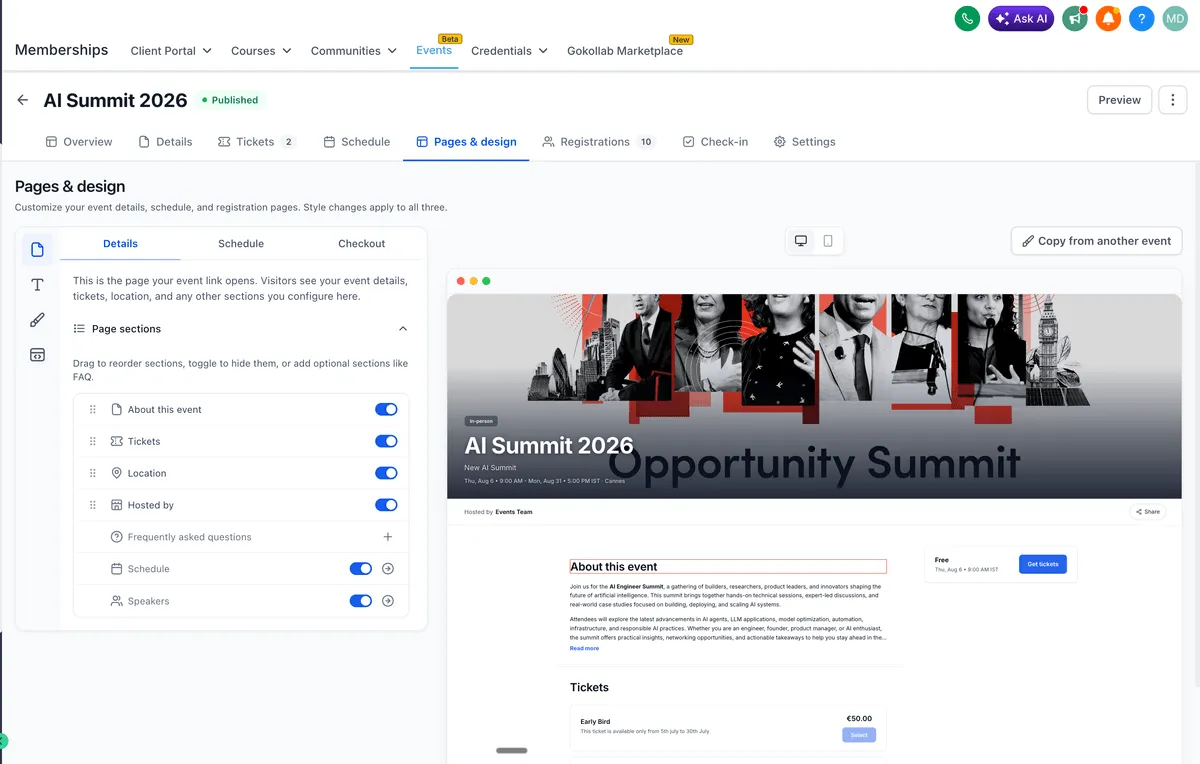
Build branded event pages
Events includes customizable event pages for event details, schedules, and registration. Page sections, layouts, styling, and Custom CSS can be adjusted, and event pages can be embedded in funnels or external websites.
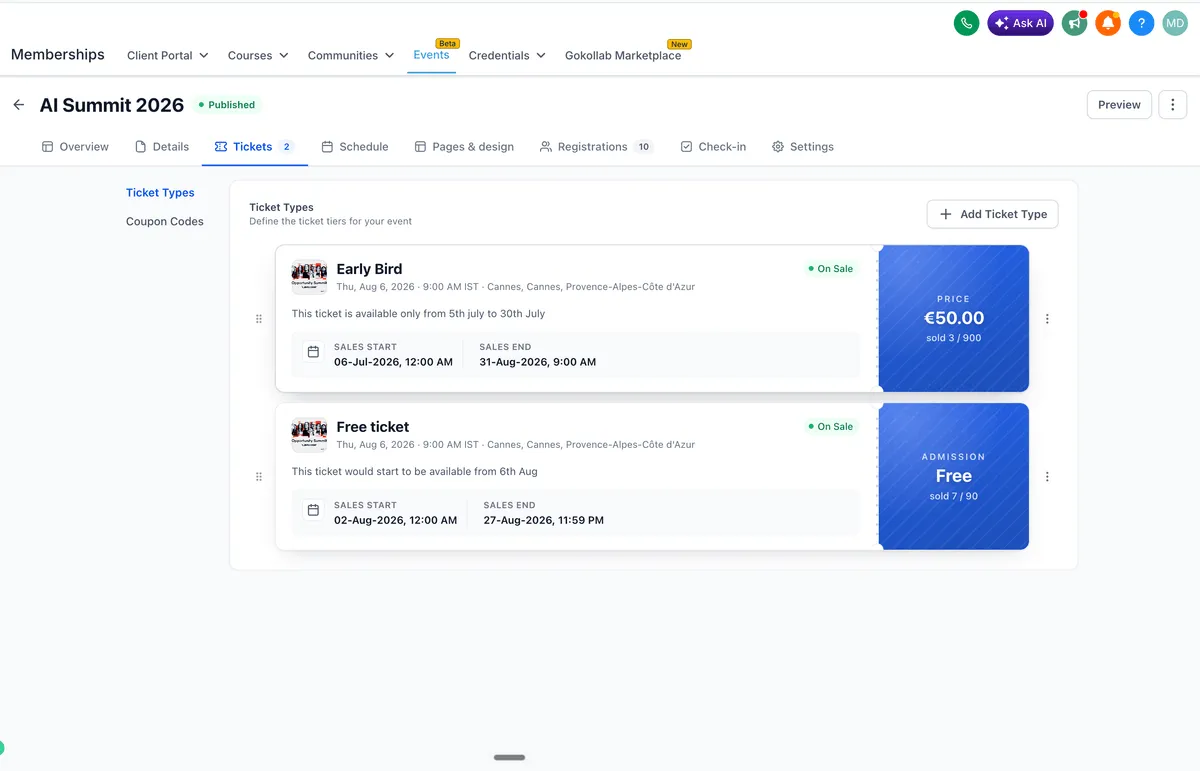
Manage ticketing and registration
Events supports multiple free and paid ticket types with pricing, inventory, and sales windows. Teams can also use coupon codes, add-ons, attendee-level information, and manual attendee entry with payment collection or recording.
Use QR tickets and check-in
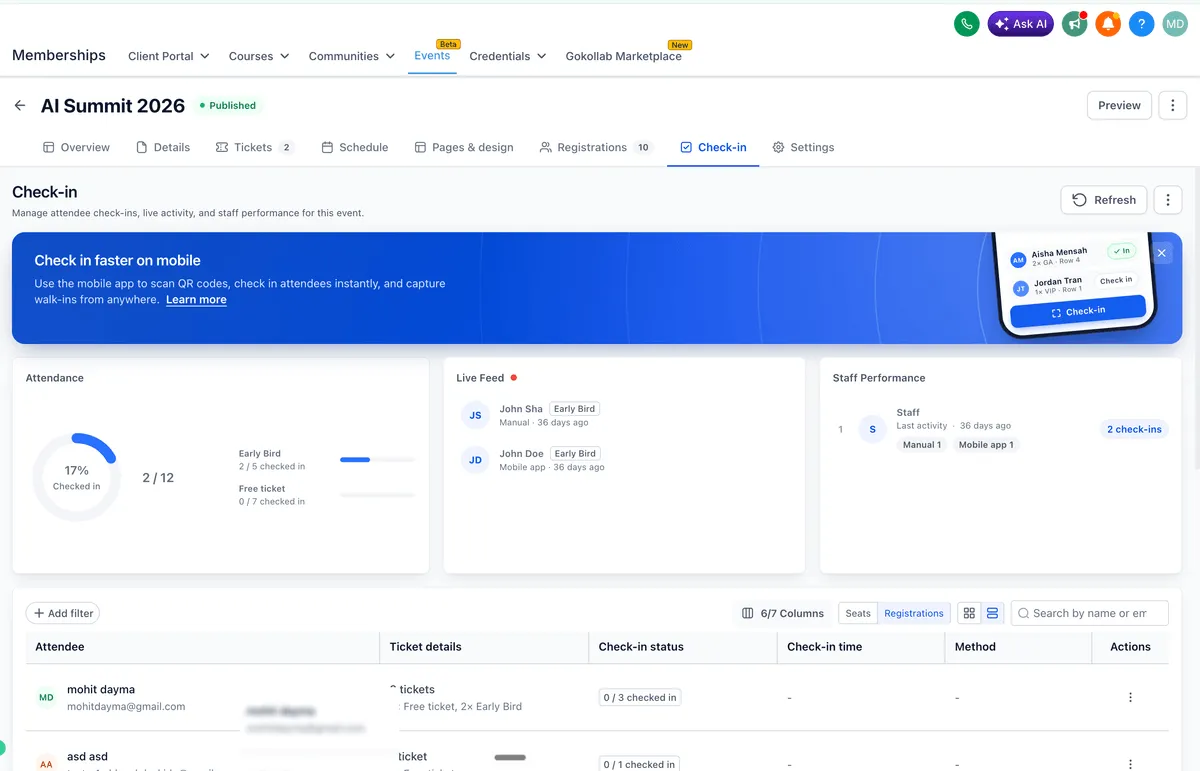
After registration, attendees can receive QR-code tickets. Staff can scan tickets and check attendees in using the SMBcrm Mobile app. Event dashboards can show attendance, live check-in activity, and staff performance.
Connect Events with workflows
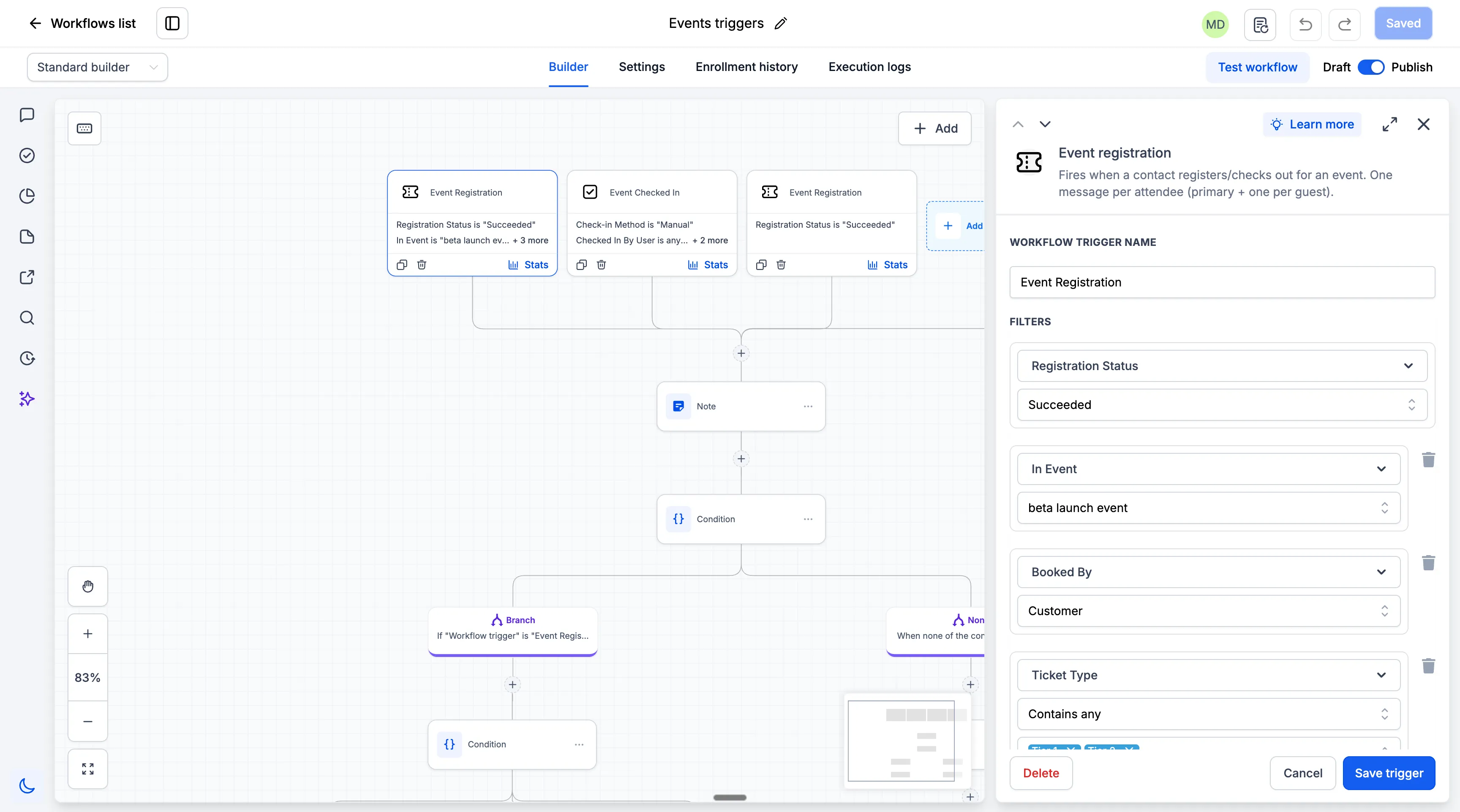
Events can trigger automations when attendees register or check in. Workflows can branch using event, ticket, and check-in information, and timed communication can be scheduled before, after, or relative to an event date.
This supports confirmations, reminders, post-event follow-ups, nurture campaigns, and CRM journeys.
Enable Events from Labs
Admins can enable Events from:
Settings → Labs → Account → Events
Once enabled, Events is available under:
Memberships → Events
In Case You Missed It
You may also want to review Multi-Role Signing for Documents in Workflows.
What this means for businesses
This update gives admins more control over how they test and roll out Events. Since Events is still in beta, this is intended for testing real event workflows and providing feedback.
Release Images
Need Help Applying This Update?
Want help turning this update into a working part of your CRM, marketing, or automation setup?
Get Started or schedule a demo and we’ll help you map the right next step.
Explore this in SMBcrm
Connect event registration to the next conversation.
Explore the events tools and review the registration, ticketing, and follow-up steps your event needs.
Explore eventsAlready using this feature? Find setup help