The new Social Planner Posts trigger connects social publishing activity to SMBcrm workflows. Use it to notify your team about approvals, follow up on published content, or flag posts that fail to publish.
Trigger Actions by Post Status
Build workflows around these publishing events:
- Approval Requested: A post is submitted for approval.
- Approved: A post is approved.
- Approval Rejected: A post’s approval is rejected.
- Scheduled: A post is scheduled for publishing.
- Published: A post is successfully published.
- Failed: A post fails to publish, prompting your team to investigate.
Filter Which Posts Trigger a Workflow
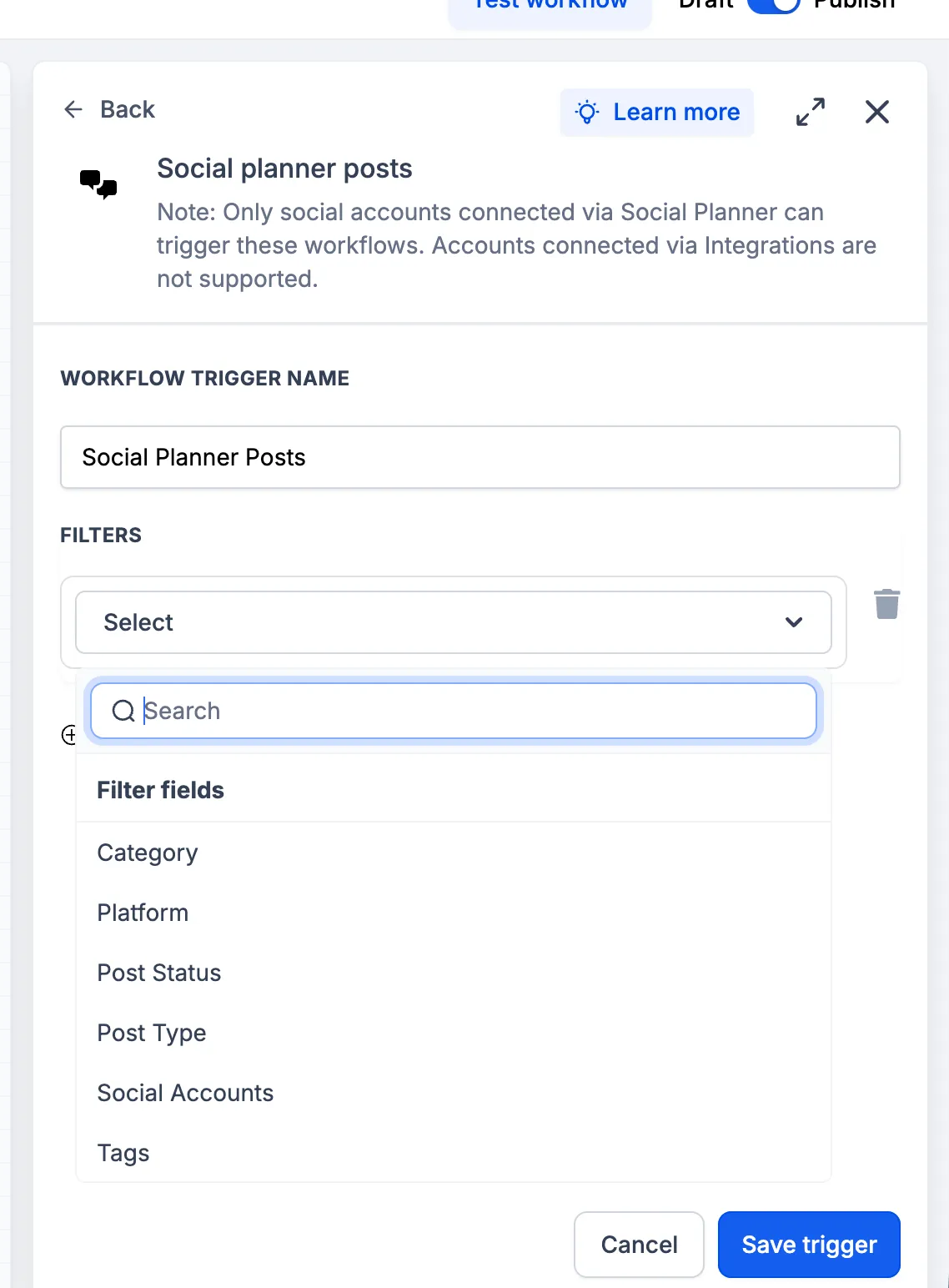
Narrow the trigger conditions using content categories, connected social accounts, existing post tags, and these filters:
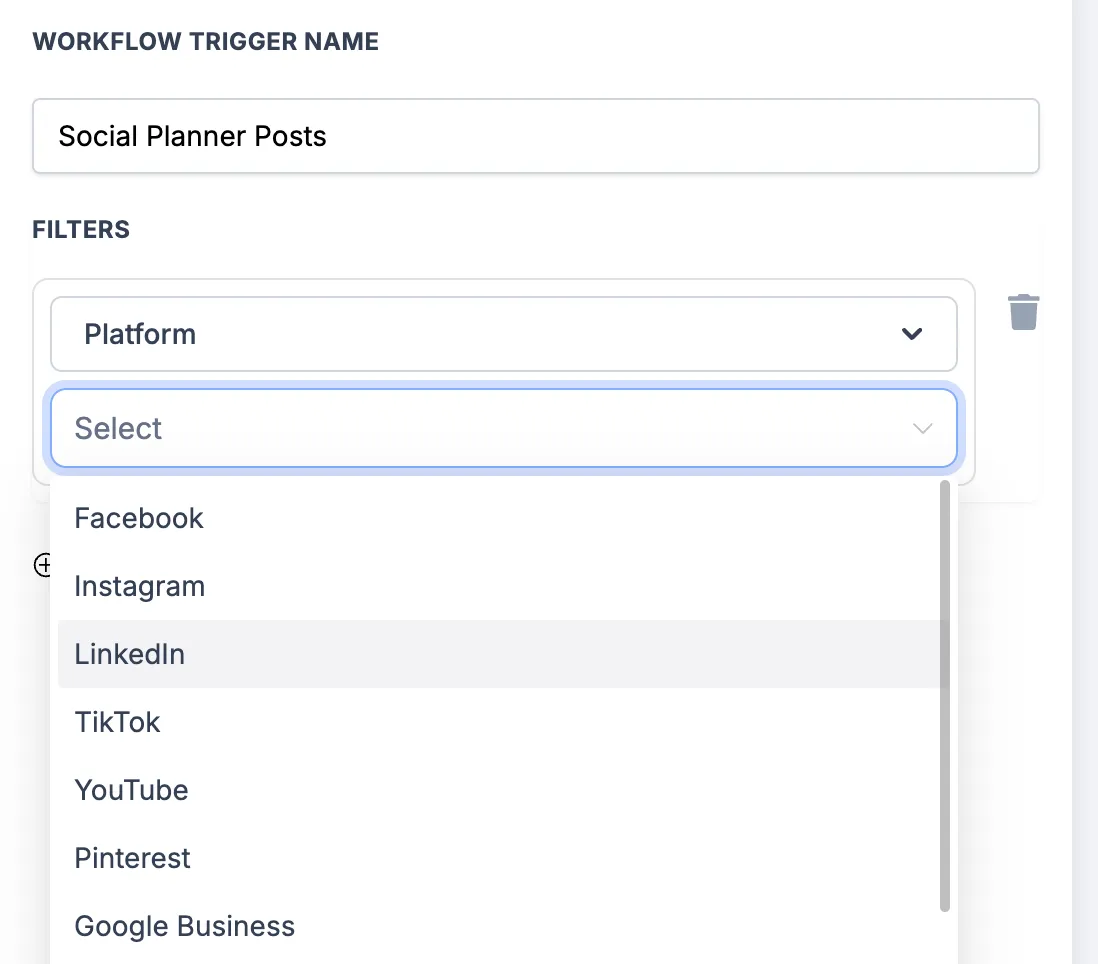
- Platform: Facebook, Instagram, Bluesky, Google Business Profile, LinkedIn, Pinterest, Threads, TikTok, and YouTube.
- Post type: Carousels, Posts, Reels, Shorts, and Stories.
These filters let you apply different actions to specific content, brands, or social profiles without manually monitoring every post.
Set Up the Trigger
- Go to Automation → Workflows.
- Create a workflow or open an existing one.
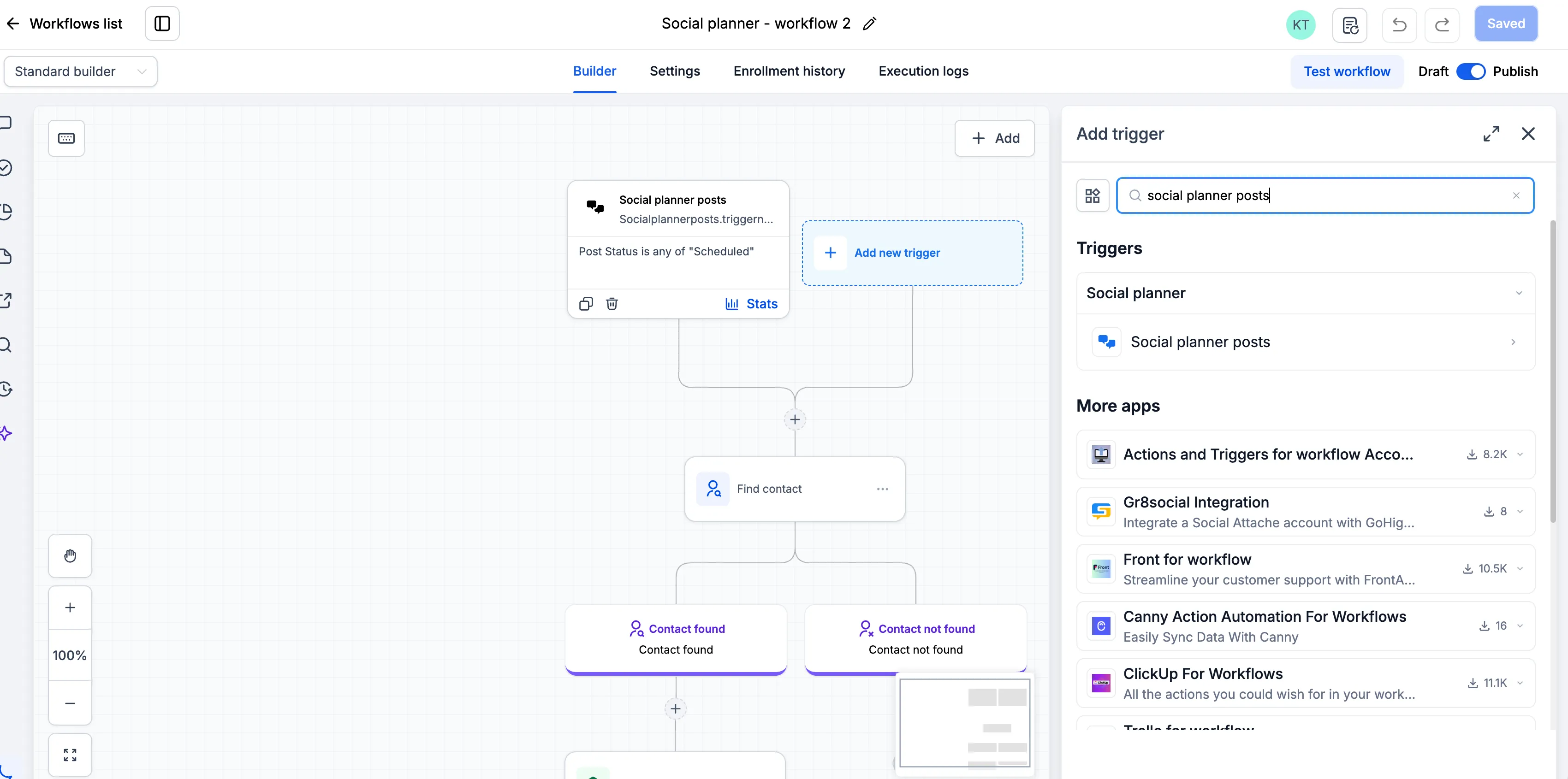
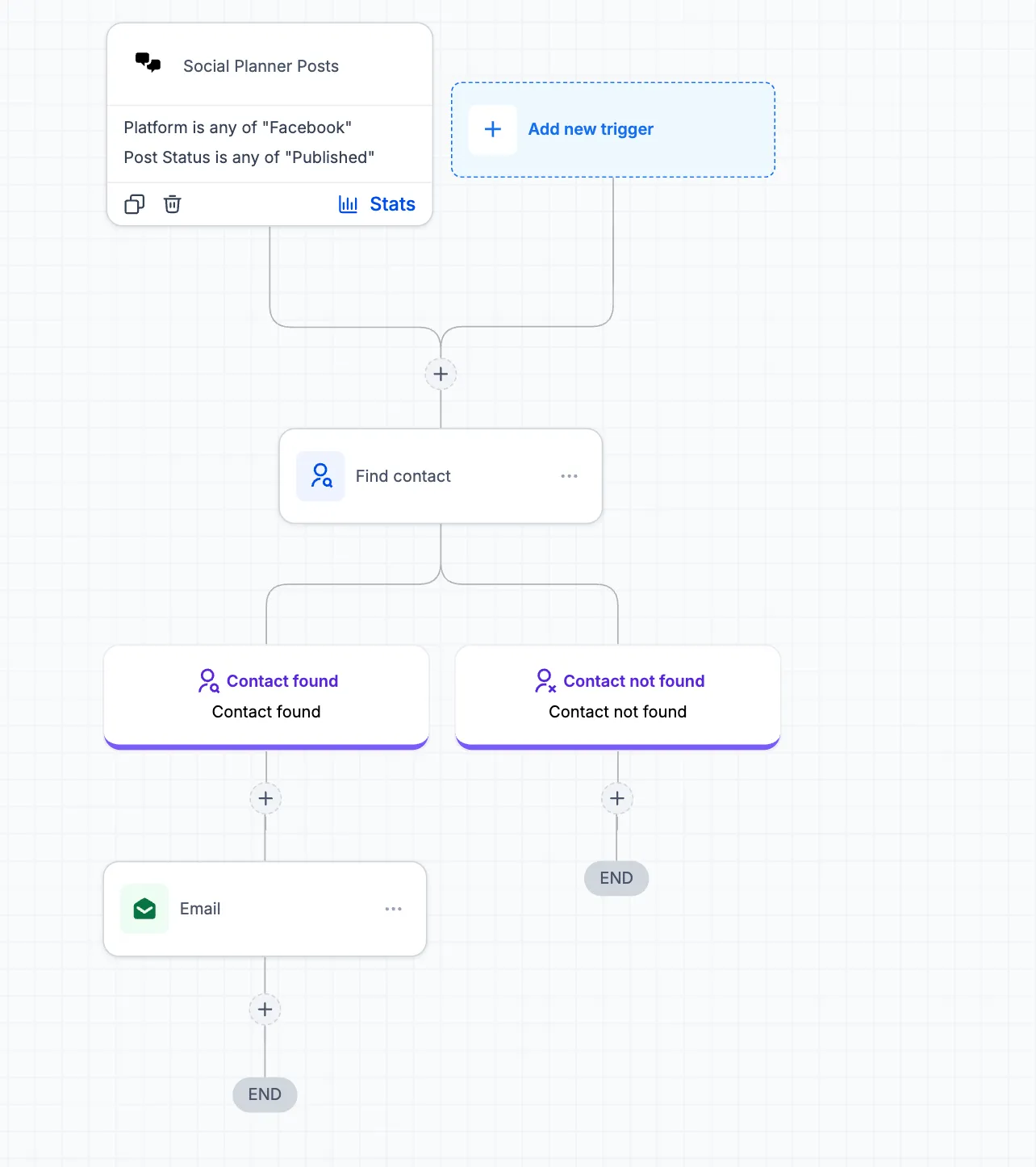
- Add the Social Planner Posts trigger.
- Configure the category, platform, post status, post type, social account, and tag filters you need.
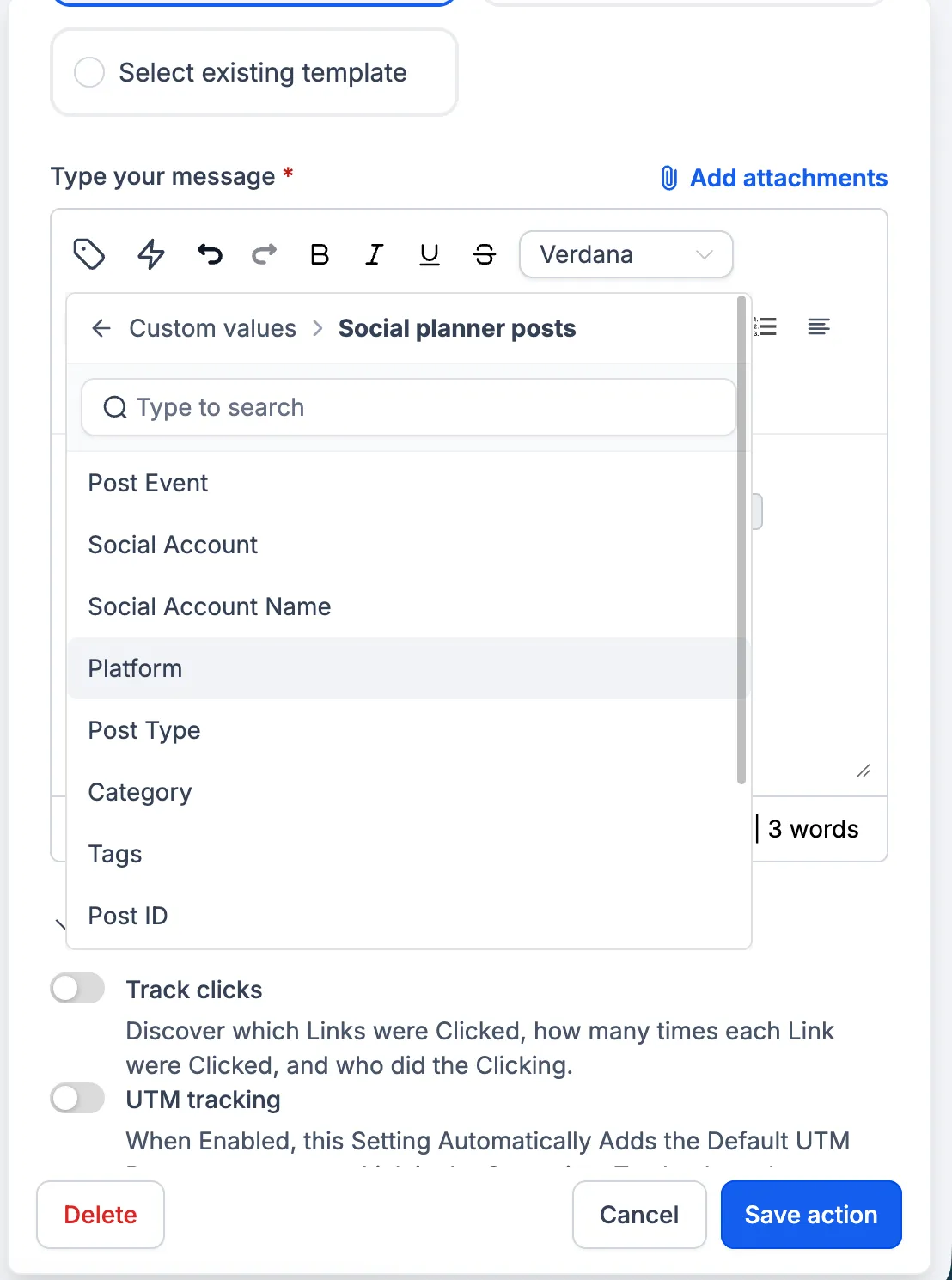
- Add workflow actions, such as internal notifications or follow-up actions.
- Save and publish the workflow.
The workflow triggers when a Social Planner post meets the configured conditions.
Supported Social Accounts
Only social accounts connected through Social Planner are supported. Social accounts connected through Integrations are not currently supported.
Release Images
Need Help Applying This Update?
Want help turning this update into a working part of your CRM, marketing, or automation setup?
Get Started or schedule a demo and we’ll help you map the right next step.