Every WordPress site now includes Antivirus to help identify harmful files and common security gaps, explain findings, and apply fixes.
Scan, Review, and Fix
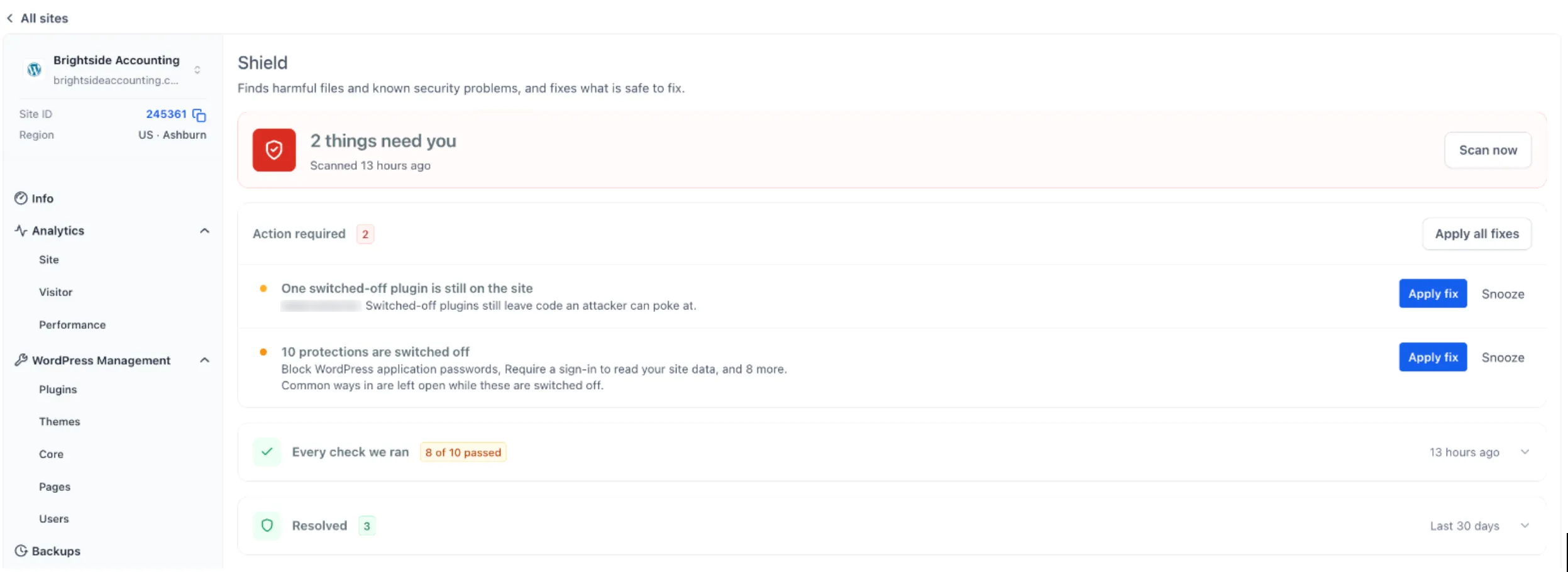
The Shield screen shows when your site was last scanned and which issues need attention. You can:
- Run a fresh scan with Scan now.
- Review each issue and why it matters under Action required.
- Select Apply fix for an individual issue or Apply all fixes.
- Snooze an issue until the next scan, for 7 days, or for 30 days.
- Review the last 30 days of fixes under Resolved.
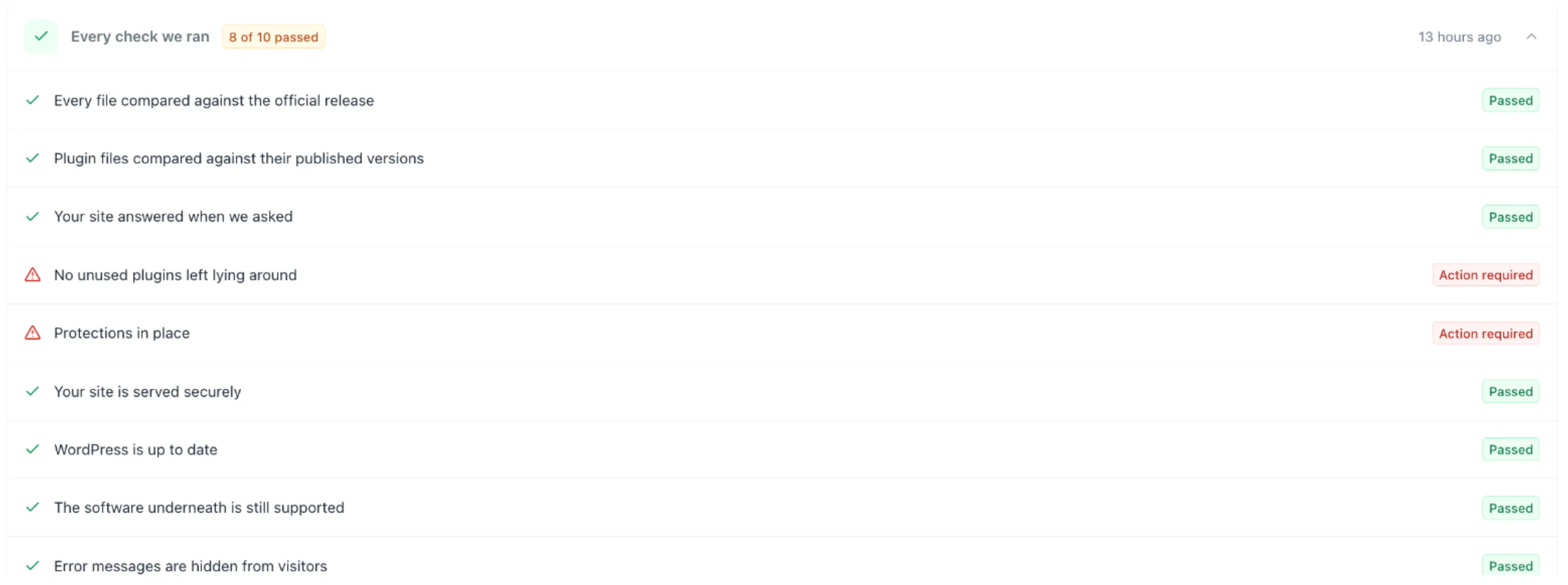
Ten checks report Passed or Action required. They cover core and plugin files compared with official versions, unused plugins, disabled protections, HTTPS, WordPress version, supported server software, hidden error messages, and search engine visibility.
Confirm Fixes and Back Up First
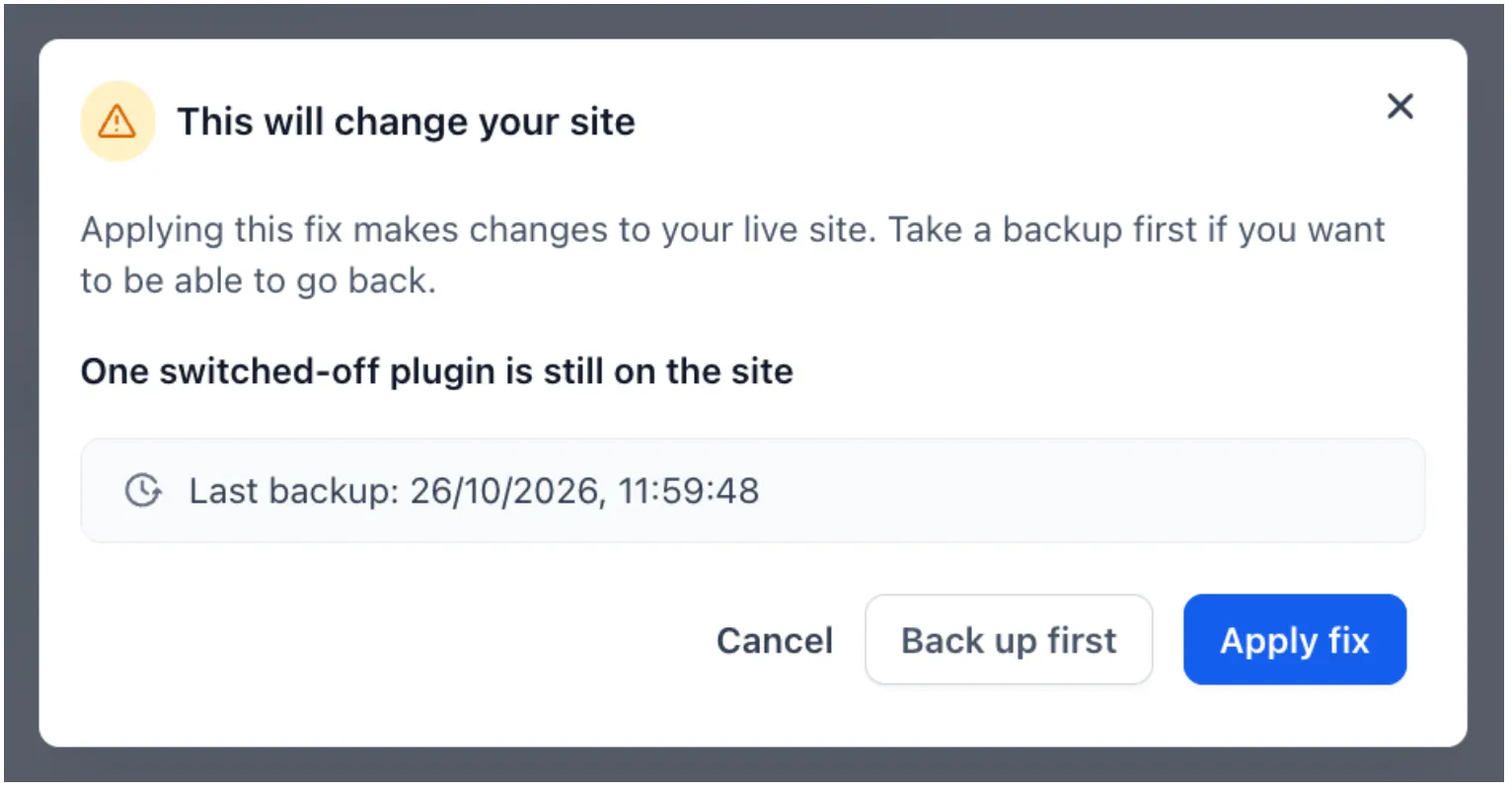
Each fix requires confirmation, shows when the last backup was taken, and offers Back up first.
Applying a fix changes the live site. Take a backup first if you want the option to restore it.
Manage Site Protections
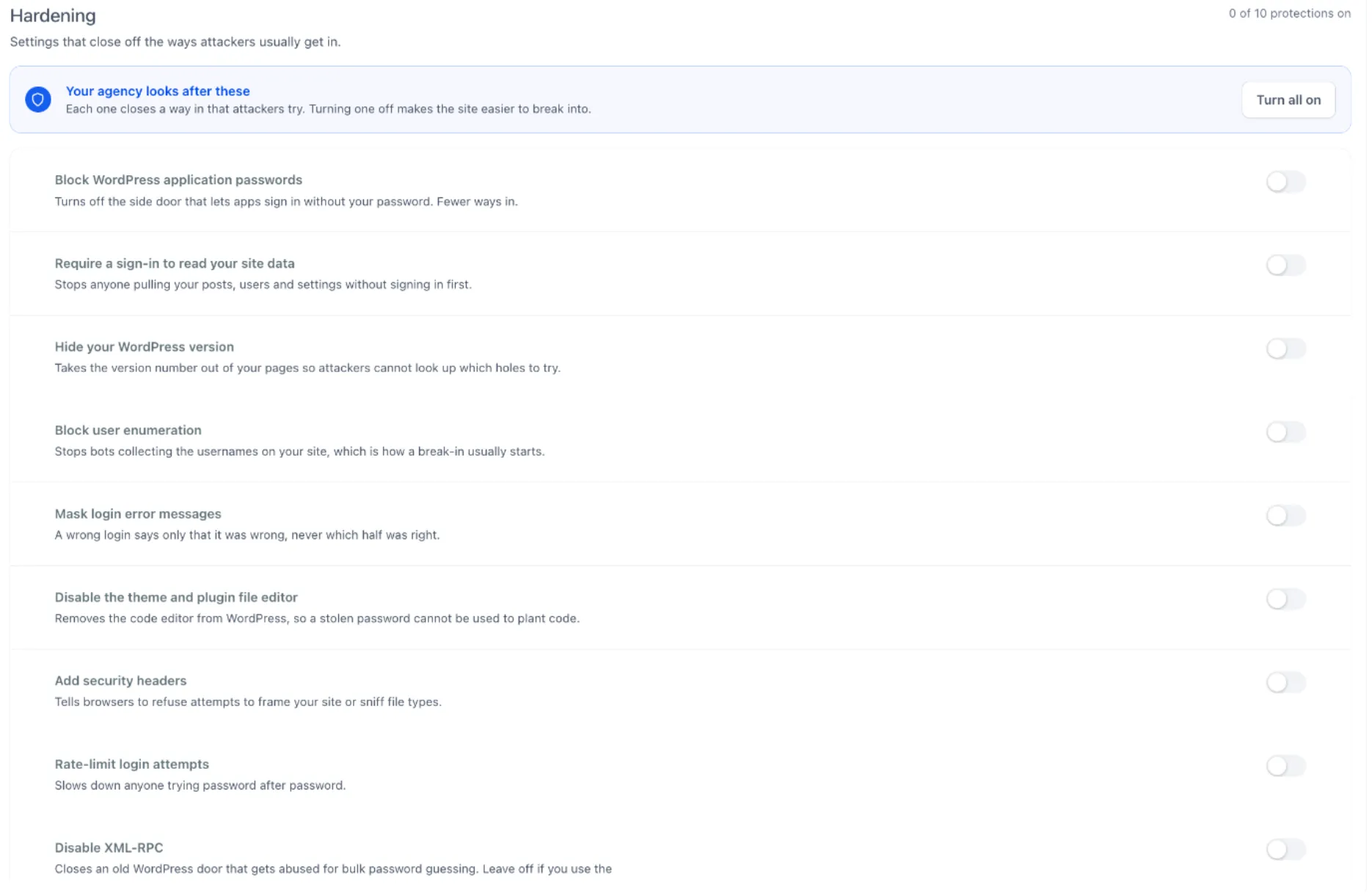
The Hardening screen provides ten one-click protections with brief explanations and a Turn all on option. Protections include:
- Blocking application passwords and user enumeration.
- Hiding the WordPress version and masking login errors.
- Disabling the file editor and XML-RPC.
- Adding security headers and rate-limiting login attempts.
- Hardening
.htaccess.
Leave Disable XML-RPC off if you use the WordPress phone app.
Review Threats Across Sites
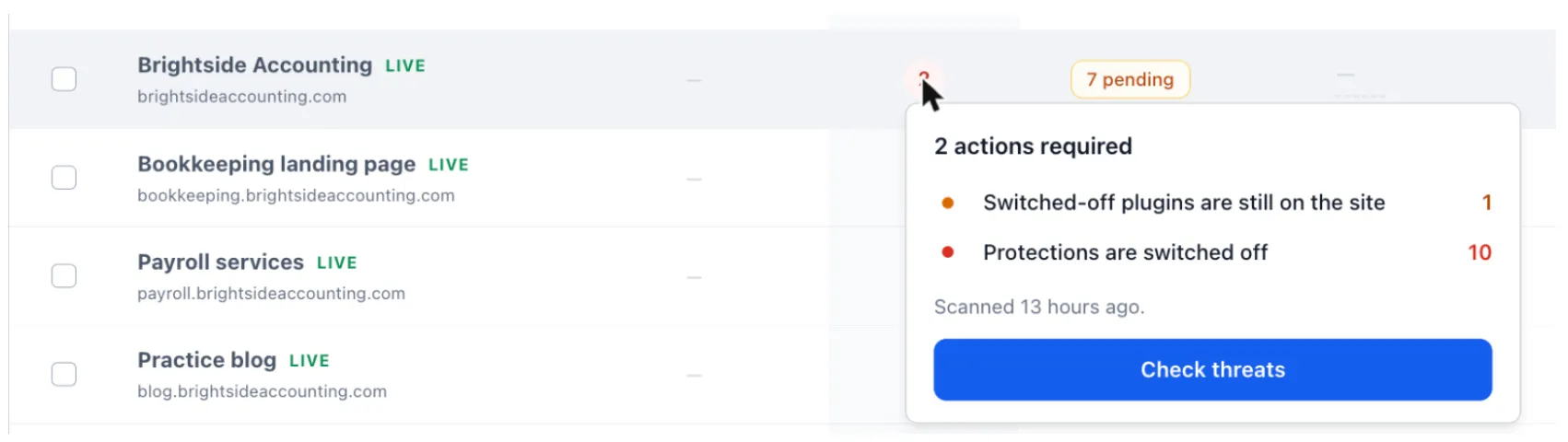
A Threats column in the WordPress sites list shows findings for each site. Hover over a count to see what was found, then select Check threats to review it. You can also scan all sites in one click.
Get Started
- Go to Sites → WordPress and open a site.
- Open Antivirus → Shield.
- Review Action required, then select Apply fix or Apply all fixes.
- Open Antivirus → Hardening and enable the protections you want.
Antivirus addresses common problems and security gaps. It does not replace updates or regular backups.
Release Images
Need Help Applying This Update?
Want help turning this update into a working part of your CRM, marketing, or automation setup?
Get Started or schedule a demo and we’ll help you map the right next step.