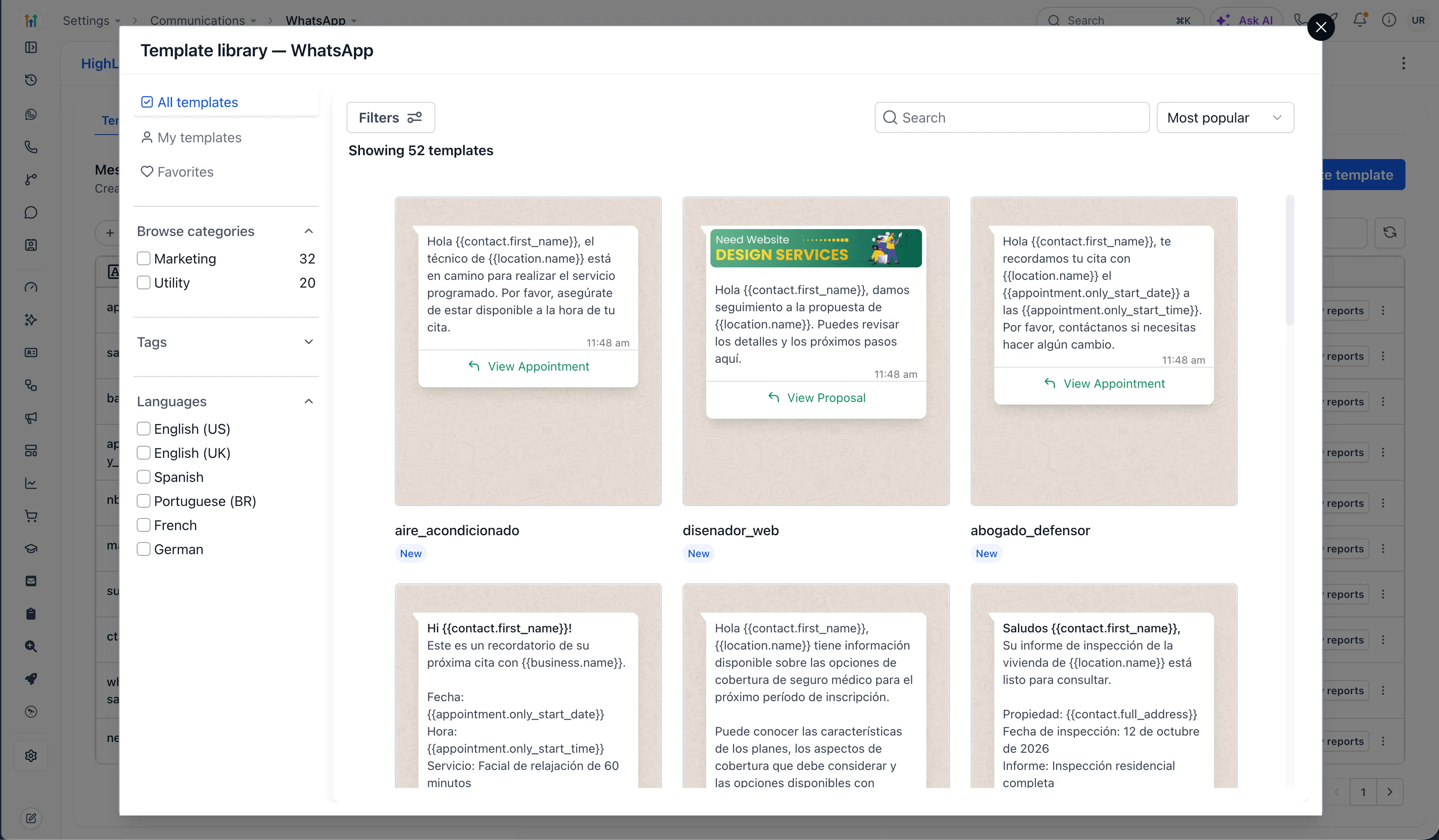
SMBcrm’s WhatsApp template library gives teams a starting point for appointment reminders, follow-ups, promotions, and service updates. Choose a template, customize it for your business, and submit it for Meta’s approval.
The library supports everyday customer communication without requiring teams to write every message from scratch.
What’s included
- 52 templates: 32 marketing templates and 20 utility templates.
- Industry-specific wording: Options for home services, web design, legal, beauty and wellness, insurance, property inspection, and more.
- Six language options: English (US), English (UK), Spanish, Portuguese (BR), French, and German.
- Search and filtering: Browse by category, tag, or language, search by keyword, or sort by most popular.
- Favorites: Save frequently used templates and view them alongside your own.
Customize and preview
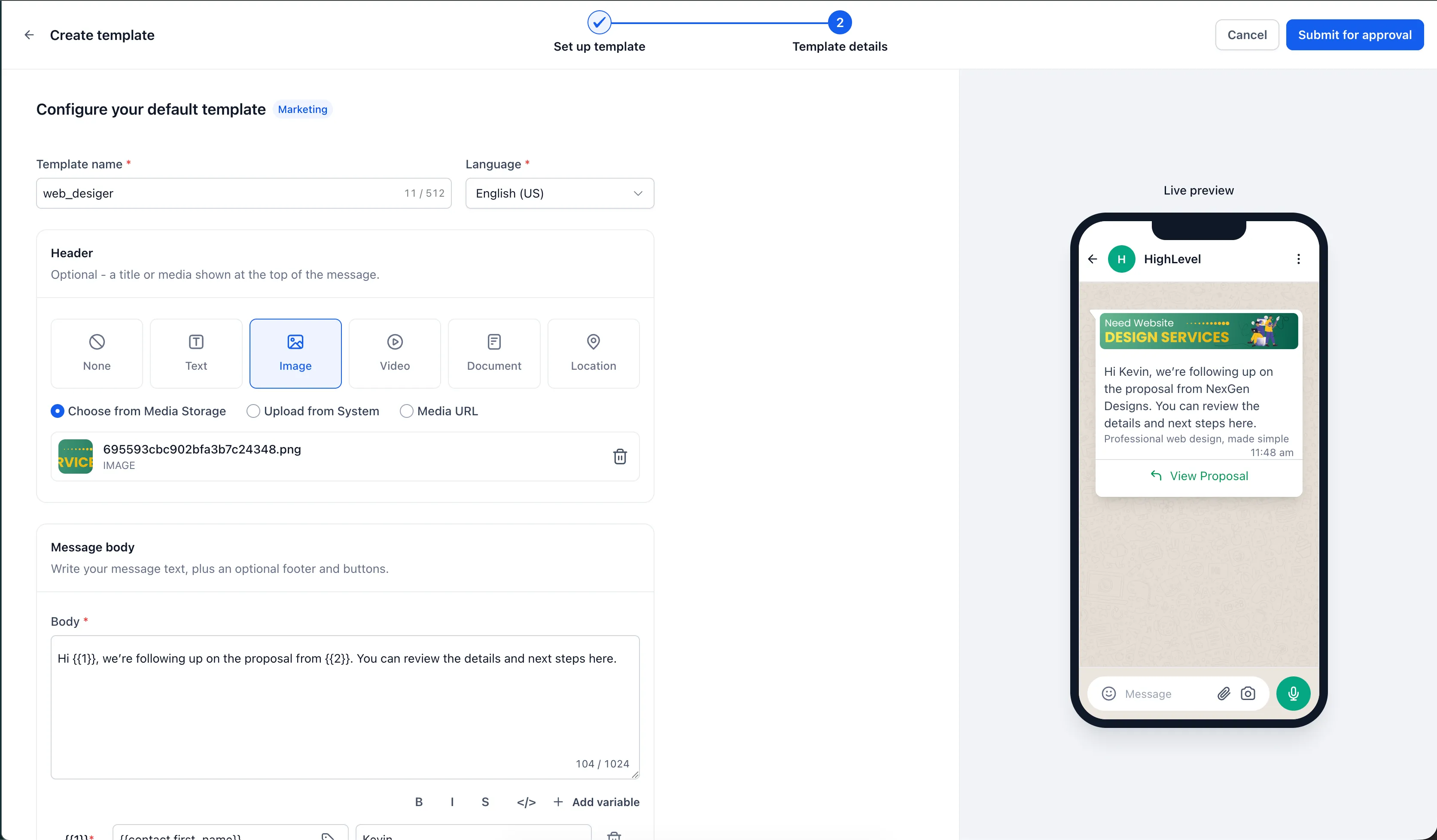
Edit the template’s name, language, header, body, and variables. You can also add an image, video, or document header.
A live preview shows how the message will appear on a customer’s phone. Templates follow WhatsApp’s structure, but Meta still reviews each submission through its approval process.
How to use the library
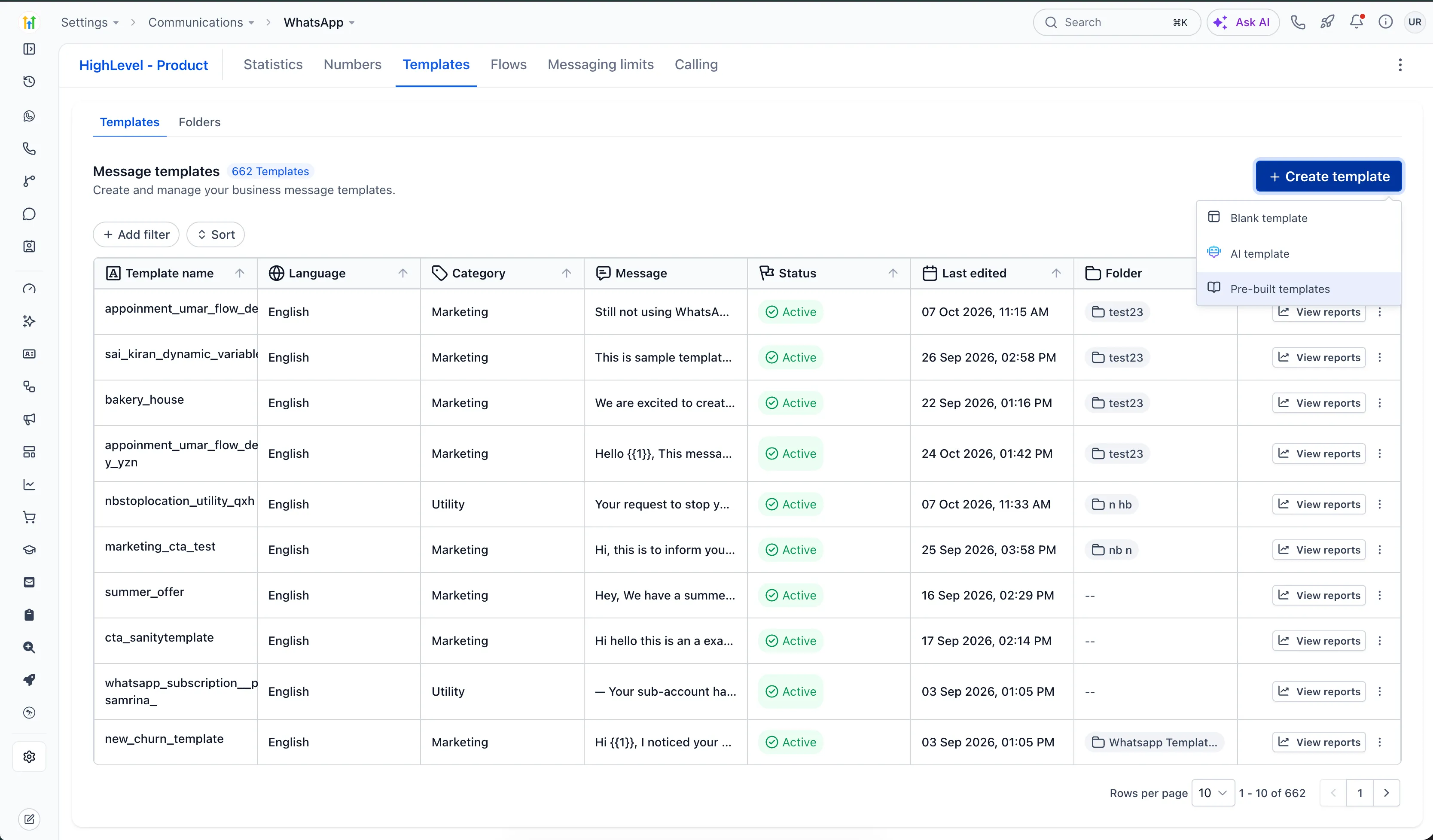
- Go to Settings → Communications → WhatsApp → Templates.
- Click Create template, then choose Pre-built templates.
- Browse, search, or filter to find a suitable template.
- Customize the name, language, header, body, and variables.
- Review the live preview, then click Submit for approval.
Release Images
Need Help Applying This Update?
Want help turning this update into a working part of your CRM, marketing, or automation setup?
Get Started or schedule a demo and we’ll help you map the right next step.