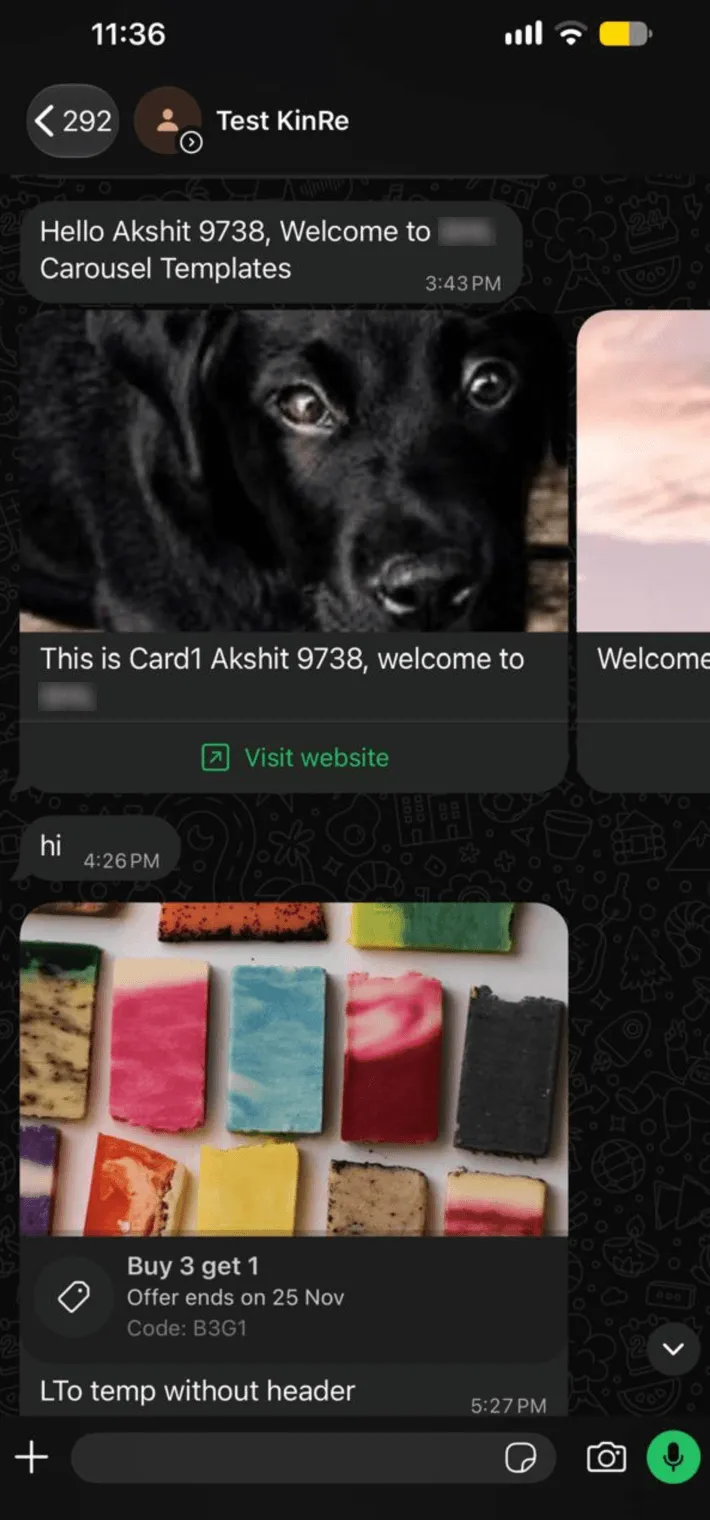
WhatsApp carousel templates let you display 2 to 10 products, offers, or services in a single marketing message. Customers swipe through the cards without leaving the conversation.
Available within SMBcrm’s communication tools, carousels let you present several options and follow up based on the card a customer selects.
What Each Carousel Includes
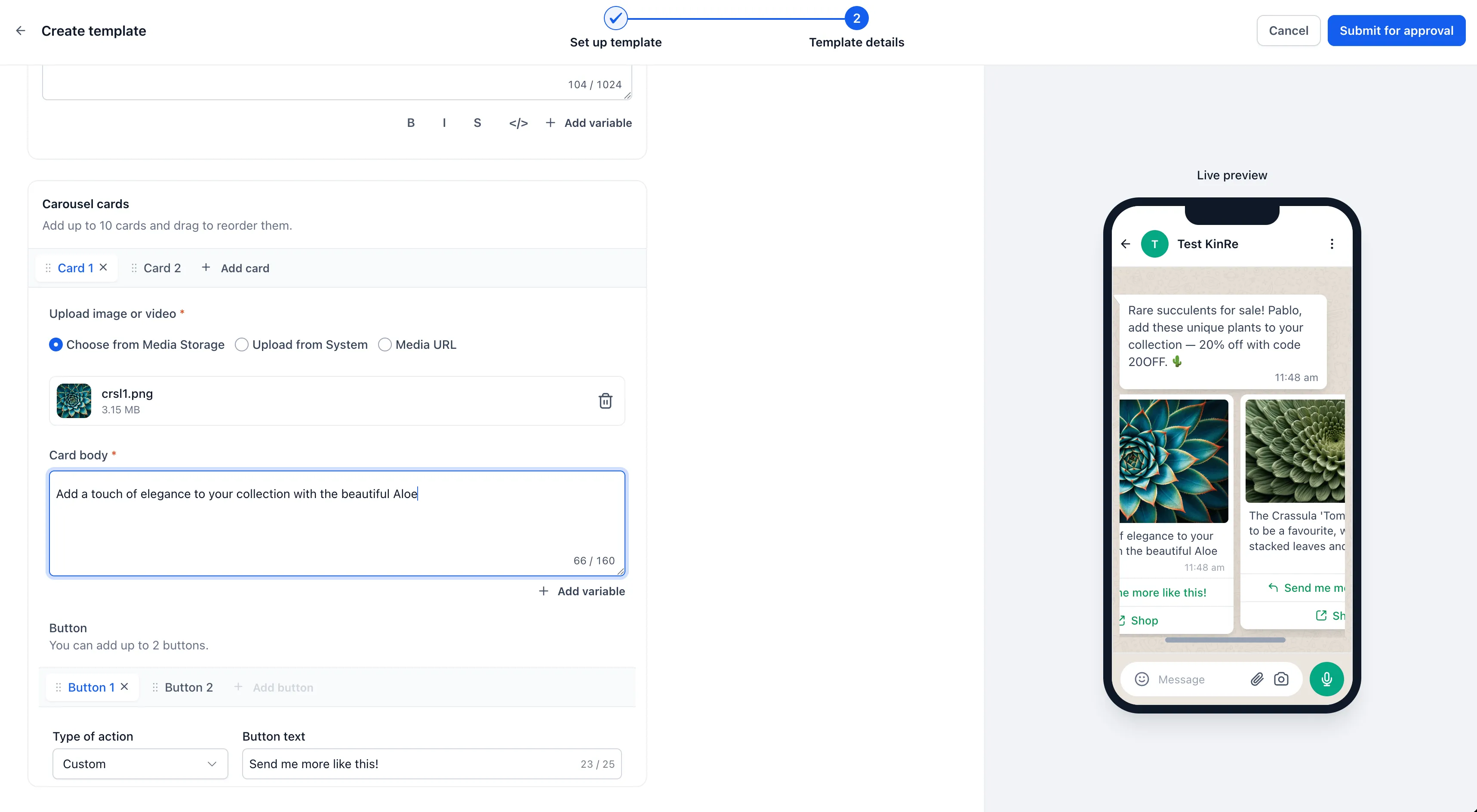
- One shared message body: Introduce the collection once, then add your cards.
- Images or video: Each card has its own media header, automatically cropped to fit the customer’s device.
- Optional card text: Add details about each product, offer, or service.
- Up to two buttons per card: Use quick reply, call, or website buttons. Each card’s website button can use its own variable to direct customers to the relevant page.
Quick replies appear in the conversation and trigger a webhook that you can route into a workflow for item-specific follow-up.
A carousel counts as one marketing message charge and one message against messaging limits, rather than a separate message for each card.
How to Create a Carousel Template
- Go to Settings → WhatsApp → Templates and select Create template.
- Set Category to Marketing and choose Carousel as the template type.
- Write the shared message body, then add cards with images or video, text, and buttons.
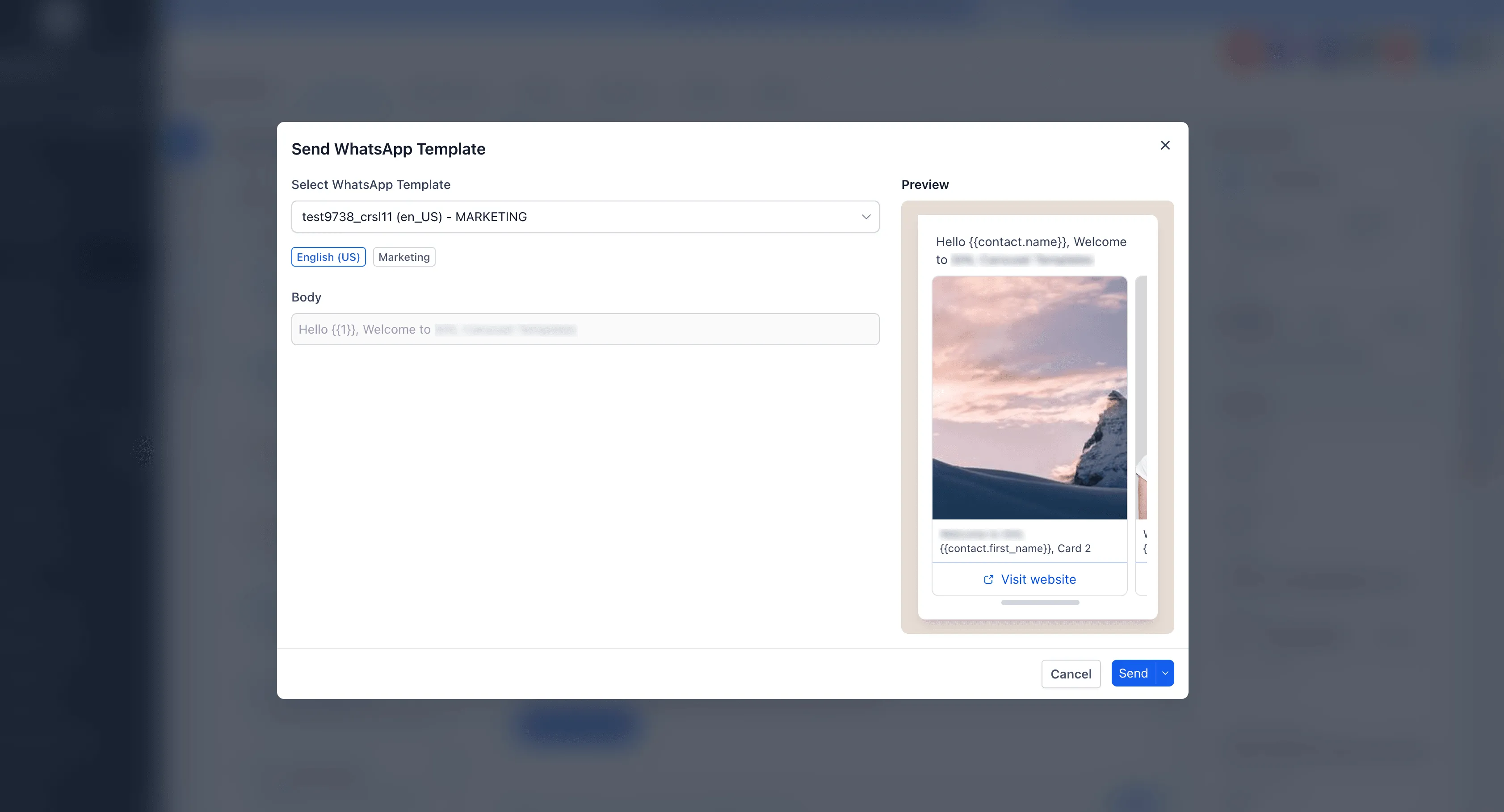
- Submit the template for Meta approval. Once approved, send it from Conversations, a workflow, or a bulk action.
Requirements to Plan For
- Card count is fixed after approval. A template approved with five cards must always send five cards. Create a separate template if you need a different count.
- Card structure must match. If one card includes body text, every card must include it. If one card has two buttons, every card must have two buttons.
Carousels can be used for product collections, property listings, menus, class schedules, or service options, giving customers several choices in one message.
Release Images
Need Help Applying This Update?
Want help turning this update into a working part of your CRM, marketing, or automation setup?
Get Started or schedule a demo and we’ll help you map the right next step.