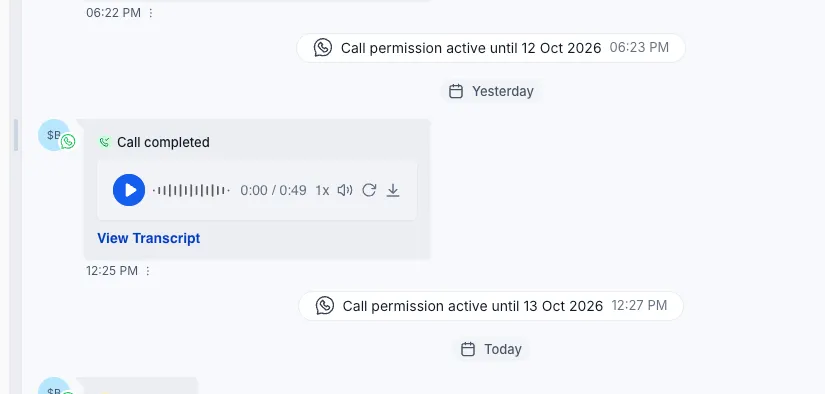
You can now record incoming and outgoing WhatsApp calls and automatically transcribe them. Recordings appear alongside customer messages in Conversations, keeping call details within your team’s communication workflow.
Review Calls in Conversations
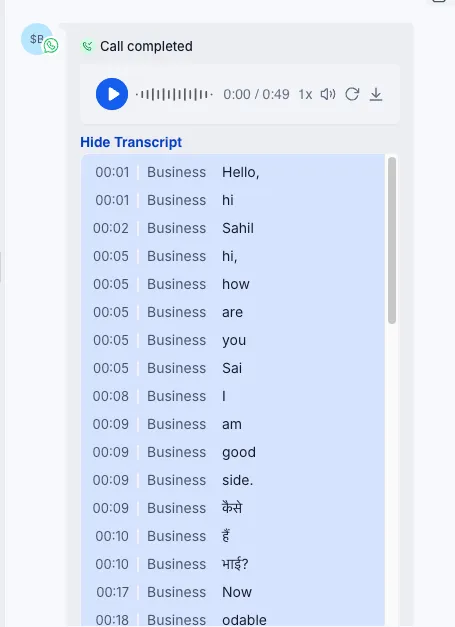
- Listen to recordings: Play completed calls, scrub through the audio, or adjust playback speed.
- Read searchable transcripts: Review a written record that distinguishes your team from the customer.
- Automatic language detection: Transcription detects the language spoken on the call.
These records help teammates review commitments, prepare for follow-ups, hand over accounts, and coach from actual conversations.
Configure the Recording Announcement
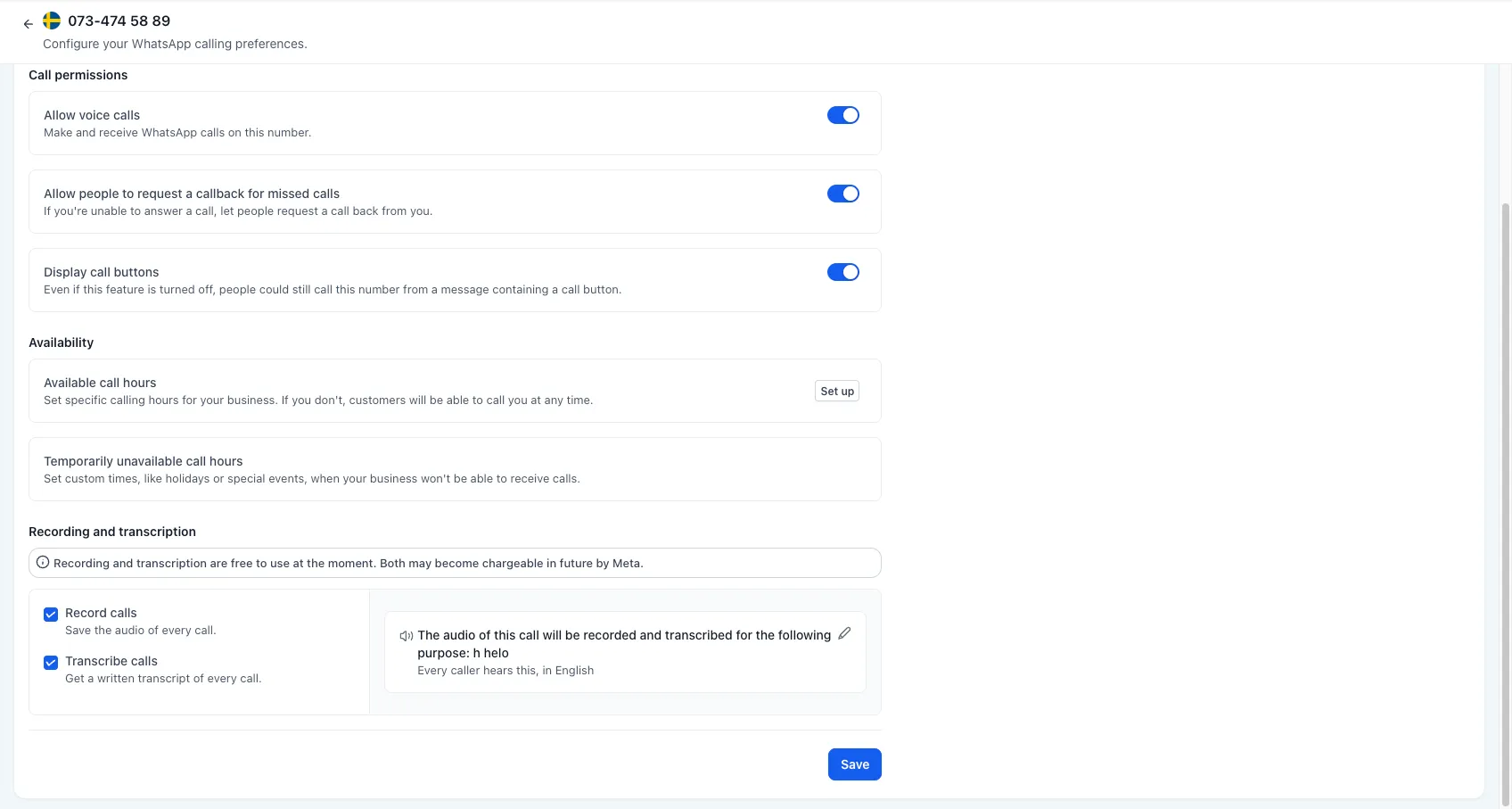
Before recording begins, callers hear a short announcement explaining that the call will be recorded and why. Recording starts only after the announcement finishes.
You can set the reason callers hear and choose the announcement language. Supported options include Spanish, Portuguese, French, German, Italian, Dutch, Hindi, Kannada, Telugu, and Vietnamese.
Enable Recording and Transcription
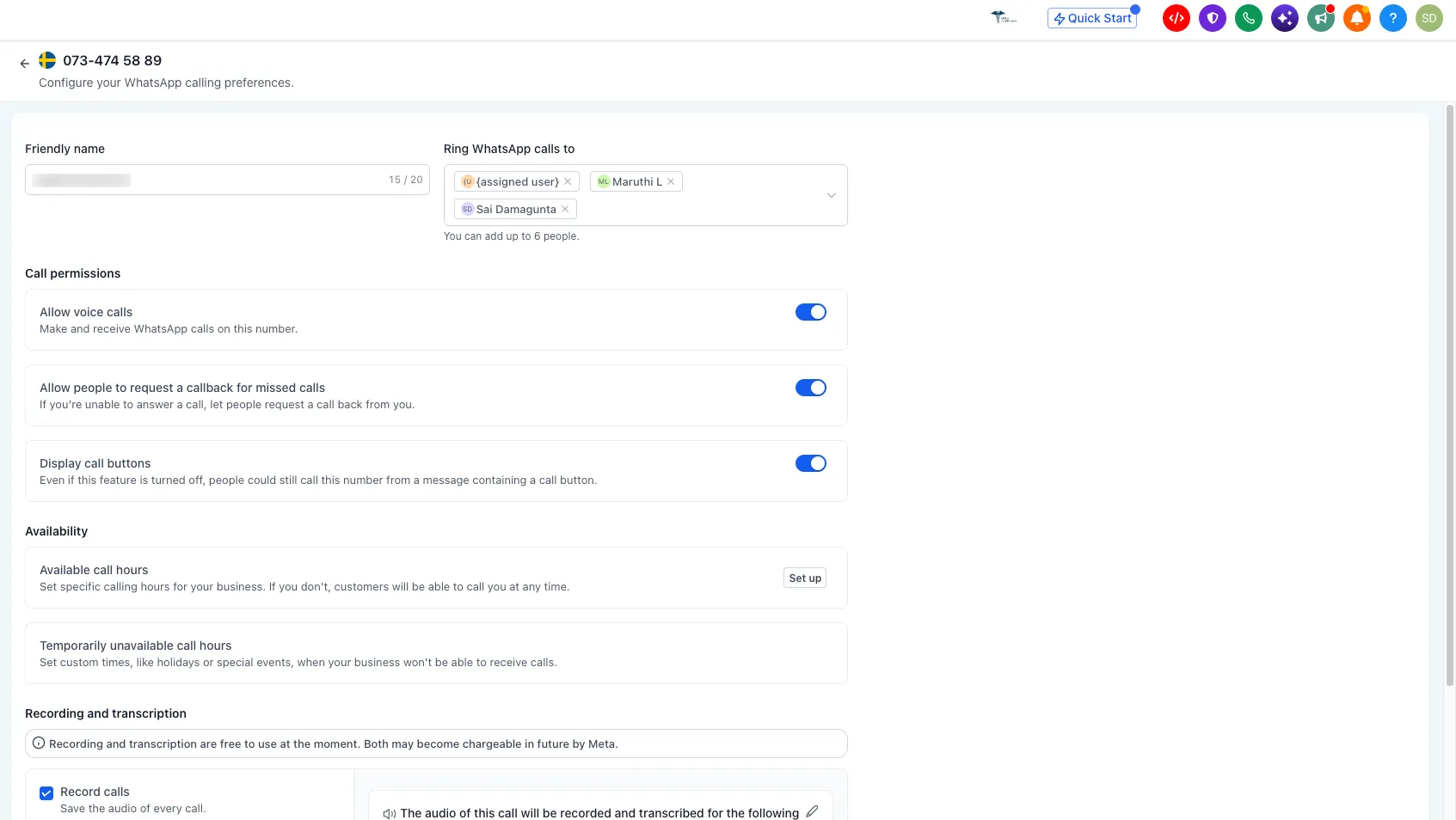
- Go to Settings → Communications → WhatsApp.
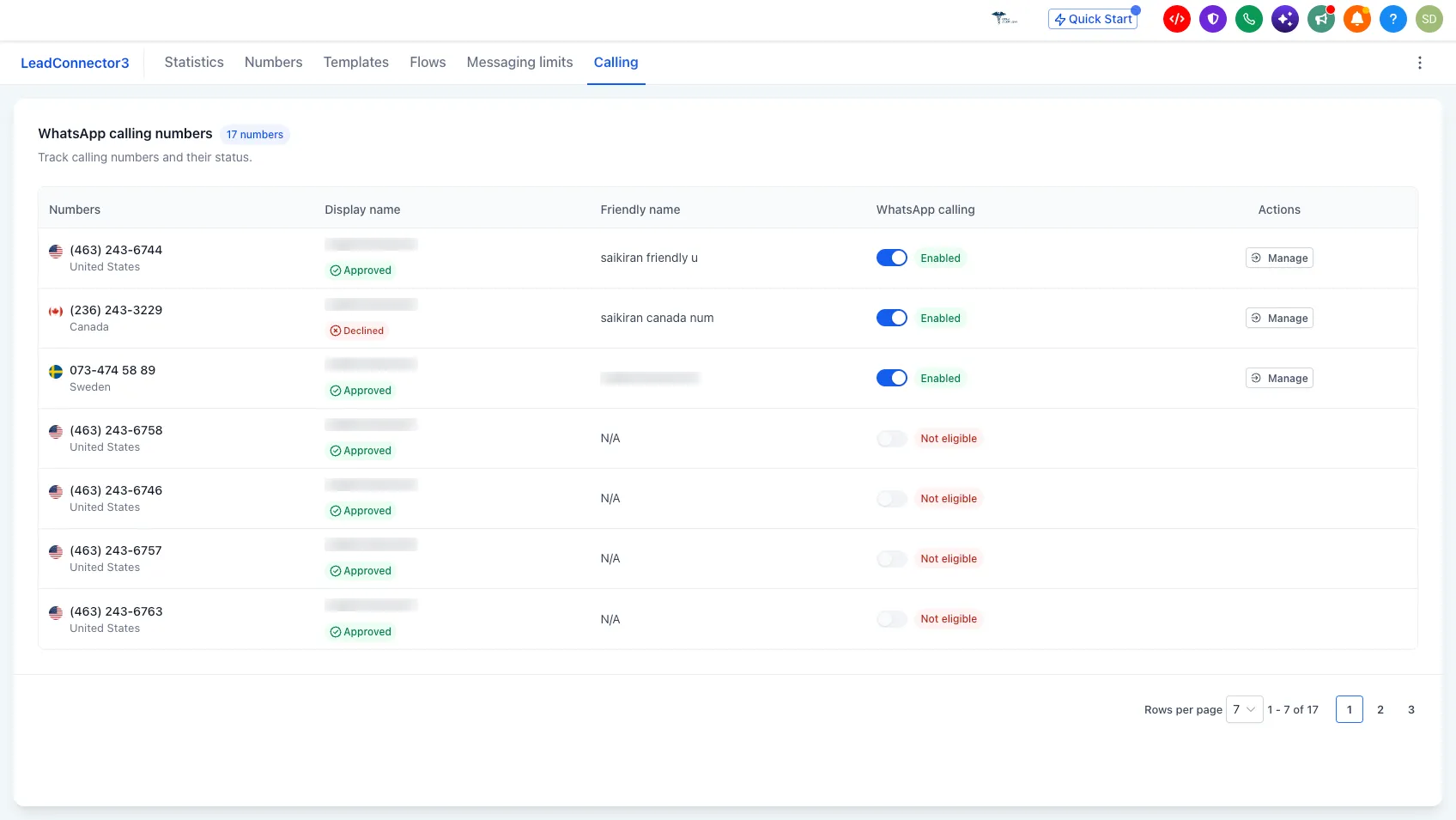
- Open the Calling tab.
- Select the number you want to configure.
- Under Recording and transcription, select Record calls, Transcribe calls, or both.
- Set the recording reason and announcement language.
- Click Save.
Once enabled for a number, the selected settings apply to subsequent calls on that number.
Recording and transcription are currently free to use. Both may become chargeable in the future.
Release Images
Need Help Applying This Update?
Want help turning this update into a working part of your CRM, marketing, or automation setup?
Get Started or schedule a demo and we’ll help you map the right next step.