WhatsApp appointment booking flows now support 11 languages with 13 regional options. Choose a language when creating a flow so customers can complete the booking experience in that language.
This update to SMBcrm communication tools helps businesses tailor WhatsApp booking flows to the audiences they serve.
What changes
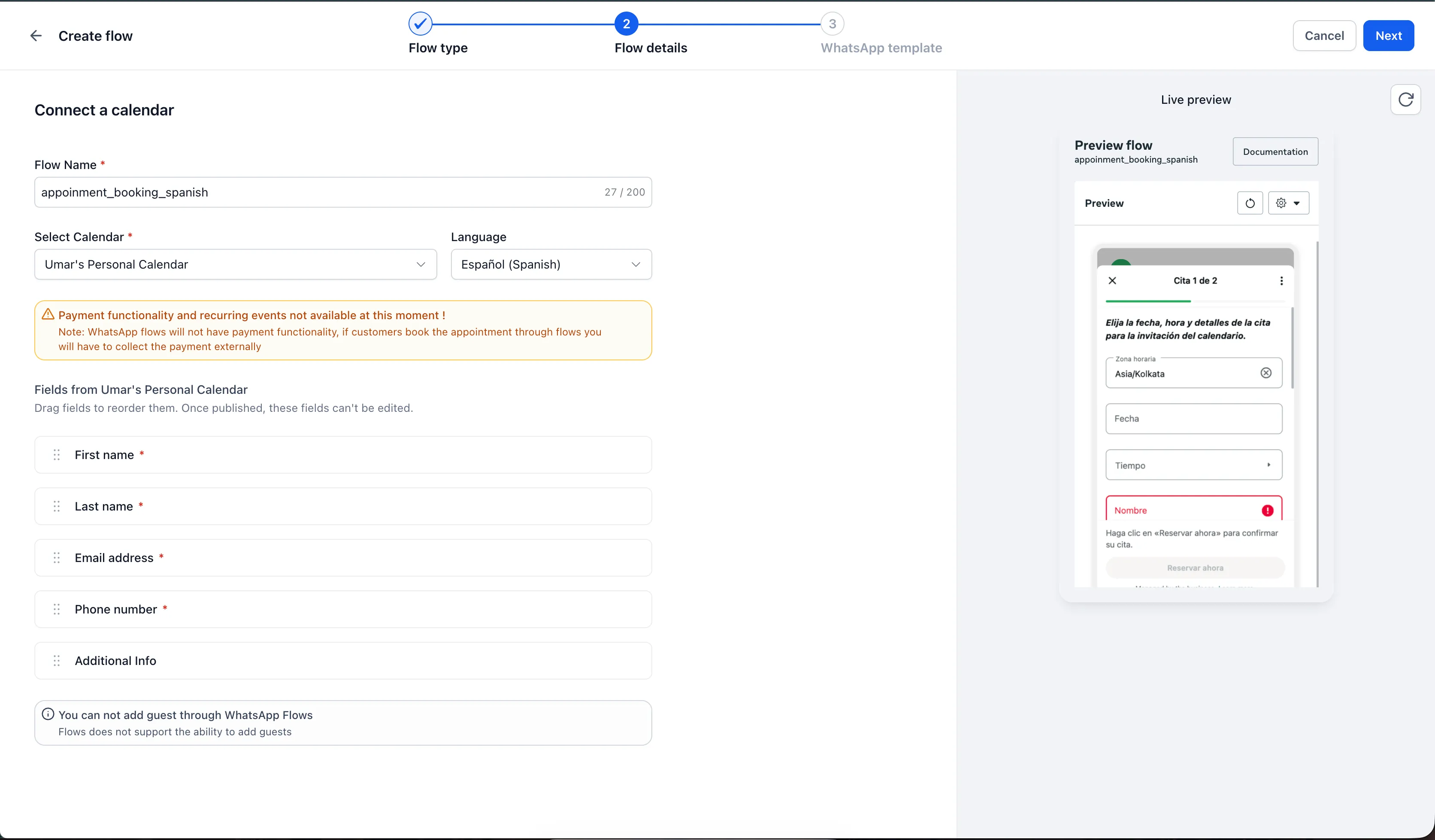
The selected language applies to the entire booking flow, including the timezone picker, date and time selectors, field labels, helper text, and confirmation button.
Available options are:
- English
- German
- Spanish
- French: France and Canada
- Italian
- Dutch
- Norwegian
- Portuguese: Brazil and Portugal
- Danish
- Finnish
- Swedish
The live preview displays the flow in your selected language so you can review it before publishing. A language column in the flows list also makes it easier to see which language each flow uses.
Form flows use the language you write
Form flows already display questions in whatever language you use to write them. There is no language picker or predefined language list for these flows. Create separate forms for different audiences and send the appropriate version to each contact.
How to set a booking flow’s language
- Go to Settings → Communications → WhatsApp → Flows.
- Click Create Flow and choose Appointment booking.
- Under Flow details, select your calendar, then choose the Language.
- Review the live preview in your selected language.
- Continue to the WhatsApp template step and publish.
Release Images
Need Help Applying This Update?
Want help turning this update into a working part of your CRM, marketing, or automation setup?
Get Started or schedule a demo and we’ll help you map the right next step.