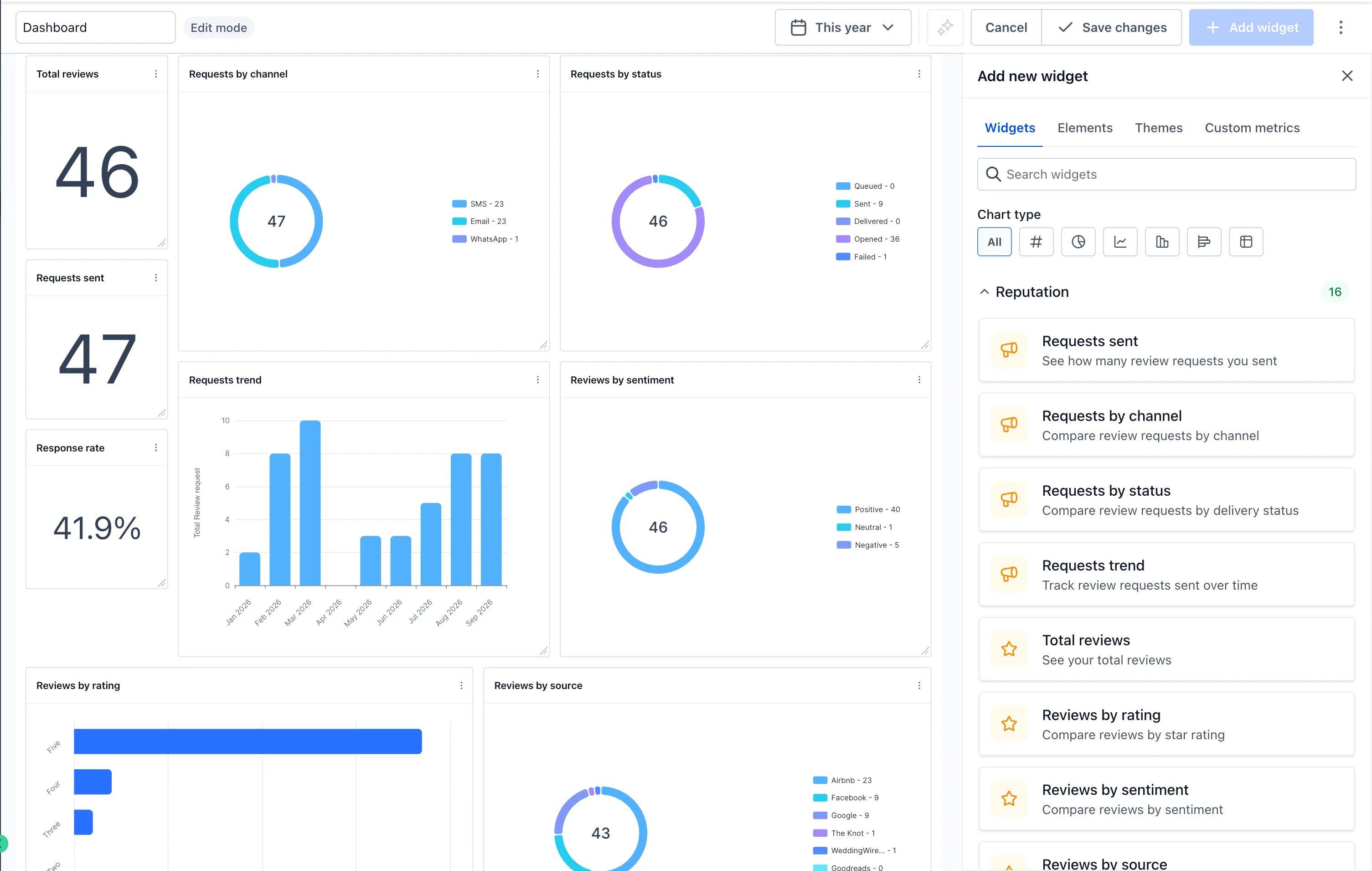
SMBcrm now includes 16 reputation widgets in the dashboard widget library. Monitor reputation performance alongside other business metrics without leaving your account dashboard.
What You Can Track
Review Requests
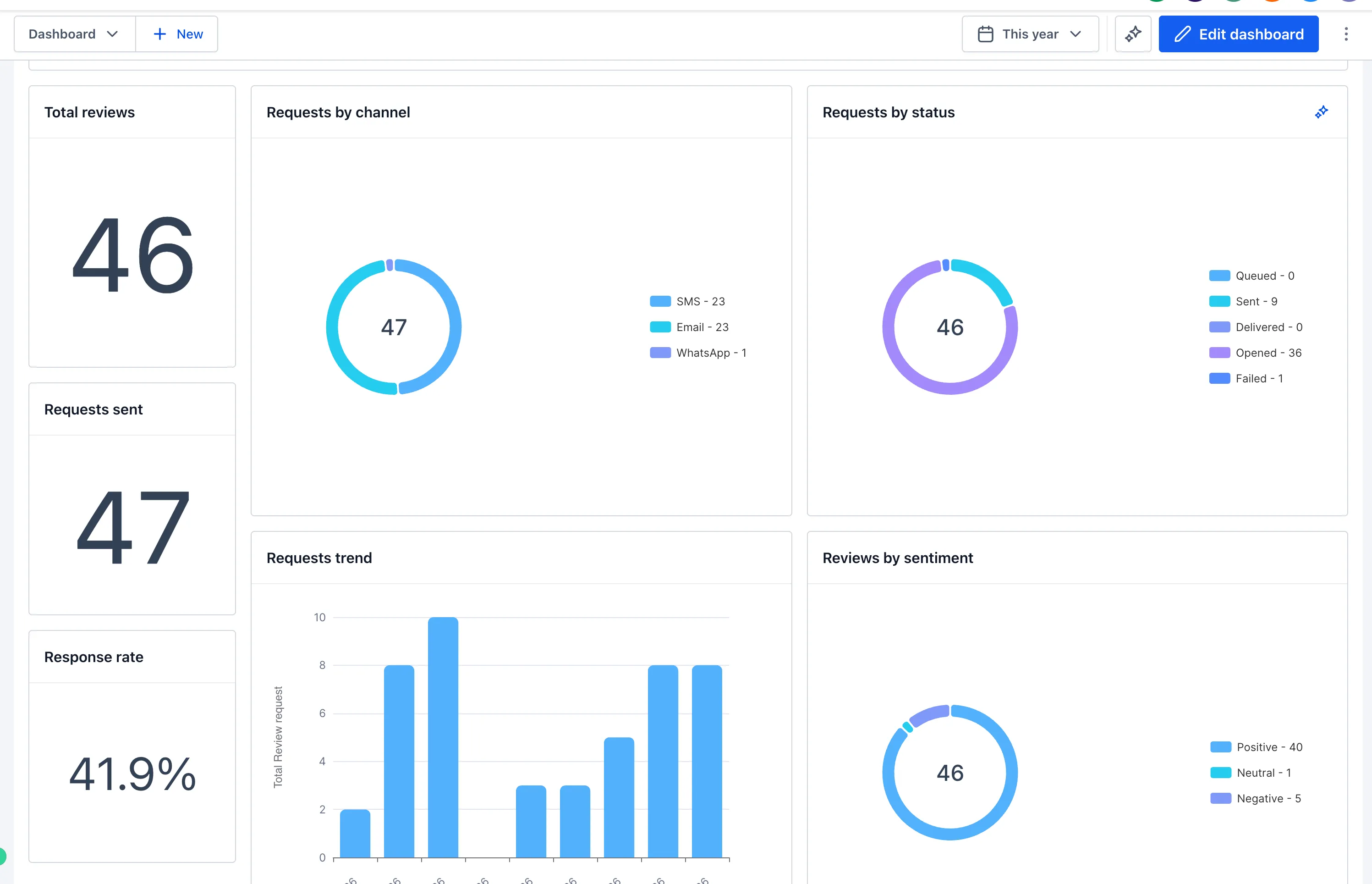
Track requests sent, requests by channel, requests by status, and request trends to understand request volume, delivery, and channel performance.
Customer Reviews
Monitor total reviews, reviews by rating, source, and sentiment, review trends, average rating, and rating trends.
Review Responses
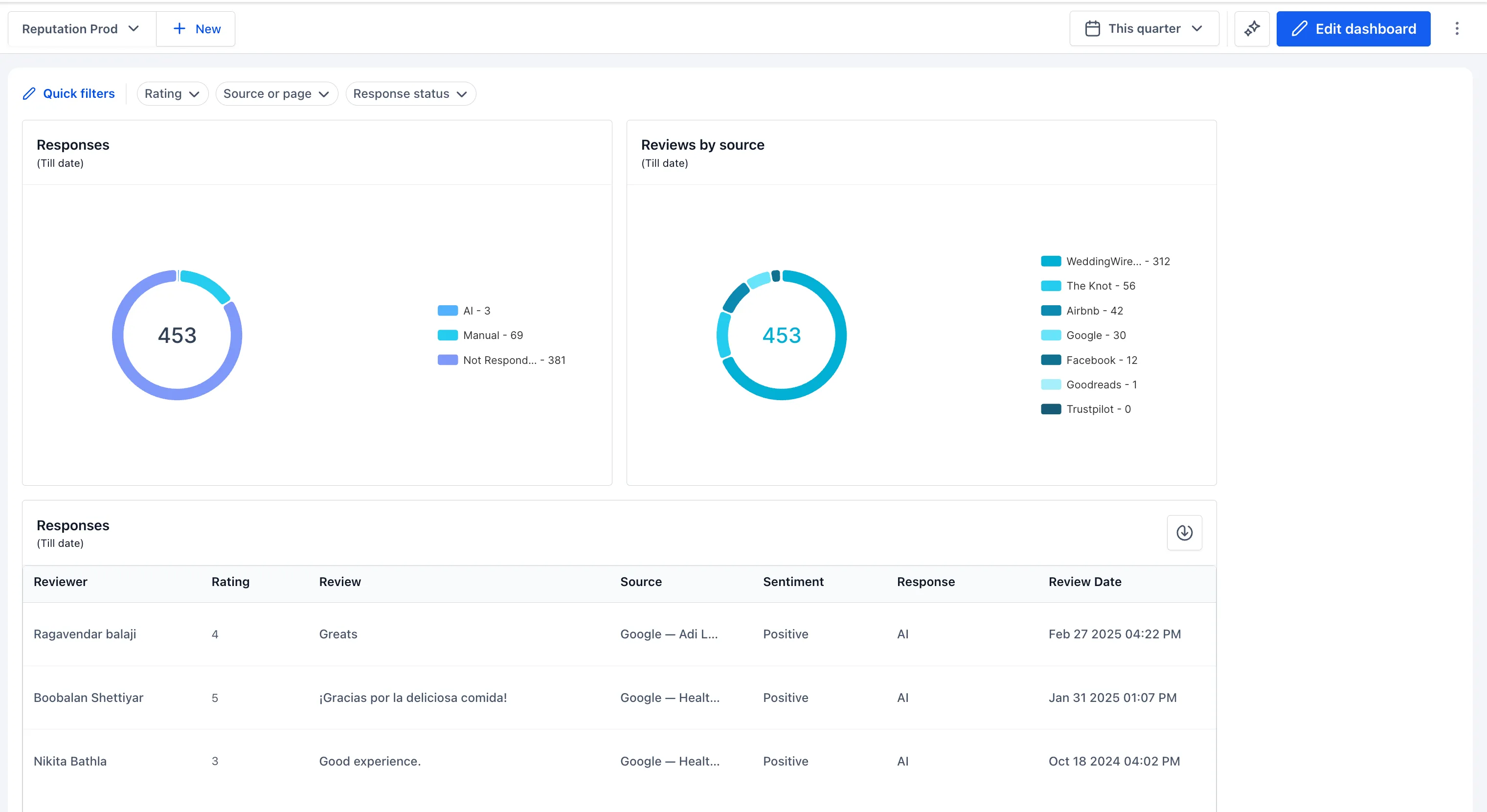
Measure response rate, average response time, and trends for both. You can also see AI versus manual response activity.
Customize Your Dashboard
Add widgets from the Reputation category, then resize and arrange them to fit your workflow. You can:
- Filter by date range, rating, source/page, and response status.
- Apply quick filters and adjust date ranges.
- Combine reputation widgets with other dashboard metrics.
- Add custom metrics.
These widgets bring review volume and response performance into one place, making it easier to identify gaps and monitor reputation health.
Release Images
Need Help Applying This Update?
Want help turning this update into a working part of your CRM, marketing, or automation setup?
Get Started or schedule a demo and we’ll help you map the right next step.