Creating a Custom Product Detail Page is now faster in the Store Builder. Instead of starting from a blank page, a new Custom Product Detail Page automatically copies the design of the existing default product detail page.
This gives you a structured layout to edit right away while keeping the custom page independent from the default design.
What Changed
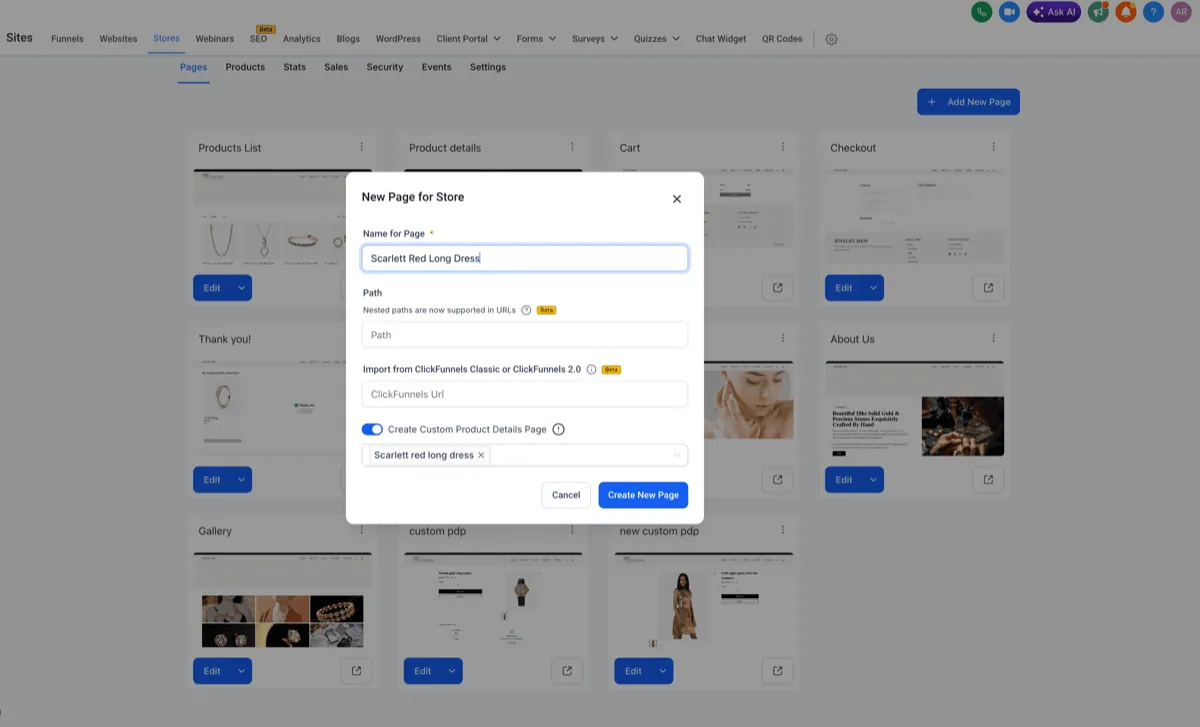
When you enable Create Custom Product Details Page, SMBcrm now creates the page using the current default product detail page layout.
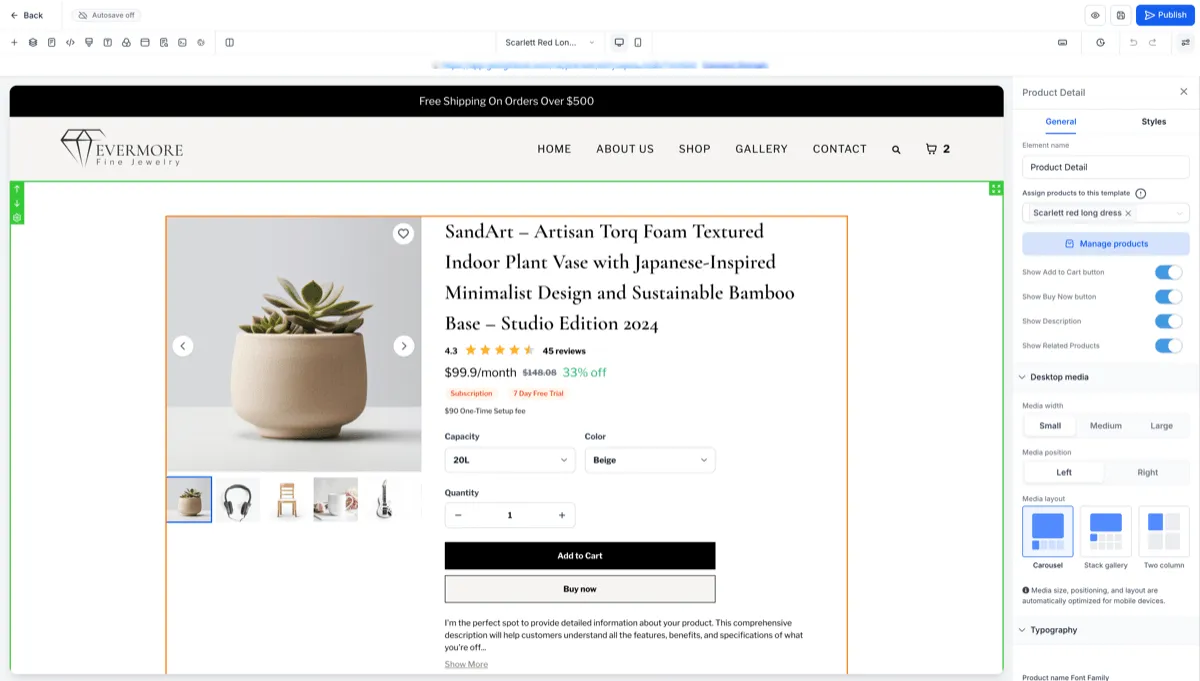
The copied design can include:
- Section structure and layout
- Store elements such as media, title, price, variants, and calls to action
- Styling such as fonts, colors, spacing, borders, and shadows
- Desktop and mobile visibility rules
How Custom Pages Work
Custom Product Detail Pages remain fully editable after creation. The inherited design is a one-time copy, not a live sync.
That means:
- Changes to the default product detail page do not affect existing Custom Product Detail Pages
- Existing Custom Product Detail Pages are not changed by this update
- One Custom Product Detail Page can be assigned to multiple products
- The inherited design applies across all selected products
How to Use It
- Go to Store Builder and create a new page.
- Enable Create Custom Product Details Page where available.
- Select the product or products to assign.
- Open the generated page with the inherited design.
- Customize the page and publish it.
In funnel-first flows, the custom product detail page option is hidden to keep that workflow simplified and consistent.
Key Notes
- The default product detail page remains unchanged after creating a custom page.
- Design inheritance happens only at creation.
- Existing custom pages are unaffected.
- Builder preview supports the inherited page design on desktop and mobile.
In Case You Missed It
You may also want to review Safer Store Deletion Behavior for another recent store management update.
Need Help Applying This Update?
If you’d like help rolling this out in SMBcrm, visit Support or request a demo.