Community admins can now adjust tab navigation in communities to better match how members use each space.
What changed
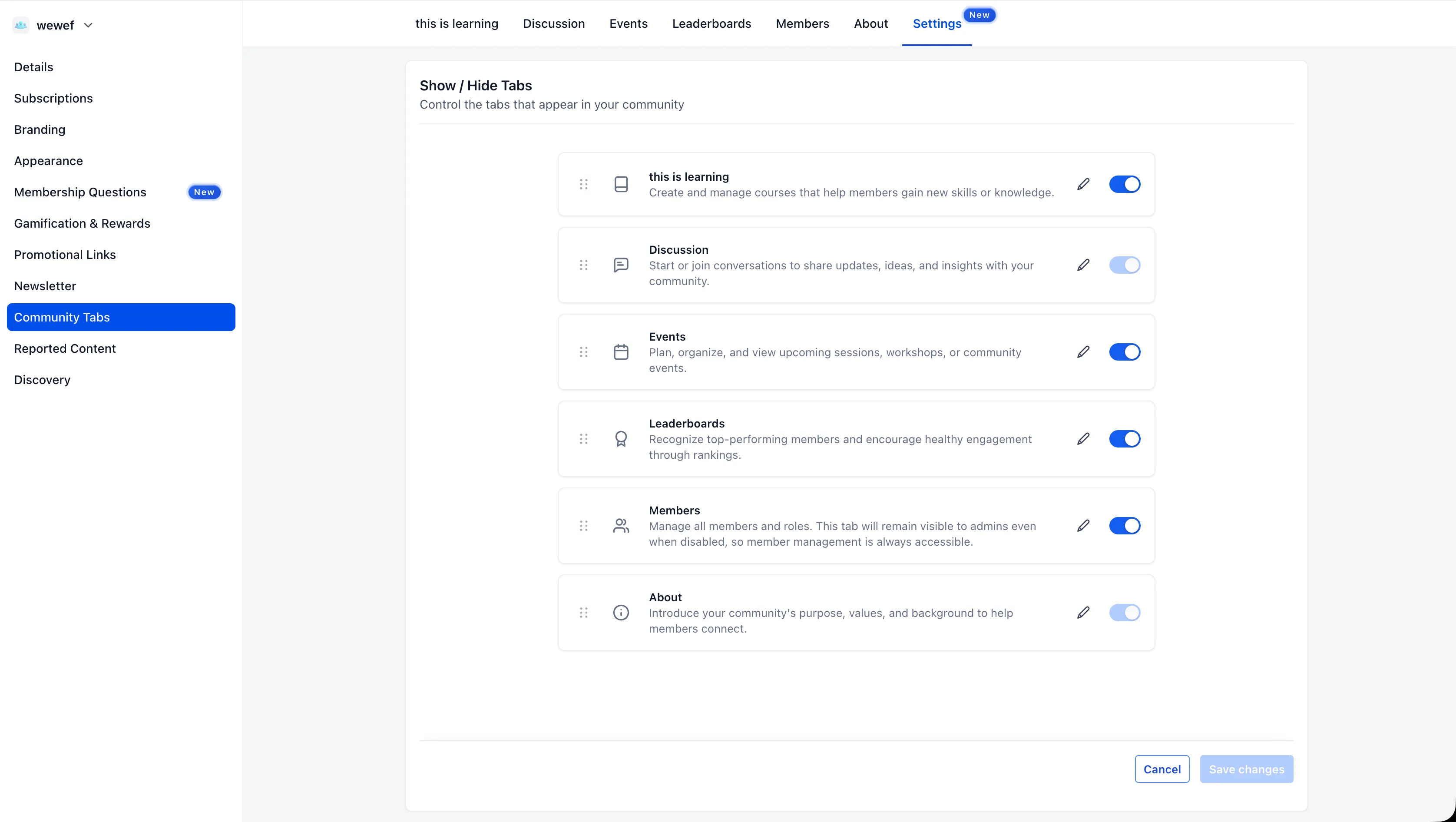
In SMBcrm Memberships & Education, admins and community owners can customize the tab layout members see by:
- Reordering tabs such as Discussion, Learning, Events, Leaderboards, Members, and About
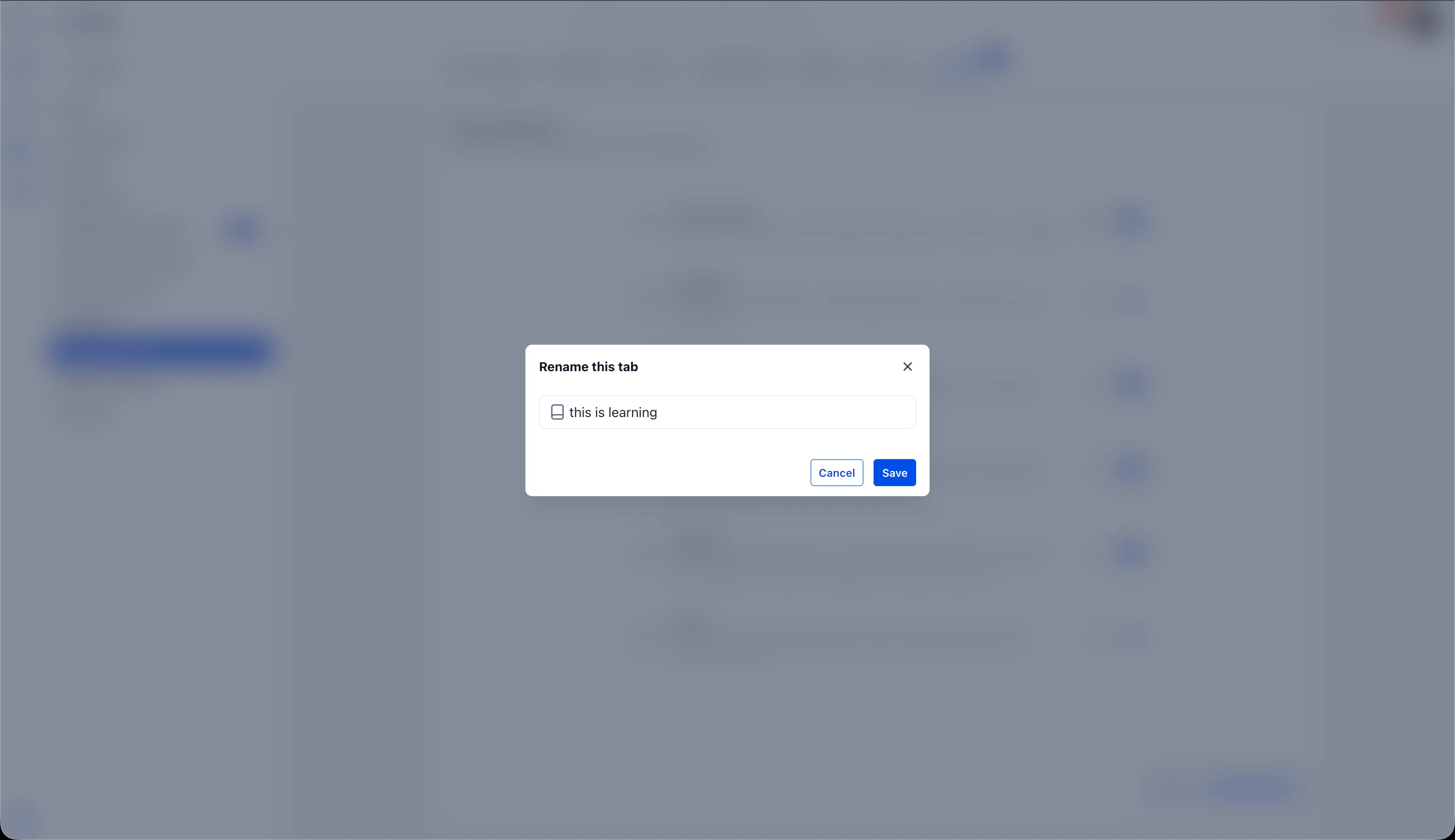
- Renaming any tab with a custom label
- Showing or hiding tabs that are not needed
This helps put the most relevant sections first and lets each community use labels that fit its own language.
How to update community tabs
- Go to Settings > Community Tabs inside the community.
- Drag tabs using the handle on the left to rearrange them.
- Select the edit icon next to a tab to enter a custom label.
- Use the existing switches to show or hide available tabs.
- Select Save changes.
Saved updates are reflected immediately for all members.
Important notes
- Only admins and community owners can rearrange, rename, or disable tabs.
- Discussion and About cannot be disabled.
- Custom tab names are not translated. They display exactly as entered.
- Changes persist across sessions and apply to all members.
Release Images
Need Help Applying This Update?
Want help turning this update into a working part of your CRM, marketing, or automation setup?
Get Started or schedule a demo and we’ll help you map the right next step.