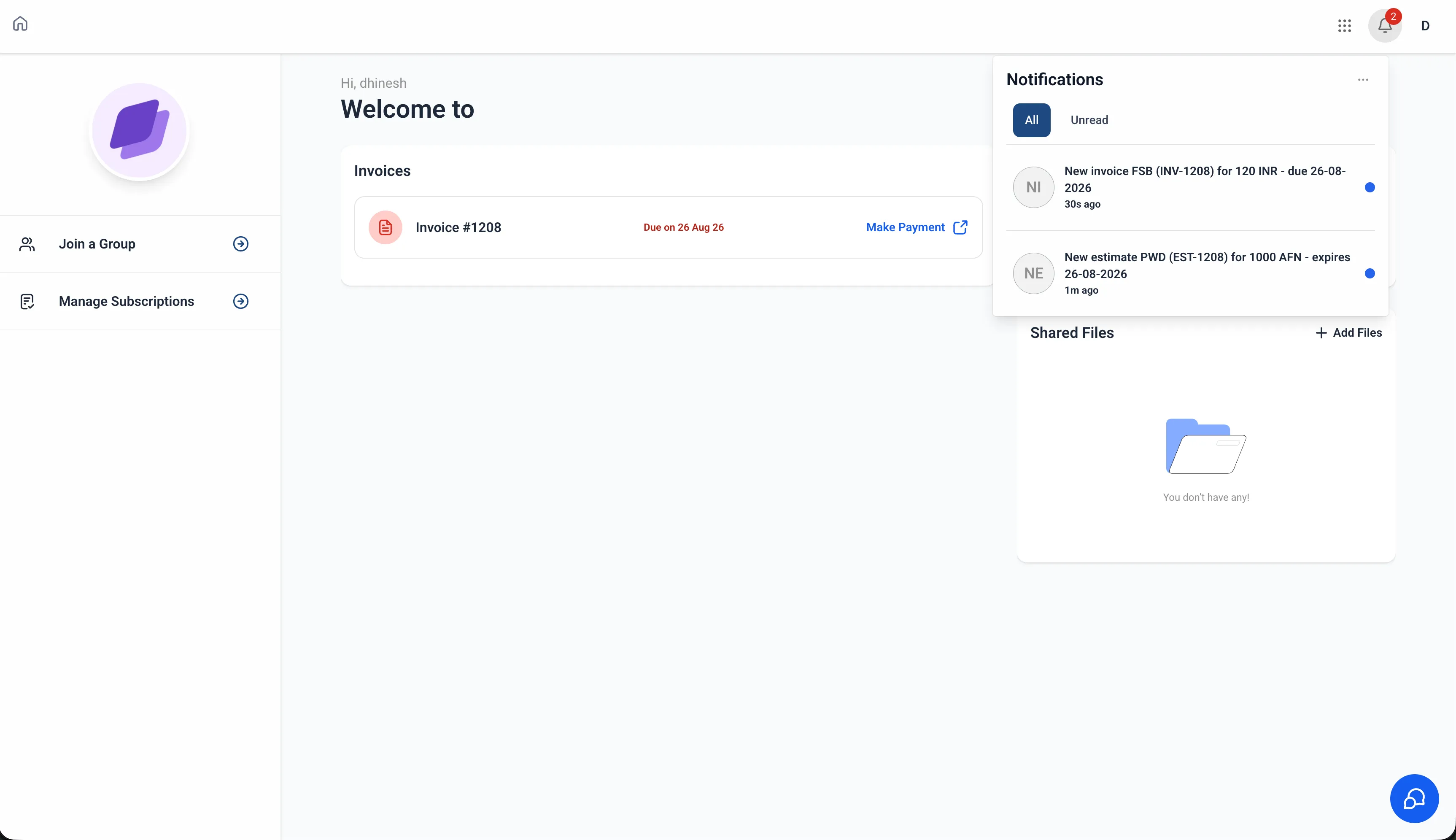
Contacts can now receive in-app notifications inside the Client Portal when a new invoice or estimate is issued to them. Instead of relying only on email, contacts can see important billing activity in the portal and select a notification to open the relevant invoice or estimate.
For businesses using SMBcrm for Payments & Commerce, this gives contacts another convenient way to stay aware of billing items that may need review, payment, or approval.
What Changed
Invoice notifications
When a new invoice is issued to a contact, an in-app notification appears inside the Client Portal. The contact can select the notification to access the invoice and take the required action.
Estimate notifications
Contacts are also notified when they receive a new estimate, making it easier to review and respond without manually checking the Estimates section.
Billing updates in the notification center
Important invoice and estimate activity now appears in the Client Portal notification center. This helps contacts stay current on billing documents that need attention.
How It Works
As a contact:
- Log in to the Client Portal.
- When a new invoice or estimate is issued to you, an in-app notification appears automatically.
- Open the Notifications panel.
- Select the relevant notification to navigate to the invoice or estimate.
No setup is required. Notifications are automatically available for contacts using the Client Portal.
Notes
- Notifications are triggered when a contact receives a new invoice or estimate.
- Notifications are delivered to the relevant contact.
- The currently supported notification channel is in-app notifications.
Release Images
Need Help Applying This Update?
Want help turning this update into a working part of your CRM, marketing, or automation setup?
Get Started or schedule a demo and we’ll help you map the right next step.