SMBcrm now includes a Requested to Join Group trigger in workflows for request-based community groups. It lets admins build automations around incoming join requests while the member-facing request experience stays the same.
What changed
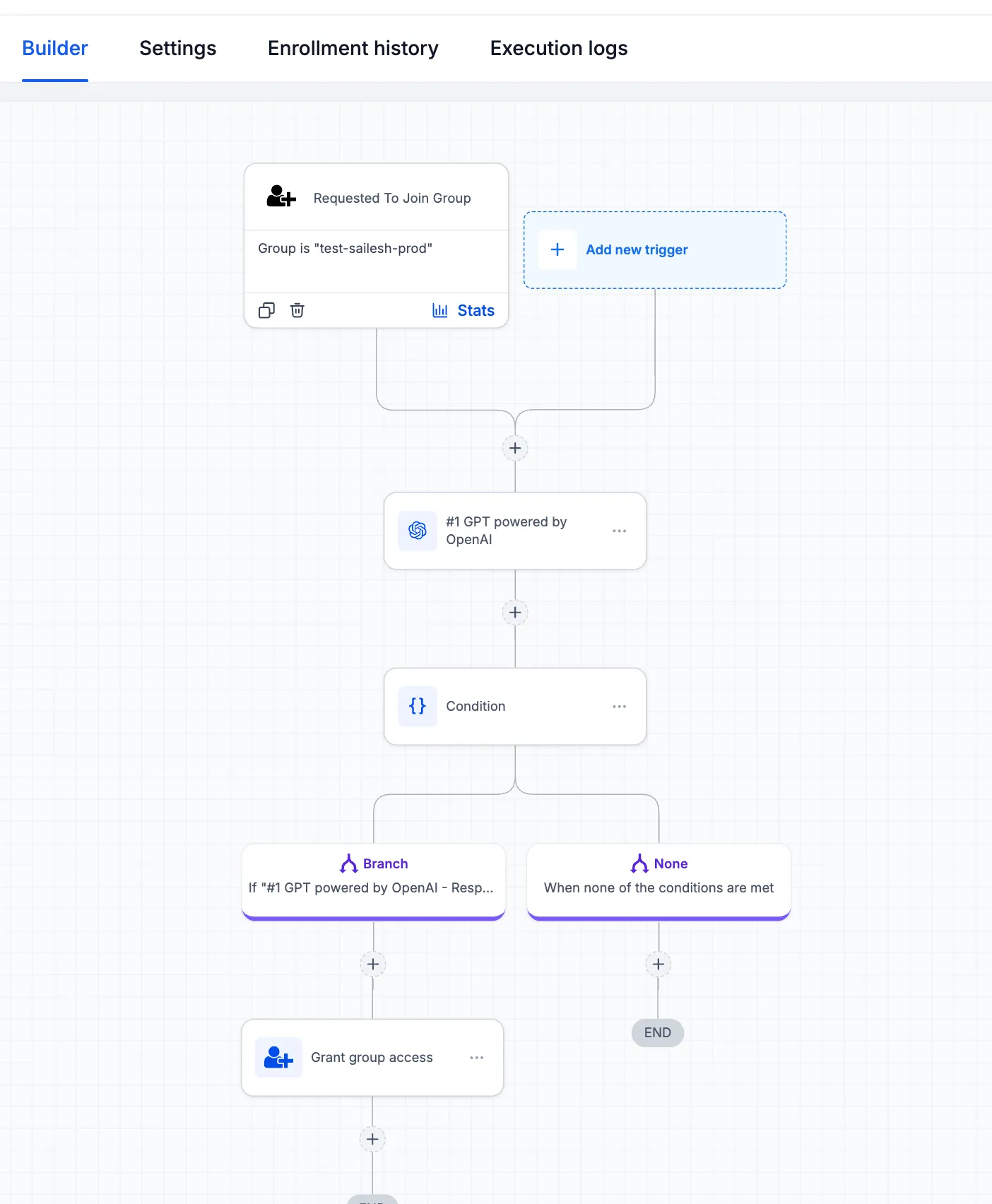
The trigger fires when a user submits a request to join a community group. Admins can use it in automation to review, route, and act on submissions without manually checking every request.
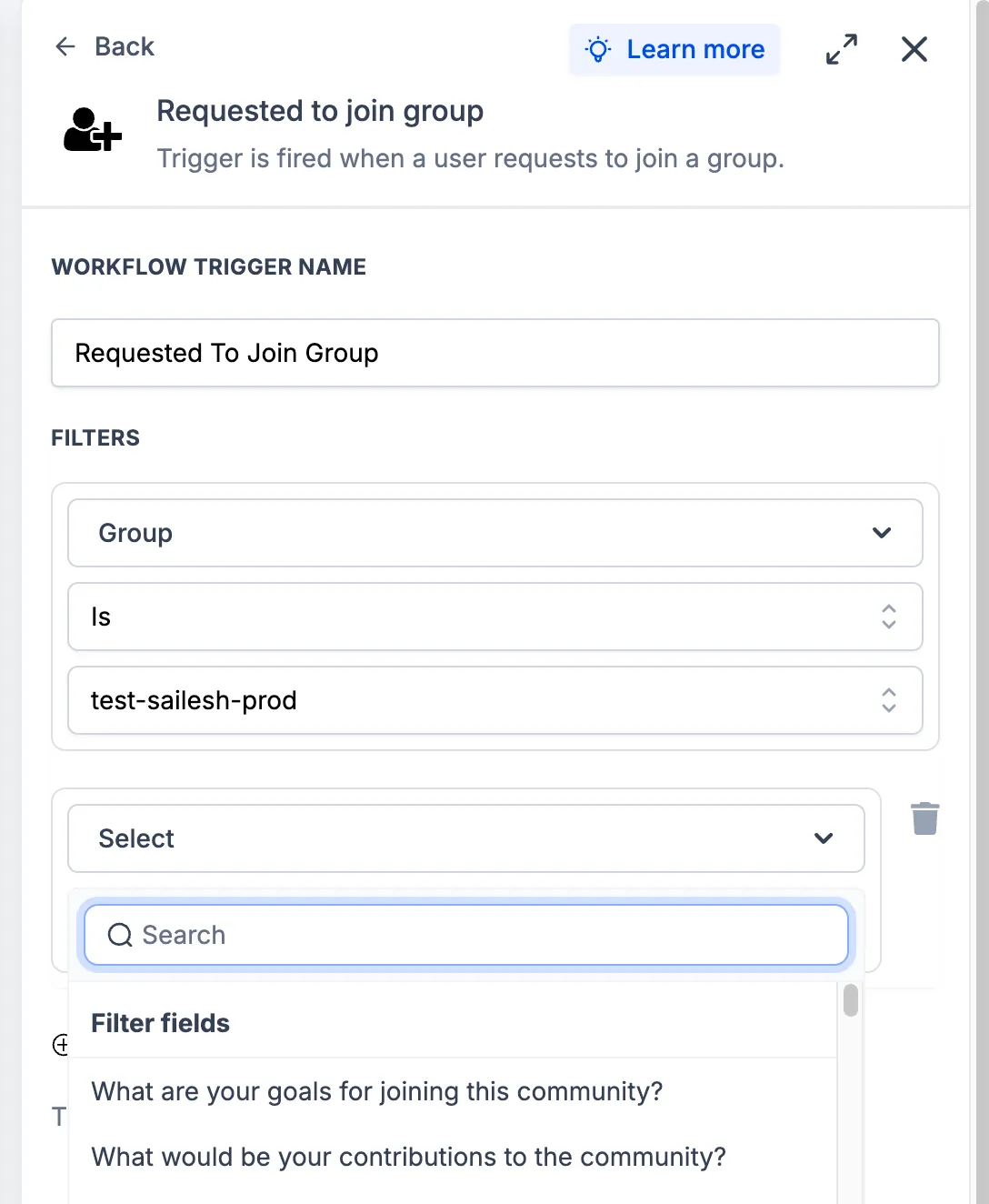
After a group is selected, the membership questions configured for that group become available as dynamic filters. This allows workflows to branch based on the answers submitted with the request.
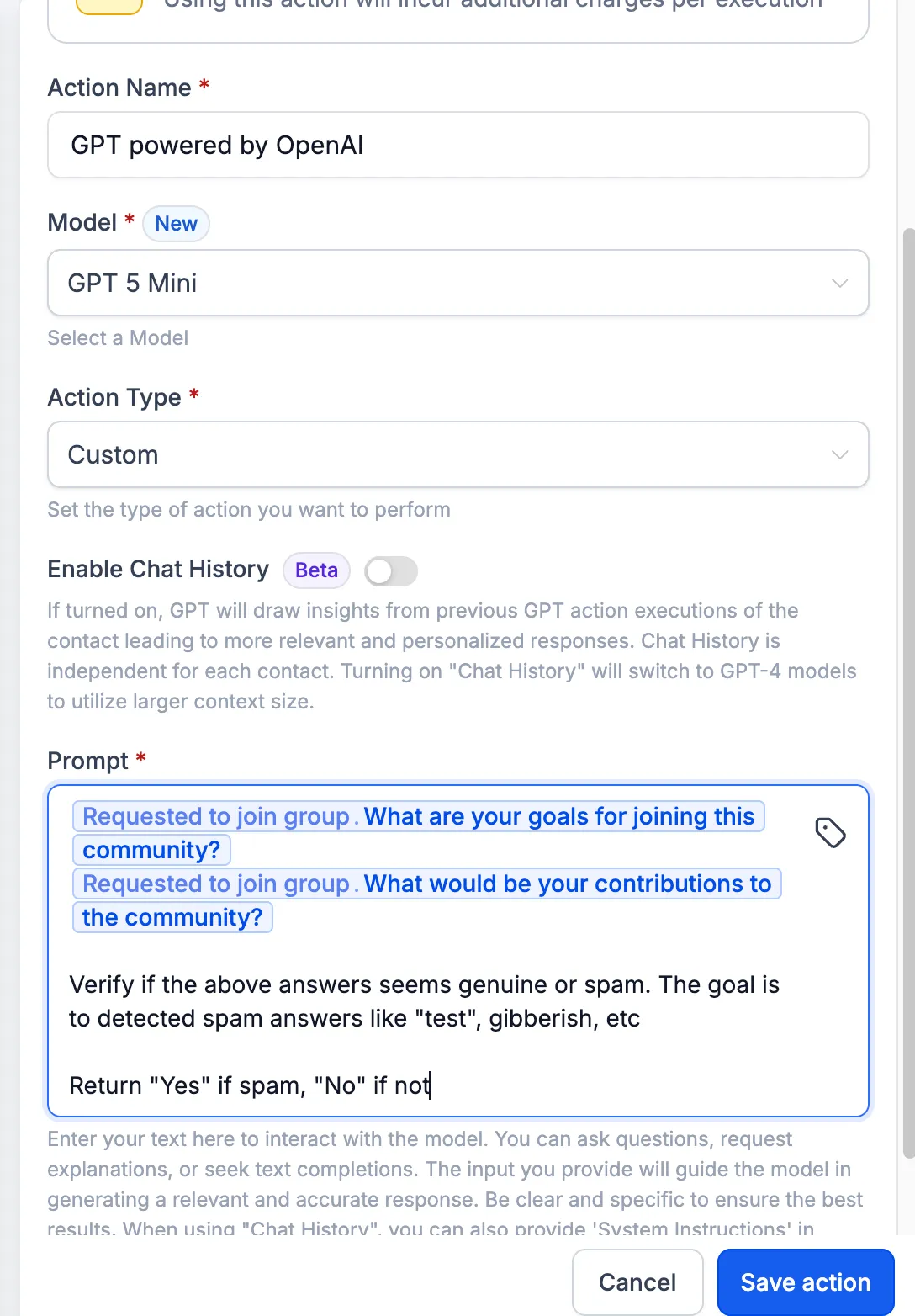
For teams using memberships and communities, those responses can also be passed into GPT actions inside workflows. For example, an automation can check whether answers appear to be spam, gibberish, or low quality, then use If/Else conditions to grant group access or flag the request for manual review.
How admins can use it
- Create a workflow and add the Requested to Join Group trigger.
- Select the target group so its membership questions appear as filter options.
- Optionally add a GPT action to evaluate submitted answers.
- Use If/Else conditions to branch based on GPT output or response values.
- Add actions such as Grant Group Access, sending a welcome message, or tagging the contact.
Important notes
- The trigger fires on join requests, not direct joins.
- Groups must have request-based access enabled.
- Membership question filters update based on the selected group’s configured questions.
- GPT actions incur additional charges per execution.
In Case You Missed It
If you are moving data into SMBcrm, read Import HubSpot CRM Data Directly into SMBcrm.
Release Images
Need Help Applying This Update?
Want help turning this update into a working part of your CRM, marketing, or automation setup?
Get Started or schedule a demo and we’ll help you map the right next step.