Default Values for Email Personalization
Personalized emails often depend on contact details such as names, company information, or appointment details. When that data is missing, emails can show blank spaces or incomplete wording.
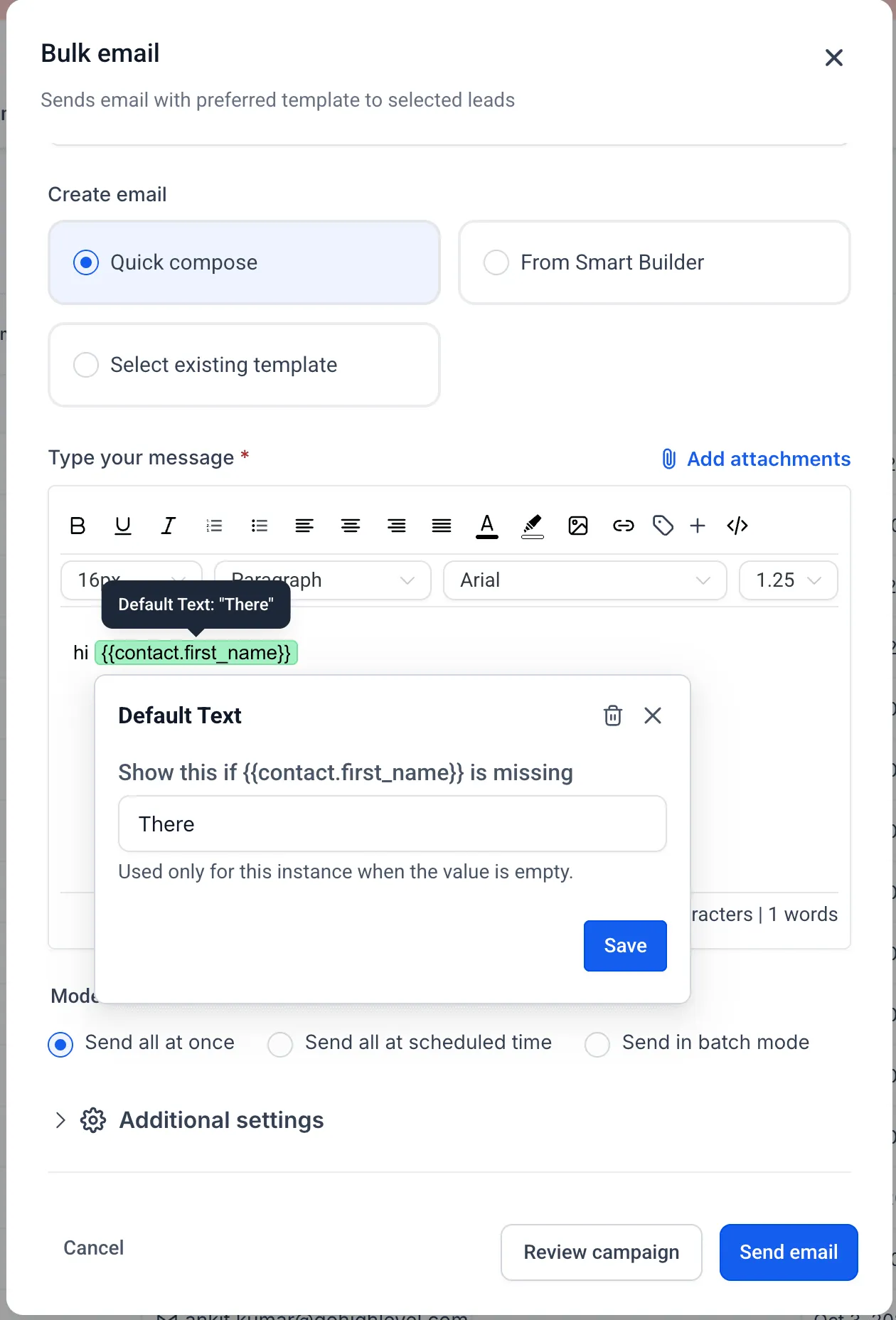
SMBcrm now supports default values for custom values directly in the email editor. A default value acts as fallback text when the related contact field is empty.
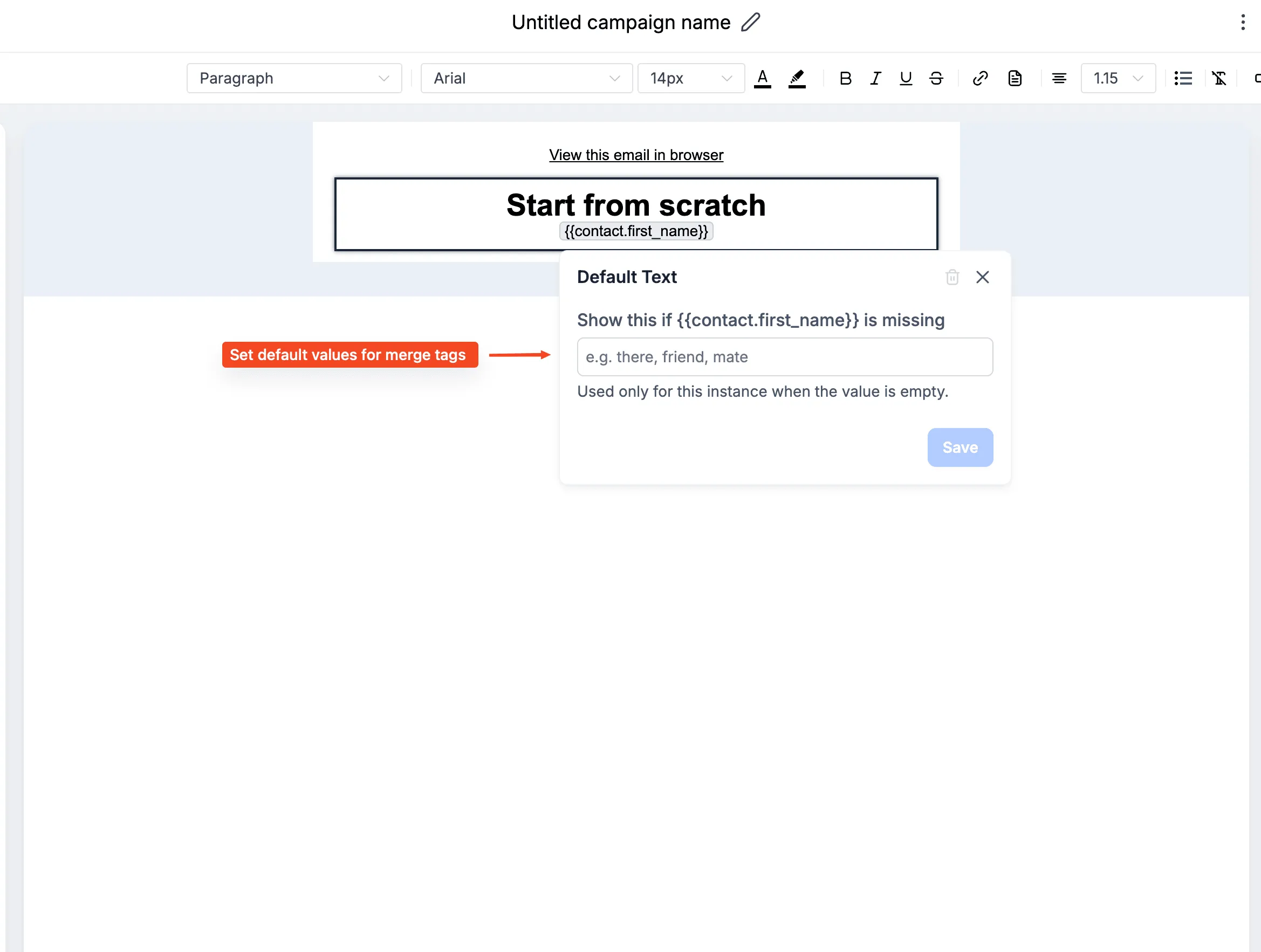
What changed
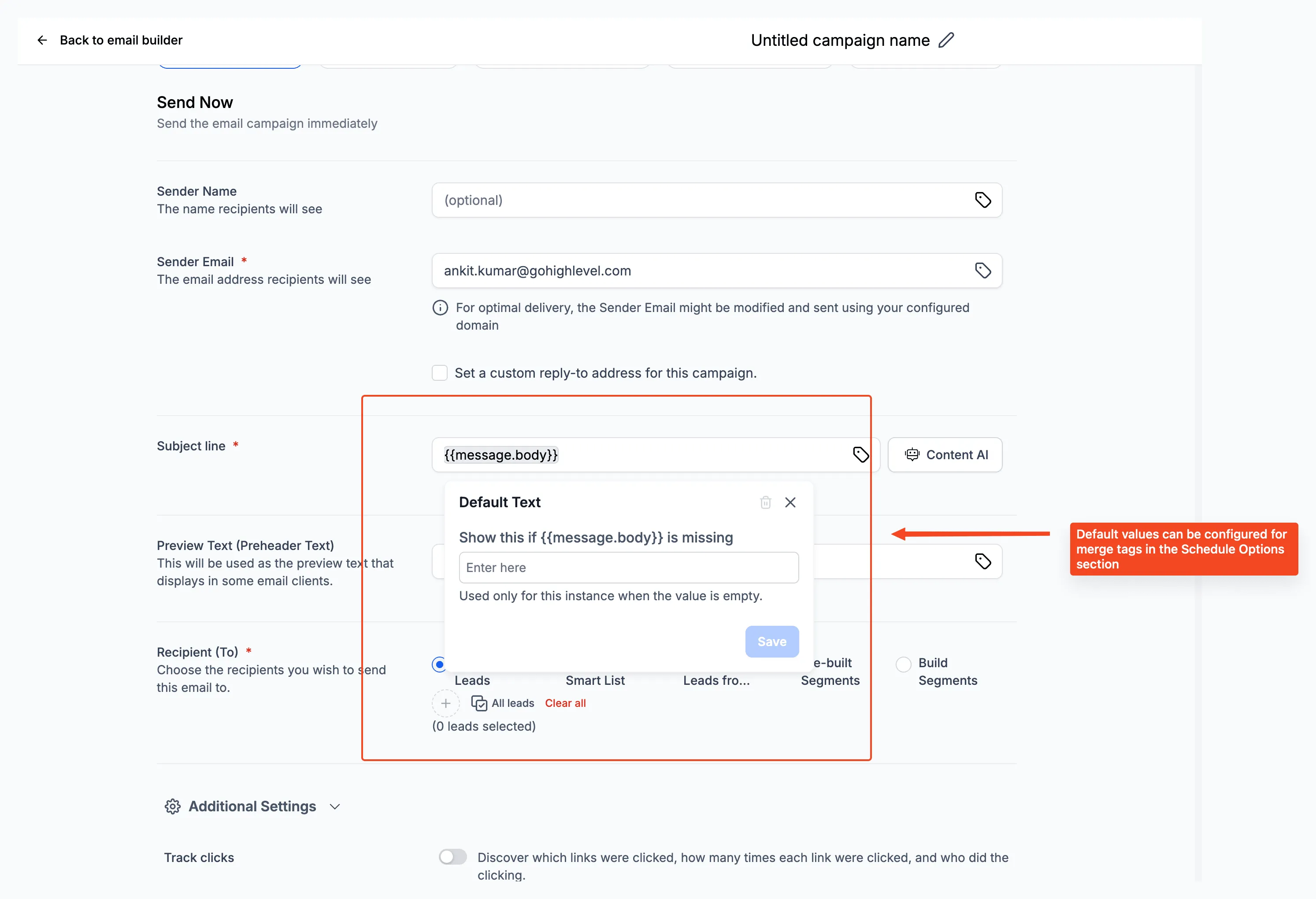
You can configure a fallback value for each custom value instance used in:
- Email body content
- Subject lines
- Preview text
For example, if an email starts with Hi {{contact.first_name}}, you can set the default value to “there” so the message still reads naturally when the first name is missing.
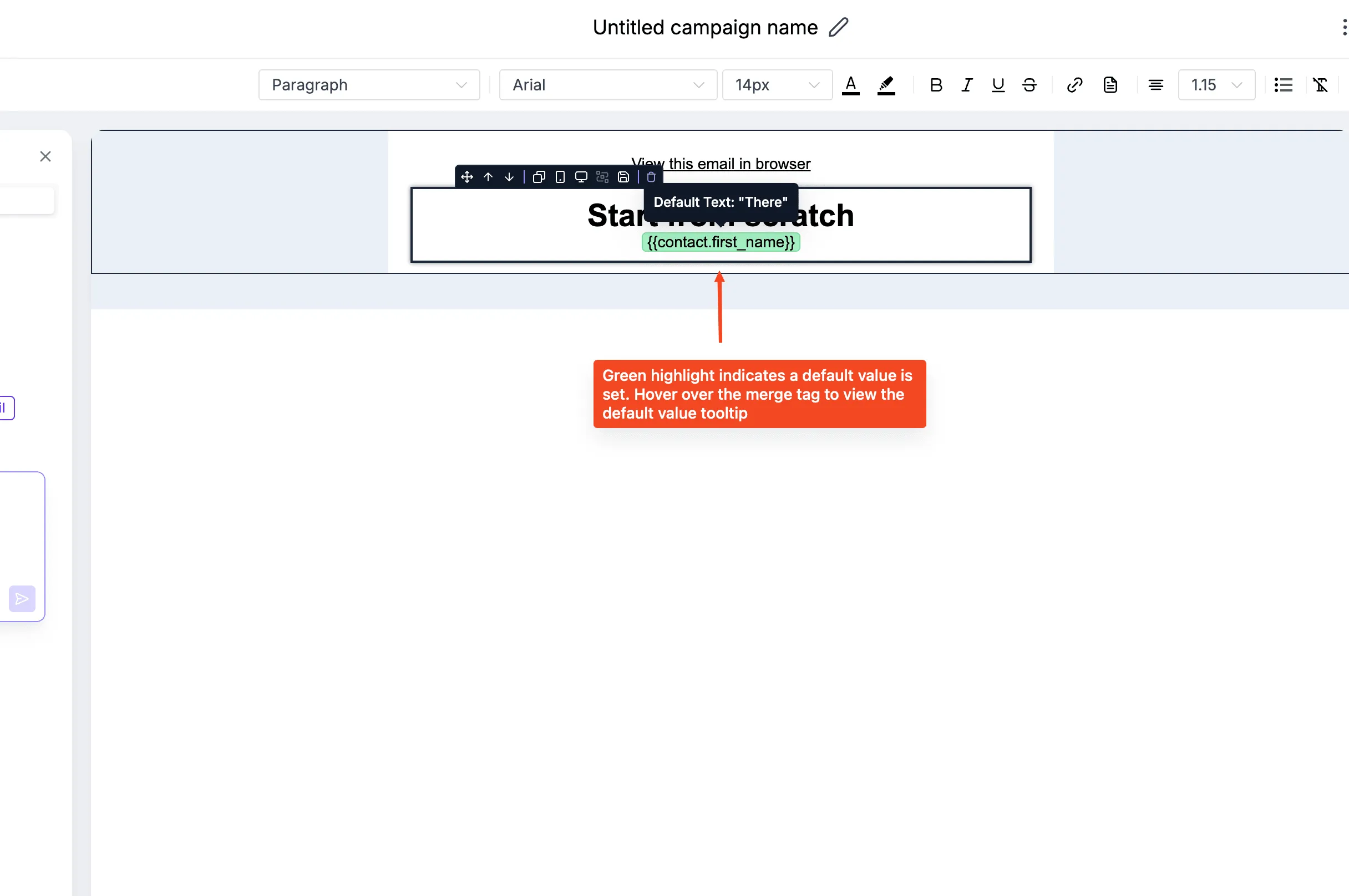
Default values can be added, edited, or removed from the custom value edit modal in the editor. They are configured per custom value usage, so the same custom value can use different fallback text in different email contexts.
Why it matters
- Helps prevent blank spaces and incomplete personalization
- Keeps subject lines, preview text, and email content clearer
- Improves readability when CRM data is incomplete
- Adds flexibility without changing the contact record
Where it is supported
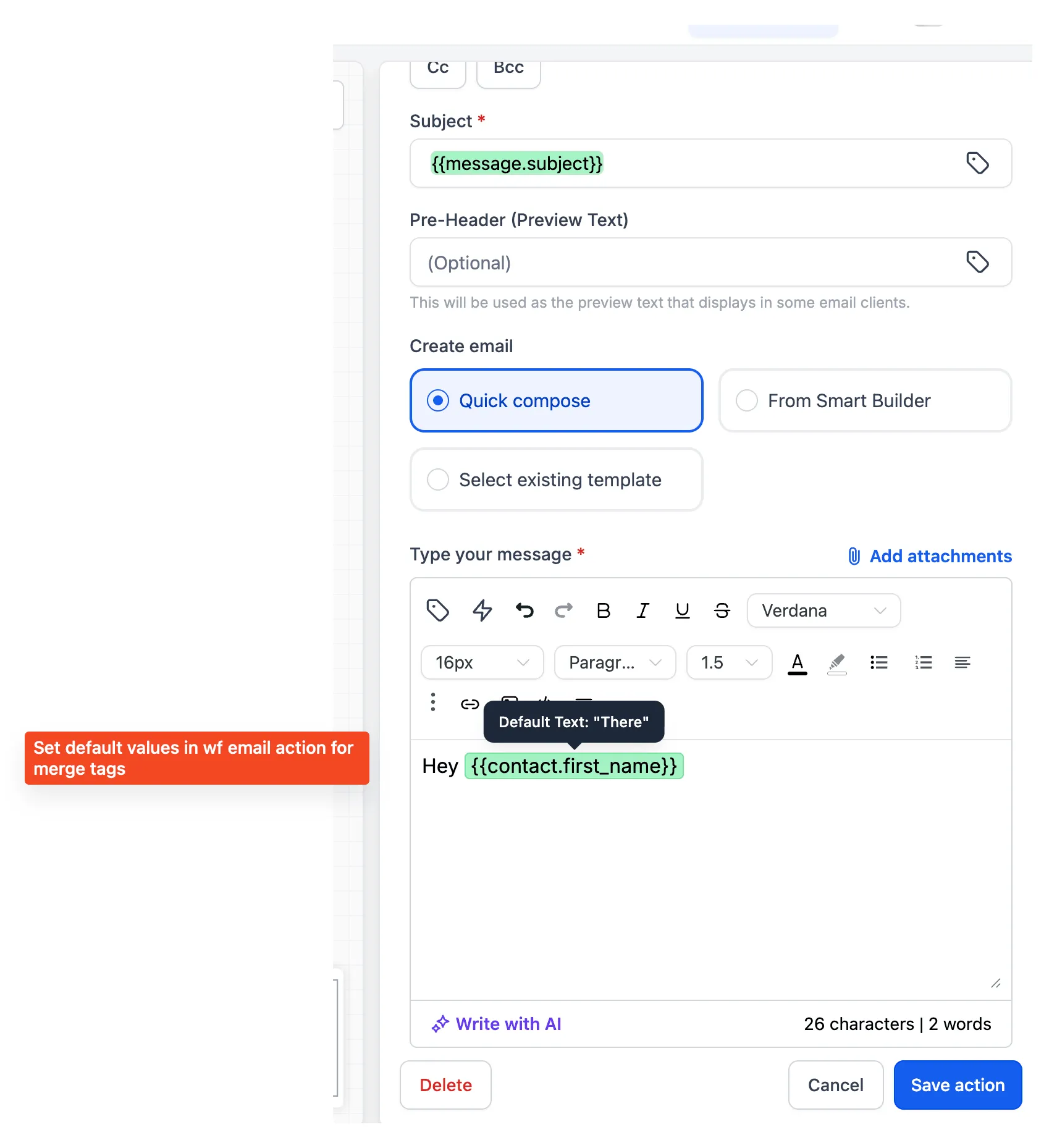
Default values are supported across workflow emails, campaign emails, bulk actions, and email templates. They do not overwrite existing contact data.
In Case You Missed It
For another workflow improvement, see Resize and Expand Workflow Builder Sidebars.
Release Images
Related SMBcrm Features
Need Help Applying This Update?
Want help turning this update into a working part of your CRM, marketing, or automation setup?
Get Started or schedule a demo and we’ll help you map the right next step.