SMBcrm Mobile app now includes a refreshed Campaigns experience for reviewing email campaign performance from your phone. It is designed for users who send campaigns from web but want to check status, delivery, and recipient activity without opening desktop.
What changed
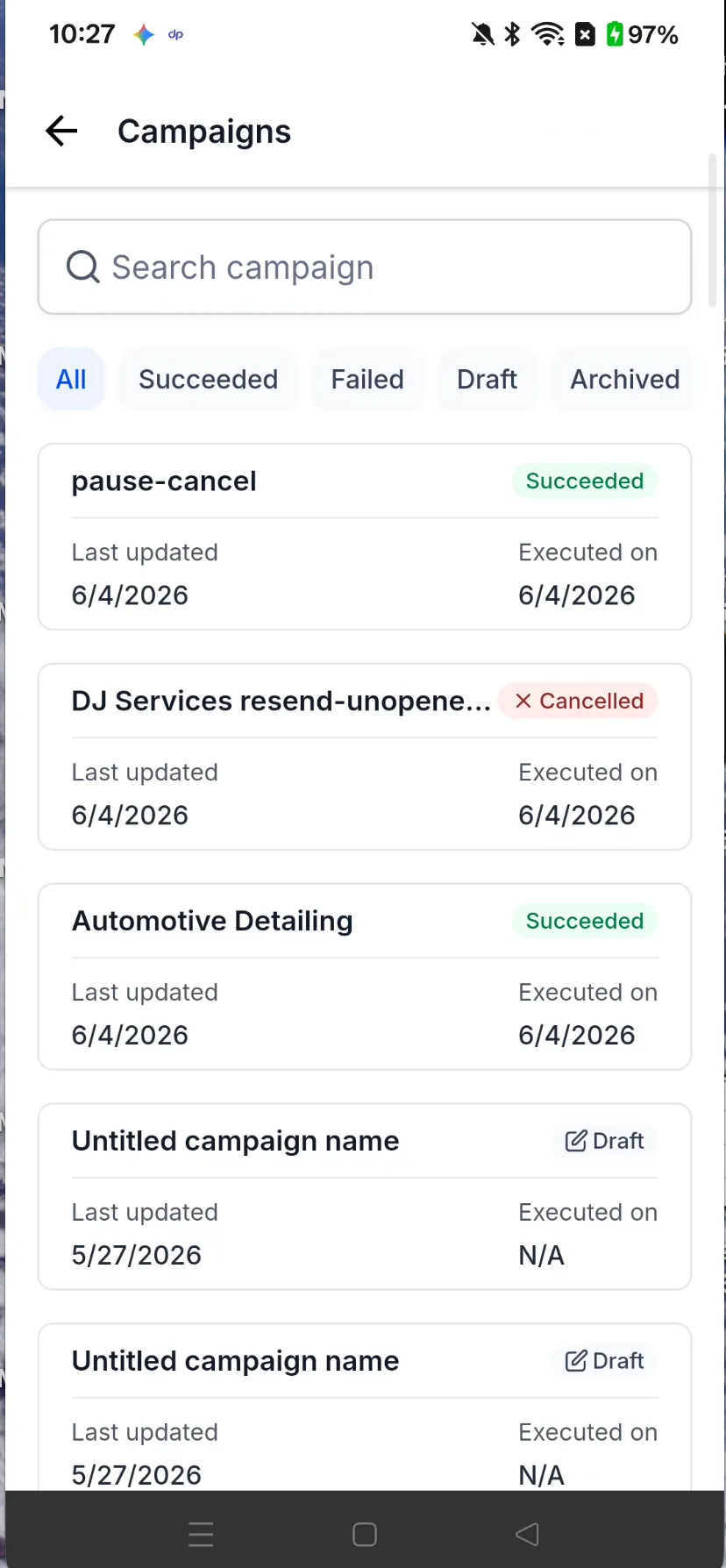
Campaign cards now show at-a-glance status details, including Succeeded, Failed, Scheduled, Paused, Draft, and other states, plus last updated and executed dates.
The campaign detail view includes three tabs.
Overview
Review campaign metadata such as created and updated dates, sender, recipient list, subject, and headline send metrics for all emails, processed, accepted, skipped, and failed.
Preview
Preview the campaign email inline, or open the full message in an expanded view.
Statistics
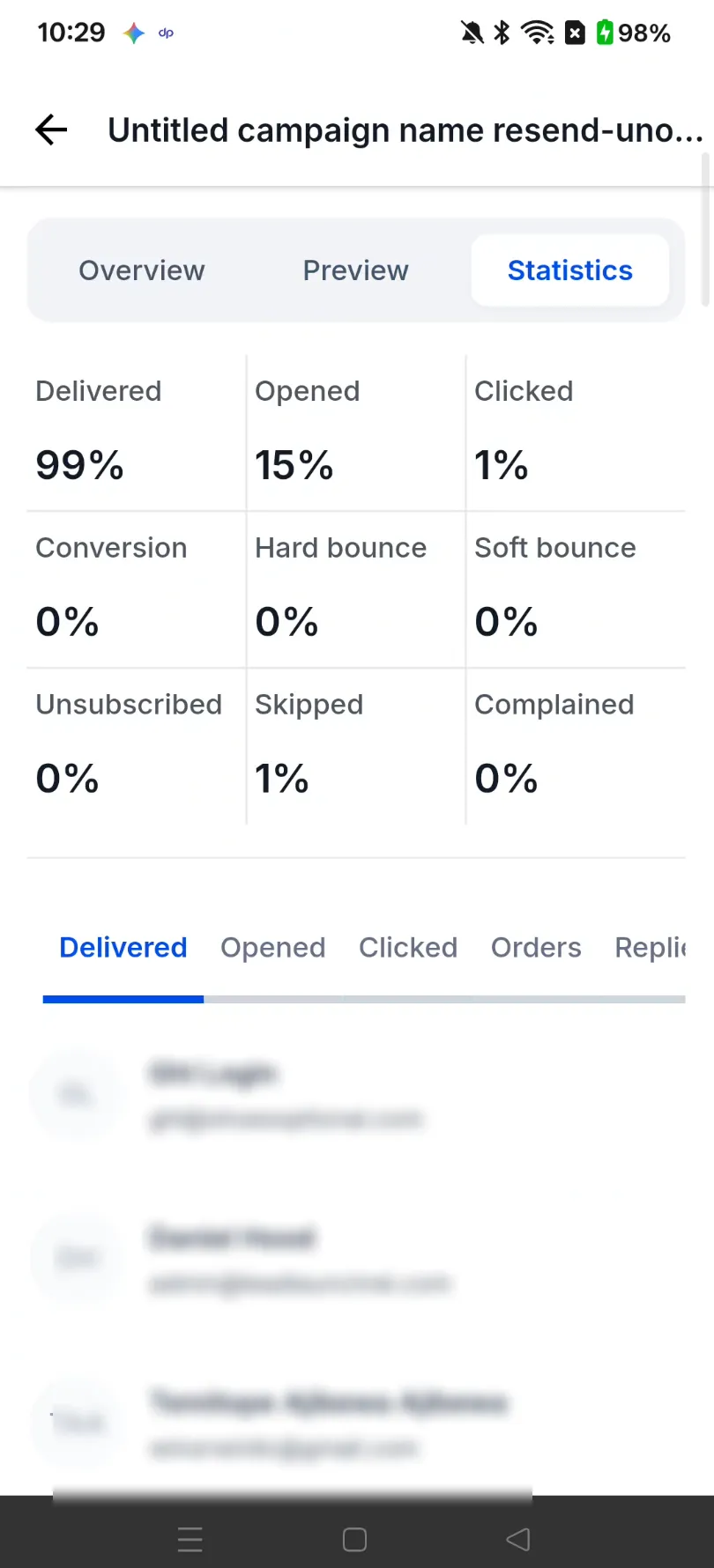
Review performance rates for delivered, opened, clicked, conversion, bounces, unsubscribed, complained, and more. The recipient list is paginated and can be filtered across 11 status categories: Delivered, Opened, Clicked, Orders, Replied, Hard bounce, Soft bounce, Complained, Unsubscribed, Skipped, and Failed.
How to use it
Open the Campaigns tab from the home navigation in SMBcrm Mobile app. Search by campaign name or use status chips such as Succeeded, Failed, Draft, or Archived to filter the list.
Tap any campaign to open the detail view, then switch between Overview, Preview, and Statistics to review metadata, preview the email, and inspect recipient-level stats.
Availability
This update is listed as public with a release date of 06/12/2026.
In Case You Missed It
For another reporting update, read Conversations SLA Performance Dashboard.
Related SMBcrm Features
Need Help Applying This Update?
Want help turning this update into a working part of your CRM, marketing, or automation setup?
Get Started or schedule a demo and we’ll help you map the right next step.