You can now verify a contact’s email address inside workflows before sending emails. This helps reduce bounces, improve deliverability, and protect sender reputation.
What Changed
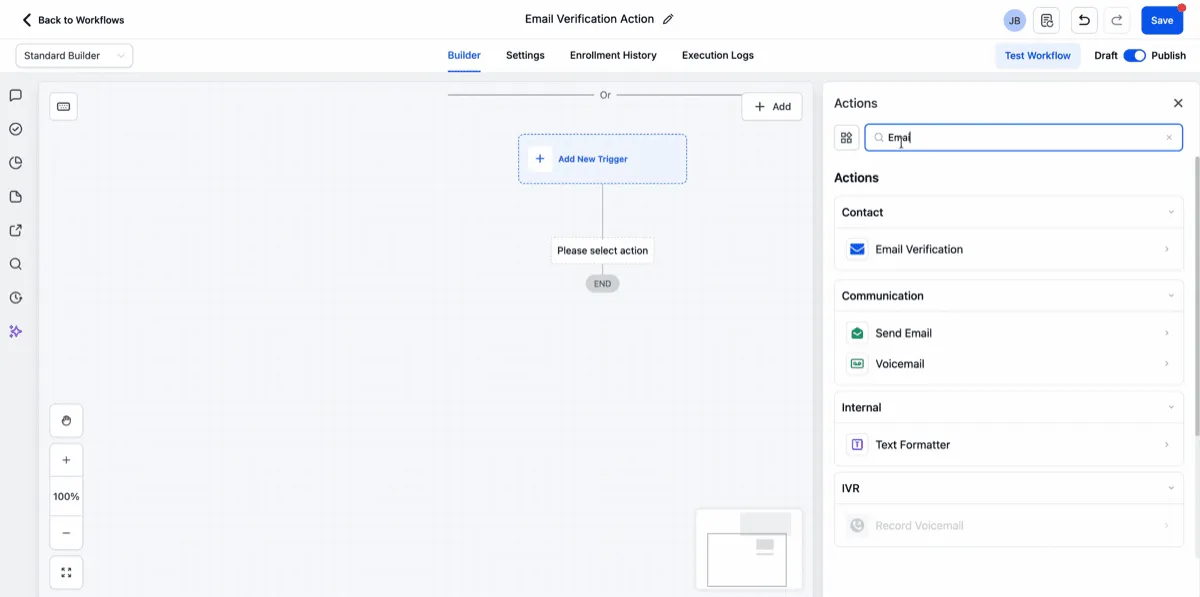
A new Verify Email action can be added to workflows to check whether an email address is valid, risky, or invalid before the workflow continues.
This gives you more control over how automation handles email sends and helps keep your contact data cleaner.
How It Works
Place the Verify Email action before any email step in your workflow. Based on the result, you can decide whether to continue, branch, or stop the workflow.
This can help improve communication outcomes by preventing sends to low-quality addresses.
Why It Matters
Sending emails to invalid or risky addresses can lead to bounces and failed deliveries. Verifying emails inside the workflow helps you:
- reduce bounces
- improve deliverability
- support better sender reputation
- automate list hygiene
In Case You Missed It
You can also read about Safer Store Deletion Behavior.
Need Help Applying This Update?
If you’d like help rolling this out in SMBcrm, visit Support or request a demo.