SMBcrm has expanded Roles & Permissions to provide a more consistent permission model across Meetings, Services, and Rentals. Administrators can now control what each team member can view and manage across scheduling modules with more precision.
What’s Changed
- The existing Meetings permission model now extends to Services and Rentals.
- Appointment and booking permissions now apply across Meetings, Services, and Rentals.
- Group and category permissions now cover meeting groups, service categories, and rental categories.
- Setup permissions now cover calendars, services, and rental listings.
- A Manage associated resources permission controls access to locations, staff, resources, add-ons, and related components.
- A Manage preferences & global settings permission controls access to module-level settings and preferences.
Permission Options
Each scheduling module now follows the same permission structure:
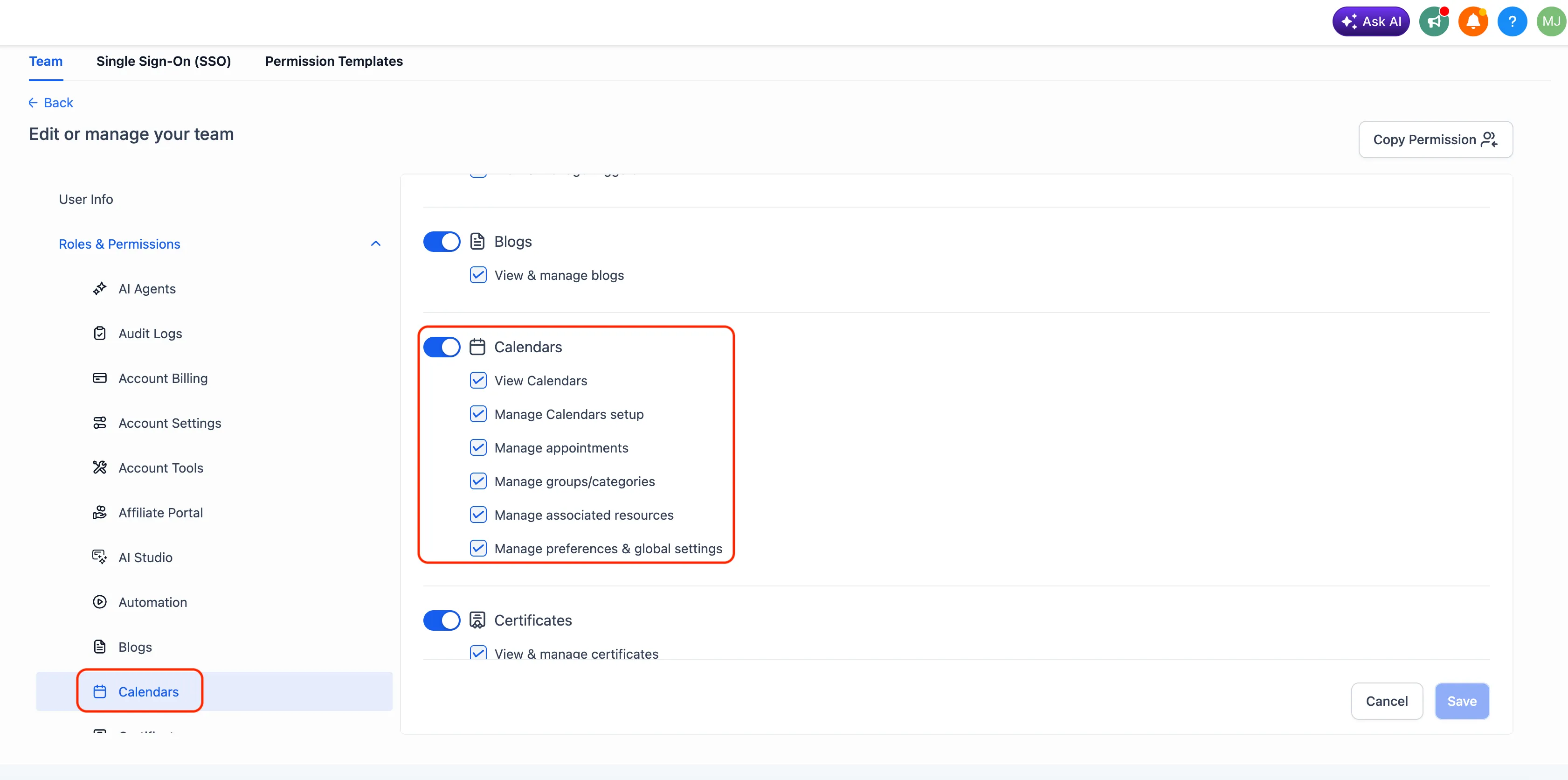
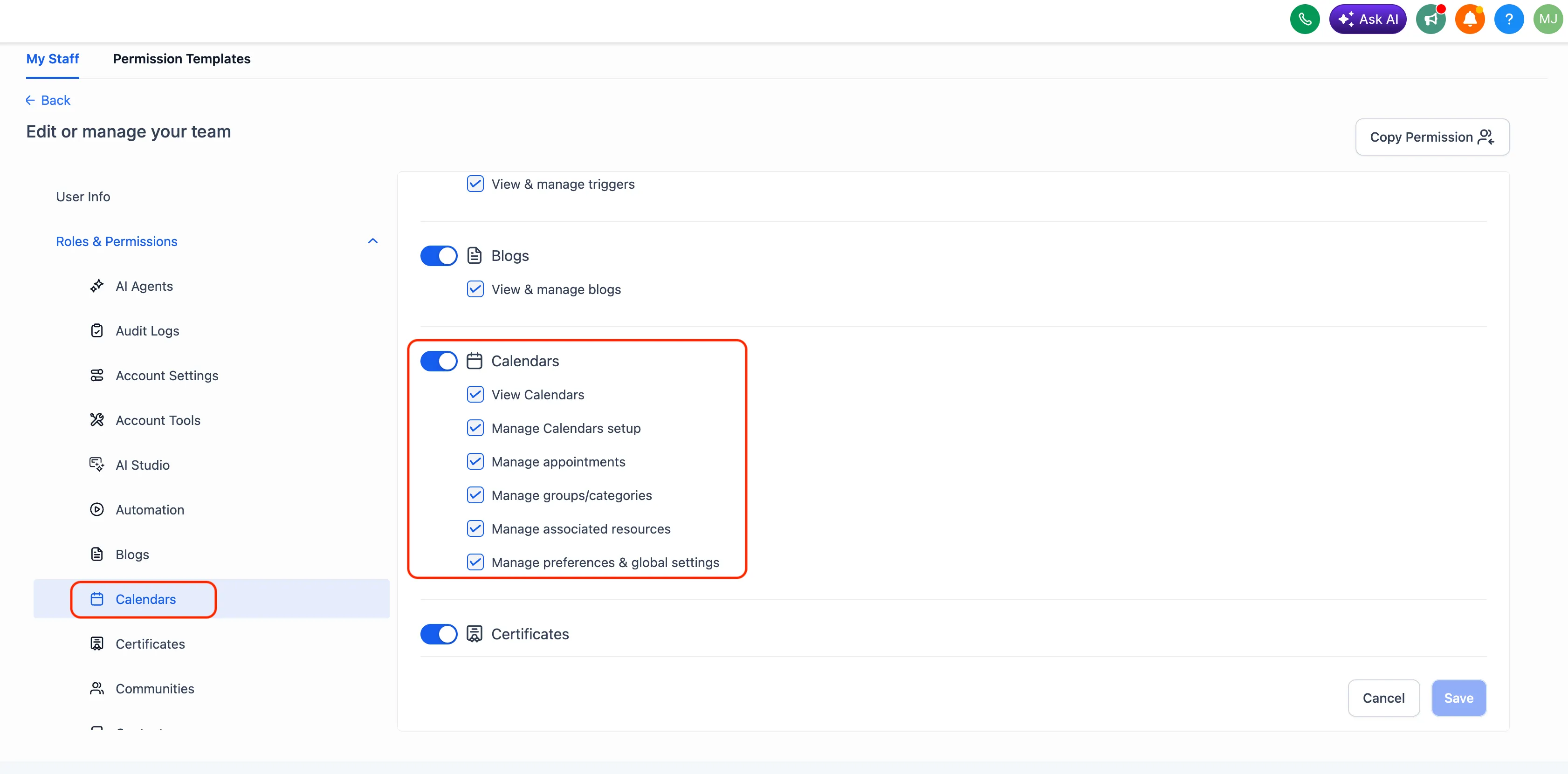
- View Calendars: access Meetings, Services, or Rentals.
- Manage setup: manage calendars, services, or rental listings.
- Manage appointments: manage appointments and bookings across scheduling modules.
- Manage groups/categories: manage meeting groups, service categories, and rental categories.
- Manage associated resources: manage locations, staff, resources, add-ons, and related components.
- Manage preferences & global settings: manage module-level global settings and preferences.
Where to Configure Permissions
Administrators can update role permissions from either admin area:
- Platform administration: Settings > Team > Select Team Member > Roles & Permissions > Calendars
- Account administration: Settings > My Staff > Select Team Member > Roles & Permissions > Calendars
Choose the required View and Manage permissions, then save your changes.
Why It Matters
This update gives administrators a clearer, more consistent way to assign role-specific scheduling responsibilities. Teams can grant the access each person needs without opening up unnecessary controls across Meetings, Services, and Rentals.
Need Help Applying This Update?
Want help turning this update into a working part of your CRM, marketing, or automation setup?
Get Started or schedule a demo and we’ll help you map the right next step.
Explore this in SMBcrm
Connect booking to the next conversation.
Explore calendars and lead capture, then see how a booking fits into the wider CRM workflow.
Explore calendars and lead captureAlready using this feature? Find setup help