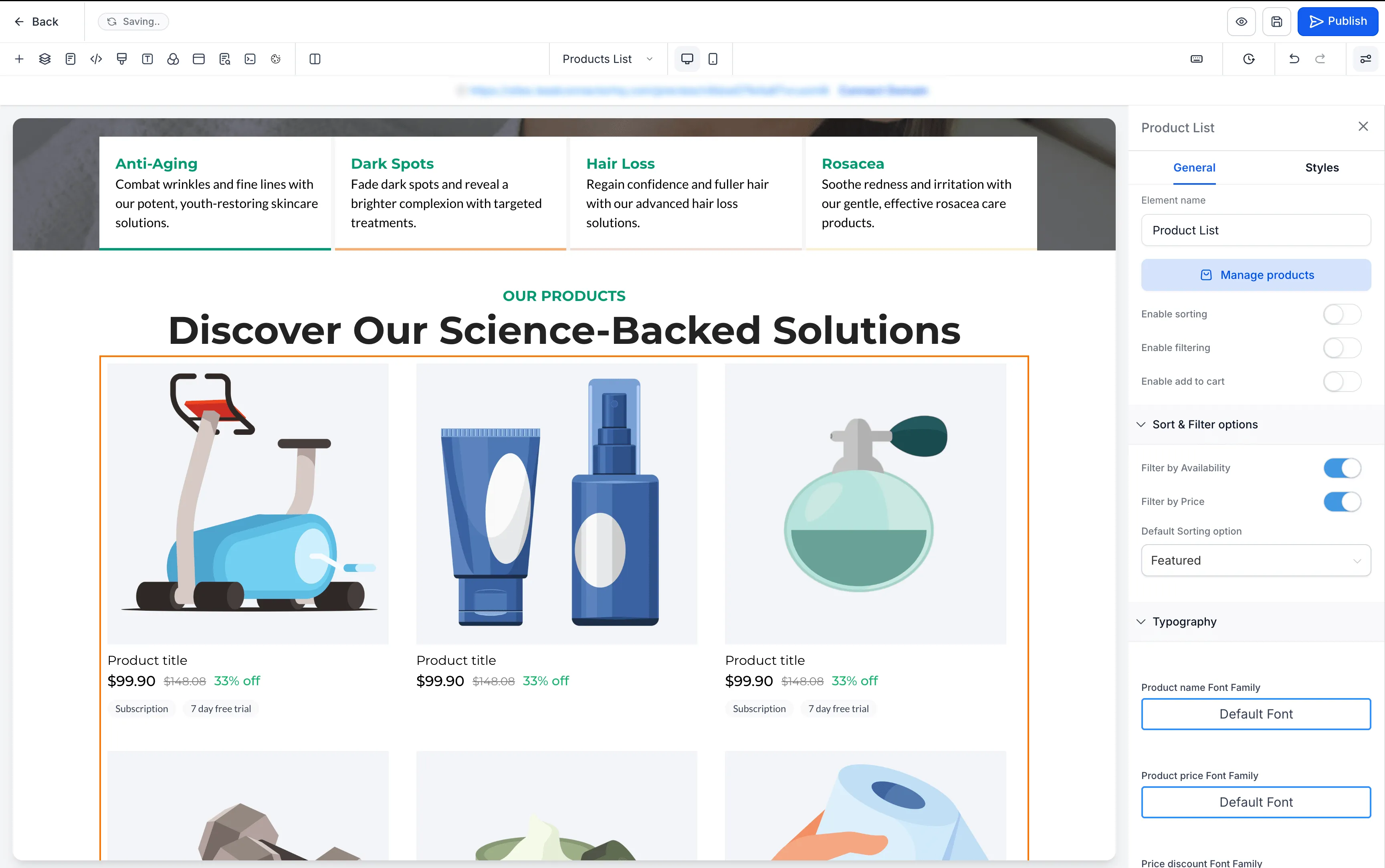
SMBcrm has refreshed the placeholder images used across ecommerce store pages and elements in the Page Builder. The updated illustration-based placeholders are designed to make the editing experience clearer and more consistent when no product or collection is connected.
What changed
The refreshed placeholders are available across:
- Product Listing pages
- Product Detail pages
- Cart pages
- Checkout pages
- Thank You pages
- Featured Product elements
- Featured Products elements
- Upsell elements
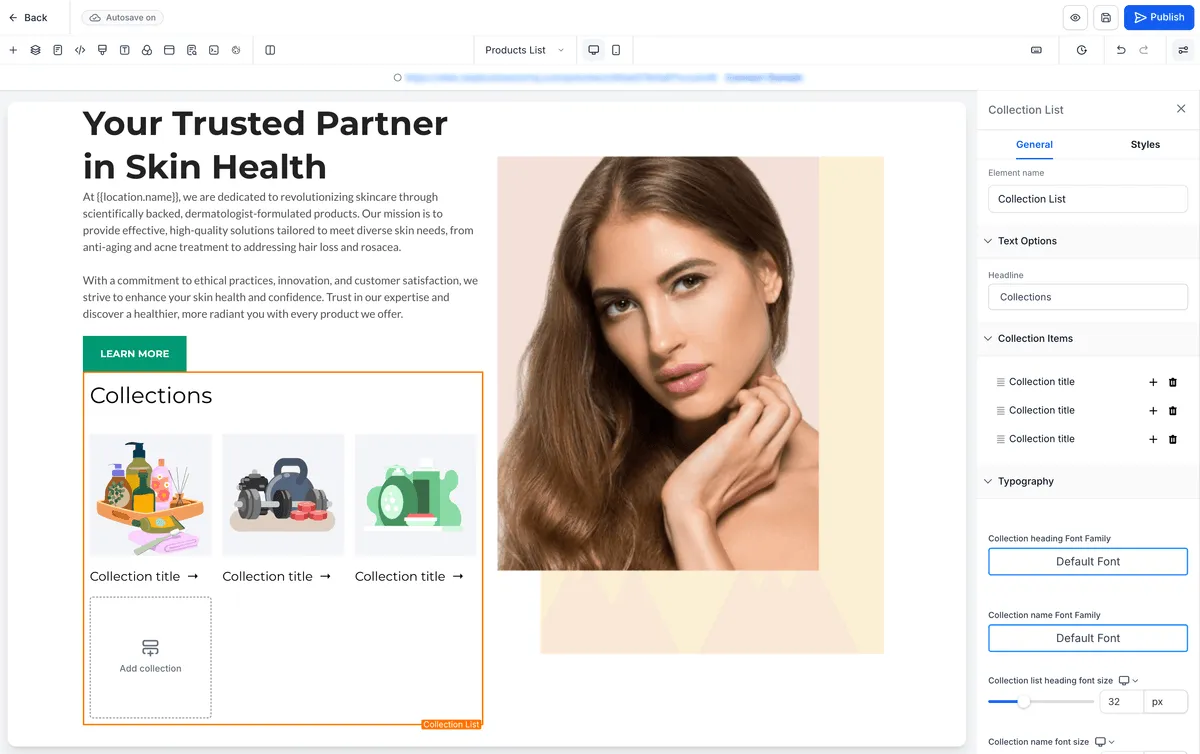
- Collection elements
Placeholder text has also been standardized, including labels such as Product title and Collection title.
Preview improvements
Builder previews now also show:
- Subscription and Free Trial badges below the price on product cards
- A product image placeholder for collections without an image instead of a gray placeholder
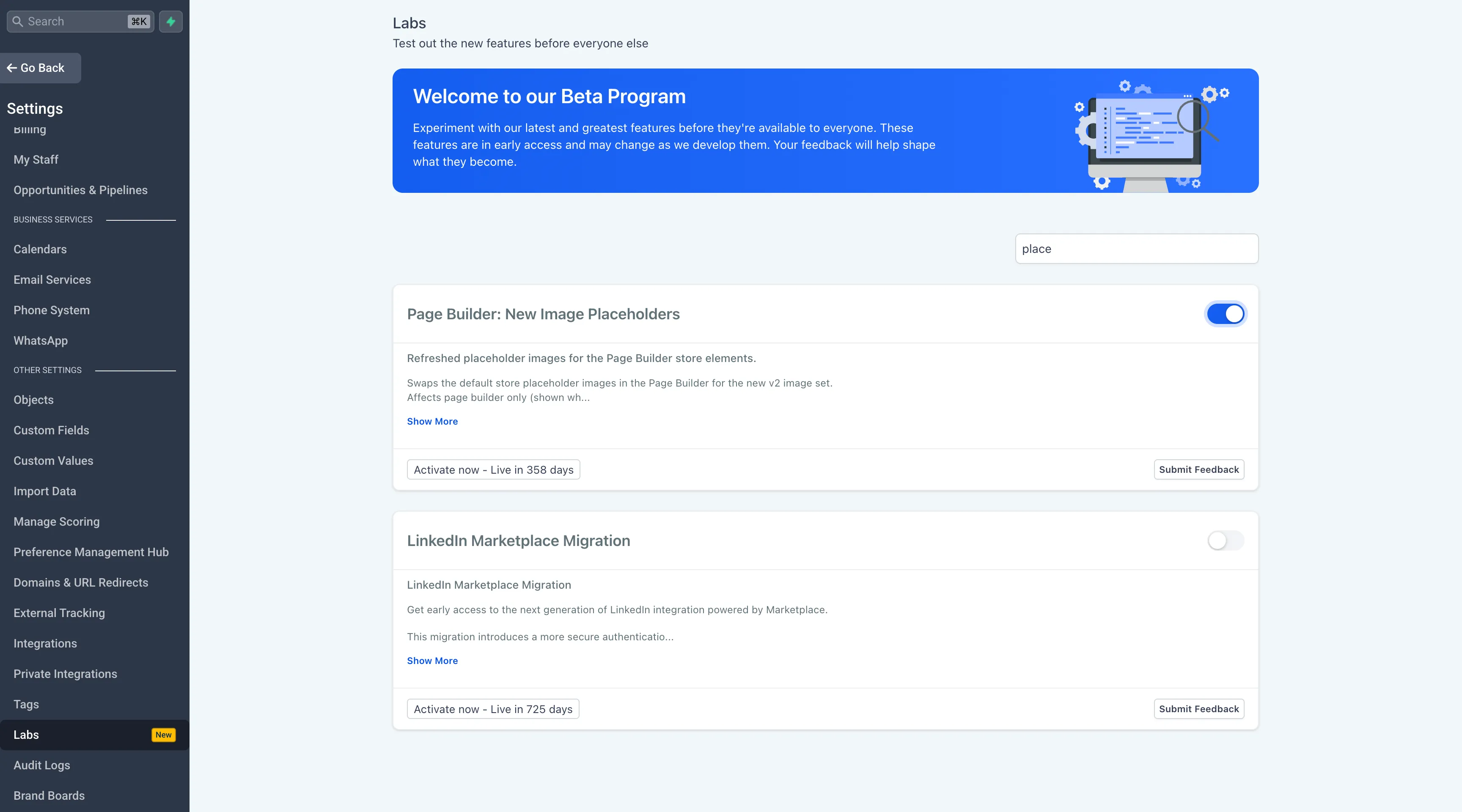
How to turn it on
- Go to Admin Portal > Settings > Labs.
- Search for Page Builder: New Image Placeholders.
- Toggle the feature On.
- Reload the Page Builder to see the updated placeholders.
Key notes
- This is a visual-only enhancement with no changes to layouts, functionality, or live store content.
- The update only affects placeholder images shown when no product or collection is connected.
- The Labs flag is enabled per account and can be turned off anytime to restore the original placeholders.
Need Help Applying This Update?
Want help turning this update into a working part of your CRM, marketing, or automation setup?
Get Started or schedule a demo and we’ll help you map the right next step.
Explore this in SMBcrm
Connect a payment request to the customer record.
Explore invoicing and checkout tools, then review the setup needed for the payment flow you want to offer.
Explore commerce and paymentsAlready using this feature? Find setup help