You can now add funnels directly inside courses as individual lessons. This makes it easier to combine learning content with guided actions inside a single course experience.
What Changed
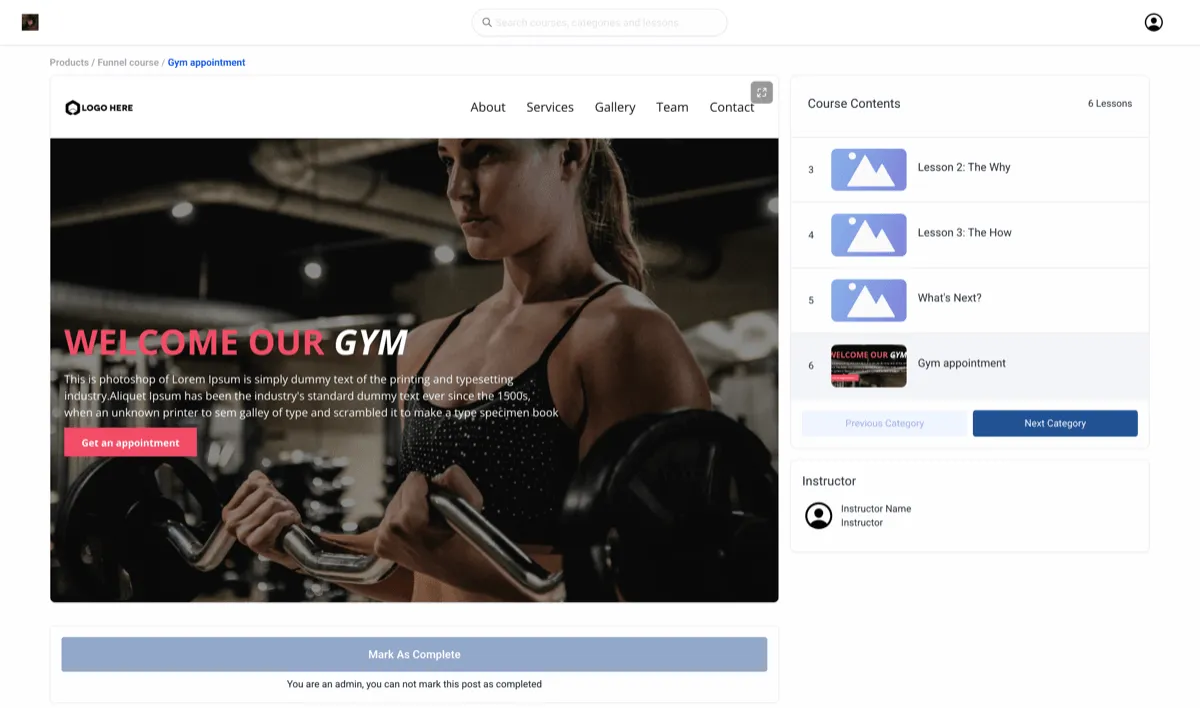
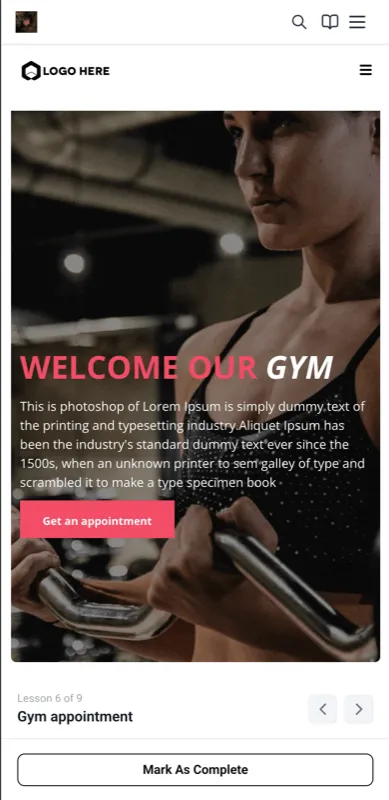
Course creators can now add a funnel as its own lesson type inside a course, alongside other lesson content. Funnels render inside the course player for a smoother learner experience and stay visually consistent with the rest of the course.
This update connects Memberships & Education with Websites & Funnels so you can build more action-oriented course journeys without rebuilding existing funnel pages.
What You Can Do
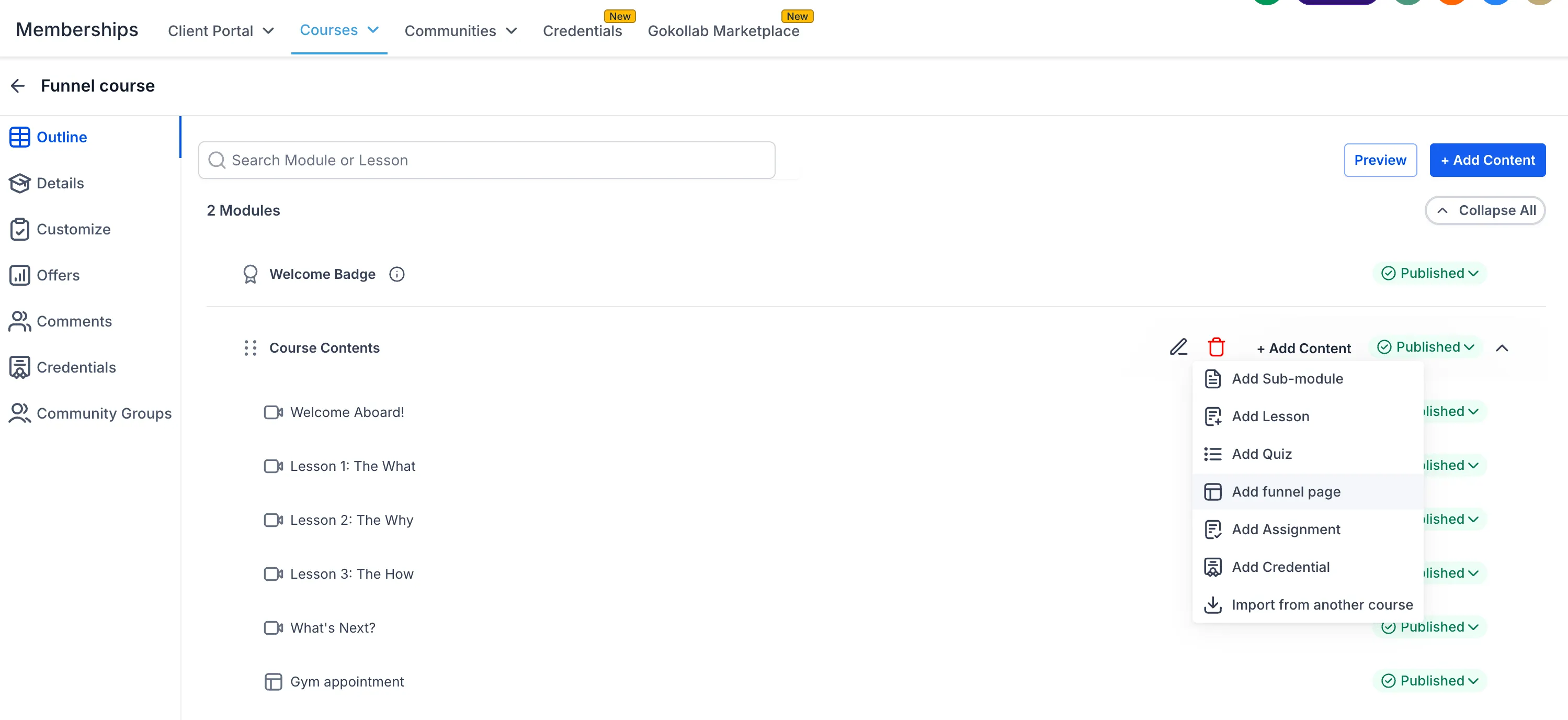
- Add funnels as standalone lessons in a course module or sub-module
- Use existing funnels for forms, calls to action, offers, and multi-step flows
- Guide learners through structured actions without leaving the course experience
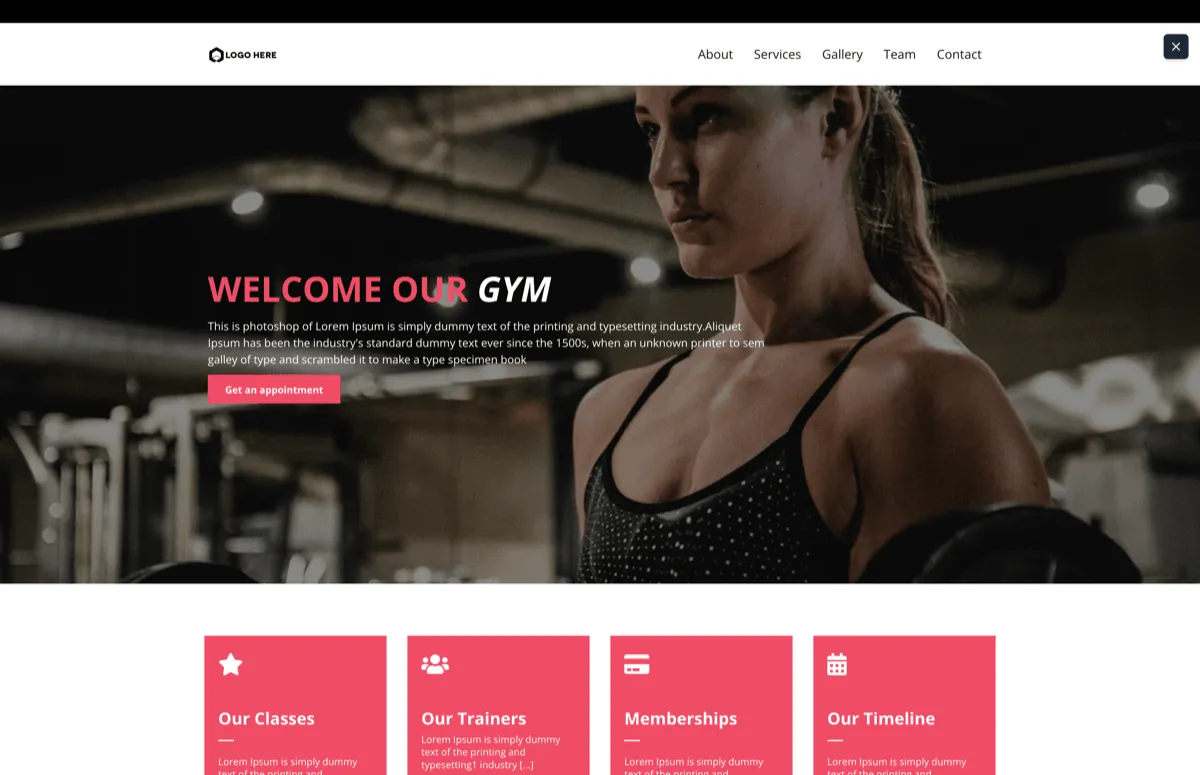
- Let learners preview the funnel in the course player and open it full screen when needed
How to Use It
- In a course module or sub-module, click Add Content.
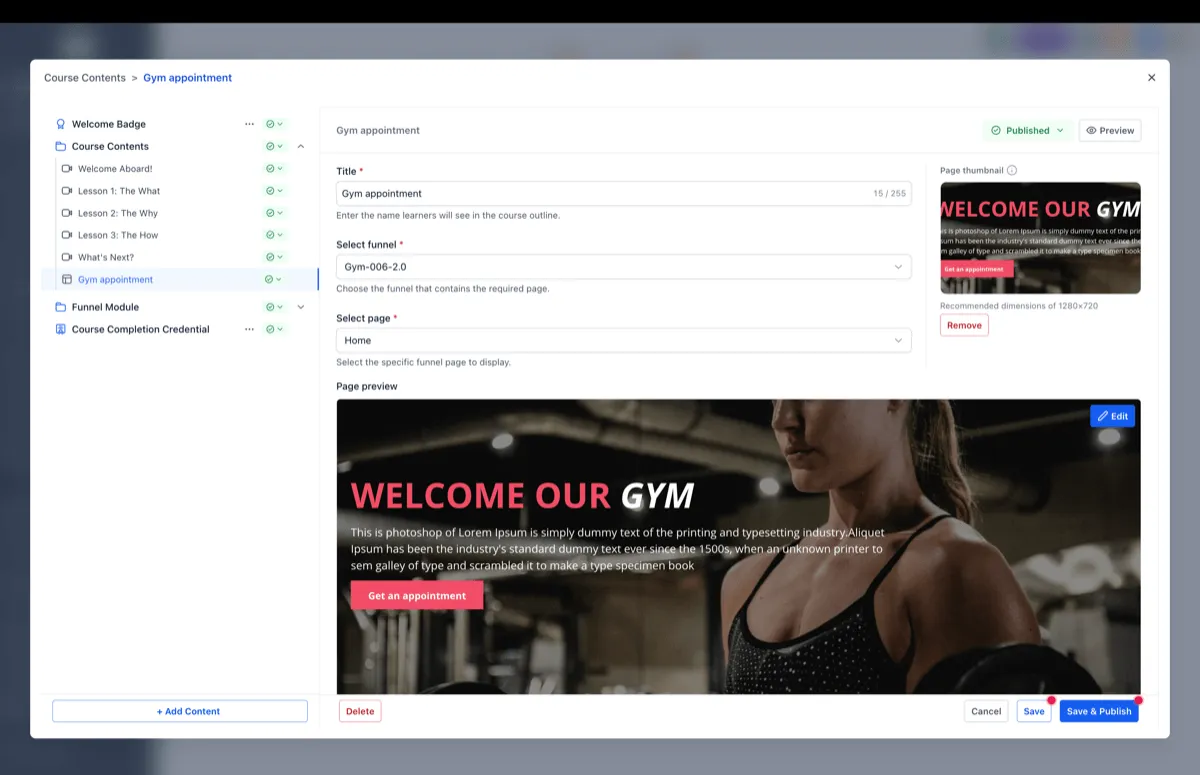
- Enter a title for the funnel lesson.
- Select the funnel and choose the page you want to use.
- Add it as a lesson.
- Use the edit modal to preview changes, add page thumbnails, then save and publish.
Why It Matters
This update helps you connect education and action in the same flow. Instead of sending learners to separate pages, you can place lead capture, offers, or guided next steps directly inside the course path.
That can make course experiences more interactive while also helping move learners through the outcomes you want them to take.
In Case You Missed It
You can also read about Import Content From Another Course if you want another way to speed up course setup.
Release Images
Need Help Applying This Update?
If you’d like help rolling this out in SMBcrm, visit Support or request a demo.