You can now start a workflow when an inbound email reaches your mailbox. This can apply to first-time emails from new senders, messages from existing contacts, and, if enabled, replies within existing threads.
This update helps teams automate lead capture, routing, support intake, and follow-up as soon as an email arrives.
Why this matters
Inbound email often signals a new lead, a support need, or progress on an active deal. With this trigger, your team can act immediately instead of sorting messages manually.
It also supports first-touch inbound emails from people who are not yet in your CRM, which makes it easier to automate early-stage inquiries.
How it works
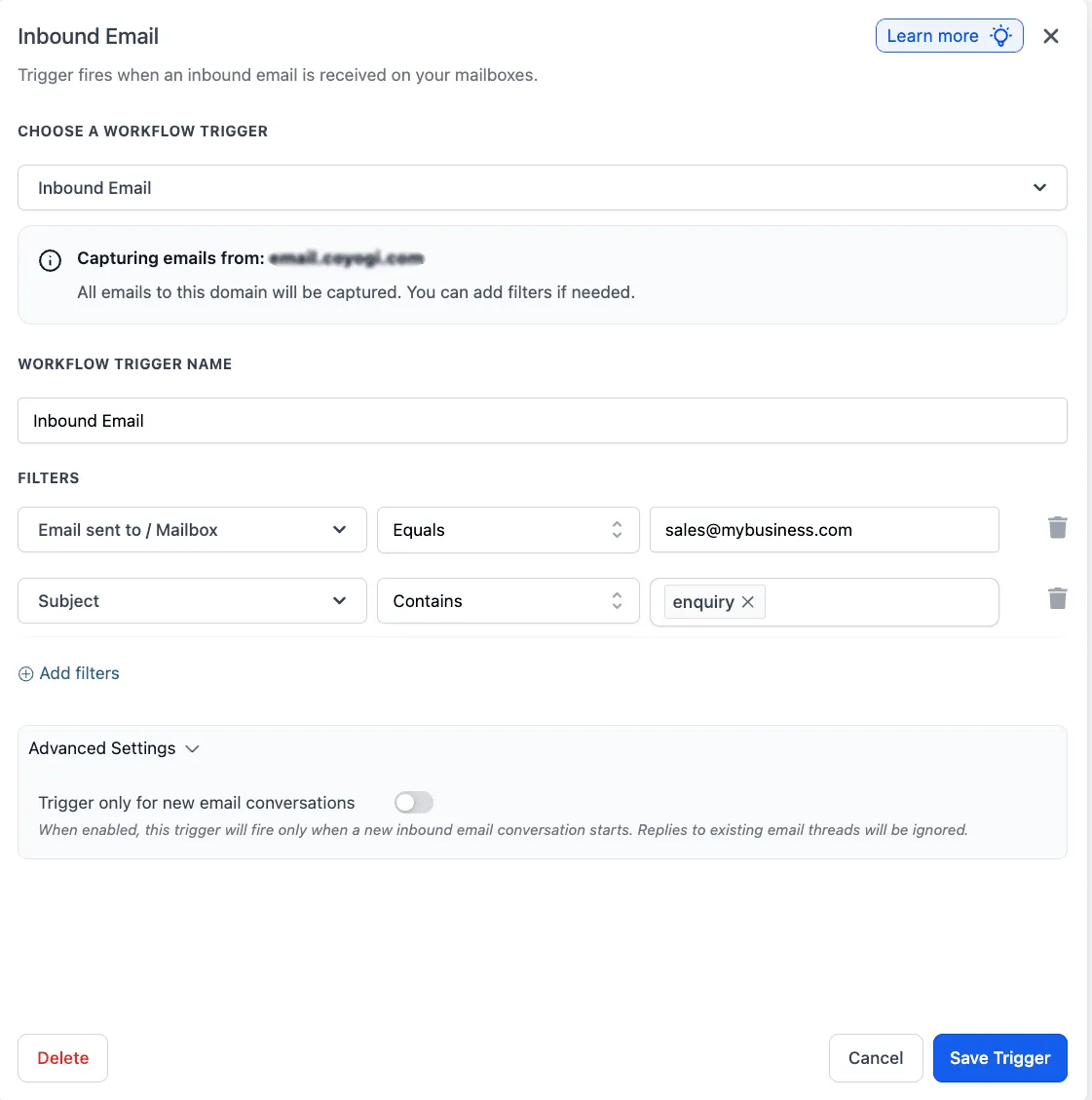
The trigger runs when an inbound email is received. You can narrow it using filters such as mailbox, sender, CC, subject, body content, attachments, and whether the message was tied to a workflow.
You can also choose to run the trigger only for new email conversations so replies in the same thread do not keep retriggering the workflow.
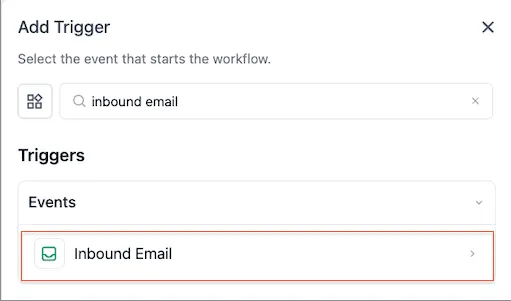
To set it up, go to Automations > Workflows and add the Inbound Email trigger. From there, you can add actions such as creating a contact, assigning an owner, adding a tag, sending a notification, or replying automatically.
Teams using Automation together with Communication can use this to respond faster and route inbound email more consistently.
Available filters
- Email Sent To / Mailbox: Matches the receiving mailbox
- From: Matches the sender’s email address
- CC: Checks copied recipients
- Subject: Matches the email subject line
- Body (plain text): Checks the email body
- Has Attachments: Checks whether attachments are present
- Replied to Workflow: Checks whether the email came from a specific workflow
- Contact Tag: Filters by whether the contact has or does not have a specific tag
Custom values available
{{message_id}}: Unique message ID of the inbound email{{subject}}: Subject line of the inbound email{{body_plain}}: Plain-text body content of the email{{from.email}}: Sender’s email address{{from.name}}: Sender’s display name{{cc}}: CC recipients of the inbound email{{inboundEmail.bodyFullPlain}}: Full body, including the reply thread
Common use cases
- Inbox routing: Send messages from sales, support, or billing inboxes into different workflow paths
- Subject-based assignment: Route emails with subjects like “refund” to the right team faster
- Attachment intake: Trigger workflows only when attachments are present so teams can react to forms, documents, or proofs quickly
- Contextual first response: Use inbound email content in downstream actions for a more relevant autoresponse
Important notes
- Full cold inbound capture is supported for dedicated email domains and Mailgun dedicated domains
- Gmail and Outlook two-way sync, shared domains, and other SMTP setups do not support full cold inbound capture
- This trigger is separate from Customer Replied, so both can exist at the same time
- In some cases, one email can match both triggers, so filters and reply tracking settings can help reduce overlap
- Each account should use its own dedicated email subdomain. Reusing the same domain across multiple accounts can cause unpredictable inbound routing
In Case You Missed It
You can also read about Assigned User Custom Values Now Work in Funnels and Calendar Confirmations.
Need Help Applying This Update?
If you’d like help rolling this out in SMBcrm, visit Support or request a demo.