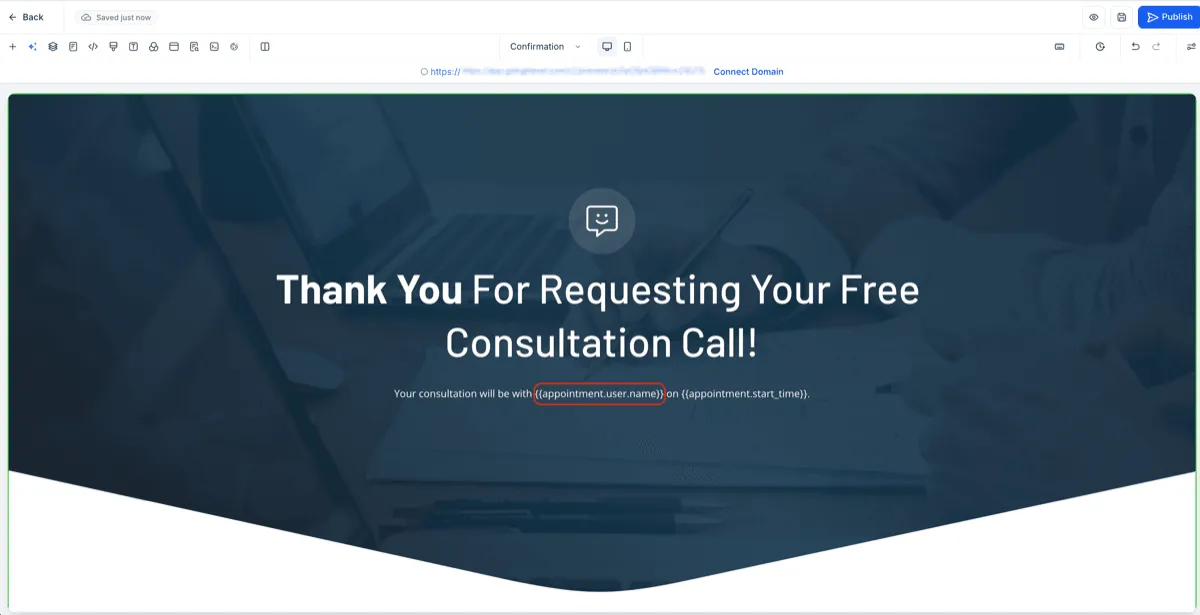
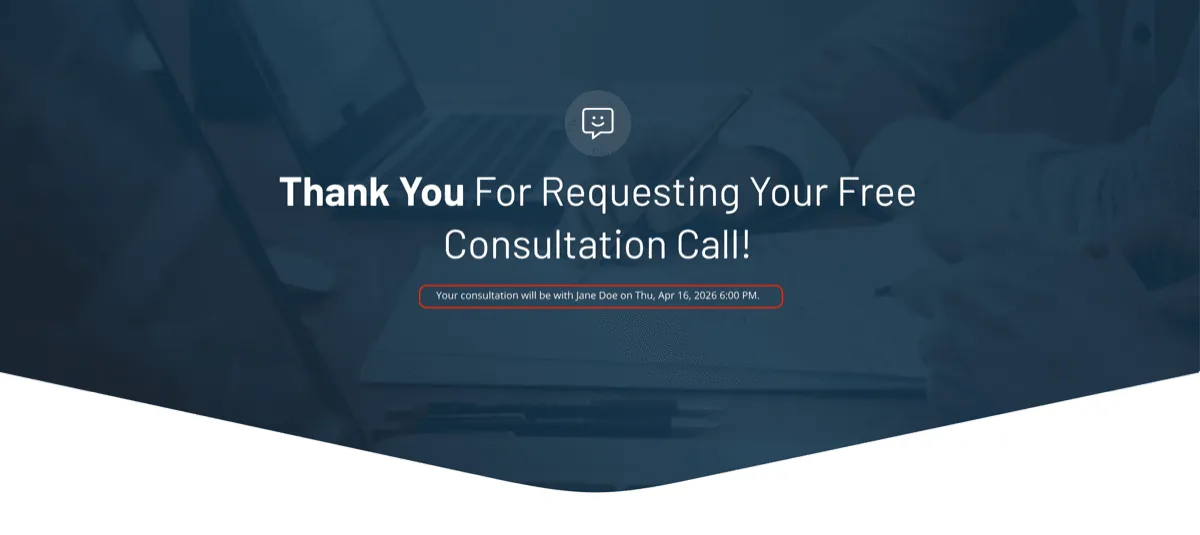
SMBcrm now supports assigned user custom values more consistently across booking flows, including Websites & Funnels. This means assigned user details can carry into the next funnel step after a calendar booking and appear in calendar confirmation thank-you messages.
What Changed
Assigned user custom values are now supported in these places:
- The next funnel step after booking a calendar appointment
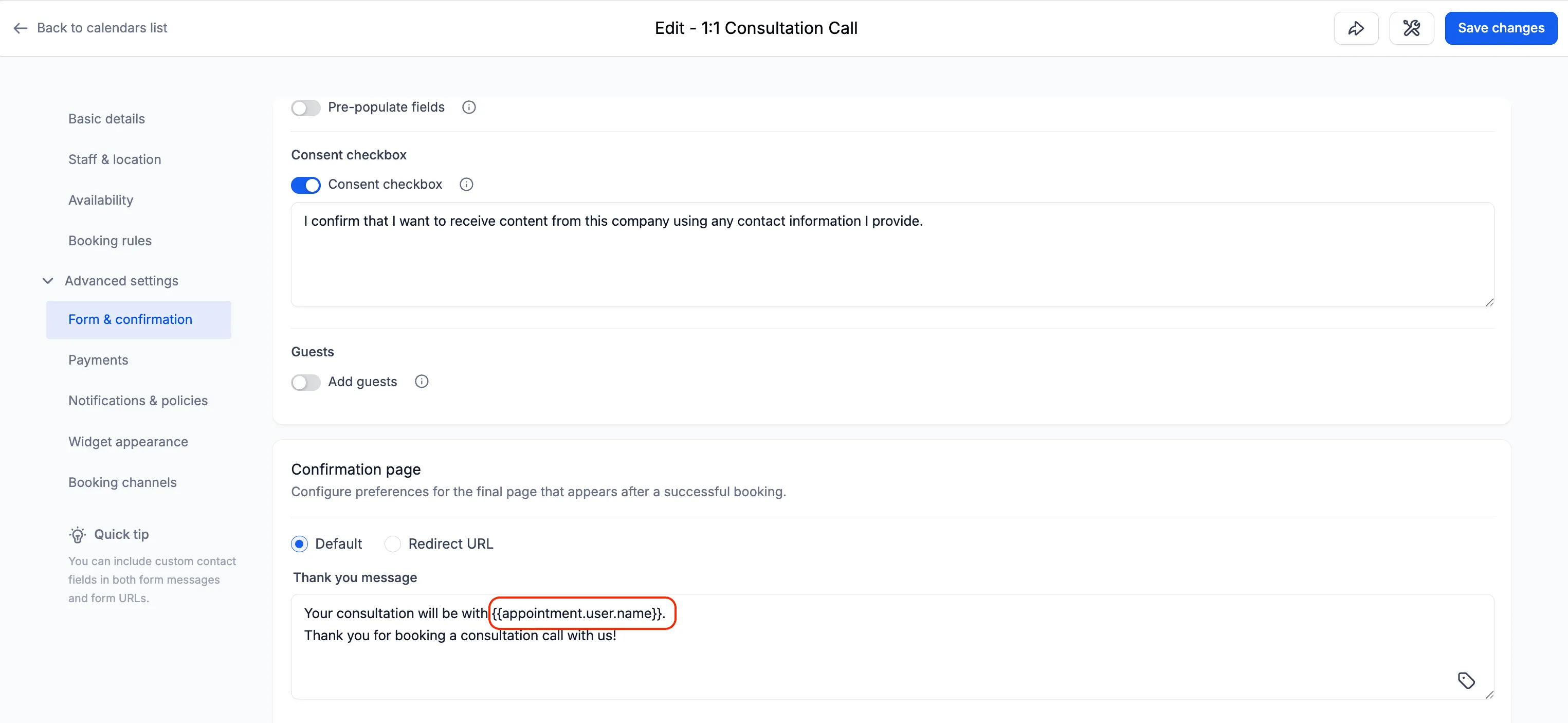
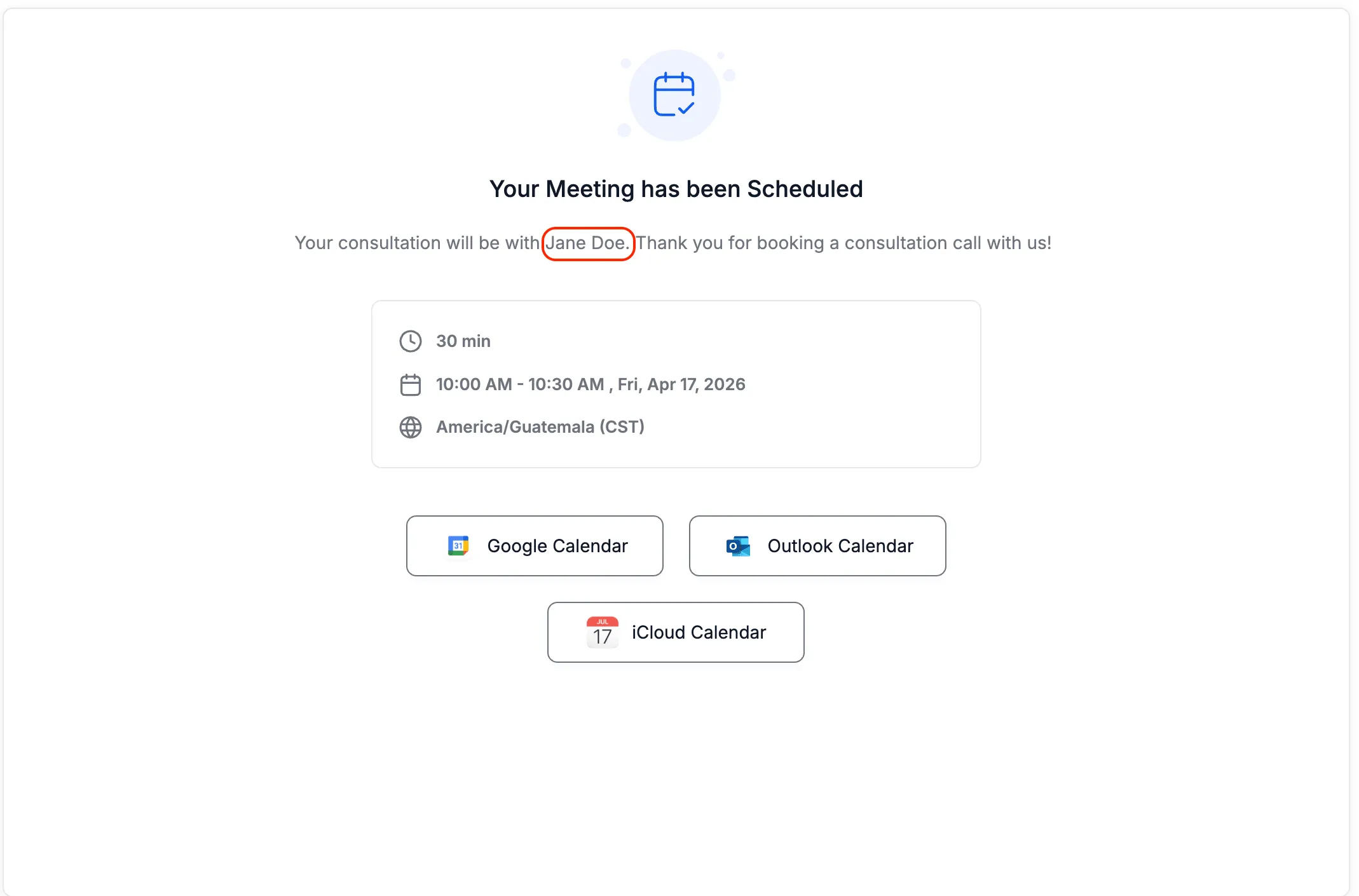
- The thank-you message on the calendar confirmation page
This improves consistency in how assigned user data is displayed across calendar booking and funnel experiences.
How It Works
If you use a Calendar element in a funnel and set the redirect action to go to the next step, users are redirected after booking as usual. With this update, assigned user custom values can now populate on that next step.
These values also work in the thank-you message shown on the calendar confirmation page. The output is based on the assigned user linked to the contact.
Why It Matters
This update helps you create a more personalized experience after someone books an appointment. It also makes assigned user information more reliable across booking and funnel steps.
In Case You Missed It
You can also read about Category-First Booking for Services.
Need Help Applying This Update?
If you’d like help rolling this out in SMBcrm, visit Support or request a demo.