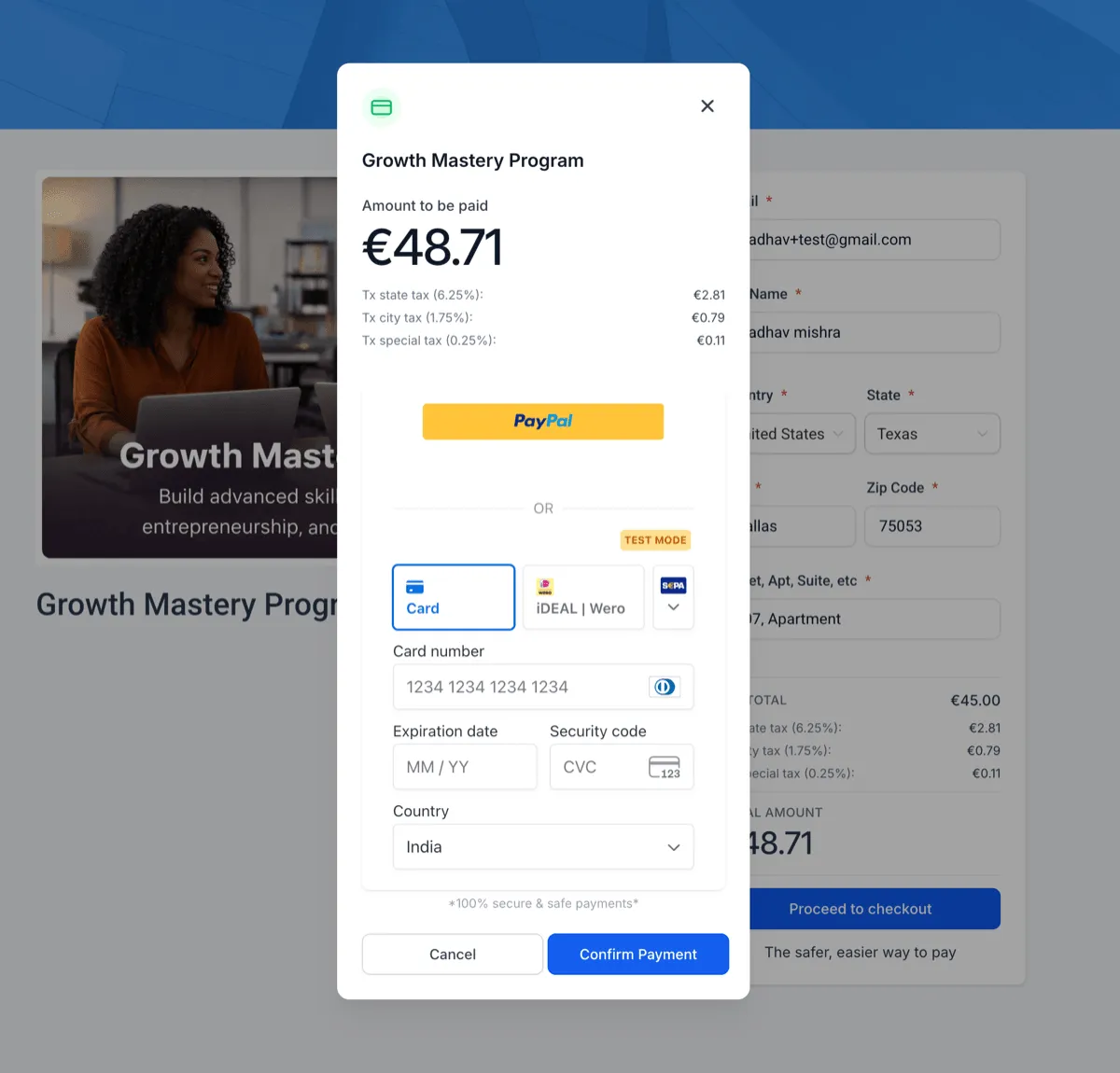
Course offer checkout now supports automatic tax calculation and a clearer tax breakdown during purchase. This helps businesses present more accurate pricing and gives learners better visibility before they complete checkout.
What Changed
Taxes are now calculated automatically during checkout based on the buyer’s billing address. Buyers can also see a tax breakdown before completing their purchase, which makes the final price easier to understand.
This update also supports region-based tax configuration, helping businesses align checkout pricing with local tax requirements.
Tax handling is built into the existing checkout flow, so the purchase experience stays streamlined. Coupon codes continue to work, with taxes applied correctly after discounts.
Businesses can also choose between tax-inclusive and tax-exclusive pricing models.

Why It Matters
- More accurate pricing during checkout
- Better transparency before purchase
- Better consistency between displayed prices and charged amounts
- More flexibility for how prices are shown
For more on SMBcrm Payments & Commerce and Memberships & Education, visit the related feature pages.
Getting Started
To use tax support for course offer checkout:
- Add nexus addresses in Payments settings
- Configure tax rules and categories
- Verify your business address for accurate address mapping
- Enable automatic tax in Payments settings
In Case You Missed It
You can also read about easier calendar setup with auto-navigation to missing fields.
Release Images
Need Help Applying This Update?
If you’d like help rolling this out in SMBcrm, visit Support or request a demo.