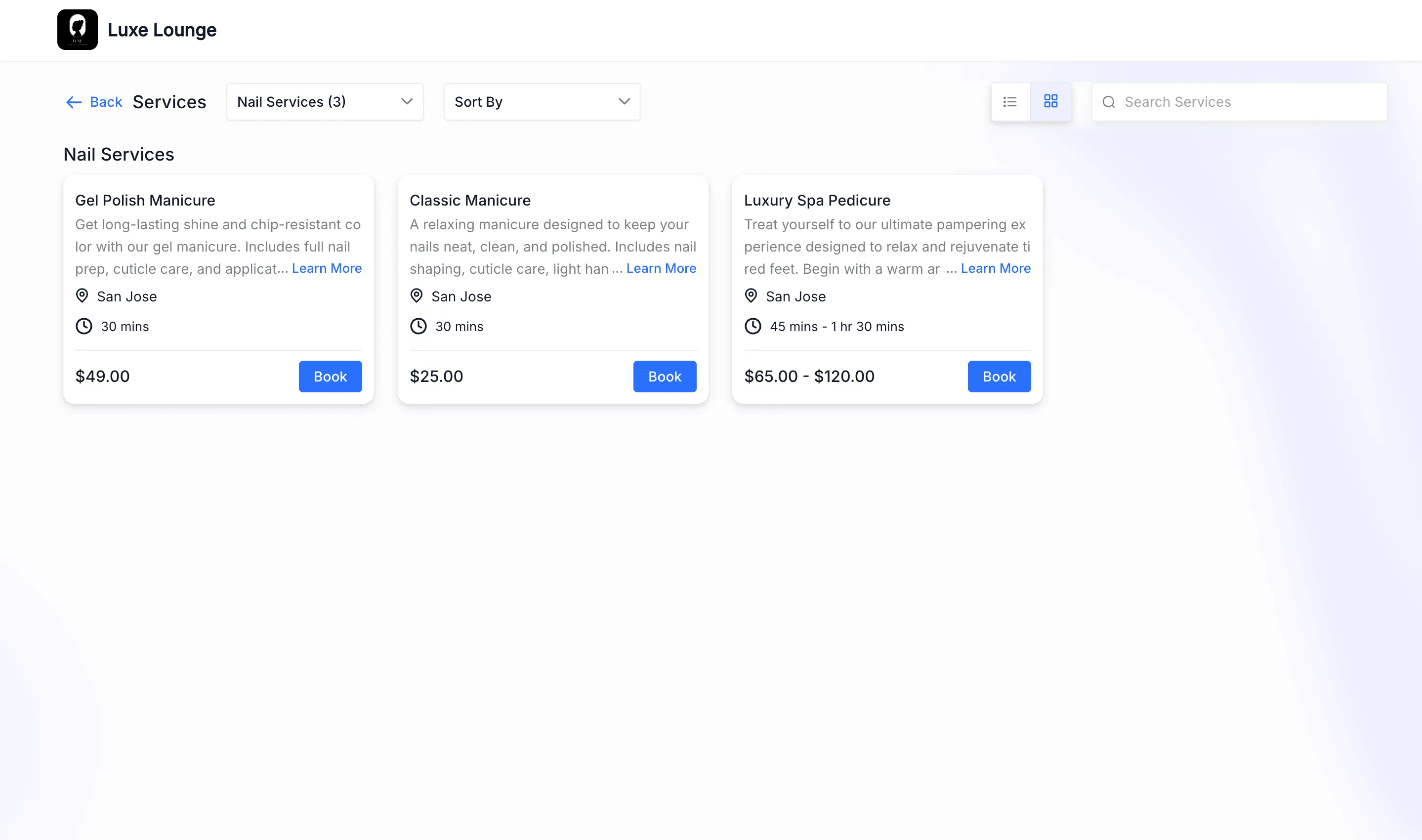
SMBcrm now includes a global setting that lets you choose whether service images appear on the booking page. If you turn images off, the booking flow switches to a cleaner, full-width layout that gives more space to service details.
What Changed
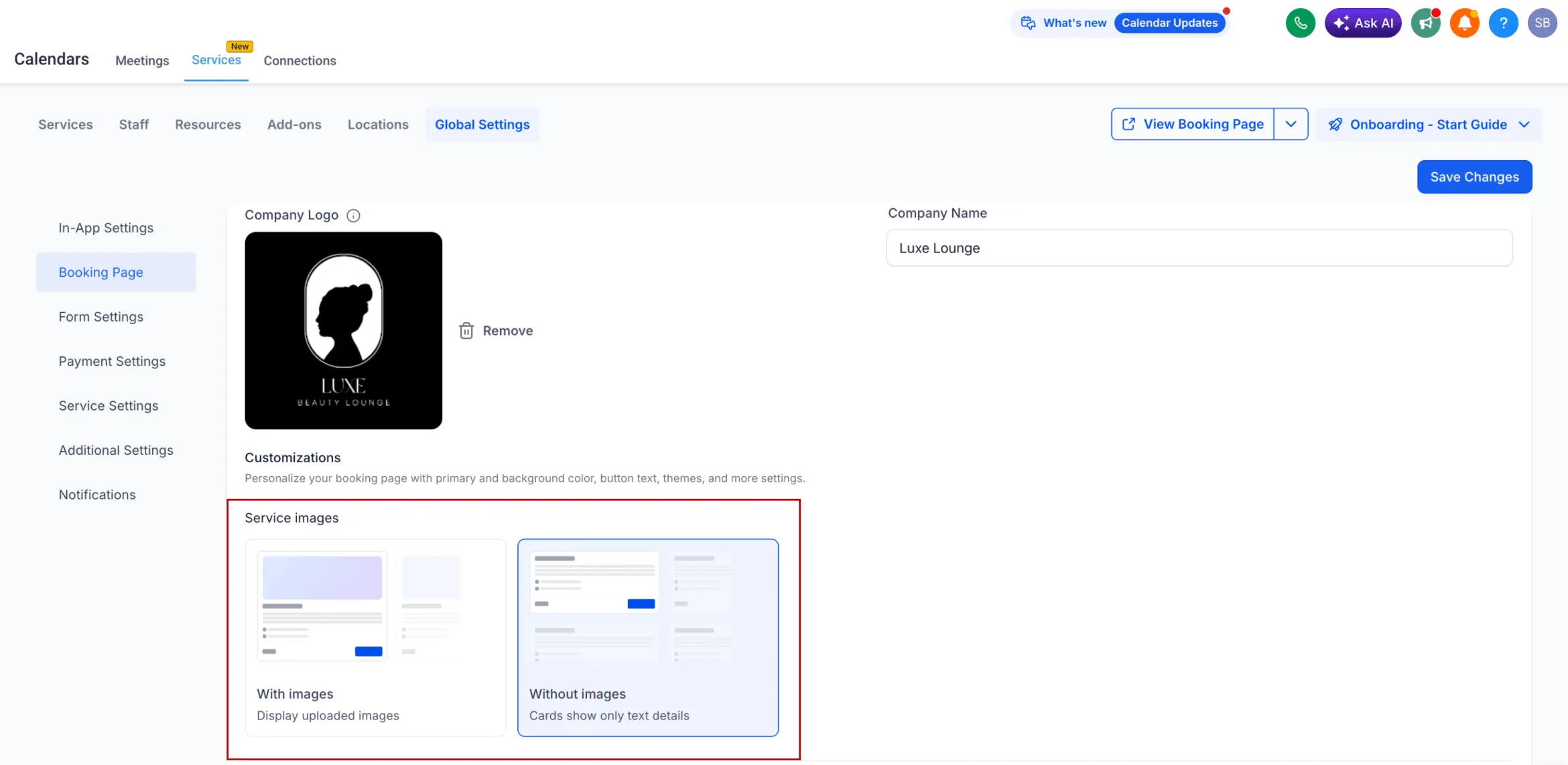
You can now decide whether to display service images on the booking page.
- A global setting controls image visibility across all services
- When images are turned off, they are hidden throughout the booking flow
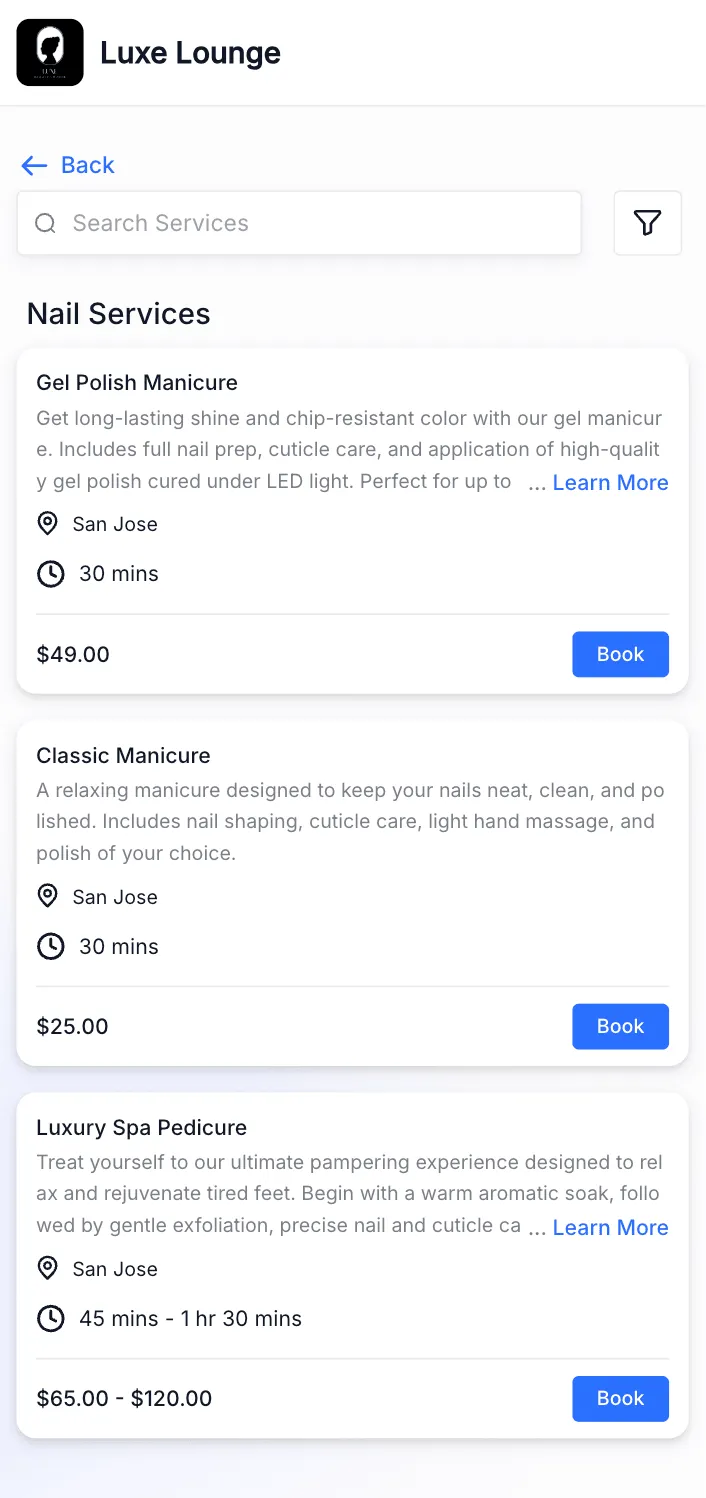
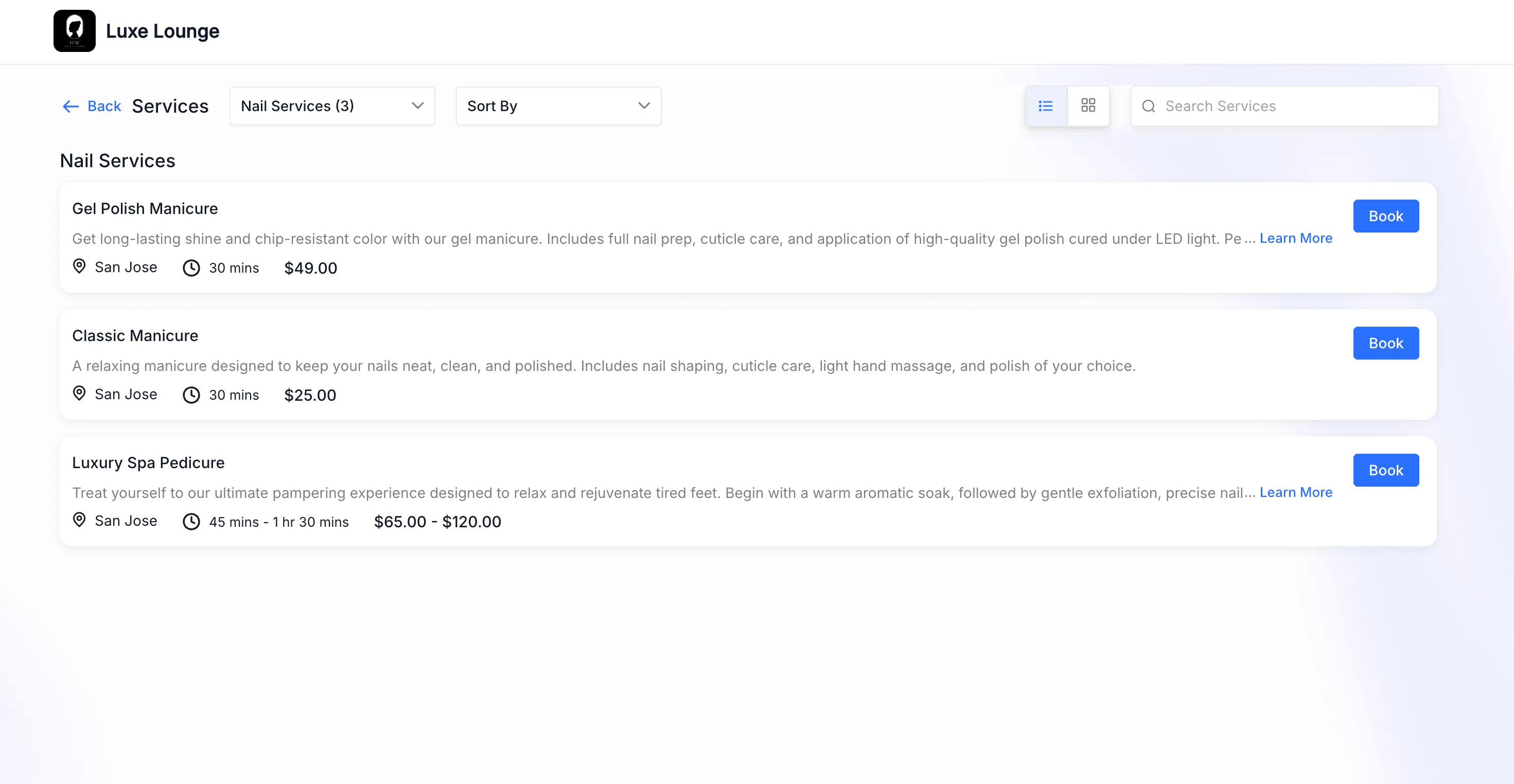
- The page adjusts to a full-width, text-first layout
- Service name, description, price, and duration get more room
- When images are turned on, the booking page works as it does today
- You can still use either Card view or List view
How It Works
Go to Services > Global settings > Booking Page and choose whether the booking page should display services with images or without them. This setting applies across all services.
Why It Matters
This update gives you more control over how services are presented.
- Creates a cleaner booking experience when you want a text-focused layout
- Helps customers scan services more quickly
- Reduces unused space, especially on mobile devices
- Makes key service details easier to review
In Case You Missed It
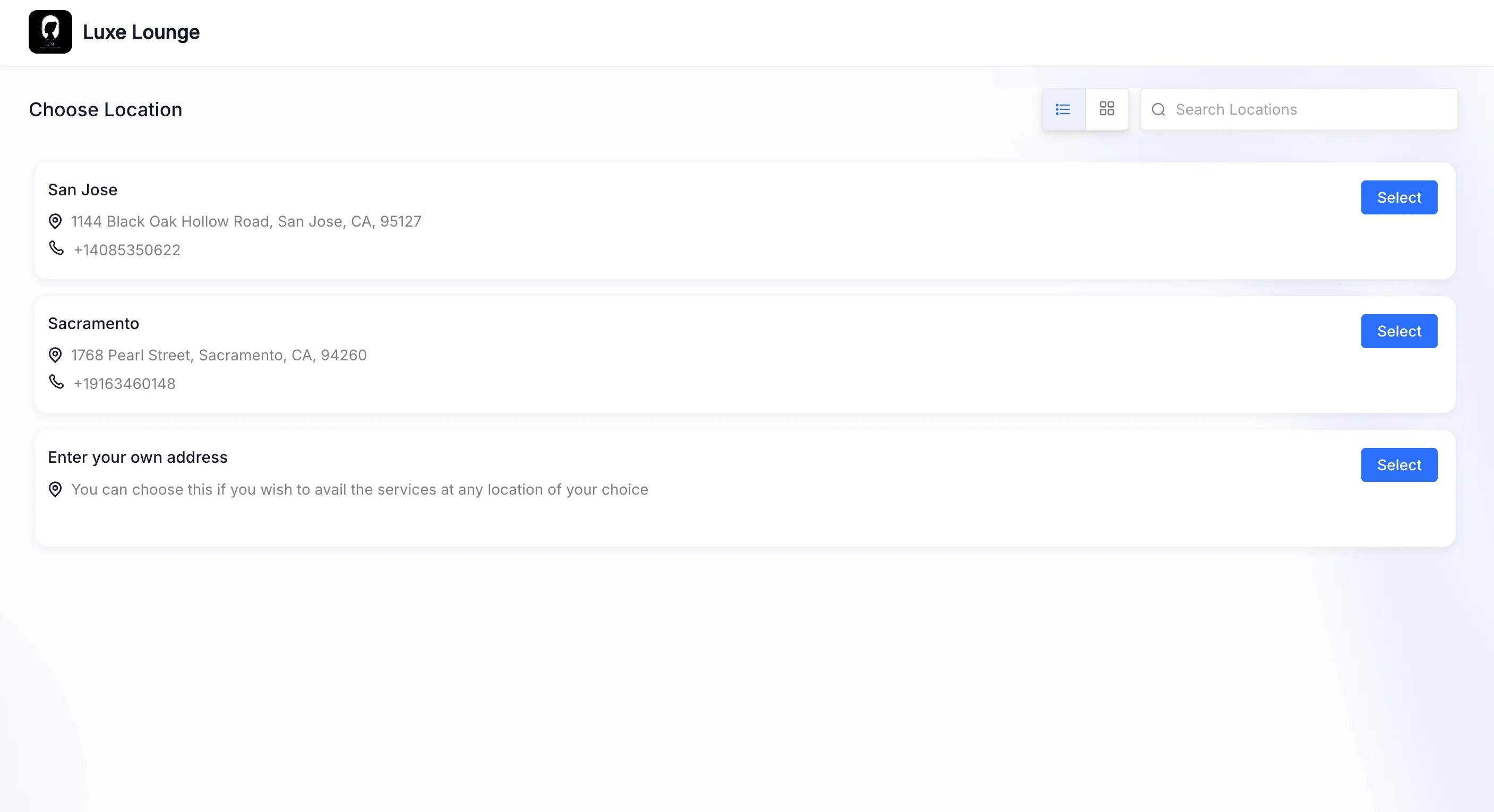
You can also read about Category-First Booking for Services.
Release Images
Need Help Applying This Update?
If you’d like help rolling this out in SMBcrm, visit Support or request a demo.