SMBcrm now includes a Generate submission document setting for Forms, Surveys, and Quizzes. When enabled, every new submission automatically creates a printable PDF document.
This gives teams a consistent way to keep submitted responses available inside the CRM for review, download, and supported workflows.
What Changed
The setting is available in the Settings panel for:
- Forms
- Surveys
- Quizzes
When turned on, each new submission generates a formatted PDF that includes:
- All questions and submitted responses
- Submission date and time
- Contact information
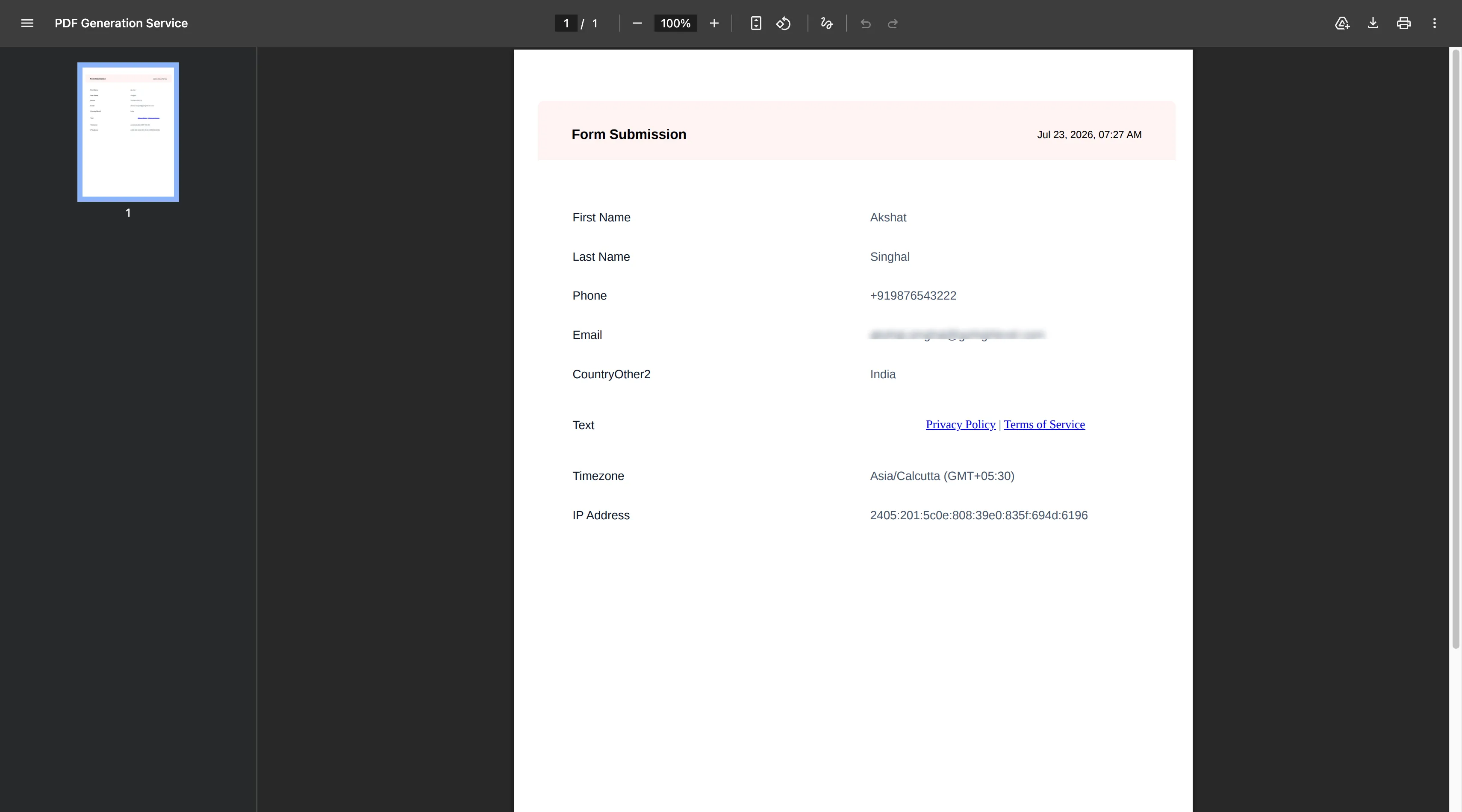
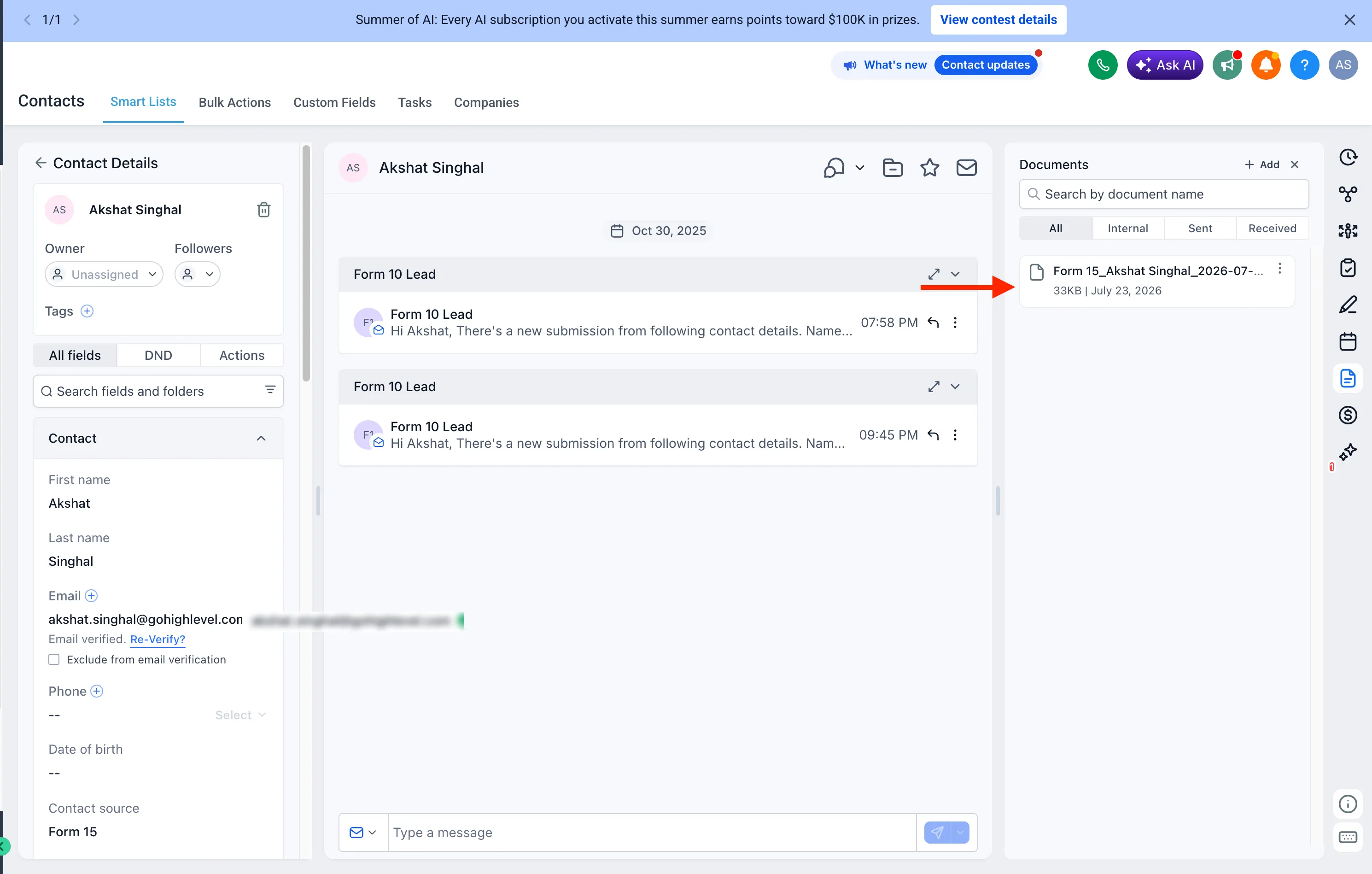
Generated PDFs are automatically associated with the submitting contact and stored under the relevant Documents folder:
- Contacts > Documents > Forms
- Contacts > Documents > Surveys
- Contacts > Documents > Quizzes
This update supports lead capture workflows by making submitted information easier to access after a response is received.
How It Works
To use the setting:
- Open the settings for a Form, Survey, or Quiz.
- Turn Generate submission document on.
- New submissions will automatically generate and store a PDF document.
- Access the document from the contact’s Documents section or use it across supported CRM workflows.
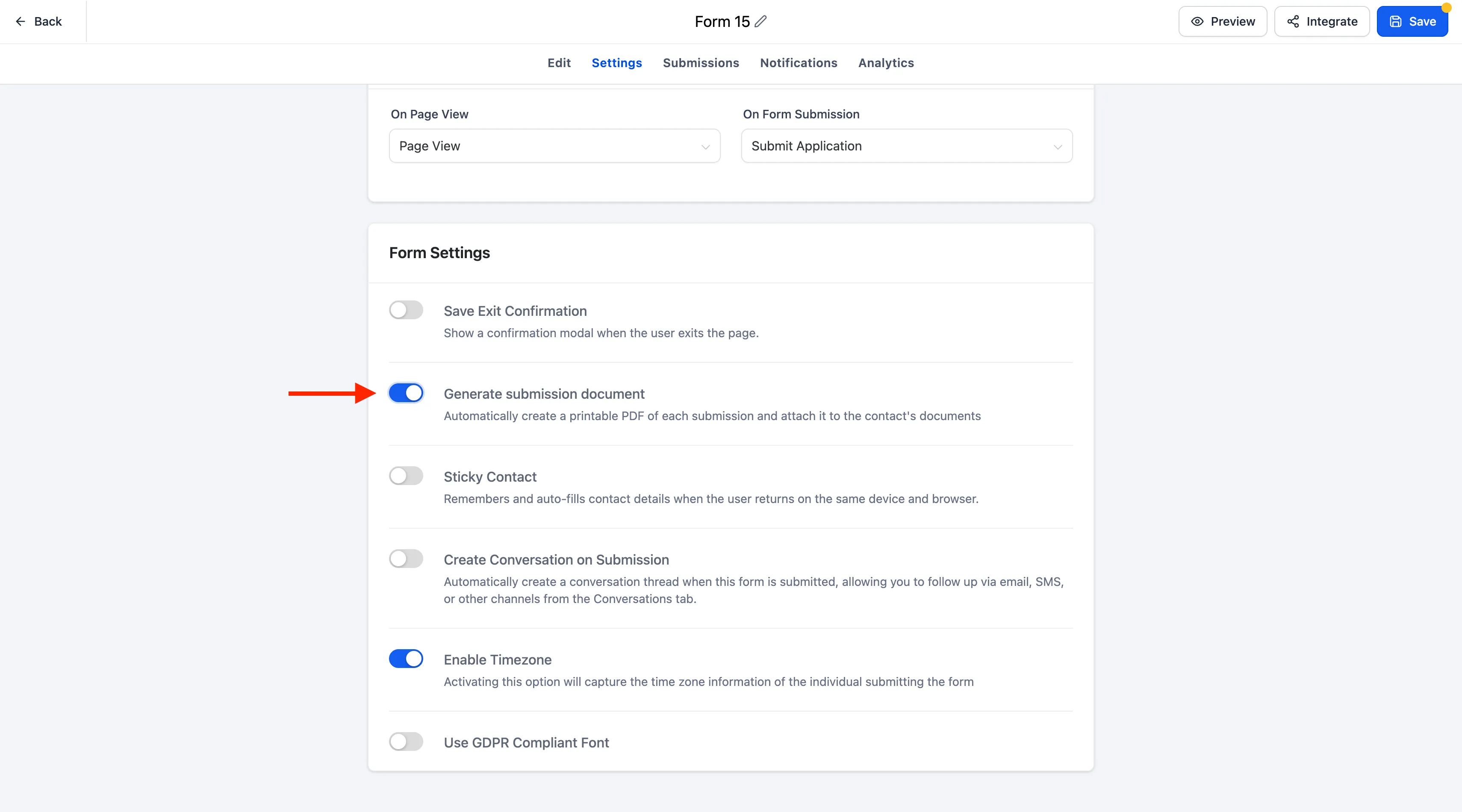
If the setting is off, PDF documents will not be generated.
PDF Naming Format
Generated documents use consistent naming formats:
- Forms and Surveys:
[FormName]_[ContactName]_[YYYY-MM-DD_HHMM] - Quizzes:
Result_[FormName]_[ContactName]_[YYYY-MM-DD_HHMM]
Notes
- PDF generation is optional and controlled separately for each Form, Survey, or Quiz.
- Documents are automatically organized into their respective Forms, Surveys, or Quizzes folders.
- Existing submissions are not affected. Only new submissions generate documents after the setting is enabled.
Need Help Applying This Update?
Want help turning this update into a working part of your CRM, marketing, or automation setup?
Get Started or schedule a demo and we’ll help you map the right next step.