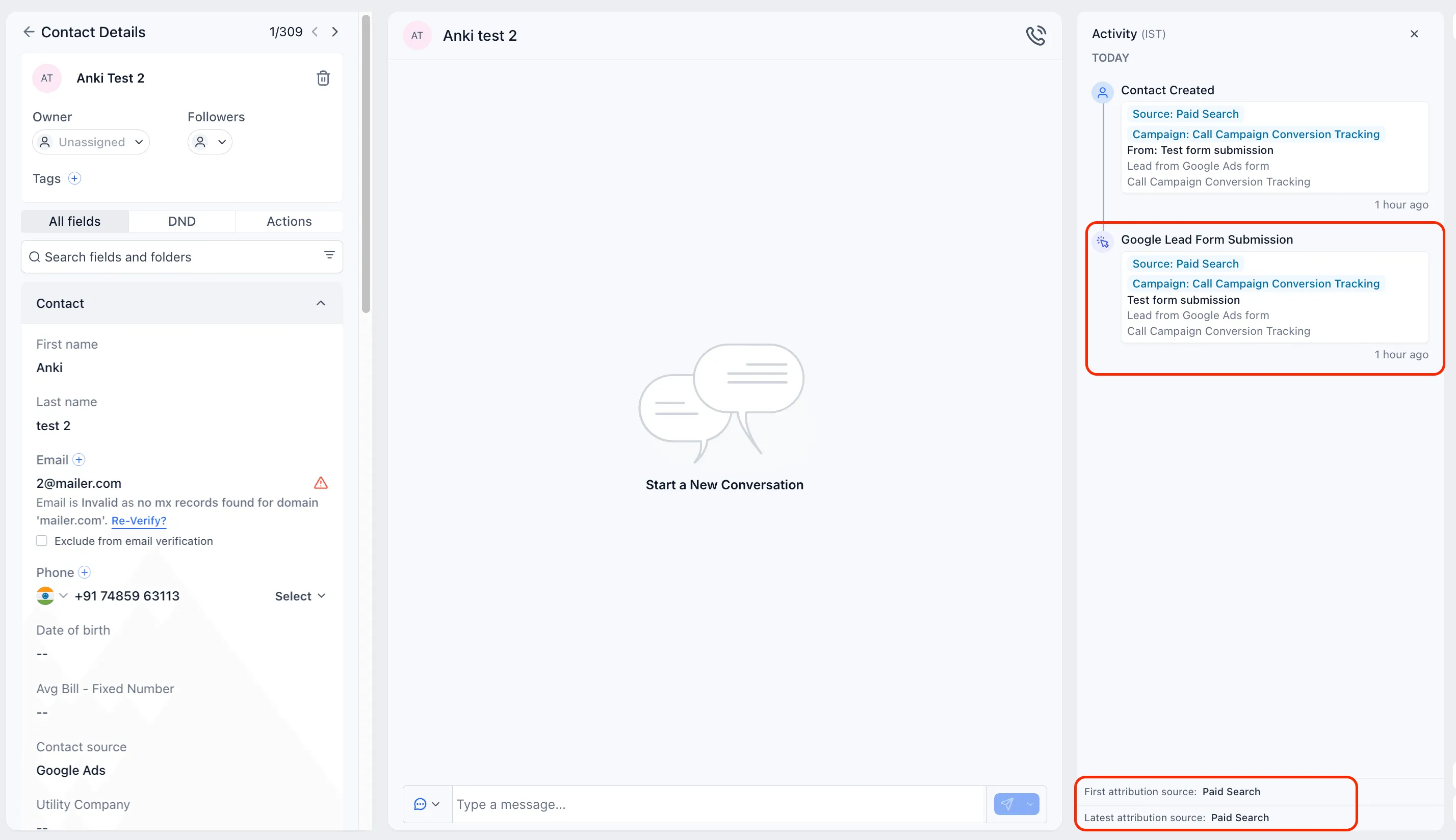
Google Lead Form submissions in SMBcrm now record the correct session source as Paid Search instead of being stored as Paid Social.
This update improves attribution accuracy for teams using Google Ads Lead Forms as part of their lead capture process.
What Changed
Google Lead Form submissions now include:
- Correct session source attribution as Paid Search
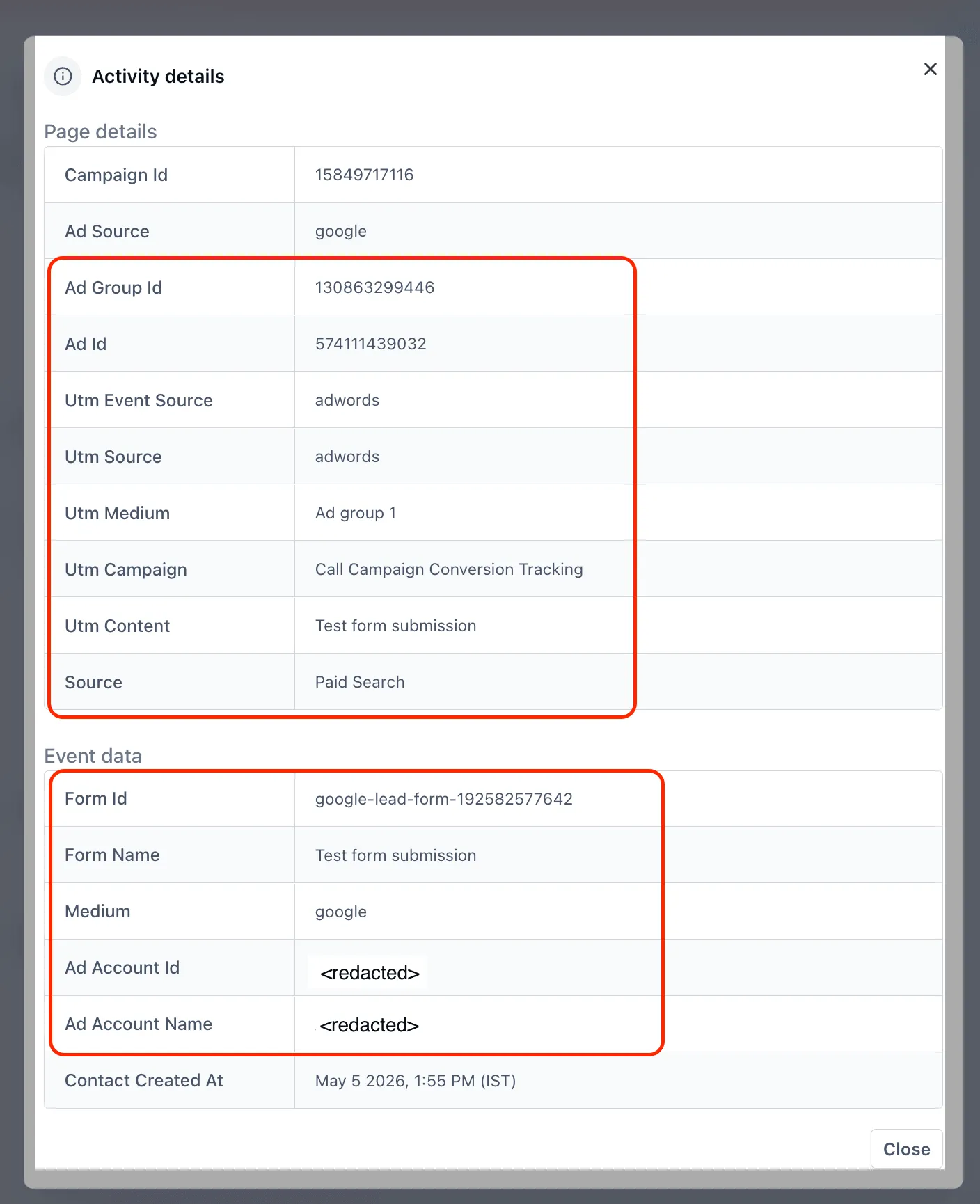
- Campaign, ad group, and ad details from the originating Google Ads entity
- A dedicated contact activity called Google Lead Form Submission
- Activity details that include campaign, ad group, ad, and form name
How It Works
When a prospect submits a Google Lead Form, SMBcrm creates or updates the contact automatically.
In the contact record:
- The Activity panel shows the session source as Paid Search
- Campaign, ad group, and ad details are populated from Google Ads
- The activity timeline includes a Google Lead Form Submission entry
- The activity snippet shows the campaign, ad group, ad, and form name
Why It Matters
This update helps improve reporting and follow-up workflows by making Google Lead Form data easier to identify and use.
Key benefits include:
- More accurate paid-channel reporting because Google Lead Form leads are no longer categorized as Paid Social
- Better campaign visibility with campaign, ad group, ad, and form details on each lead
- Cleaner contact timelines with a dedicated activity type for Google Lead Form submissions
- More precise workflow branching based on the new activity type
Notes
- This applies to new submissions going forward.
- Historical contacts keep their original attribution.
- No setup changes are required.
- The corrected attribution and new activity apply automatically wherever Google Ads Lead Form integrations are supported.
In Case You Missed It
For another recent activity-tracking improvement, read Conversation Message Details Now Show App Source.
Need Help Applying This Update?
If you’d like help rolling this out in SMBcrm, visit Support or request a demo.