SMBcrm now gives website teams more control over how Voice AI widgets appear on a page. The Style tab includes placement and display options for sticky corner widgets or embedded inline experiences.
This update gives teams more flexibility across website and landing page voice interactions in SMBcrm communication and AI features.
What changed
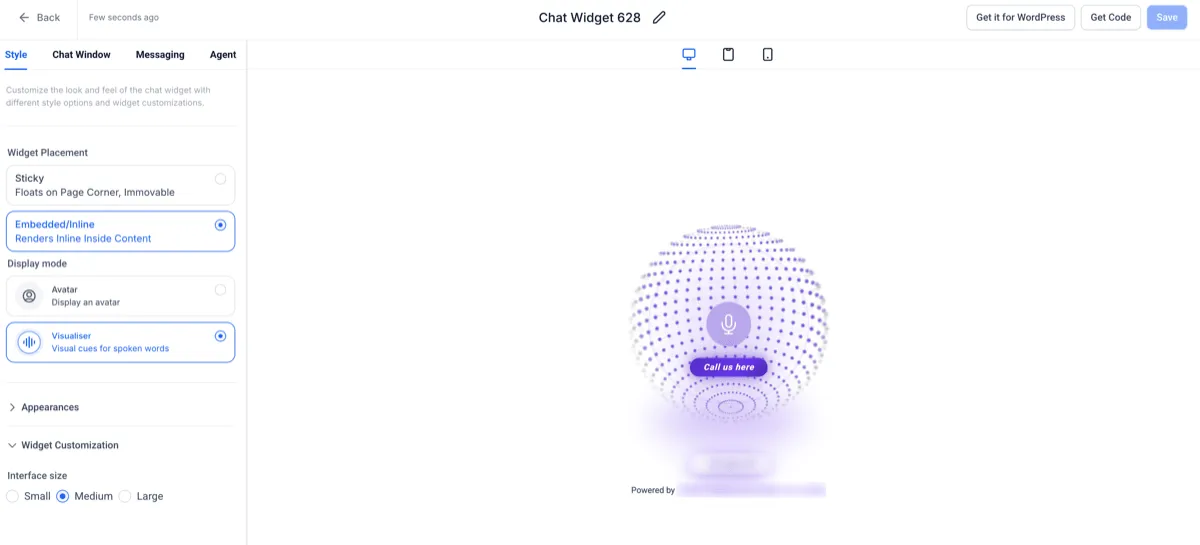
- Widget Placement is available at the top of the Style tab:
- Sticky keeps the widget floating in a page corner and remains the default option.
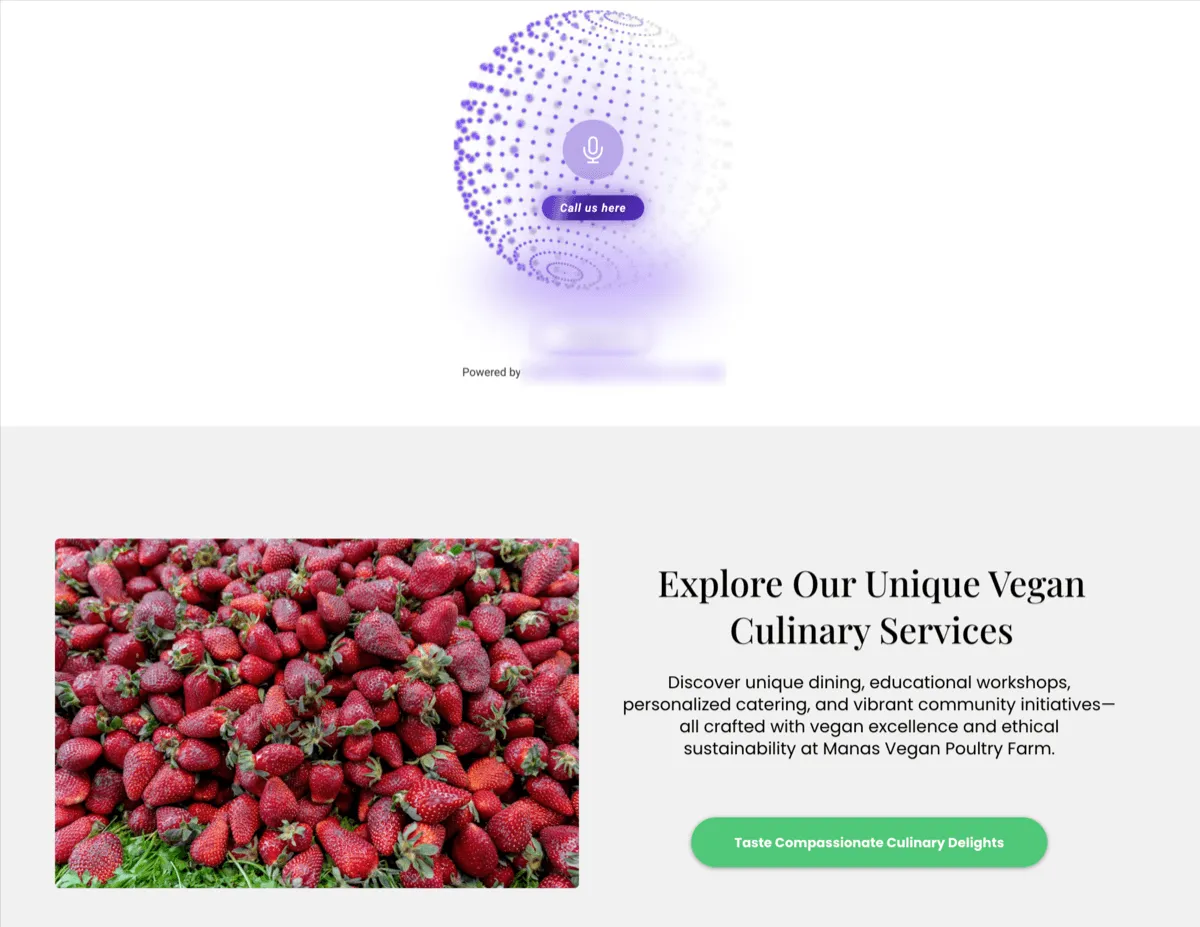
- Embedded/Inline renders the Voice AI widget inside website content.
- Embedded widgets include Display Mode options:
- Avatar for a static visual representation.
- Visualizer for dynamic voice-based visual cues.
- Visualizer mode includes Interface Size options: Small, Medium, and Large.
- Preview updates reflect placement and display selections in real time.
- Inline widgets can show a CTA below the avatar or visualizer, such as “Call us here.”
How to configure it
- Go to Sites > Chat Widget > Style tab.
- Choose Widget Placement: Sticky or Embedded/Inline.
- For Embedded/Inline placement, choose Display Mode: Avatar or Visualizer.
- If Visualizer is selected, choose an Interface Size.
- Customize the remaining available styling options.
- Select Get Code.
- Sticky uses a floating script.
- Embedded/Inline uses an inline embed snippet, such as a div or iframe.
- Paste the code into the website location where the widget should appear.
Why it matters
Embedded Voice AI widgets let teams place voice interactions directly inside page layouts instead of relying only on floating widgets. This can help align the widget with landing pages, funnels, and content-driven site sections.
The visualizer display option also gives visitors a more interactive voice experience while preserving layout control.
Notes
- Some customization options, including widget position and contact form toggle, are disabled in Embedded/Inline mode for Voice AI widgets.
- Display mode variations are currently optimized for Voice AI experiences.
- Multiple embedded widgets can be used across the same site.
In Case You Missed It
For another recent website and marketing update, read New Marketing Templates for Websites, Emails, Forms, and Ads.
Need Help Applying This Update?
If you’d like help rolling this out in SMBcrm, visit Support or request a demo.