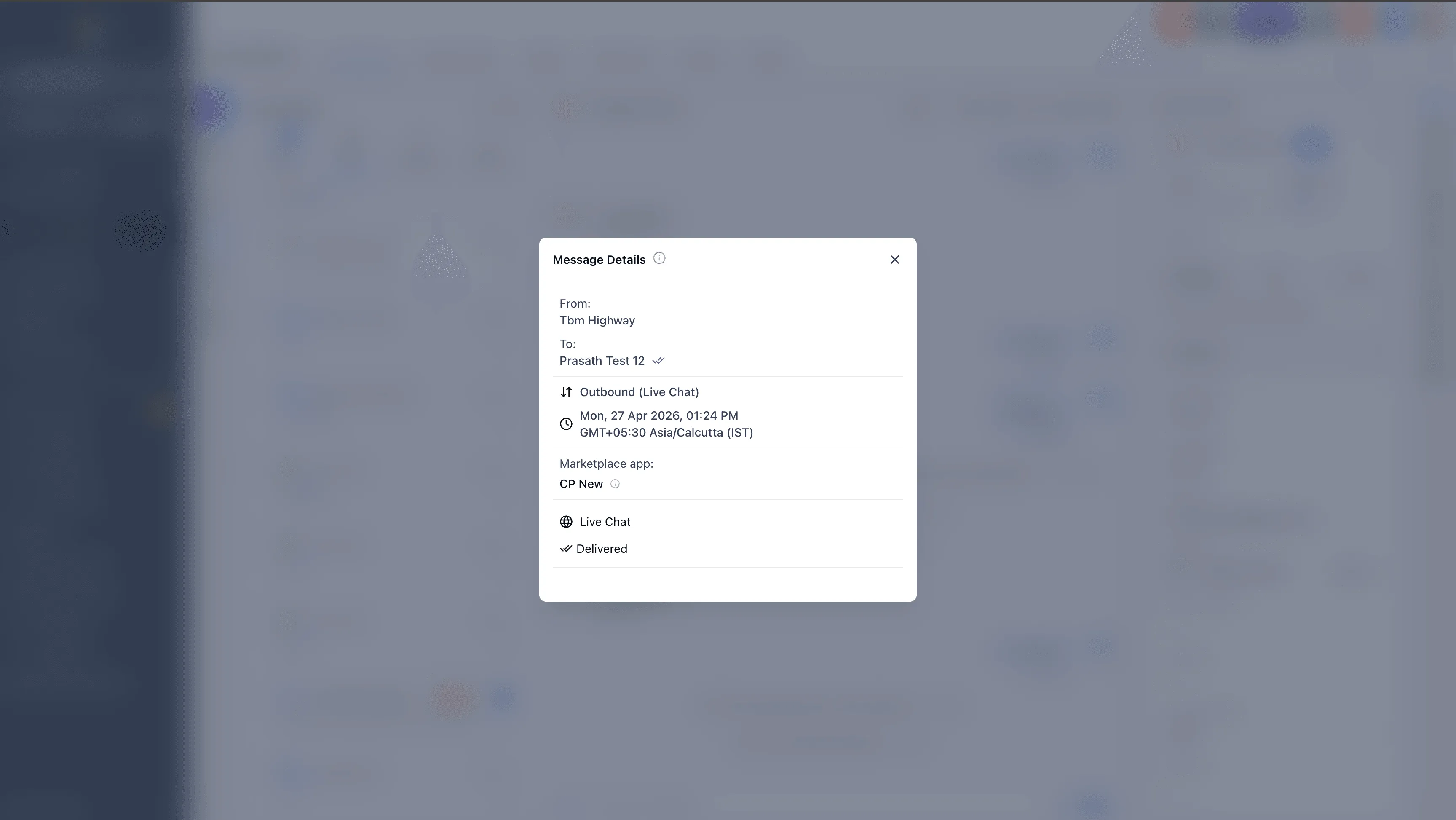
SMBcrm now makes it easier to identify which marketplace app or custom provider sent a message in Conversations. Message details can display the app name and app ID for messages sent through OAuth-connected marketplace apps.
What changed
Previously, it was not always clear which app sent a message, which could make troubleshooting harder. Now, when a message is sent through a marketplace app or custom provider, the message details can show:
- App name
- App ID
This gives teams more context when reviewing messages, managing connected integrations, or investigating message issues in SMBcrm communication tools.
How to view the app source
Open a conversation, select a message, and view the message details. If the message was sent through an OAuth-connected marketplace app, SMBcrm shows the app name and ID in the details panel.
In Case You Missed It
For another recent update, see AI Pages Gets Better Color Previews, Image Regeneration, and More Layout Variants.
Need Help Applying This Update?
If you’d like help rolling this out in SMBcrm, visit Support or request a demo.