SMBcrm now shows clearer error messages when emails fail in Conversations, helping users understand what went wrong without interrupting their workflow.
What Changed
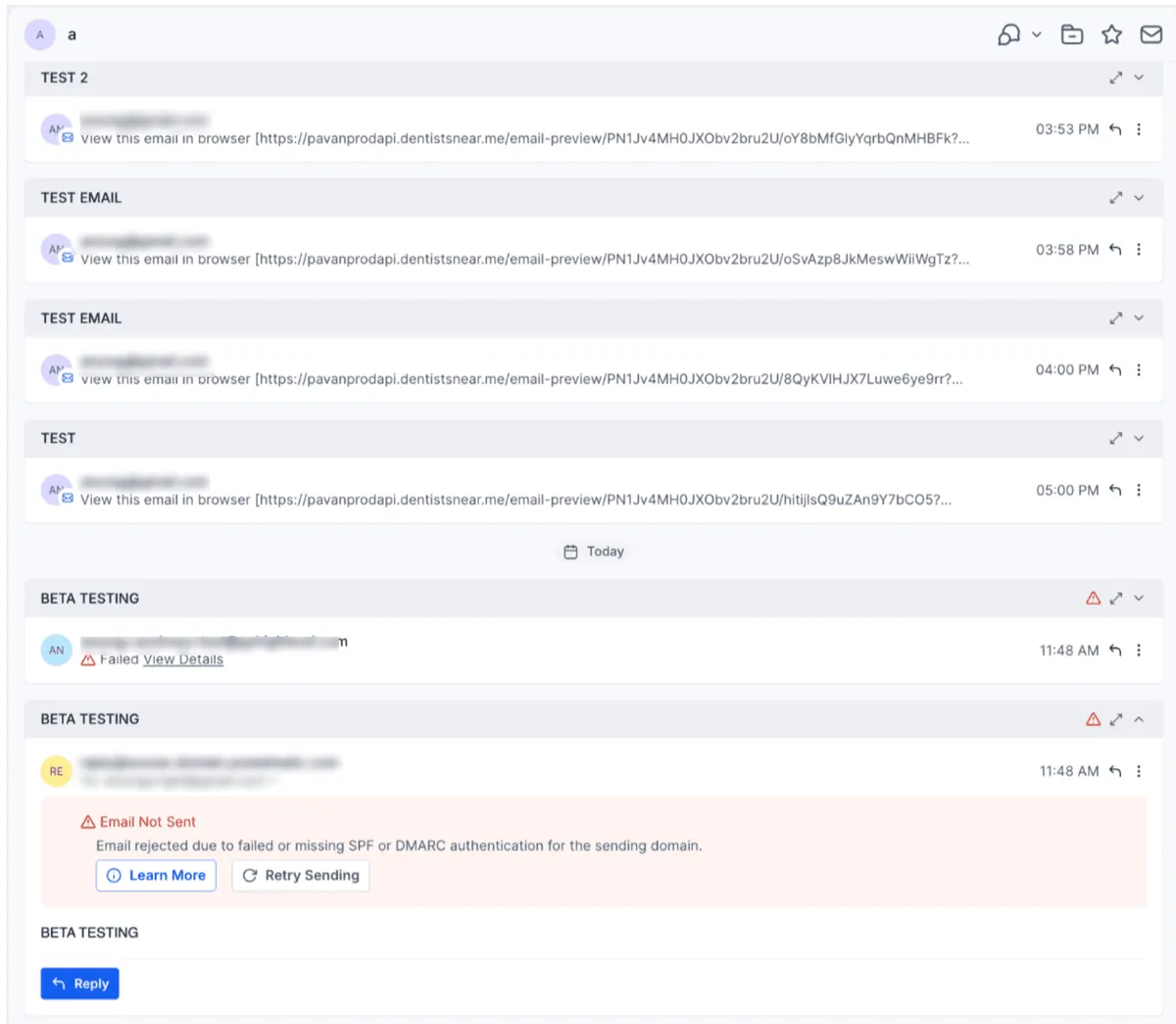
Failed emails in Conversations now display clearer, user-friendly error messages. When an error includes a detail link, the link opens in a new tab so you can review it without losing your current view.
This update supports teams using SMBcrm communication tools to manage email conversations and follow up with contacts.
Why It Matters
- Understand why an email did not send more quickly.
- Review error details while keeping your current conversation open.
- Troubleshoot failed email messages with less disruption.
In Case You Missed It
For another email-related improvement, read Email Verification in Workflows.
Need Help Applying This Update?
If you’d like help rolling this out in SMBcrm, visit Support or request a demo.