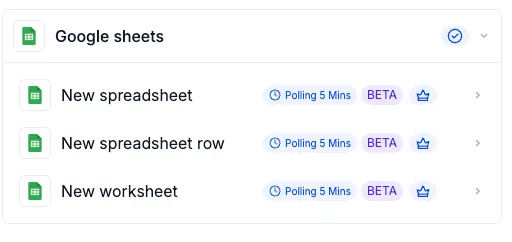
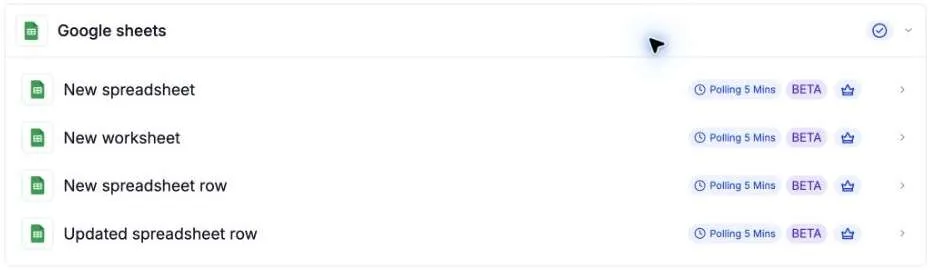
Four new Google Sheets triggers let you start SMBcrm automation workflows when spreadsheet data is added or changed, reducing the need to check sheets and start processes manually.
Available triggers
- New spreadsheet: Starts a workflow when a Google Sheets file is created in the selected Drive.
- New spreadsheet row: Starts a workflow when a row is appended after the last row of a selected sheet or tab.
- Updated spreadsheet row: Starts a workflow when a cell in an existing row is modified. Newly added rows do not activate this trigger.
- New worksheet: Starts a workflow when a tab is added to a selected spreadsheet.
These triggers can support lead intake from new inquiry rows, process updates when a status changes, monthly reporting when a tab is added, or internal processes when a spreadsheet is created.
Set up a Google Sheets trigger
- Go to Automation > Workflows, open a workflow, and select Add Trigger.
- Search for the trigger name or open the Google Sheets category, then choose the event.
- Select your connected Google account and Drive. For either row trigger or the worksheet trigger, also select the spreadsheet. For row triggers, select the Sheet (Tab) as well.
- Select Find new records, choose a mapping reference, and use the available trigger data in subsequent workflow actions.
- Save the trigger and workflow. Use Test > Test using events to check a matching Google Sheets event, then publish the workflow when ready.
Important usage notes
Google Sheets is marked as Premium in the workflow builder, and premium usage charges may apply.
The New spreadsheet row trigger tracks row positions. Append records at the bottom of the sheet: inserting rows in the middle can retrigger rows at the end, while deleting rows can cause subsequent new rows to be skipped.
Release Images
Need Help Applying This Update?
Want help turning this update into a working part of your CRM, marketing, or automation setup?
Get Started or schedule a demo and we’ll help you map the right next step.